

Buying a TV sounds simple until you have to figure out if it will actually fit your space.
I’ve seen people focus only on the screen size, only to realize later that the TV is too wide for their stand or too tall for their cabinet.
That’s why knowing how to measure a TV is so important before you buy or move one.
It only takes a few minutes, and it can save you from costly mistakes. Once you know which measurements matter and how to take them correctly, choosing the right TV becomes much easier and far less confusing.
How to Measure a TV?
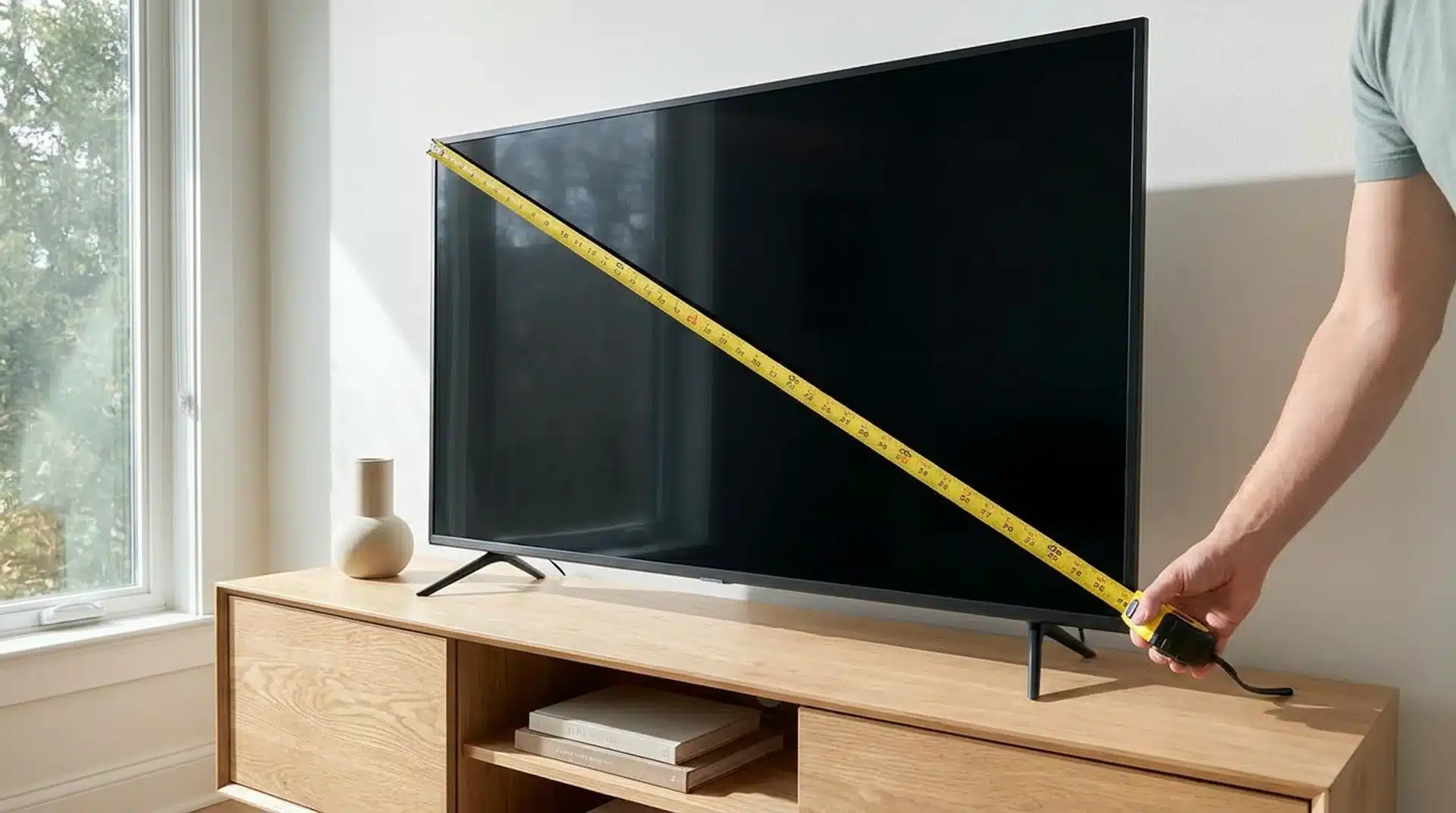
To measure a TV, place a tape measure on the visible screen, not the plastic bezel or frame.
Measure diagonally from one corner of the screen to the opposite corner to get the screen size. This is the measurement manufacturers use when labeling TVs, such as 43, 55, or 65 inches.
If you have a curved TV, measure the diagonal the same way, from corner to corner across the screen.
Don’t be surprised if your measurement is slightly different from the advertised size. Manufacturers round the actual diagonal measurement to the nearest standard screen size, so small differences are completely normal.
TV Size vs. TV Dimensions: What’s the Difference?
Many people think a TV’s size and dimensions mean the same thing, but they’re different. TV size refers to the diagonal measurement of the screen, while TV dimensions describe the TV’s actual width, height, and depth.
Knowing the difference helps you choose the right TV and make sure it fits your wall, stand, or cabinet, which matters even more once you start comparing two popular screen sizes side by side.
| TV Size | TV Dimensions |
|---|---|
| Measures the screen diagonally from one visible corner to the opposite corner. | Measures the TV’s overall width, height, and depth, including the frame. |
| Used to compare screen sizes when shopping. | Used to check whether the TV fits your wall, stand, or entertainment unit. |
| Does not include the bezel or frame. | Includes the bezel and the TV’s physical body. |
| Example: A 55-inch TV refers to the screen’s diagonal measurement. | A 55-inch TV’s actual width, height, and depth vary by brand and model. |
Think of it this way: TV size tells you how big the screen is, while TV dimensions tell you how much space the TV takes up. Before buying or installing a TV, it’s best to check both measurements to avoid fitting problems.
How to Measure TV Width, Height, and Depth
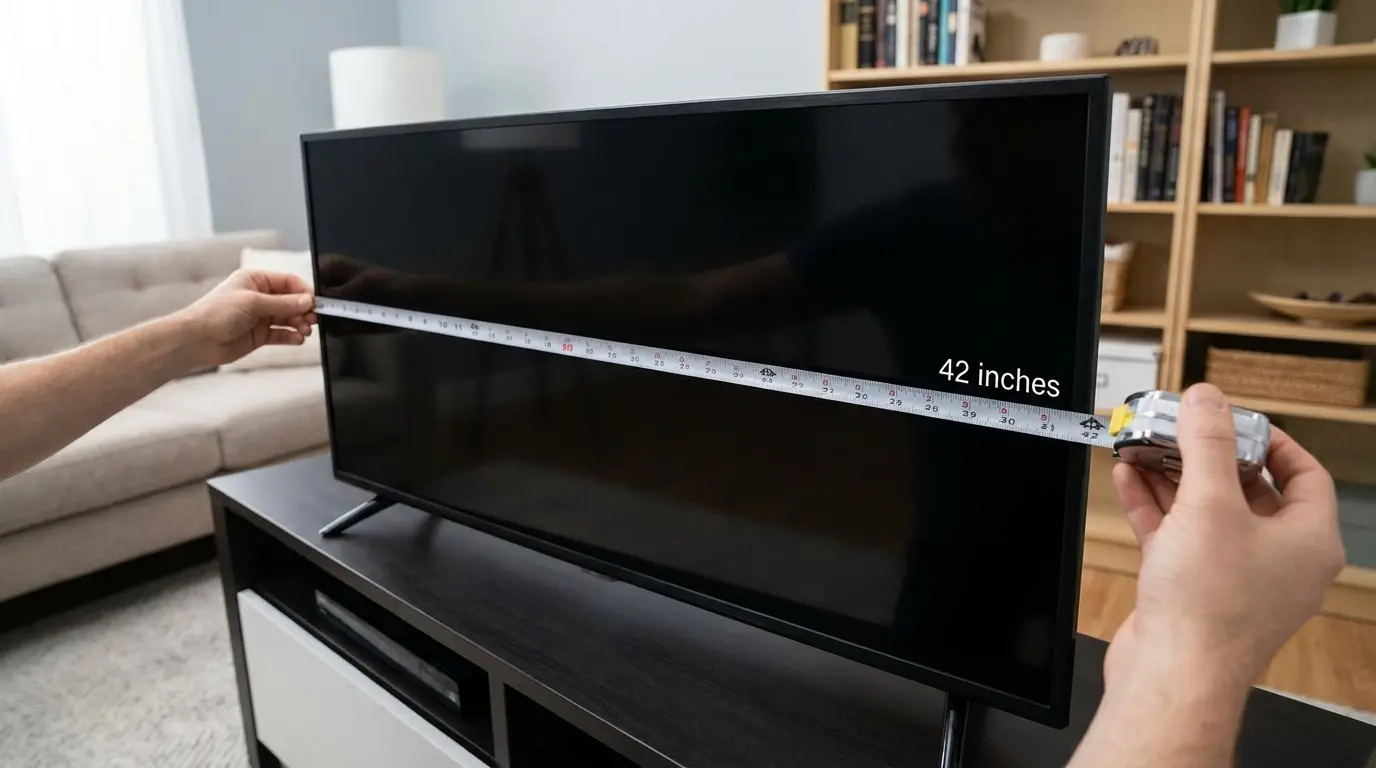
The diagonal number won’t tell you if a TV fits your wall unit or entertainment center. For that, you need three separate measurements: width, height, and depth.
Measure the TV Width
Measure the TV horizontally from the far left edge of the frame to the far right edge. Keep the tape measure straight and level instead of following any curves along the bezel.
Measure the widest part of the TV, including the frame, because this is the number you’ll need when checking if the TV fits on a stand, inside an entertainment unit, or in the space you’ve planned.
Measure the TV Height
Measure the TV vertically from the top edge of the frame to the bottom edge. If the TV will sit on furniture, measure the full height with the stand attached.
If you’re mounting it on a wall or checking cabinet clearance, measure only the TV panel without the stand. Keeping the tape measure straight will help you get a more accurate result.
Measure the TV Depth
Measure from the front of the screen to the back of the TV. If it’ll sit on a stand, measure the feet or center stand too, since that adds to the depth you’ll need.
Many TVs also bulge slightly around the back ports, so leave a little extra room near walls or cabinets.
If you’re planning to mount it, check the bracket’s own depth as well, since that adds even more distance from the wall, even though many smart TVs now pull content straight from your connected home network instead of extra boxes and cables.
What to Use Instead of a Tape Measure?
A tape measure is the most accurate and easiest tool for measuring a TV, but you can still get a close estimate with a few common household items.
A ruler or yardstick works well, although you’ll need to measure in smaller sections and add the numbers together.
You can also use a piece of string by laying it along the edge you want to measure, marking the end, and then measuring the string with a ruler.
Many smartphones also include a built-in measuring app that uses the camera to estimate length. These options are useful for quick measurements, but a tape measure is still the best choice for the most accurate results.
How to Check Your TV’s Size Without a Tape Measure?
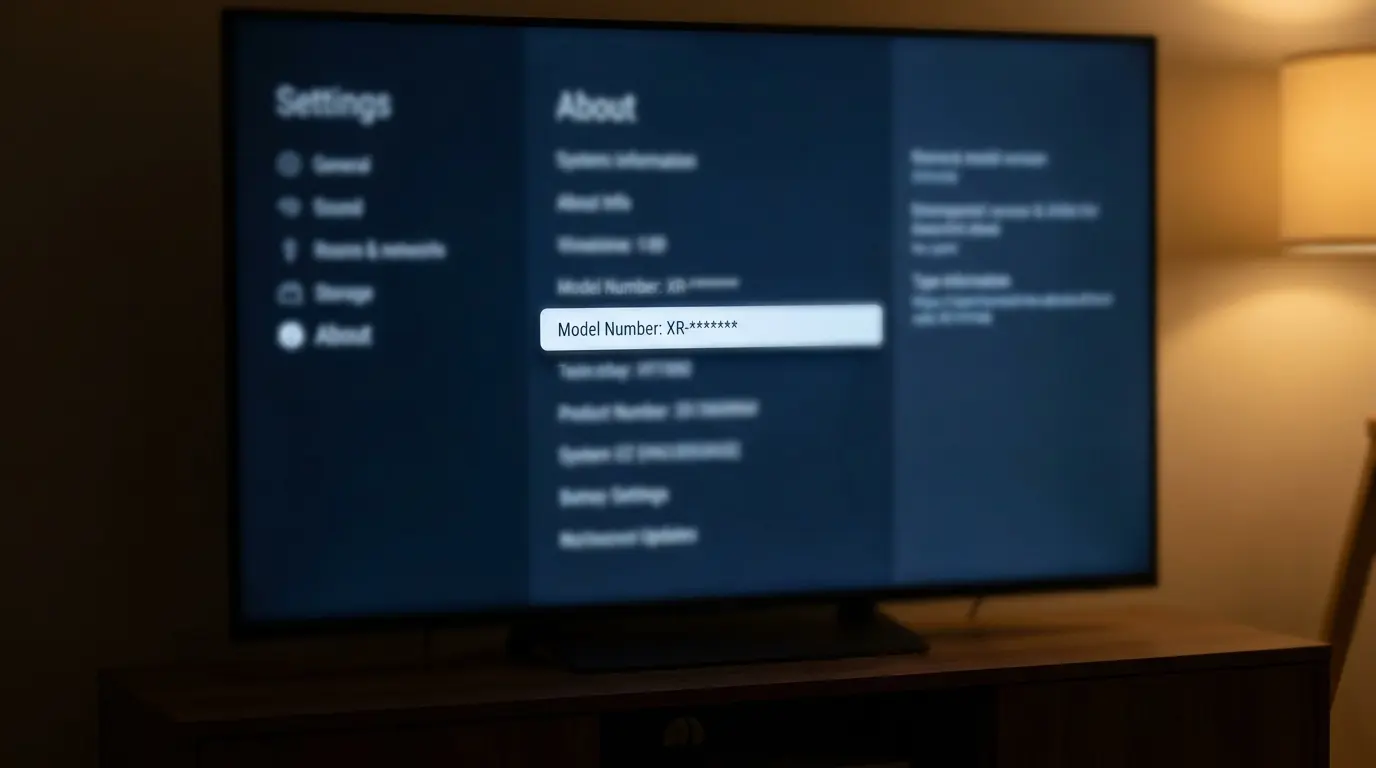
Sometimes you don’t have a tape measure handy, or the TV is already mounted and hard to reach. There’s still a way to find the size.
- Settings Menu: Check the Support or About section for the model number, usually listed under System Information, the same menu you’d dig through when setting up casting from a phone to a smart TV.
- Model Number: Many TV manufacturers include the screen size in the model number, although the format varies by brand. For example, many Samsung models use “55” to indicate a 55-inch TV.
- Original Box: The size is almost always printed clearly on the packaging.
- Manual: Check the specifications page if the box isn’t around anymore.
Any of these gets you the answer faster than pulling out a tape measure.
Why a TV’s Actual Size Might Not Match Its Advertised Size
Don’t worry if your TV’s measured size is slightly different from the number on the box. Manufacturers follow standard sizing methods, so small differences are normal.
Several factors can affect the final measurement, even when you’ve measured the TV correctly.
| Reason | Explanation |
|---|---|
| Screen-only measurement | The advertised TV size measures only the visible screen diagonally and does not include the bezel or frame. |
| Rounding | Manufacturers round the actual diagonal measurement to the nearest standard TV size, such as 43 or 55 inches. |
| Bezel design | The thickness of the bezel varies between models, which changes the TV’s overall width and height but not its advertised screen size. |
| Manufacturing tolerances | Small differences during production can cause the actual screen measurement to vary slightly between TVs of the same advertised size. |
A small difference between your measurement and the advertised size is completely normal. As long as you measure the visible screen diagonally from corner to corner, your result should be very close to the TV’s listed size.
How to Find the Right TV Size for Your Room?
Before choosing a TV, think about how far you’ll be sitting from the screen. A TV that’s too small may not feel immersive, while one that’s too large can feel uncomfortable in a small room.
A simple viewing distance guideline can help you choose a size that works well for your space.
- Measure Your Viewing Distance: Measure the distance from your seating area to where the TV will be placed. Use inches for the easiest calculation.
- Use a General Guideline: Divide your viewing distance by about 1.5 to 1.6 to estimate a comfortable TV screen size. This is a helpful guideline, not a fixed rule.
- Example Calculation: If your seating position is 120 inches from the TV, dividing by 1.5 suggests a screen size of about 80 inches.
- Consider Your Room: Smaller rooms usually work better with smaller TVs, while larger rooms can comfortably fit bigger screens.
- Think About Personal Preference: Some people enjoy a larger, more immersive picture, while others prefer sitting farther away. Use the guideline as a starting point and choose a size that feels comfortable for you.
This method gives you a good estimate, but it’s not the only factor to consider. Your TV’s resolution, room layout, and personal viewing preference can also help you decide on the right screen size.
Conclusion
Now that you know how to measure a TV, you can check both the screen size and the TV’s full dimensions with confidence.
I always recommend measuring your available space first and then comparing it with the TV’s width, height, and depth before making a decision.
A few careful measurements can help you avoid returns, fitting problems, and extra work later.
If you found these tips helpful or have another way to measure a TV, leave a comment below. I’d love to hear your experience and answer any questions you may have.
Frequently Asked Questions
Why are TVs Measured Diagonally?
This standard originates from the era of CRT televisions and was carried over as a marketing tactic to provide the single largest measurement of the screen, making the TV appear larger.
What Does “55-Inch Class” Mean on a TV?
The term “class” refers to a general size category rather than an exact measurement. Due to manufacturer rounding, a 55-inch class TV might have a screen that measures 54.6 inches diagonally.
How Can I Find the Ideal Viewing Distance for My TV?
A common guideline is to sit about 1 to 1.5 times the TV’s screen size away for a 4K TV. For example, a 65-inch TV is often viewed comfortably from about 5.5 to 8 feet away. Your ideal viewing distance can also vary based on your room layout and personal preference.
Should I Include the TV Stand When Measuring the Height?
Yes. If the TV is to sit on furniture, you must measure the full height from the surface up to the top edge of the TV, including the stand. This ensures the TV will fit under cabinets or shelves.



One Response