Your WiFi drops for ten minutes, and suddenly nobody in the house can print, stream, or even see the smart thermostat. That’s the moment most people realize they don’t actually understand their home network.
It’s easy to assume that WiFi and the internet are one and the same, but a home network is bigger than both. It’s what connects your devices to each other, with or without an internet connection at all.
I’ve built home networks for years, and this mix-up trips up almost everyone at some point. By the end of this, you’ll know exactly what a home network is, what it includes, and why the pieces matter more than you’d think.
What Is a Home Network?
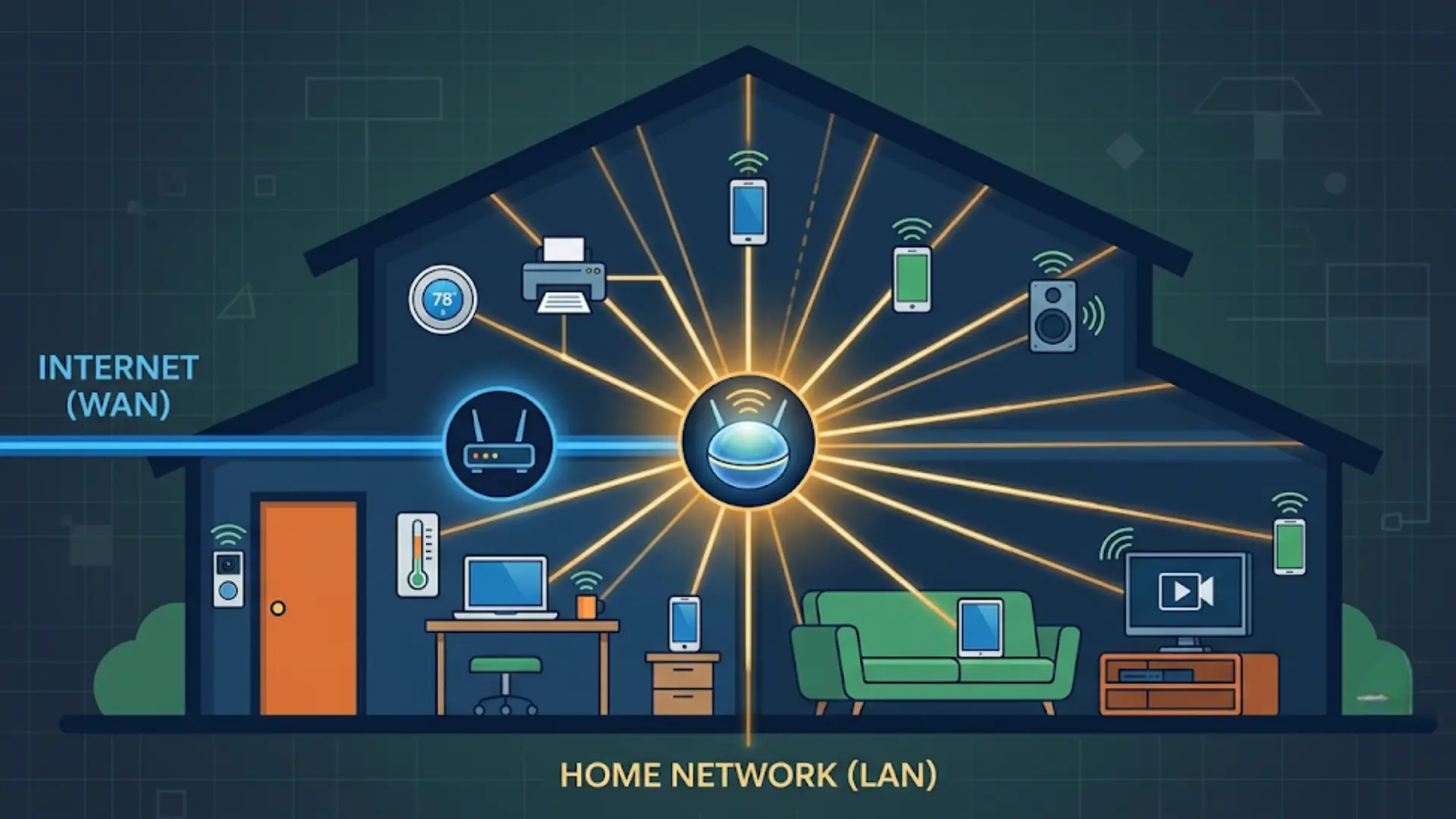
A home network is a local connection. It links the devices in your house so they can talk to each other. That’s it. That’s the whole idea.
You’ll sometimes see it called a local area network, or LAN; that’s just the technical name for a network confined to one place, like your house.
Your internet service gets attached to this network. But it isn’t what defines it. You could have a laptop, a phone, a smart TV, and a printer all talking to each other with zero internet connection involved.
I know that sounds strange if you’ve always thought “network” means “internet.” It doesn’t.
Your devices join this network in one of two ways. Either a cable plugs them in directly, or WiFi connects them via a radio signal.
Both roads lead to the same place. Your device ends up on the same network either way. The only real difference is how the signal physically gets there. Get this part right, and everything else about home networking makes a lot more sense.
What Does a Home Network Include?
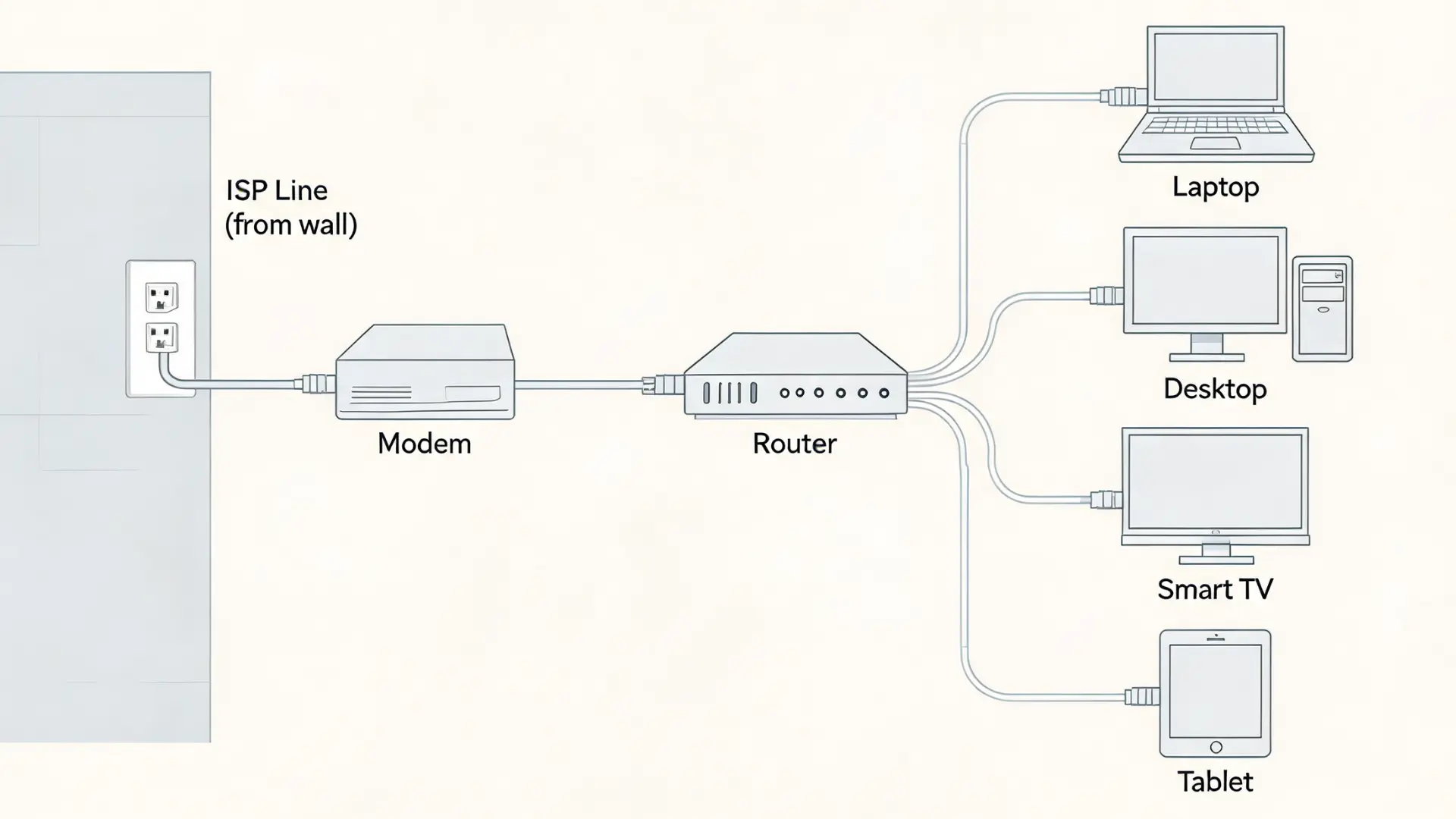
Three jobs have to get done for a home network to work. Something brings the signal into your house. Something spreads that signals to your devices. Something on each device picks it up.
Most people know about the hardware, modem, router, and devices, and stop there. In my experience, that’s exactly where people get lost. But knowing the names isn’t the same as knowing how they work together. So let’s actually follow the signal.
1. The ISP and Modem
Your internet service provider, or ISP, is the company that pipes internet into your home. That’s Comcast, Spectrum, AT&T, whoever you pay every month.
That signal shows up at your house in a form your equipment can’t use yet. A modem’s whole job is translating it into something your router can work with.
No modem, no signal to hand off. But here’s the part people miss: the modem doesn’t create your network. It’s just the front door.
2. The Router and How Devices Connect
Once the modem translates the signal, the router spreads it to every device in your house. This is where your network actually gets created, not at the modem.
Devices connect two ways: WiFi broadcasts a wireless signal, or Ethernet runs a cable straight to the device. Wired connections are more stable, full stop.
WiFi trades that stability for convenience and range. Many combined modem-router units now hide this distinction in a single box.
What a Home Network Is Not
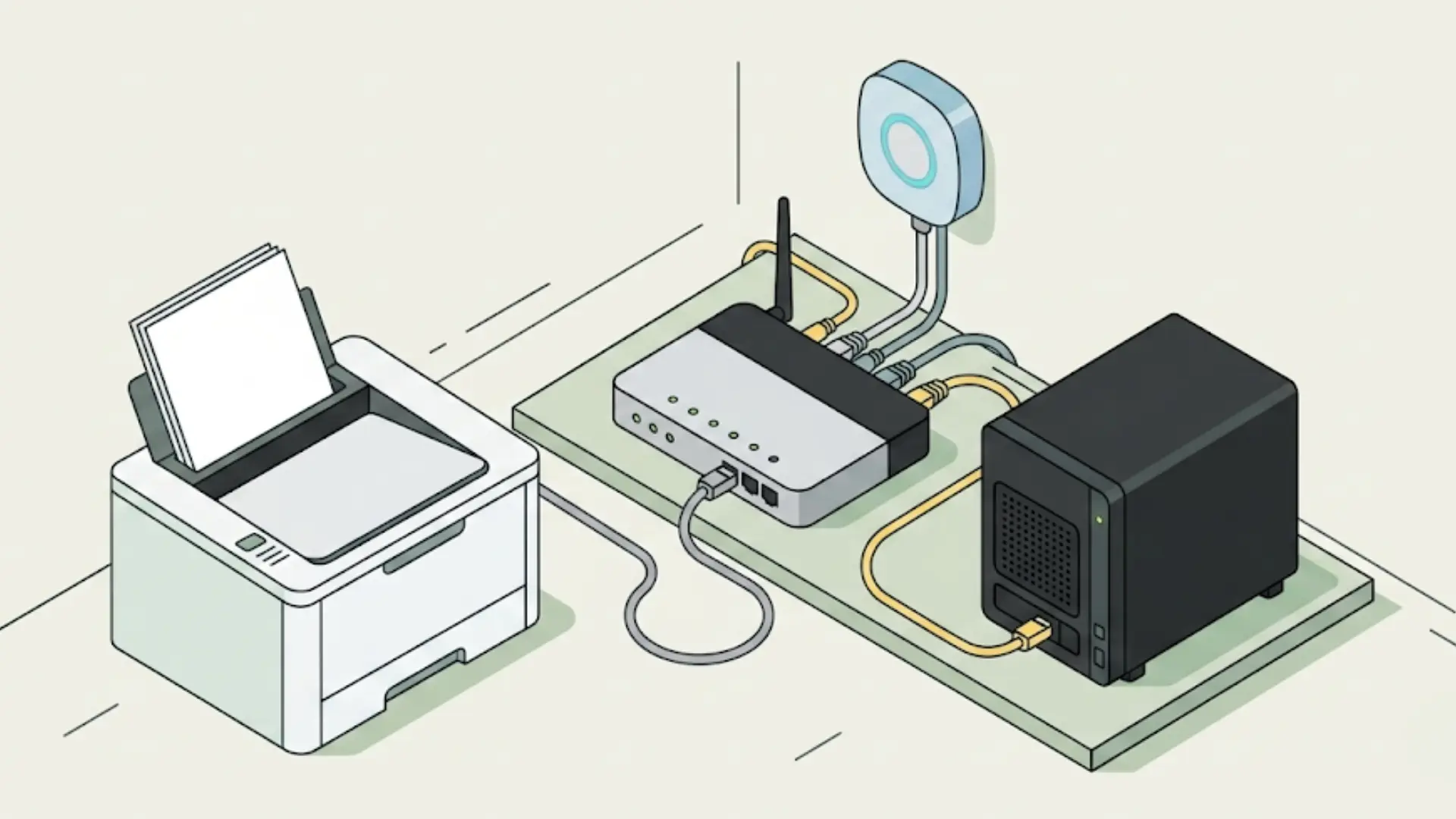
Your home network and your internet connection are two different things. One can exist without the other, and that’s the part I really want you to walk away with.
It’s an easy assumption to make: “network” just means “the WiFi,” or it’s the same thing as having internet. It isn’t.
A network’s real job is letting the devices in your house talk to each other. Not necessarily to the outside world.
Your printer, a shared drive, a smart home hub, and other devices on your network can reach all of these with zero internet connection active. I’ve seen this play out during outages more times than I can count.
If your internet goes down, your devices on the same network can often still see each other just fine. They can still print. They can still share files. None of that depends on data leaving your house.
Think of internet access as something layered on top of your home network. Not a replacement for it.
Why a Home Network Matters
How your network is set up directly affects two things: how well it performs and who can actually reach the devices on it.
A well-built network lets several devices share a single internet connection without anyone hogging it at everyone else’s expense. You’ll notice this more the more devices you add.
Here’s the part people skip over: your network is a shared space. Every device on it can, in principle, reach every other device on it.
That’s exactly why keeping a rough idea of what’s actually connected isn’t an advanced move. Most routers have an app or an admin page that lists every device currently connected.
Check it once, and you’ll usually recognize everything on there. It’s just basic upkeep, the same way you’d check who has a key to your front door.
The Bottom Line
Your devices talking to each other, that’s the real story behind any home network, not the internet sitting on top of it.
The modem brings the signal in, the router spreads it out, and your devices pick it up on either end. None of that stops working just because your internet does.
Knowing how these pieces fit together means you’ll actually understand what’s happening the next time something breaks, instead of just restarting the router and hoping for the best.
A home network is simpler than it sounds once you see it this way. Try checking your own list of connected devices this week, and let me know what you find.
Frequently Asked Questions
What’s the difference between a modem and a router?
A modem connects your home to your internet provider and brings the signal in. A router then spreads that signal to your devices over WiFi or Ethernet. Some devices combine both jobs into one box, which is exactly why people mix them up.
Can a home network work without internet access?
Yes. All it needs is devices connected to each other through a router or switch. That means printers or smart home hubs can still talk to each other and share files, even if your internet drops or was never set up.
How many devices can a typical home network support?
Most home routers handle dozens of devices without trouble: phones, laptops, smart TVs, and more. Things can slow down when many devices are active at once, especially on an older router. But device count alone rarely causes the problem.
Is a home network the same as WiFi?
No. WiFi is just one way to connect to your home network wirelessly. Your network also includes wired connections, the router, and the modem. You could run the whole thing on Ethernet cables and never touch WiFi at all.