


Not every laptop needs to do everything. The Dell Inspiron 15 3530 knows exactly what it is, a no-fuss everyday machine built for students and home office workers who need reliability over raw power.
It gets a surprising amount right for the price. But it also has a few real trade-offs that most reviews gloss over.
This review covers the display, performance, battery, build quality, and the one configuration mistake that kills the experience before you even get started.
Dell Inspiron 15 3530 Review: Smooth Display, Real Trade-Offs
The Dell Inspiron 15 3530 is a 15.6-inch everyday laptop for students and home office workers. It handles browsing, Office apps, video calls, and streaming without breaking a sweat. It is not built for gaming or heavy creative work.
It costs between $500 and $700 depending on the config. Within that range, it delivers on what it promises.
One thing trips people up right away: the processor options go from an i3 all the way up to an i7, and that looks like a big performance range. It is not as wide as it appears. Every single version of this laptop uses integrated Intel graphics. That ceiling matters more than the chip inside. I’ll explain exactly why in the performance section.
Who Is the Dell Inspiron 15 3530 Actually For?
If you spend your day in a browser, Microsoft Office, Google Meet, or Netflix, this laptop is worth a serious look. It handles that workload cleanly and costs less than most alternatives with a comparable screen.
If you edit video, compile code locally, or want to game at any real graphical setting, stop here. No configuration of this laptop fixes those limitations. Skip ahead to the verdict and find out what to buy instead.
How Does the Display Hold Up Day to Day?
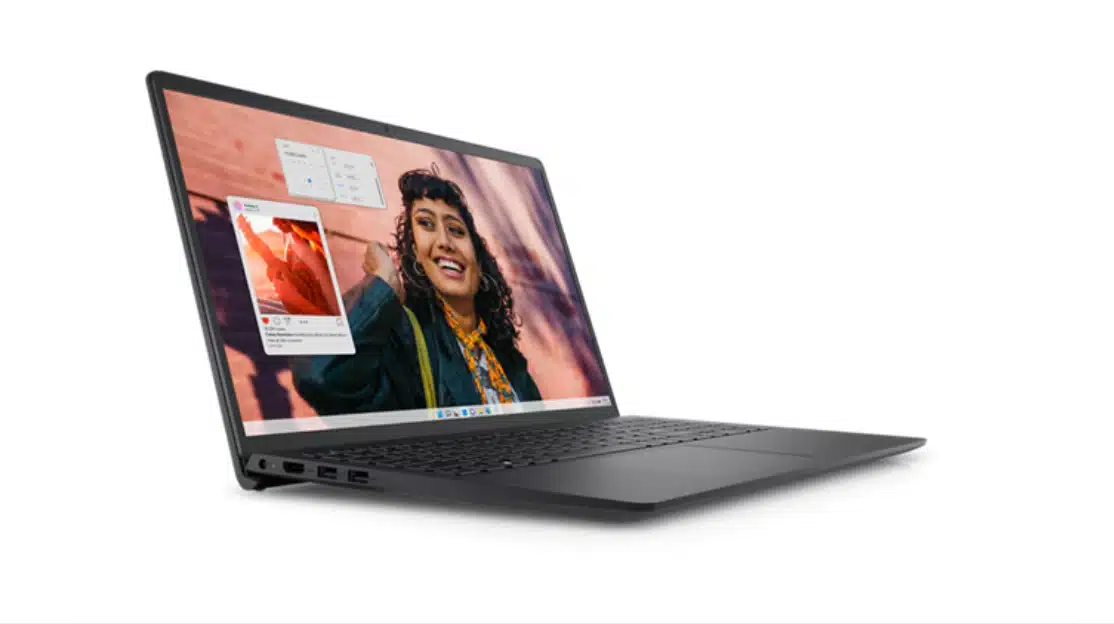
The Inspiron 15 3530 has a 15.6-inch Full HD display with a 120Hz refresh rate. That is uncommon at this price. Most laptops under $600 ship with 60Hz panels as standard.
You notice the difference immediately. Scrolling through web pages feels smoother. Dragging windows around feels tighter. It is not a subtle thing, it just looks cleaner. That is how 120Hz works, and I was genuinely surprised to find it here at this price.
The screen has two real limitations, though. You should know both before buying.
Brightness: Fine Indoors, Useless Outside
The panel hits around 220 to 250 nits. That is comfortable in a typical room or office. Near a sunny window, or outdoors, the image washes out fast.
To be fair to Dell, most budget competitors cap at 250 to 300 nits. The 3530 is not unusually dim for its tier. It is just not a laptop you can use in a coffee shop with sun coming through the glass. If that is your regular setup, this screen will frustrate you.
Color Accuracy: Only Matters If You Create
The panel covers a limited portion of the sRGB color space. Colors look less vibrant and less accurate than a full-sRGB or P3 display.
For documents, video calls, and streaming, you will never notice. For photo editing or casual video color work, you will. Work you finish on this screen will look different on other displays. That mismatch is a real problem in practice, not just a spec footnote.
What Does Real-World Performance Look Like?
The Inspiron 15 3530 runs smoothly for everyday tasks. Web browsing, Office apps, and media playback all feel responsive.
Here is the thing most people get wrong, though: the processor tier matters less than the RAM. That cuts against how most buyers think about upgrades.
Two areas define the real-world experience. The first is how RAM and integrated graphics interact. The second is how the machine handles heat when the processor is working hard.
Processor and RAM: Where the Real Ceiling Is
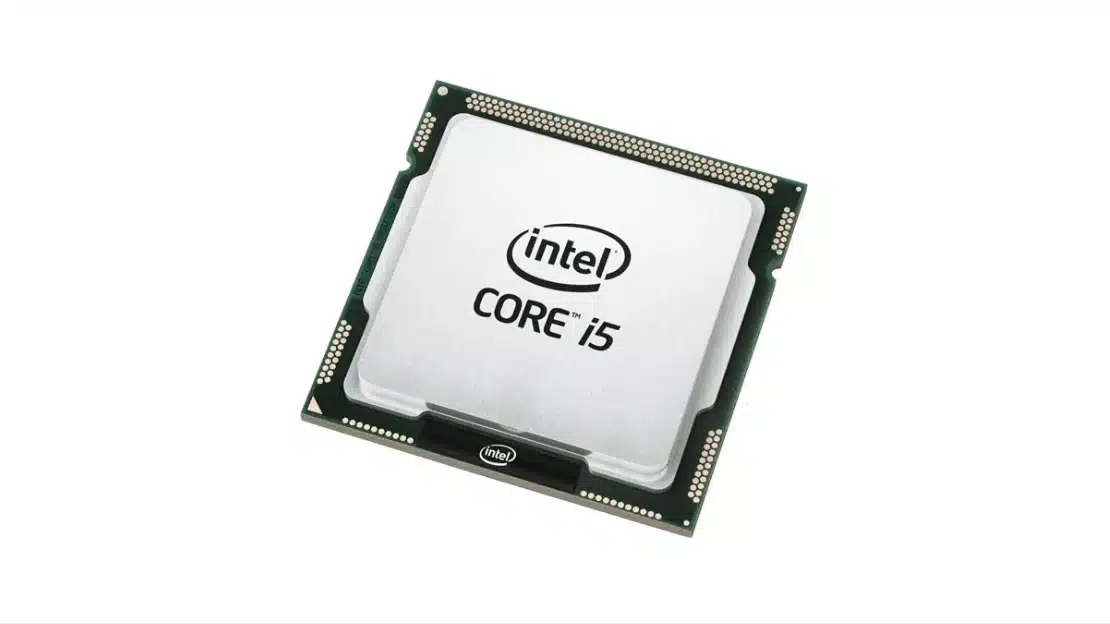
The i5-1334U and i7-1355U both handle real multitasking well. A dozen browser tabs, an open Word doc, and a running video call, that is manageable on either chip. The i3 works for lighter, more sequential tasks. Stack too much on it and it starts to drag.
Here is what I have not seen explained clearly anywhere else. The Intel Iris Xe graphics chip does not have its own dedicated memory. It pulls directly from your system RAM. On an 8GB configuration, the OS and background apps already eat 2 to 3GB at idle.
The graphics driver takes more on top of that. Under a real multitasking load, you can end up with 4 to 5GB of usable RAM left. That is where the slowdowns people report online are actually coming from. The i7 does not fix this. Moving to 16GB does.
If you buy this laptop with 16GB of RAM, the Iris Xe has room to work. Your apps have room to breathe. The daily experience is genuinely different, not because the processor changed, but because the memory pool is no longer a bottleneck.
Fan Noise and Thermals Under Load
Under light use, the fan stays quiet. The lift hinge, the design feature that raises the rear of the chassis slightly when you open the lid, does help with airflow in normal conditions.
Push the processor for a sustained stretch and the fan engages. Extended video calls with screen sharing, large Excel files, and browser sessions with ten or more tabs all trigger it.
It is audible. Not loud enough to bother you at home, but noticeable in a library or quiet workspace. The lift hinge reduces how often it happens, but it does not stop it when the machine is genuinely under load.
Battery Life and Charging: What to Expect
The Inspiron 15 3530 ships with either a 41Wh or 54Wh battery depending on which configuration you buy. Real-world runtime ranges from about 5 to 9 hours based on screen brightness and what you are doing.
That is a wide range, and it needs some context before it means anything useful.
The base 41Wh battery, under actual mixed use, documents, browsing at moderate brightness, some video, gives you about 5 to 6 hours.
The 54Wh battery, which comes with higher-spec configurations, pushes that to 7 to 9 hours. If you are buying this for a student who needs to last a full school day, the 54Wh battery is worth tracking down at the point of purchase.
Two things collapse battery life fast: streaming video at full brightness and active video calls. Either one drops runtime to 3 to 4 hours. If your workday runs on Teams or Zoom, the 54Wh configuration is not optional, it is the minimum. Even then, plan to charge around midday.
One feature that is easy to overlook in a spec comparison is ExpressCharge. It brings the battery to 80% in about an hour. For commuters and students, that changes the math. A lunch break becomes a real charging window, not just a partial top-up.
Build Quality, Keyboard, and the Heat Flaw Dell Acknowledged
The Inspiron 15 3530 is built with an all-plastic chassis. It works, it is light enough to carry, and it does not feel cheap for the price. It is also exactly what you would expect at this tier.
The plastic lid and keyboard deck will flex under pressure. Scratches and scuffs show up more obviously than they would on aluminum. Neither of these is a defect, it is just what a $500 laptop is built from.
What is worth knowing before you buy is the thermal issue. Dell’s own support community has documented a heat spot that builds up in the keyboard area during sustained use.
The Heat Spot: Where It Develops and When
This is not general warmth across the chassis. It is localized, in the palm rest area, below and around the center of the keyboard, and it develops after about 20 to 30 minutes of continuous processor load.
Multiple users in Dell’s forums have described it as a consistent design characteristic, not a fault with individual units. The lift hinge reduces how quickly the heat builds during moderate use. Under sustained load, it does not go away.
If you type for long stretches, writing papers, working in documents all day, you will feel this. It is not painful, but it is noticeable enough that I think buyers who spend most of their time at the keyboard should know about it going in.
The Keyboard Itself Is Actually Good
Key travel is comfortable. The angle the lift hinge creates makes long typing sessions less tiring than a flat deck would. The numpad is a welcome inclusion on a 15.6-inch machine, useful for anyone doing data entry or working in spreadsheets regularly.
The heat issue is a real drawback. The keyboard feel is a genuine plus. Both things are true.
Ports and Connectivity
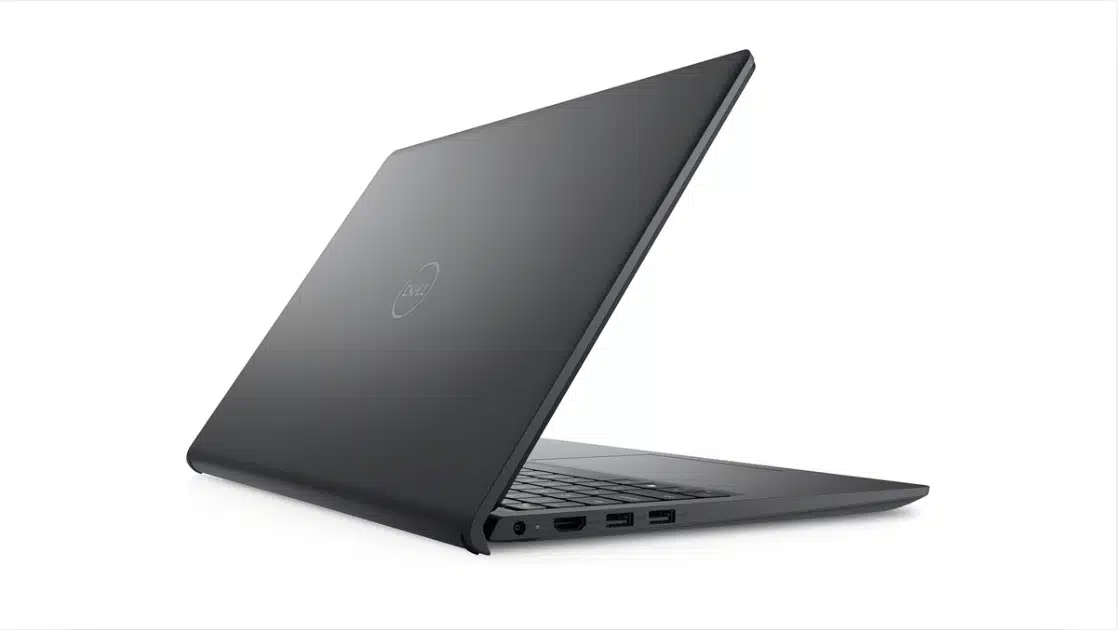
The Inspiron 15 3530 covers everyday connectivity without requiring a hub.
The port selection includes a USB 3.2 Gen 1 Type-C port, multiple USB Type-A ports, HDMI 1.4, an SD card reader, and a headphone jack. Connecting a mouse, external drive, and monitor or projector is straightforward.
Limitations to Note Before Purchase
- HDMI 1.4 caps output at 4K/30Hz or 1080p/120Hz. Running a 4K monitor at full refresh rate is not possible at this hardware level.
- Thunderbolt 4 is absent, which rules out high-speed external SSD docks and eGPU setups. Neither omission is unusual at this price point.
- Wi-Fi 6 is available on higher-spec configurations but does not appear across all SKUs. Confirm it at the point of purchase rather than assuming it is included.
For standard office and academic use the port selection is sufficient. Edge cases around display output or peripheral speed are worth checking against your specific setup before buying.”
Should You Buy the Dell Inspiron 15 3530?
The Inspiron 15 3530 is worth buying if you need a reliable everyday laptop with a better-than-expected display for under $600. It is not the right choice if you need sustained performance beyond basic productivity. The sections below break the decision down by use case and configuration.
Buy It If
The 3530 works best as a productivity and media machine. If your daily use stays within these areas, it delivers well above what the price suggests.
- Your daily use covers web browsing, Office, video calls, and streaming
- The 120Hz display matters to you; it is the only one in this price range offering that level of smooth navigation
- You need a comfortable keyboard and sufficient port selection without extras
For straightforward productivity use, nothing at this price point matches the display quality the 3530 offers.
Skip It If
These are fixed hardware limits. No configuration or upgrade path changes them, so if any apply to your regular workflow, look elsewhere.
- You edit video, retouch photos, or game
- You need to run a 4K external display at full refresh rate
- Sustained performance under load is a regular requirement
If any of these apply, the 3530’s limitations will surface quickly and consistently.
On configuration: the i5 with 16GB RAM and a 512GB SSD is the right call for most people.
The i3 with 8GB underperforms in multitasking due to the shared graphics memory issue covered in the performance section. The i7 adds processing power the integrated graphics cannot use for visually demanding work, making the premium hard to justify unless your workload is CPU-bound.
One honest caveat: the 120Hz display is the 3530’s only real point of difference at this price.
If you primarily use an external monitor or do not notice refresh rate differences, you are paying for a feature you will not use. A competing laptop with a brighter 60Hz panel might be a better fit for the same money.
Conclusion
The Inspiron 15 3530 is a solid everyday laptop if you buy the right configuration and go in with clear expectations.
Get the 16GB RAM version. Understand the display works best indoors. Know the keyboard area runs warm under sustained use.
Do those three things and this laptop will serve a student or home office worker well for years. Ask it to do more than it was built for, and it will disappoint you fast.
The 120Hz screen alone makes it worth considering at this price. Just make sure it is actually solving your problem before you buy.
Frequently Asked Questions
Is the Dell Inspiron 15 3530 good for gaming?
No. The 3530 uses integrated Intel Iris Xe graphics with no dedicated GPU. It can run older 2D games and some light browser-based titles, but it cannot handle modern 3D games at any meaningful setting. If gaming matters to you, look at laptops with a dedicated NVIDIA or AMD graphics card.
What is the best configuration of the Dell Inspiron 15 3530 to buy?
The i5 with 16GB RAM and a 512GB SSD is the right choice for most buyers. The 8GB base model runs into real multitasking limits because the integrated graphics draw from system memory, leaving less RAM for everything else. The i7 upgrade adds cost without meaningful gains, the integrated graphics are still the ceiling regardless of processor.
How bright is the Dell Inspiron 15 3530 screen?
Around 220 to 250 nits. Comfortable for indoor use in normal lighting. Not usable in direct sunlight or outdoors. The screen’s real strength is the 120Hz refresh rate, that is what makes everyday navigation feel noticeably smoother than most laptops at this price.
Does the Dell Inspiron 15 3530 run hot?
Under light use, it stays comfortable. Under sustained workloads like long video calls, complex spreadsheets, or many open browser tabs, a heat spot builds in the keyboard and palm rest area. Dell’s own support community has documented this. The lift hinge helps with airflow but does not eliminate the issue under heavy load.




2 Responses