You check a spec sheet, see a number, and assume it tells you everything. But when it comes to storage, it’s not reliable.
Two drives can show similar numbers on paper and behave completely differently once you’re actually using them. That’s the real story behind eMMC vs SSD.
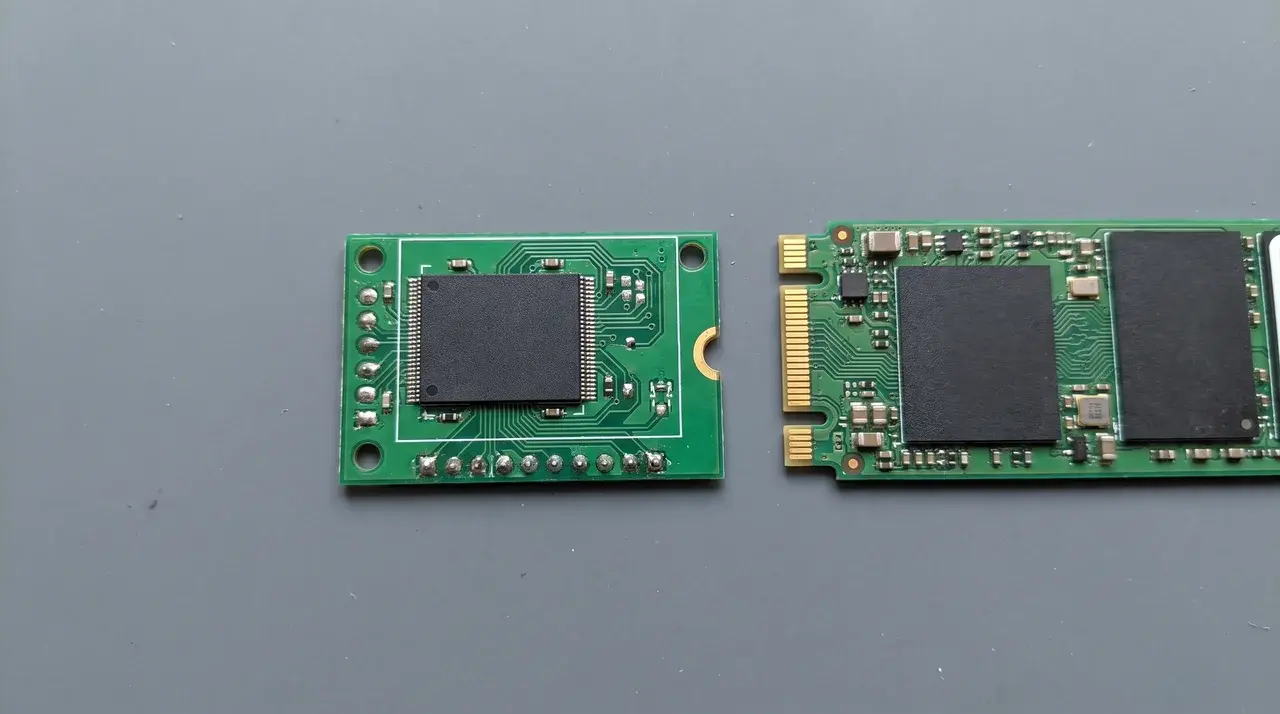
One is a chip soldered to your motherboard. The other is a separate module with its own brain for handling tasks.
That difference shows up the moment you try doing more than one thing at once.
Below, I’ll break down what each one is, how they’re built, and why that build changes what you feel day to day. Then I’ll help you figure out which one actually fits how you use your device.
What Is eMMC and What Is an SSD?
Both eMMC and SSD store your files on NAND flash. The real difference is where each one sits inside your device, and how it talks to the rest of the system.
What Is eMMC
eMMC stands for embedded multimedia card. It’s a small flash chip soldered directly onto the motherboard.
That soldering is the whole point. It keeps costs down and power use low. You’ll find it in budget tablets, Chromebooks, and entry-level laptops like the Dell Inspiron 15 built to a tight price.
What Is an SSD (SATA vs NVMe)
An SSD is a separate storage module, not a chip fixed to the board. It plugs in and runs its own dedicated controller.
There are two common types. SATA SSDs use an older connection standard, similar to what hard drives used. NVMe SSDs connect straight to the PCIe lanes on your motherboard, cutting out a layer of overhead.
Both count as SSDs on a spec sheet. But they’re not the same tier of drive, and that gap matters once you start comparing real performance.
How eMMC and SSD Are Built Differently
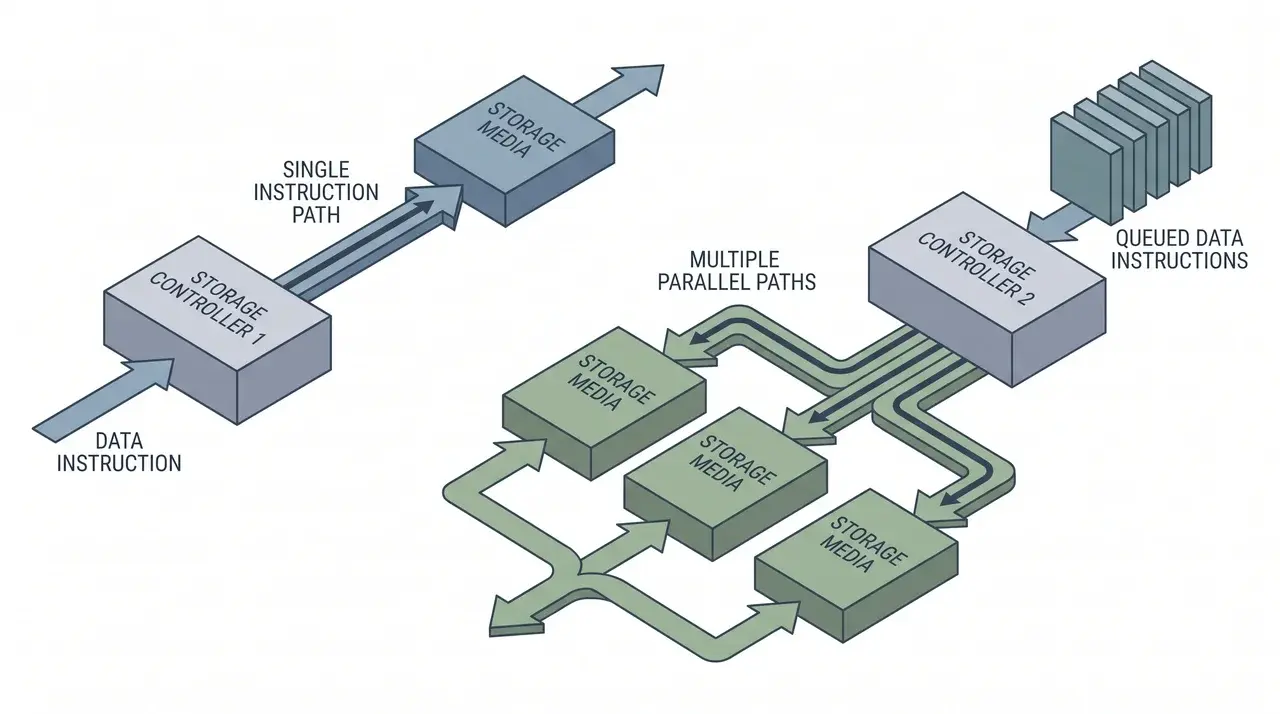
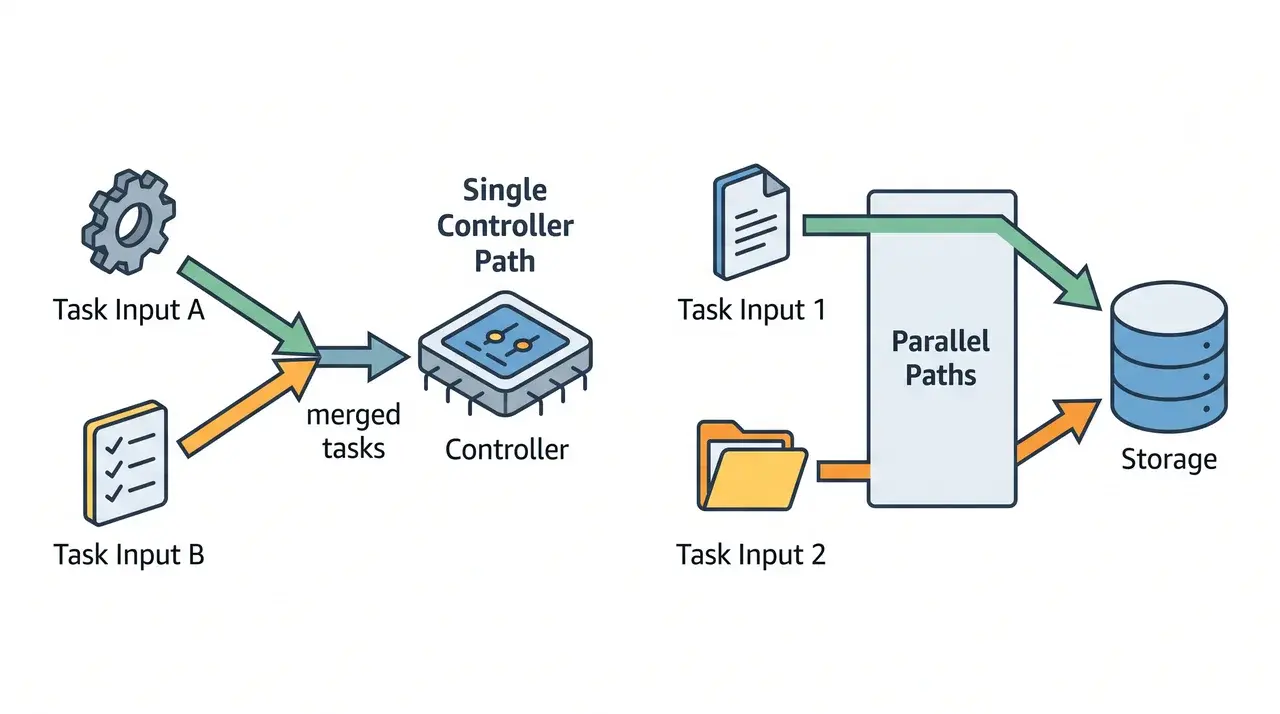
The speed gap between eMMC and SSD isn’t really about the flash memory itself. It comes down to the controller managing that flash, and how many commands it can handle at once.
eMMC Architecture
eMMC runs on a simple controller built to a fixed industry standard. It processes one read or write instruction at a time, then waits before starting the next.
That single-file processing is the real limit. You could double the storage size, and speed wouldn’t budge. The flash isn’t holding things back. The controller is.
This is why eMMC feels the same whether it’s 32GB or 128GB. More space just means more of the same slow lane.
SSD Architecture (SATA vs NVMe Controllers)
SSDs use a dedicated controller built to handle several commands at once, not just one after another. On SATA SSDs, this shows up as NCQ, letting the drive queue and reorder tasks efficiently.
NVMe SSDs take it further. They connect through PCIe lanes and support much deeper command queues, so far more operations run in parallel.
The split comes down to this. eMMC processes requests one at a time. SSDs, especially NVMe, handle many at once.
How the Difference Actually Feels in Daily Use
A spec sheet tells you top speed. It doesn’t tell you how smooth things feel when you’re doing two things at once.
That’s where eMMC starts to show its limits.
Say you’re installing an app while a system update runs in the background. On an SSD, both tasks move forward together. On eMMC, one has to wait for the other to finish.
The stutter people notice isn’t about raw speed. It’s a drive that can’t juggle.
You can check eMMC’s listed speed and see 300 MB/s, which looks fine on its own. But that number only holds up when it’s doing one thing at a time.
For reference, eMMC typically runs 200–400 MB/s with capacities up to 256GB. SATA SSDs sit around 550 MB/s. NVMe SSDs push past 3,500 MB/s, sometimes well beyond 7,000, with room for several terabytes.
Those numbers matter, but they only tell half the story.
SSDs stay smooth under pressure because their controller doesn’t force tasks into a single line. It runs several at once, overlapping requests instead of making them wait their turn.
What you actually feel isn’t the number on the box. It’s whether your device stumbles the moment you ask it to do more than one thing.
When to Choose eMMC vs. When You Need an SSD
Here’s the one-line rule: pick based on whether you’ll ever run more than one storage-heavy task at the same time. If the answer is rarely, eMMC works fine. If the answer is often, you need an SSD.
| eMMC | SSD (SATA or NVMe) | |
|---|---|---|
| Best for | Light, single-task use | Heavier, multitask workloads |
| Typical use | Browsing, email, streaming, basic schoolwork | Photo/video editing, multiple apps, large files |
| Ideal device | Secondary or travel device | Primary daily machine |
| Storage capacity | 32 GB–256 GB | 256 GB to several TB |
| Speed | Up to 400 MB/s | 550 MB/s (SATA) to 7,000+ MB/s (NVMe) |
| Upgradeable? | No; permanently soldered to the board | Yes; most M.2 NVMe drives swap out in under 10 min |
eMMC laptops are genuinely fine for light users who mostly do one thing at a time. For anyone multitasking or pushing bigger files, an SSD is the better fit.
Conclusion
The gap between eMMC and SSD isn’t really about top speed. It’s about how many things a drive can handle at once without falling behind.
eMMC works fine when you’re doing one task at a time. Ask it to juggle more, and the cracks show, even when the specs looked fine on paper.
SSDs, especially NVMe, are built for that overlap. They keep pace when you multitask, edit files, or run several apps together.
So the real question isn’t which drive is faster. It’s whether your daily use ever asks for more than one thing at a time. Check your device’s storage type before you buy, it’ll tell you more than any spec sheet number will.
Frequently Asked Questions
Is eMMC outdated?
eMMC hasn’t disappeared, but device makers are shifting toward SSDs and UFS as prices drop. It still appears in budget tablets, Chromebooks, and entry-level laptops where cost and power efficiency matter more than speed. For most mainstream laptops and desktops today, SSD has become the standard rather than the exception.
Is 64GB eMMC enough?
64GB eMMC works for basic use, web browsing, documents, streaming, especially if you rely on cloud storage. It gets tight quickly with large apps, games, or offline media libraries. For anything beyond light, single-task use, it’s a limiting rather than comfortable amount of space.
Are eMMC laptops any good?
eMMC laptops are fine for simple, single-task use like browsing, email, and streaming, where their lower speed rarely causes noticeable delay. They struggle once you multitask, install large updates, or run demanding software. For light secondary devices they’re a reasonable budget choice; for daily heavy use, an SSD is a better fit.
Is eMMC just an SD card?
No, eMMC is soldered directly onto the motherboard and isn’t removable, while an SD card is a separate, swappable memory card you insert into a slot. Both use NAND flash, but eMMC is a permanent internal component, whereas an SD card is portable external storage you can move between devices.