Your computer runs thousands of processes before you ever click anything. Most of them trace back to one layer, system software.
It’s not the apps you open or the files you save. It sits deeper than that, managing everything the visible software depends on.
Every crash, every compatibility error, every security gap; computer system software is almost always involved somewhere in the chain.
Here you’ll find a clear breakdown of what it is, what it includes, and why keeping it healthy directly affects everything you do on a device.
What is System Software?
System software is the layer that sits between your computer’s hardware and the programs you use every day. Its job is to manage the machine so that everything else can run.
You never open it. You never close it. It’s already running the moment your device powers on.
Think of it as the foundation of computer system software. The hardware beneath it is just components. The apps above it are just tools.
System software is what makes both of them work together. Without it, your hardware has nothing to execute and your applications have nowhere to run.
What Does System Software Include?
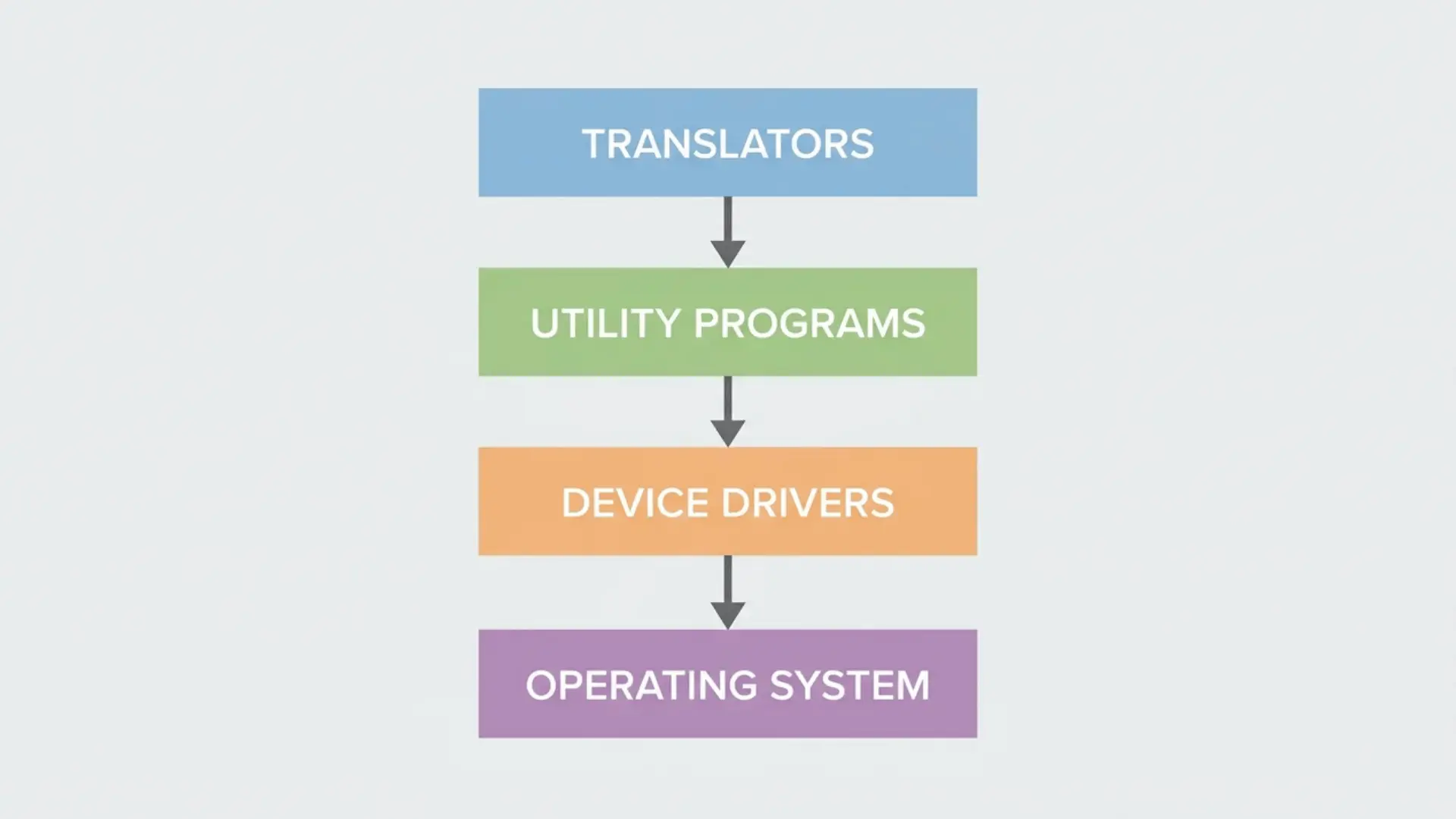
System software has five types: operating systems, device drivers, utility programs, translators, and firmware. Each one plays a distinct role, and they don’t just coexist. They depend on each other.
Operating Systems
The operating system is the core of any computer system software. It manages memory, runs processes, and controls how hardware resources get shared across everything on the machine.
Windows, macOS, Linux, iOS, and Android are all operating systems. Every other piece of software on your device runs because the OS makes it possible.
Device Drivers
Your OS can’t talk directly to your hardware. Drivers are what bridge that gap.
Each driver is written for a specific component: your graphics card, your printer, your keyboard. Without the right driver, the OS sends instructions the hardware simply can’t understand.
A common example: plug in a new GPU without installing its driver and your display runs at low resolution with no graphics acceleration. Install the driver, and the OS and card can finally communicate.
Utility Programs
Utilities keep the system healthy. They don’t run your applications or manage your hardware — they maintain the environment everything else depends on.
Antivirus software, disk cleaners, and backup tools are all utilities. They run quietly, fix problems before you notice them, and keep the system stable over time.
Translators (Compilers and Interpreters)
Code that humans write isn’t something a machine can execute directly. Translators convert it into instructions the hardware can actually process.
A compiler does this all at once before the program runs. An interpreter does it line by line as the program executes.
This is why translators belong to system software. They serve the developers building the layers above and below.
Firmware
Firmware is system software that lives inside the hardware itself. It’s stored on a chip and runs before your OS even loads.
Your computer’s BIOS is firmware. So is the software inside your router, your keyboard, and your SSD.
It doesn’t change often, and most users never update it manually. But it controls how hardware initializes and hands control over to the operating system at startup.
These five types aren’t a flat list. The OS needs drivers to reach the hardware. Utilities need the OS to run at all. Translators support the developers writing all three layers. Firmware sits underneath everything, waking the machine before any of them load.
That structure is what makes system software a single unified layer, not just a category for programs that don’t fit elsewhere.
One thing worth noting: on mobile platforms like iOS and Android, the OS and most drivers are shipped as a single package. That’s why you rarely hear about drivers on a phone. They’re there, they’re just not separated out the way they are on a desktop.
How is System Software Different from Application Software?
System software and application software serve completely different roles. Here’s how they compare:
| System Software | Application Software | |
|---|---|---|
| Purpose | Manages hardware and supports other software | Performs tasks chosen by the user |
| When it runs | Continuously, from startup | Only when launched by the user |
| User interaction | Rarely interacted with directly | Designed for direct user interaction |
| Depends on | Hardware only | System software to function |
| Examples | Windows, device drivers, antivirus | Browser, word processor, games |
| Who controls it? | The machine | The user |
The core takeaway: system software keeps the machine running. Application software puts it to work.
Why Does System Software Matter?
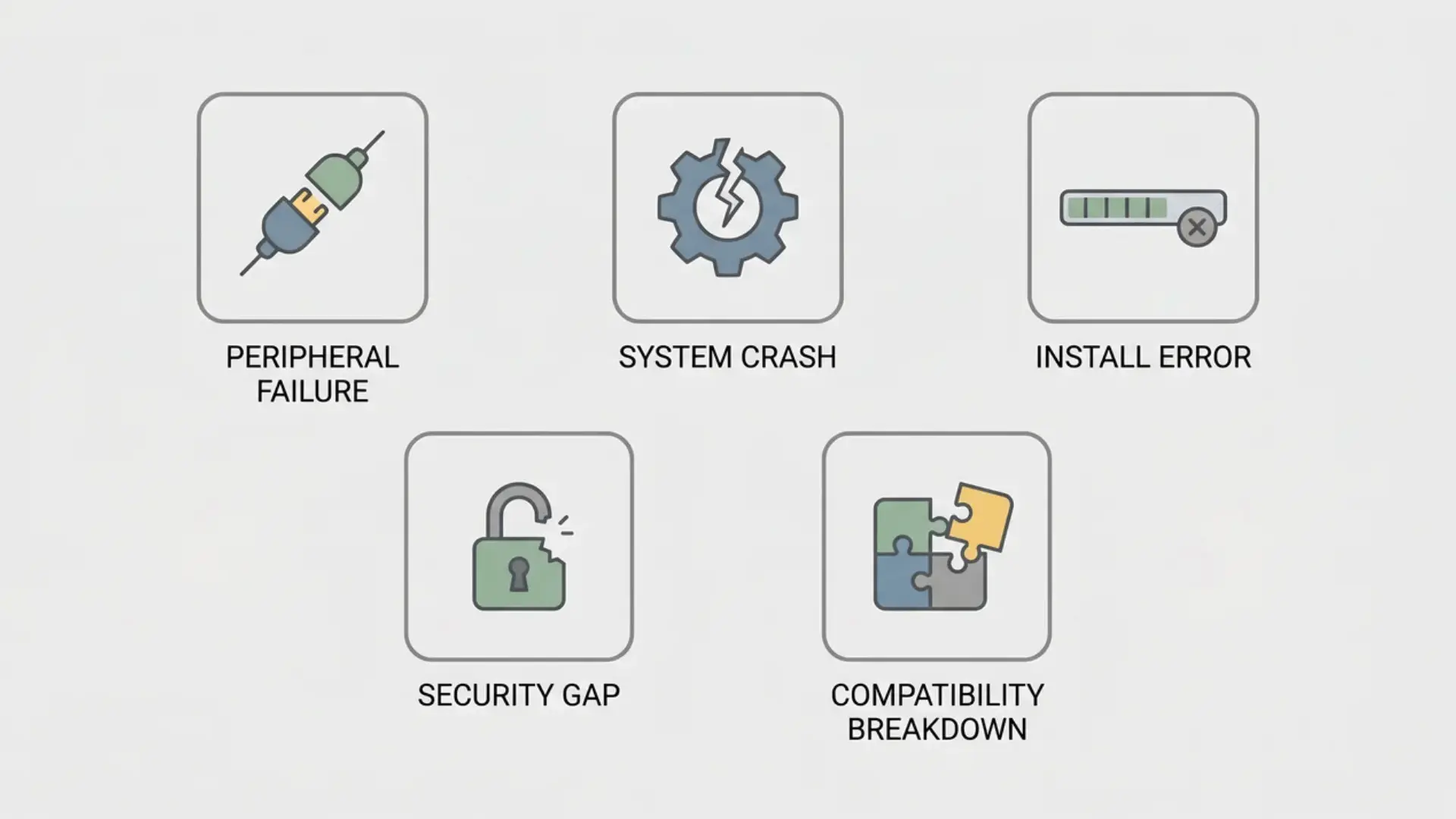
When system software is outdated or broken, things stop working fast. Here’s what’s actually at stake:
- Peripheral failures: A printer that won’t respond or a device that goes unrecognized is rarely a hardware fault. It’s usually a driver issue.
- System crashes: Freezes and startup failures most often trace back to the system software stack, not the physical components.
- Install errors: When a program refuses to install, an outdated or conflicting piece of system software is usually the reason.
- Security gaps: OS and driver updates patch specific vulnerabilities. The 2017 WannaCry attack spread almost entirely through machines running an unpatched version of Windows. Skipping updates leaves that door open.
- Compatibility breakdowns: Newer software expects updated system software beneath it. Without that, things break in ways that are hard to diagnose.
Staying current matters, but in business environments, IT teams deliberately delay updates to test stability before rolling them out company-wide.
Conclusion
System software isn’t something most people think about until something breaks. Now you know what’s actually running beneath the surface.
It manages your hardware, supports your applications, and keeps your computer system software stack stable and secure every single day.
The five types: OS, drivers, utilities, translators, and firmware don’t work in isolation. They depend on each other in a specific order.
Keep it updated, and it will keep everything above it running the way it should.
Frequently Asked Questions
What is system software?
System software is the layer that manages your computer’s hardware and gives every other program a stable environment to run. It’s active from the moment your device powers on.
What are examples of system software?
Windows, macOS, and Linux are the most common examples. Device drivers, antivirus utilities, disk formatters, and your computer’s BIOS firmware all count as system software too.
What is the difference between system software and application software?
System software runs the machine continuously in the background. Application software runs on top of it only when you choose to open it.
Is an operating system the same as system software?
No. The OS is the most important part of system software, but it’s not the whole thing. Drivers, utilities, firmware, and translators are all system software too.
What does system software do?
It manages memory, controls hardware, runs background processes, and keeps the environment stable so your applications can function without interacting with the hardware directly.