
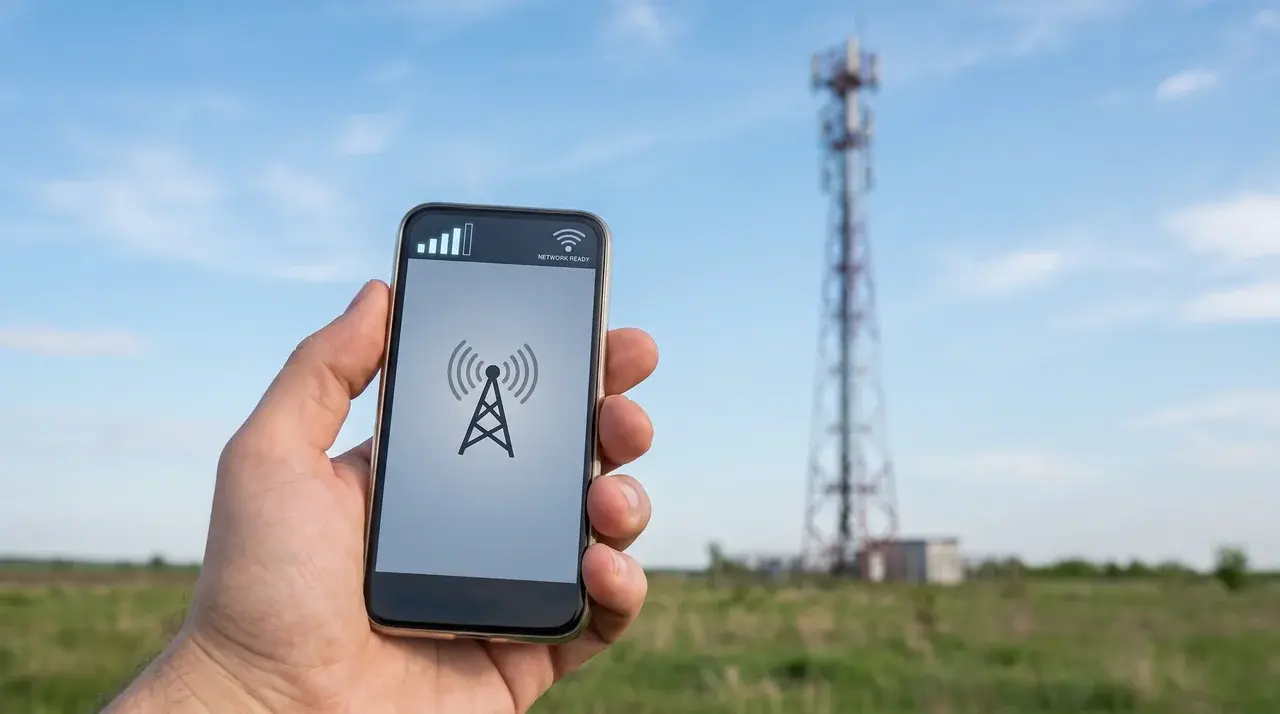
You have probably seen your phone stay connected in places where your usual network does not work, but you may not realize it is using another carrier behind the scenes.
That small switch happens quietly, but it can affect your connection, settings, and even your bill if your plan does not include it.
Data roaming becomes important when you travel, swap SIMs, use an eSIM, or enter areas with weak coverage. The confusing part is knowing when it starts and what your phone is actually doing.
I’ll explain how roaming works, why connections sometimes take time, how it differs from mobile data, and what you should check before turning it on.
What Is Data Roaming?
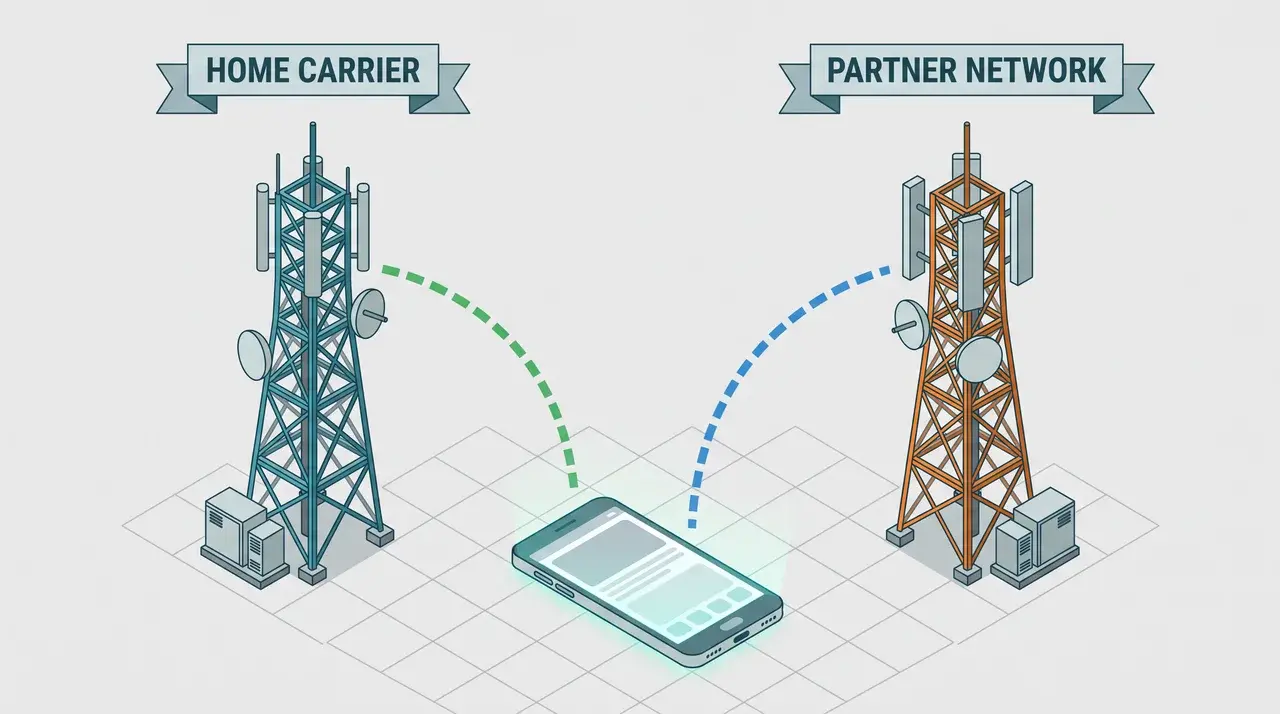
Data roaming is your phone connecting to a partner network’s towers instead of your own carrier’s network. It allows your device to stay online when your carrier’s signal is unavailable in that area.
It starts when you move outside your carrier’s coverage area. That can happen when crossing a border, traveling internationally, or passing through rural areas where your carrier has limited service.
Domestic roaming often works quietly in the background because of how your device handles network switching behind the scenes. International roaming gets more attention because it can create unexpected charges if your plan does not include it.
One thing that surprises people is that your phone may briefly show “no service” even with roaming turned on. Your device is simply connecting to the new network before allowing data access.
How Does Your Phone Actually Connect While Roaming?
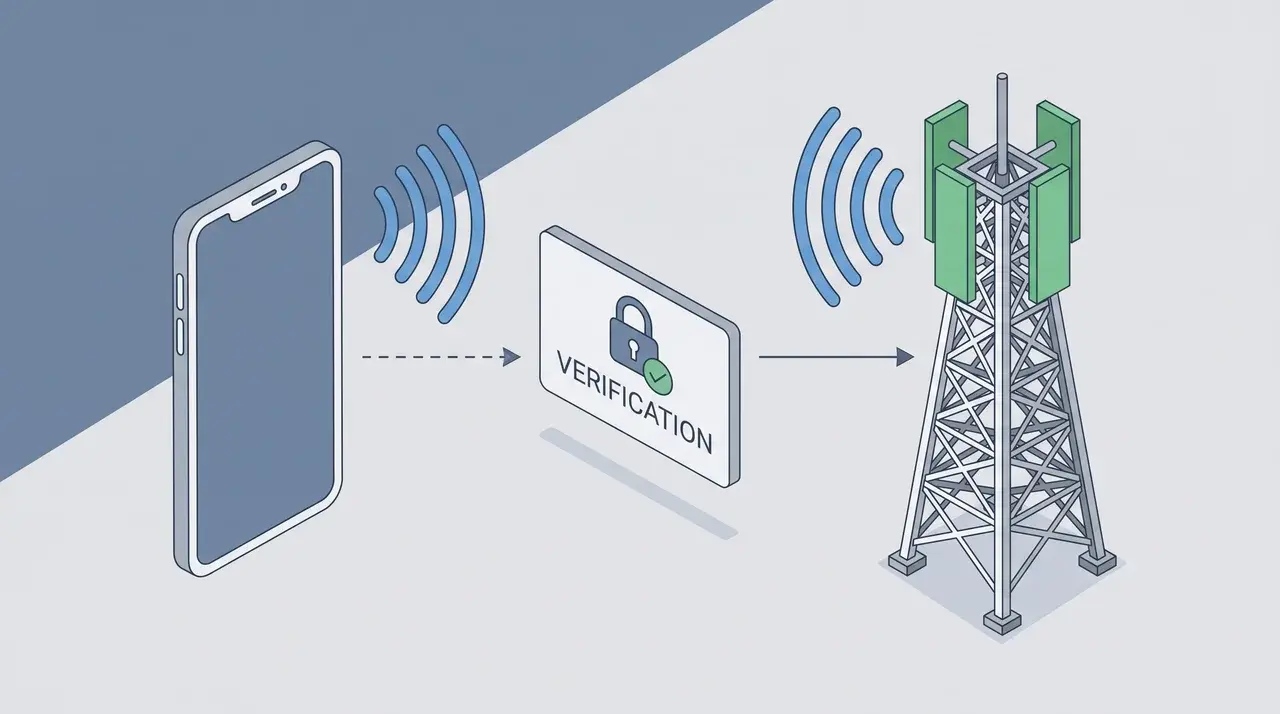
Turning roaming on does not connect your phone instantly. There is a verification process happening first before your device can use another network.
Your carrier checks if your device is approved for roaming. That confirmation happens through your home network, not the local tower you are trying to connect to.
New phones can sometimes struggle during this step. If a device has never connected to its home carrier, the roaming request may fail because there is no previous network information to verify.
Once approved, your phone communicates with the local tower through a process called a handshake. It is a quick exchange that confirms who you are and what network access you can use.
The frustrating part is that this process is not always immediate. It can take anywhere from a few seconds to around 45 minutes before your data connection starts working.
During that time, your phone may show full signal bars but still have no internet access. It can look like a problem, but the connection is still being established.
If this happens, wait before changing settings or replacing your SIM. Turning roaming off and back on can sometimes trigger a fresh connection attempt.
What Data Roaming Is Not
- Data roaming and mobile data are not the same thing. Mobile data simply means your phone uses a cellular connection for internet access instead of Wi-Fi.
- Data roaming is more specific. It refers to your phone using a network outside your own carrier’s coverage through a partner network.
- Having mobile data turned on does not guarantee a connection. If you are outside your carrier’s range and roaming is disabled, your phone will not access cellular data.
- eSIMs can make the difference less obvious. Some multi-network eSIM plans include roaming automatically, so mobile data may already cover network switching.
- A travel pass is not the same as roaming. A travel pass or roaming add-on is a pricing plan that gives you access to roaming services. It is not the roaming feature itself.
Why Data Roaming Matters (And When to Turn It On or Off)
Roaming keeps your phone connected when you move outside your carrier’s coverage area. It is useful during travel or in places where your regular network signal is unavailable.
The downside is cost. Once your phone connects to a partner network, charges depend on the agreement between your carrier and that network. Prices can change based on location and provider.
Many newer plans include roaming, which makes leaving the setting on easier. Options like “roam like home” and eSIM travel plans help reduce the risk of unexpected charges.
Older plans can create problems because they may bill separately for roaming usage. Leaving roaming enabled abroad without checking your plan can result in expensive surprises.
Before traveling, check your carrier’s roaming terms first. If coverage is included, keep it enabled. If not, use Wi-Fi or a local eSIM instead.
Domestic vs. International Roaming
The technology works the same way in both cases. The main difference is the pricing agreement behind the network connection.
| Feature | Domestic Roaming | International Roaming |
|---|---|---|
| Where it happens | Inside your home country when your carrier has no coverage | Outside your home country when your carrier uses a foreign network |
| Why it happens | Your phone connects to a local partner network | Your phone connects to a network in another country |
| Common situations | Rural areas, small towns, remote locations | Travel abroad, vacations, business trips |
| Cost | Often included through carrier agreements | Can cost extra unless your plan includes it |
| Network agreement | Usually based on partnerships between local carriers | Depends on agreements between carriers in different countries |
| Main concern | Coverage gaps | Unexpected roaming charges |
What Happens to Calls and Texts When Data Roaming Is Off?
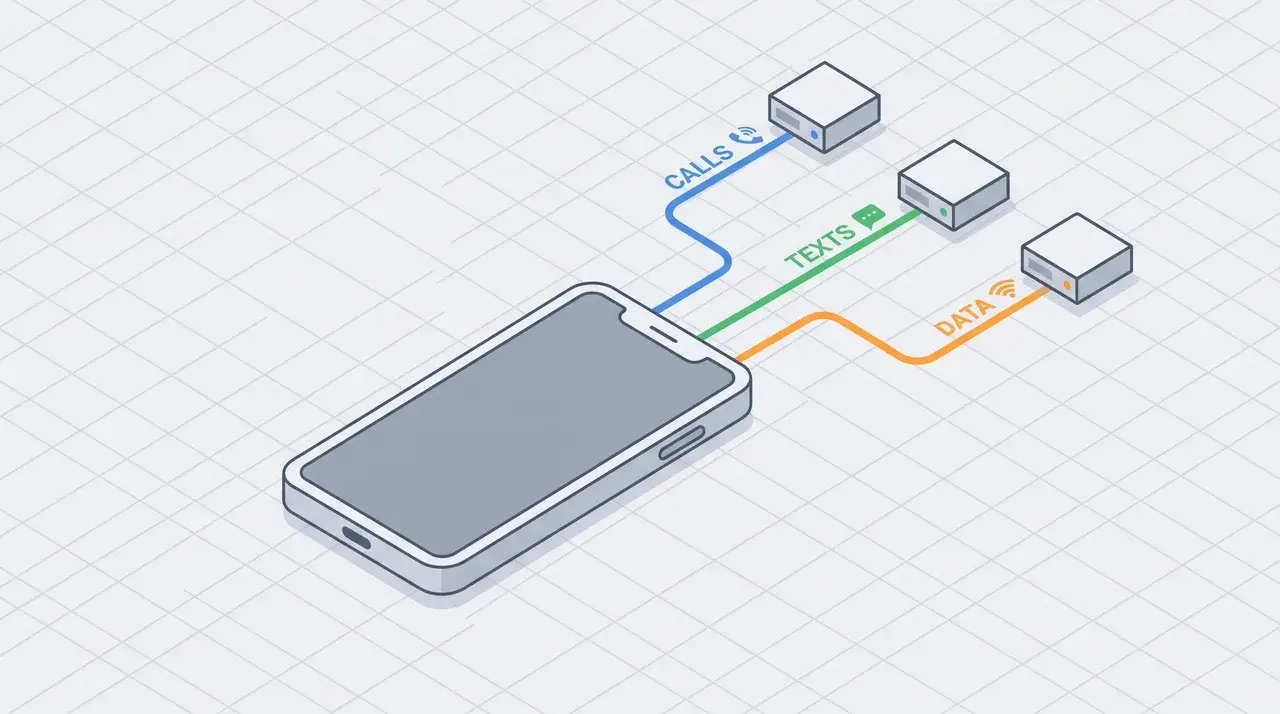
Turning off data roaming does not completely disconnect your phone. In many cases, calls and regular texts can still work because they use a different connection.
- Voice roaming and data roaming are usually separate. Your carrier can allow calls while blocking mobile data access on a partner network.
- Regular SMS messages may still work. Standard texts use the cellular network, not mobile data, so they can often send even when data roaming is disabled.
- Calls may continue as normal. You can often make and receive calls, with charges handled through your voice plan instead of data usage.
- Carrier settings can vary. Some providers combine voice, text, and data roaming controls, meaning turning off one option may disable all roaming features.
- Internet-based messaging works differently. Messaging apps that depend on data, like iMessage, WhatsApp, and Messenger, need data, so they may stop working when data roaming is off.
A simple example: a regular SMS may send successfully while an iMessage stays pending because one uses the cellular network and the other needs internet access.
Data Roaming vs. Mobile Data: What’s Actually Different
| Feature | Mobile Data | Data Roaming |
|---|---|---|
| What it means | Your phone uses a cellular network for internet access instead of Wi-Fi | Your phone uses a partner or foreign network outside your carrier’s coverage |
| Where it works | On your carrier’s own network at home or anywhere covered | Only when your phone connects to another carrier’s network |
| Main purpose | Provides general cellular internet access | Keeps data working when your carrier’s network is unavailable |
| Works without the other? | Yes, if you are connected to your carrier’s network | No, it requires mobile data to be enabled |
| Cost impact | Usually included in your regular plan | May add charges depending on your carrier and location |
| Common confusion | People assume turning it on enables roaming | People confuse it with normal mobile data |
Where eSIMs Blur the Line
Multi-network eSIM plans complicate this a bit.
Some are built so your “mobile data” setting already includes roaming by default. There’s no separate toggle to manage.
I’ve seen this catch experienced travelers off guard. They go looking for a roaming switch that was never meant to exist on that plan.
If you’re on an eSIM, check your provider’s specific setup before assuming the usual settings apply.
Alternatives to Data Roaming
If roaming charges worry you, there are a few solid ways around them. Each comes with its own trade-off between cost, convenience, and setup effort.
- Wi-Fi. Free or cheap at hotels, cafes, and airports. The catch is coverage gaps and weaker security on public networks.
- Local SIM card. Gives you local rates in the country you’re visiting. You’ll need an unlocked phone and a bit of setup time to swap it in.
- Travel eSIM. Downloads directly onto your phone, often activating the moment you land. No physical swap, but not every device supports it.
- Portable hotspot. Connects multiple devices at once, useful if you’re traveling with a laptop or tablet too. It’s another device to charge and carry.
None of these fully replace roaming. They just shift where the connection and the cost come from.
I’d pick based on your trip length. A quick weekend usually doesn’t justify a SIM swap, but a two-week trip abroad makes an eSIM worth setting up before you leave.
Conclusion
Roaming is less about a single phone setting and more about understanding which network your device is using and what your plan allows. Once you know that, the decision becomes simpler.
Data roaming can keep you connected when your carrier cannot, but it works best when you check coverage, pricing, and plan limits before you travel.
A short delay after switching networks is normal, and full signal bars do not always mean data is ready.
The safest habit is to review your carrier terms, test your setup before departure, and keep a backup option such as Wi-Fi or a travel eSIM.
Check your roaming plan now so your next trip starts without connection problems or surprise charges.
Frequently Asked Questions
Do I want data roaming on or off?
It depends on your plan. If your carrier includes international or domestic roaming in your plan (common with “roam like home” plans or eSIM travel plans), leaving it on is usually safe. If your plan excludes it or charges per-use, turn it off and use Wi-Fi or a local eSIM instead to avoid unexpected charges.
What is the difference between data roaming and mobile data?
Mobile data is your phone’s general cellular internet connection, whether you’re home or away. Data roaming specifically refers to using that connection outside your carrier’s own coverage area, via a partner network. You can have mobile data on with roaming off, which blocks internet access once you leave your home network’s range.
What is the purpose of data roaming?
Data roaming lets your phone stay connected to the internet when you travel outside your carrier’s coverage area, using a partner network instead. Without it, your phone would only handle calls and texts (if supported) but lose data access entirely once outside home coverage. Roaming closes that gap, at a cost set by your provider.
How much does data roaming cost?
Cost varies significantly by carrier, destination, and plan type; some plans include roaming at no extra charge, others bill per megabyte or per day. Because pricing changes frequently and differs by provider and region, check your specific carrier’s current international or roaming rates before travel rather than relying on a general figure.