


Margins rarely vanish in a single blow—they evaporate whenever a field ticket sits in a cab, a change order stalls in email, or your ERP never records an approved scope bump. The right construction contract management tool plugs those leaks.
In July 2026 we graded every enterprise-ready platform against eight contractor-weighted criteria. InEight topped the table for integrated cost control, while Procore, Oracle, Kahua and Trimble led in their own specialist lanes.
Ready to secure both schedule and margin? Here’s what we found.
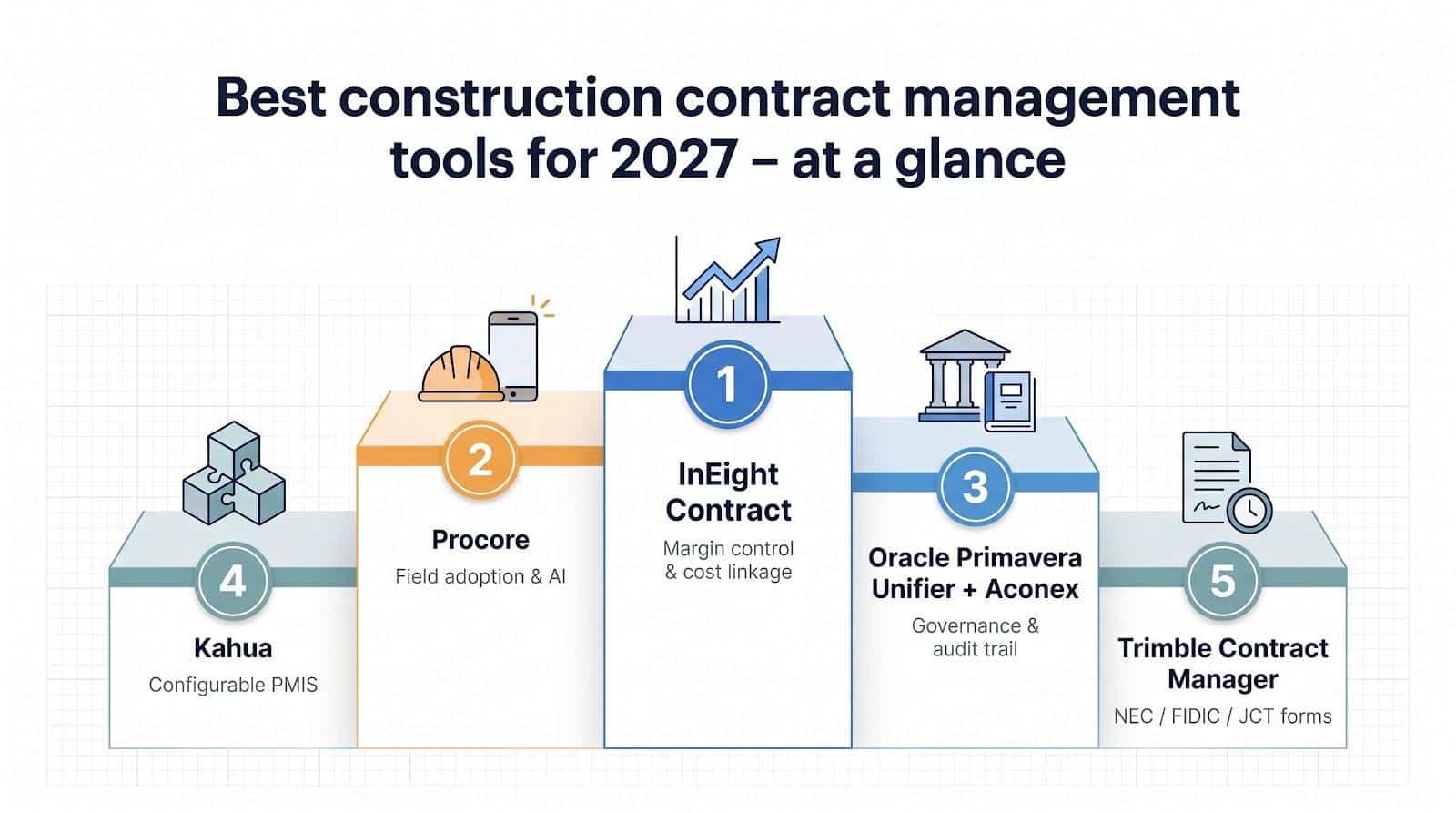
Best Construction Contract Management Tools at A Glance
Here’s the scoreboard we finalized on August 3, 2026 after grading each platform against eight contractor-weighted criteria: contract depth, cost linkage, field usability, integration strength, audit readiness, AI insight, global scale and total cost of ownership.
|
Rank |
Platform |
One-sentence verdict |
|---|---|---|
|
1 |
InEight Contract |
Tightest thread from estimate to forecast – ideal for heavy-civil margin control. |
|
2 |
Procore |
Crews adopt it fast, and its AI roadmap is the most public in construction. |
|
3 |
Oracle Primavera Unifier + Aconex |
Governance powerhouse for multi-billion-dollar, multi-currency programs that rely on formal process. |
|
4 |
Kahua |
Low-code PMIS that adapts to your workflows instead of forcing you to adapt to it. |
|
5 |
Trimble Contract Manager |
Built-in NEC, FIDIC and JCT workflows keep notice periods and compensation events on the clock. |
Quick way to find your lane:
- Choose InEight if integrated cost control is non-negotiable.
- Choose Procore if you want crews and AI capturing change data in real time.
- Choose Oracle if your projects start at nine zeros and run on NEC4.
- Choose Kahua if every program manager insists their process is one of a kind.
- Choose Trimble if Clause 61.1 deadlines decide whether you get paid.
Keep this list handy; we unpack the evidence for every pick in the sections that follow.
Inclusion Requirements
Buying software for a billion-dollar bridge is nothing like picking up a $19 NDA plug-in. To prevent an unfair matchup, we set five hard gates before scoring a single point:
- Post-award muscle. Every contender had to manage real, post-award work, including approved and pending change orders, live contract values and dollars that appear in cost reports.
- Enterprise intent. If a product only serves residential remodelers, it was out. We looked for proof that mid-market and ENR Top 400 contractors already run it across multi-currency, multi-year frameworks.
- Data that travels. A signed agreement must flow natively to budgets, forecasts, invoices and at least one mainstream ERP; CSV exports alone did not qualify.
- Alive and documented as of August 3, 2026. No sunset modules or “coming soon” slides. We verified each platform’s latest release notes.
- Public proof. Independent reviews, customer case studies or third-party references had to back up every marketing claim.
Only five platforms cleared all five hurdles. Those are the five ranked in this guide.
How We Scored Each Platform
Below is the eight-factor rubric we used to turn demos and documents into hard numbers. The weights add up to 100 percent, so you can see exactly where a tool must shine to earn your trust.
|
Criterion |
Weight |
What we looked for |
|---|---|---|
|
Contract & change depth |
18 percent |
Prime, sub and vendor changes, SOVs, retention, claims |
|
Cost linkage |
16 percent |
Approved work updates the budget, forecast and cash position without spreadsheets |
|
Field usability |
13 percent |
A foreman captures a T&M tag with sketchy cell service in under three minutes |
|
ERP & schedule integration |
13 percent |
Live cost codes, P6 impacts and error handling, not weekly CSV drops |
|
Audit & compliance strength |
12 percent |
Immutable histories, versioned documents, granular permissions |
|
AI and proactive risk insight |
10 percent |
Clause conflicts flagged, risky changes predicted, source links provided |
|
Scale & configurability |
10 percent |
Multi-currency, multi-language, flexible workflows that still roll up cleanly |
|
Adoption cost & effort |
8 percent |
Implementation hours, license model, hidden admin time, renewal uplifts |
When you stack those weights, it’s clear why InEight and Procore climbed to the top while some familiar names never left the sideline.
1. in Eight Contract: Best Overall for Complex Capital Contractors
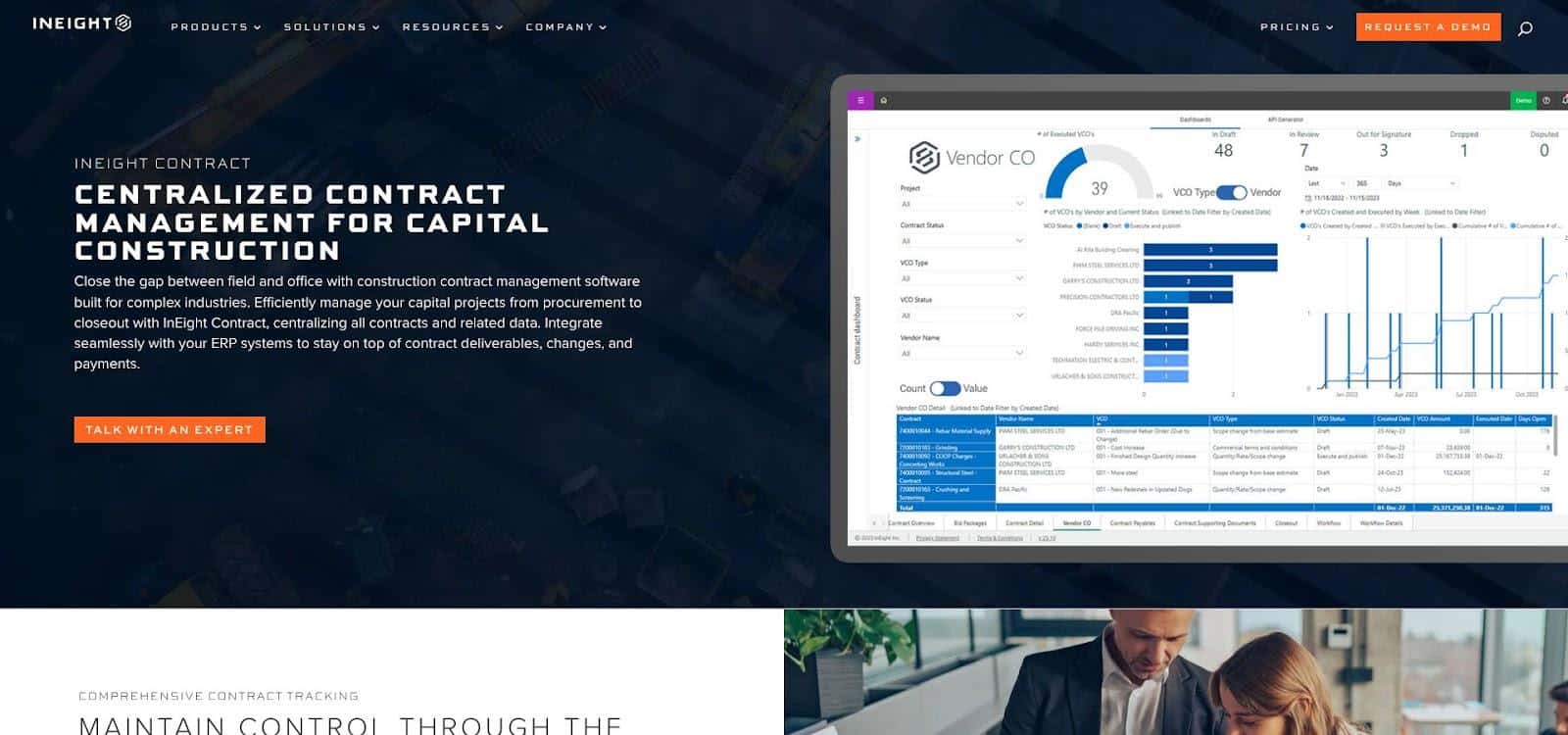
InEight Contract construction contract management dashboard screenshot.
Think of InEight Contract as a single thread that starts in your estimate, runs through the schedule, and tightens in the final pay app. Because contracts, changes and pay claims share the same data model as InEight Estimate, Control and Schedule, every approved scope shift flows to the forecast before Excel even opens.
Field evidence moves just as fast. When a foreman logs extra rock excavation on her tablet, the potential change inherits photos, quantities and cost codes instantly, then updates the budget without waiting for month-end. Project controls, commercial and finance teams see the same number at the same time.
Recent updates strengthen that flow with vendor self-service. Version 25.7 lets suppliers upload payment claims and documents through the portal, cutting the “Where’s my invoice?” calls that eat your afternoon. That velocity starts even earlier: insights in InEight’s construction contract management guide show teams creating contracts in half the time by using auto-filling templates that feed real-time ERP-linked change-order and pay-request workflows.
Upstream depth matches the field polish: detailed SOVs, configurable approval thresholds, unit-price lines, rolling accruals and granular retention rules. Because every module shares vendors and cost codes, you avoid late-night reconciliations.
Implementation is not plug-and-play. You need clean cost codes and a clear approval matrix before go-live. Contractors who invest in that groundwork – an ENR Top 400 margin-variance case is one public example – report steadier forecasts and higher captured-change ratios.
Pricing is modular and quote-only. You can license just the Contract module or stack it with Estimate, Control or Schedule. The unlimited-user model keeps field adoption affordable, but each extra module adds license and rollout effort you need to budget for.
Verdict: If you handle hundreds of RFIs, thousands of line items and millions in potential changes, InEight provides the connective tissue that protects profit from estimate through closeout.
2. Procore: Best for Field Adoption and Construction-Native Ai
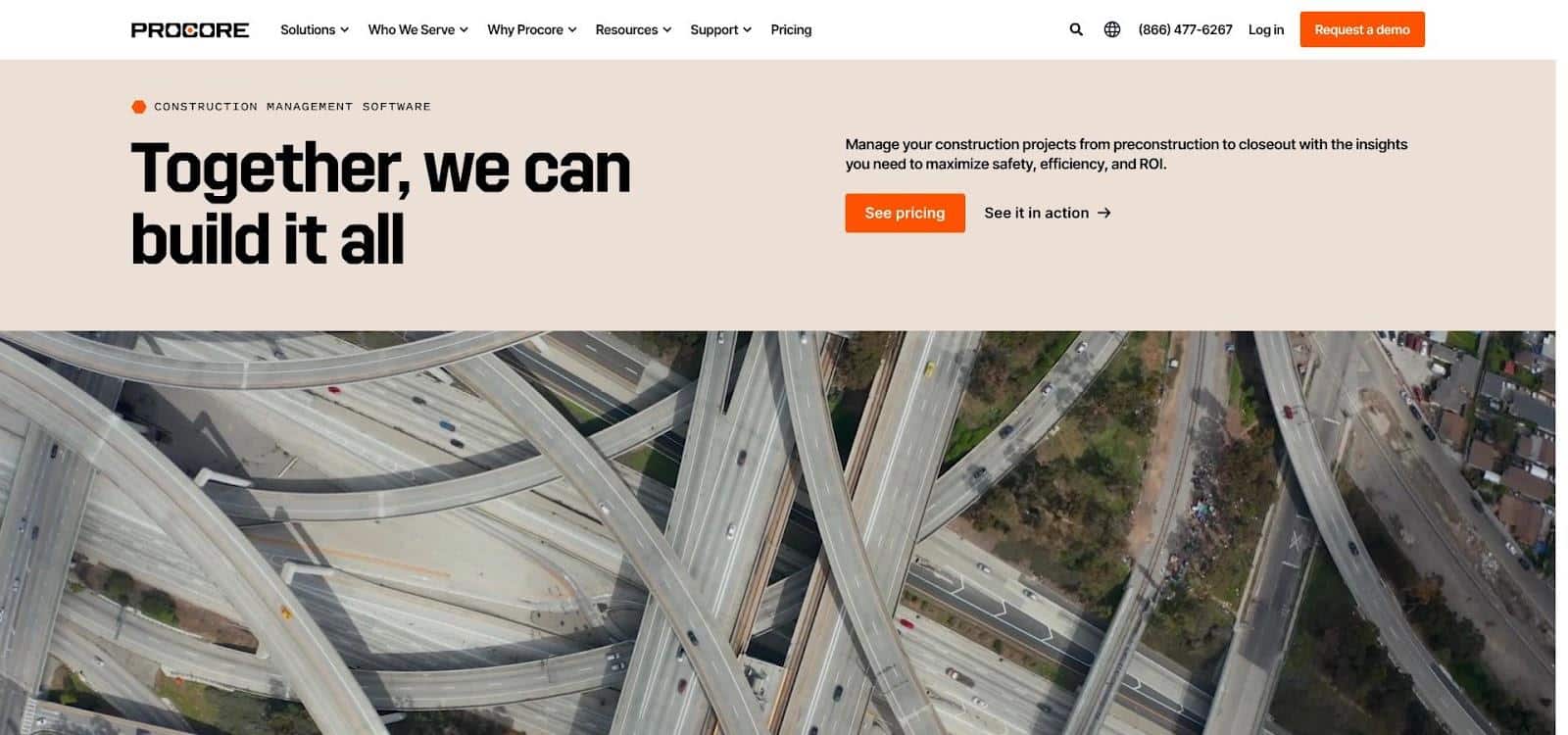
Procore construction contract and change management interface screenshot.
Scroll any job-site group chat and you’ll see a Procore screenshot. Crews like it because they can sketch on a photo, tag the mark-up as a change event and push it to the office in seconds, no laptop or lecture needed.
According to a July 23, 2026 Procore press release, the company rolled out three Digital Coworker packages with 20 agents, including Contract Review and Change Analysis. Early adopters report that these agents cut change-log prep from hours to minutes by parsing drawings, RFIs, specs and cost history.
The financial toolbox is strong: prime contracts, commitments, tiered change orders and G702/G703 pay apps all sit in one dashboard. Unlimited external users mean subs won’t inflate your license count. Procore’s investor materials indicate that more than 3,200 customers now spend over $100 k in annual recurring revenue with the platform as of mid-2025.
What to watch
- Budget predictability. Pricing scales with annual construction volume and product bundles, so lock renewal rates early or growth can sting.
- Deep forecasting. Many GCs still export to Excel for cost-to-complete. Insist on a demo that runs from field capture through ERP post, not a tidy sandbox.
Verdict: If you need crews, plus AI helpers, capturing change data in real time, Procore is the safest bet on this list.
3. Oracle Primavera Unifier + Aconex: Best for Mega-Project Governance
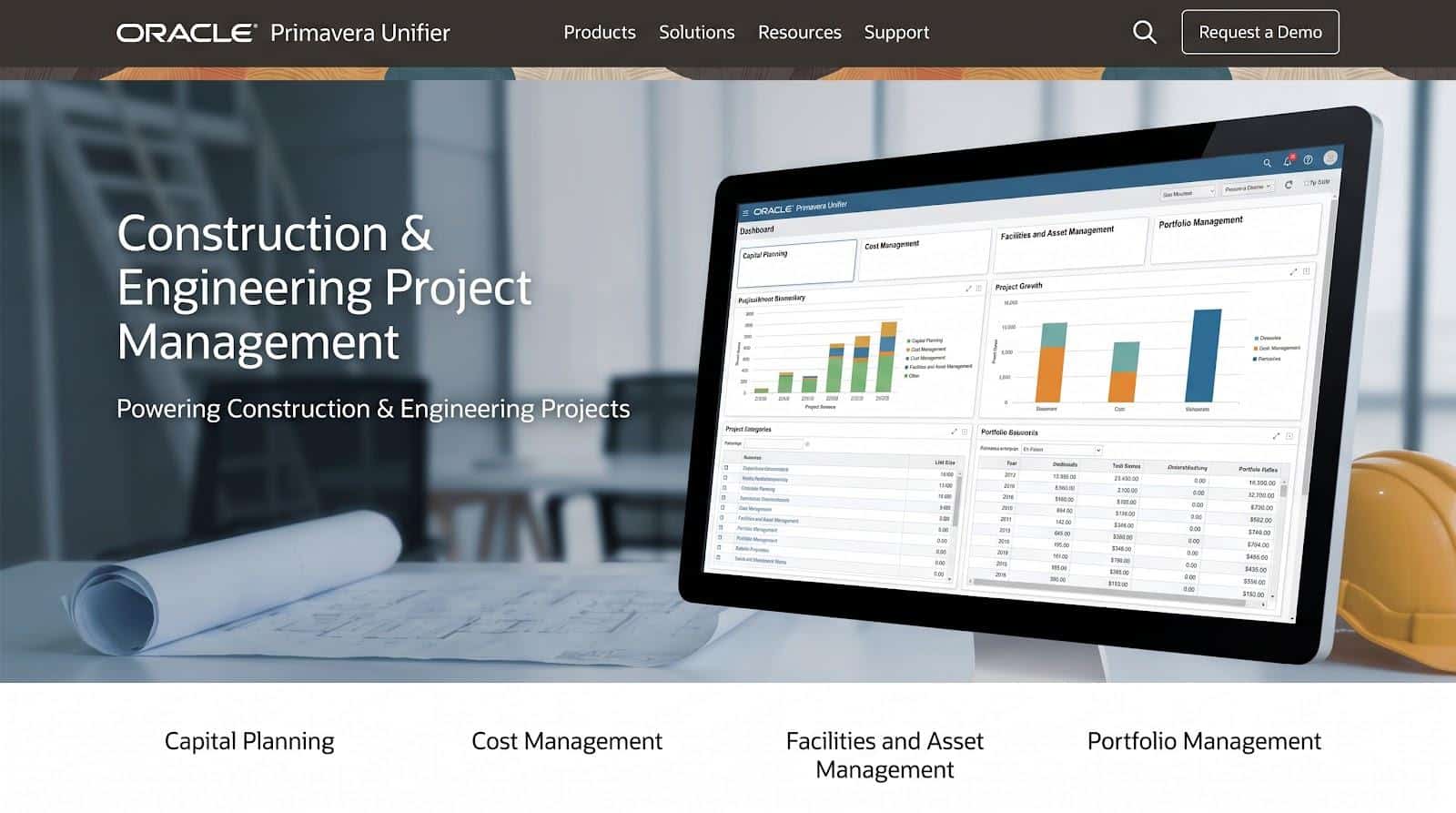
Oracle Primavera Unifier and Aconex construction governance suite screenshot.
When a project budget reaches the billions, governance — not gadgets — decides success. Oracle’s construction stack reflects that reality:
- Primavera Unifier handles contracts, cost, cash flow and funding.
- Oracle Aconex locks every drawing, correspondence thread and inspection record into an immutable audit trail.
- Primavera P6 (or Primavera Cloud) keeps the schedule in sync with each approved change.
The trio already runs NEC4, FIDIC and multi-currency programs from London to Jakarta. Unifier separates potential and approved changes, syncs them to cash flow, and writes schedule impact back to P6, eliminating CSV gymnastics. Aconex then preserves every approval step so owner audits and future claims start on page one, not in an email search.
Oracle keeps tightening the loop. Recent updates added Inspection & Test Plan workflows that attach safety and quality evidence directly to the contract record. The current release also uses AI to create workflow summaries so executives spot bottlenecks without scrolling a 40-step log.
You trade ease for rigor. Configuring Unifier, setting Aconex permissions and wiring P6 demand clear process ownership and a dedicated system admin. If a missed notice triggers liquidated damages, that structure is a feature, not a flaw.
Quick facts
- 12 interface languages and 183 currencies in the latest Unifier release notes.
- NEC4 accelerator available out of the box; FIDIC and JCT templates can be configured.
- REST APIs and Oracle Cloud Infrastructure services connect to ERP and data warehouses.
Verdict: If your portfolio answers to public owners, joint-venture boards or global auditors, Oracle’s suite delivers the audit trail and process discipline that nine-figure jobs demand.
4. Kahua: Best Configurable Pmis for “our Way” Workflows
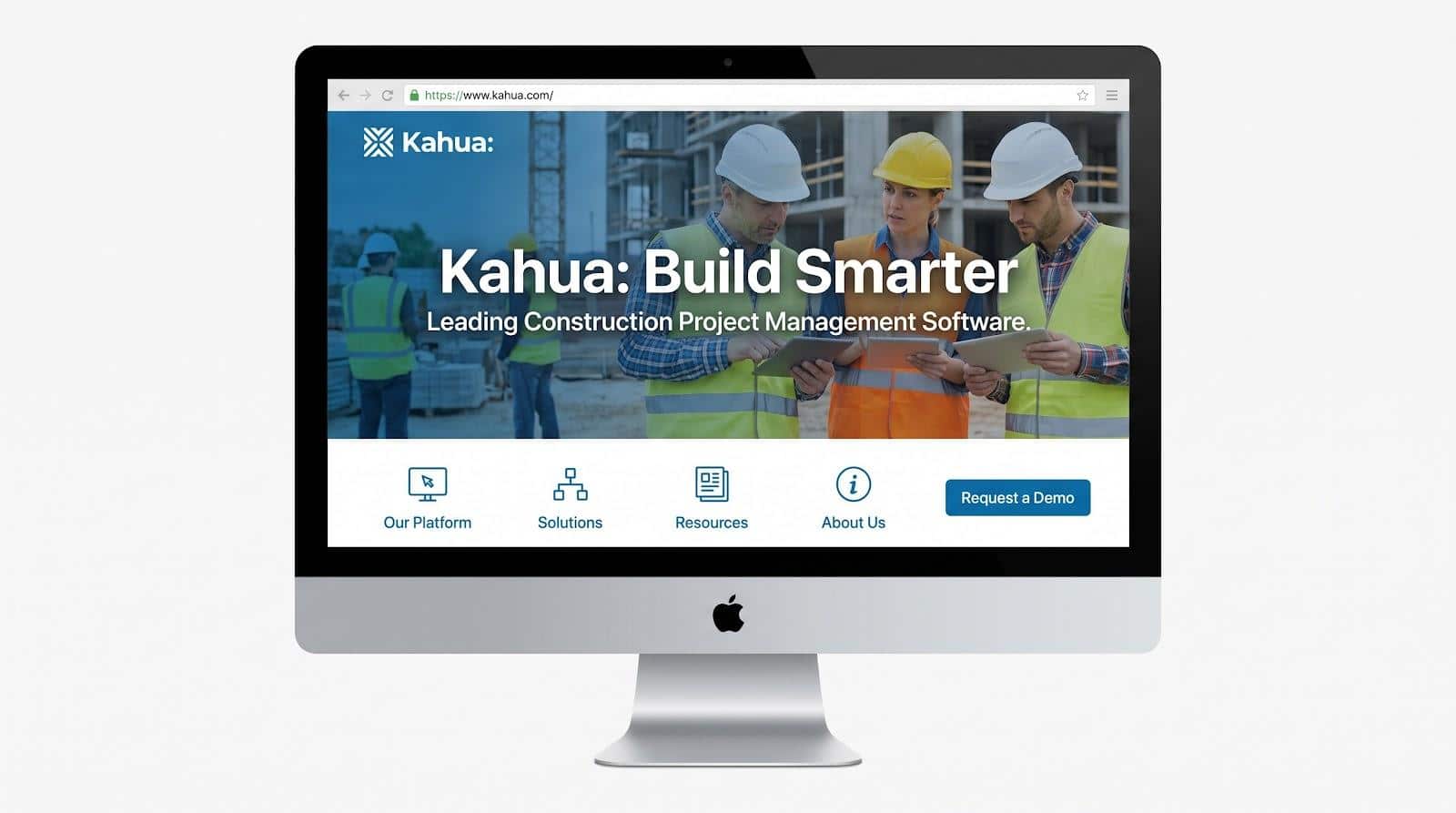
Kahua configurable construction PMIS platform homepage screenshot.
If the phrase “That’s just how our owner wants it” rules your life, Kahua is the PMIS that bends instead of breaking. Its marketplace of low-code apps lets you clone, tweak and redeploy contract, change or pay-request screens in an afternoon, with no vendor ticket required. For teams juggling public-private partnerships, CM/GC hybrids or legacy owner forms, that freedom saves time and stress.
The essentials are all there: prime agreements, subs, potential and approved changes, and pay requests linked straight to the budget. Change one record and Kahua can auto-refresh every related pay app, removing double entry. Mobile is native, so a superintendent can push a change from a trench instead of hunting for Wi-Fi.
Kahua adds polish on a predictable cadence instead of chasing splashy hype. Recent 2026 releases improved how contract lines flow into pay requests and introduced smarter change-order sorting. Each tweak shaves real seconds off daily clicks.
Know the trade-offs before you sign:
- Review depth. G2 lists only 23 reviews at 4.3/5; vet performance on a live, high-volume project first.
- Governance drift. Unlimited configuration can turn into chaos if every region builds its own flavor, so draft a template playbook and role permissions on day one.
Verdict: When standard templates fall short and you need software that adapts to your contract DNA, Kahua is the PMIS that lets you keep your process intact.
5. Trimble Contract Manager: Best for Nec, Fidic and Jct Contract Forms
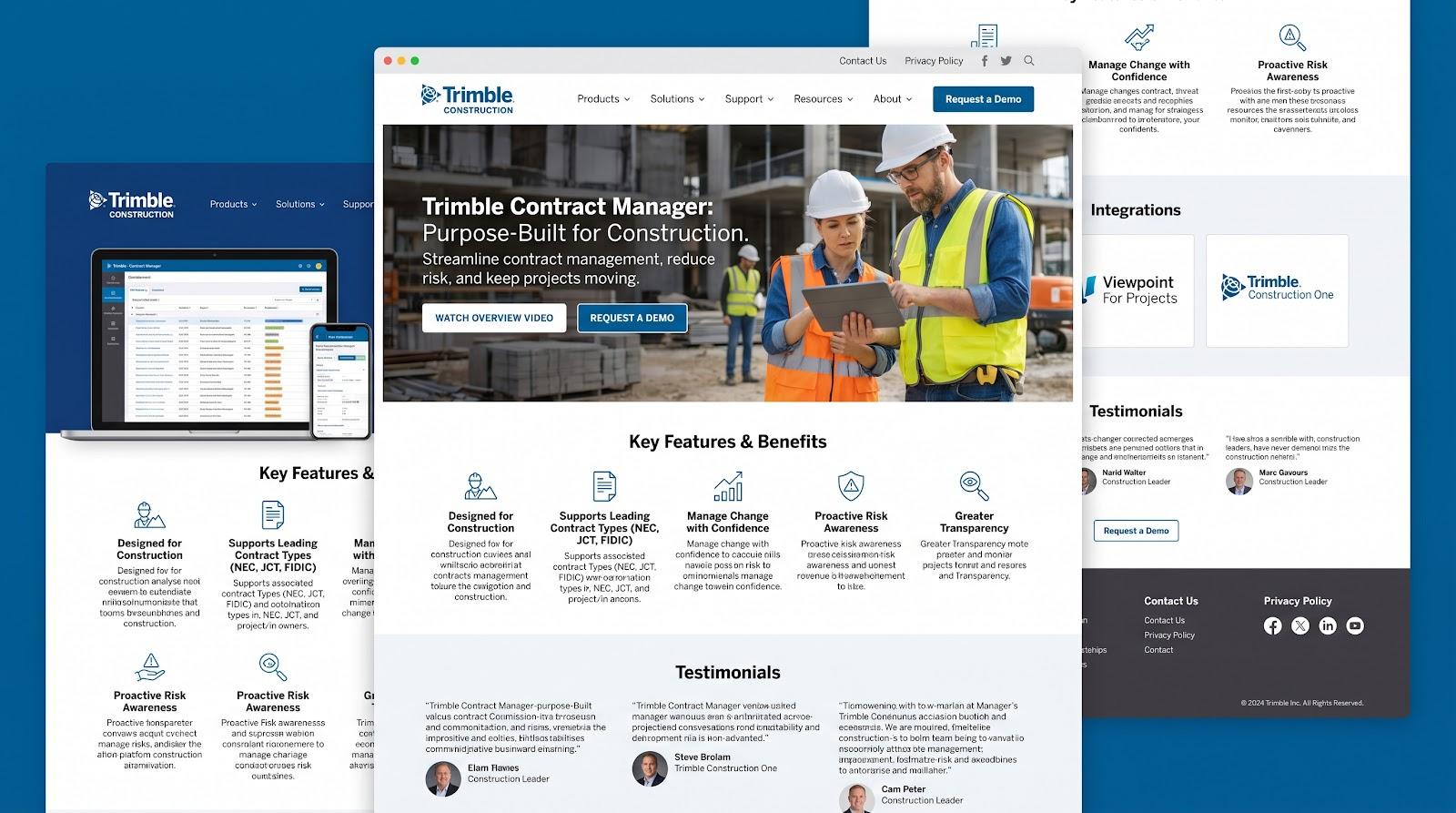
Trimble Contract Manager NEC FIDIC JCT workflow product page screenshot.
Cross the Atlantic and AIA jargon gives way to NEC early-warning notices, FIDIC Red Book variations and JCT amendment protocols. Trimble Contract Manager was built for that rulebook.
Out of the box it recognises NEC 3/4, FIDIC and JCT structures, so you can raise a Clause 61 notice or lodge a Red Book variation without wrestling a generic change screen. Each notice carries its own timer and approval path, guarding you against the silent expiry that turns valid entitlement into written-off cost.
The platform also pairs neatly with Viewpoint For Projects, bringing ISO 19650-style document control into the same environment. Every marked-up drawing and correspondence thread links back to the compensation event it supports.
Trade-offs you should probe in a live demo:
- Road-map transparency. Trimble has not published a 2026–27 feature timeline for Contract Manager, so insist on seeing mobile notice capture, ERP sync and schedule impact in real time.
- Independent reviews. G2 and Capterra have not yet split Contract Manager out from Trimble’s wider portfolio; verify performance on a timed, high-volume project before signing.
Verdict: When formal contract clauses drive payment as much as completed work, Trimble’s form-specific workflows keep you on time, in compliance and out of avoidable disputes.
Head-To-Head Comparison for Contractors
InEight vs Procore
Where you’ll feel it:
InEight grew up in project controls, so every click asks, “How will this hit the forecast?” Approved changes land in budgets and earned-value curves within minutes.
Procore started in the field, where crews snap a photo, tag a change and AI agents (20 as of July 2026) surface cost-and-schedule risk before you leave the jobsite.
Pick InEight if integrated CPI/SPI forecasts decide bonus checks.
Pick Procore if a change is not real until your foreman records it on-site and you want AI nudging that capture.
InEight vs Oracle Primavera Unifier + Aconex
InEight acts as the contractor cockpit: bid quantities → cost control → contract in one fabric.
Oracle serves as the program ledger: Unifier tracks cost and funding, Aconex locks docs and P6 drives the schedule, all in 12 languages and 183 currencies.
Choose InEight when you self-perform heavy work and need same-day cost feedback.
Choose Oracle when multi-currency governance and NEC4 audit trails rule your risk register.
InEight vs Kahua
InEight delivers depth you can’t easily bend, so data integrity stays tight.
Kahua lets you clone an app, tweak fields and redeploy before lunch, which is great until every region invents its own workflow.
Go InEight for one standard process and clean roll-ups.
Go Kahua when politics require each JV to see its own nameplate.
InEight vs Trimble Contract Manager
InEight models any form, but you map the clauses yourself.
Trimble ships with NEC, FIDIC and JCT pre-wired, Clause 61 timers included.
Select InEight if cost-to-margin breadth matters more than clause automation.
Select Trimble when a missed notice burns cash faster than blown productivity.
Need the cheat sheet?
Integrated Platform or Best-Of-Breed? Counting the Stack Tax
You have two paths:
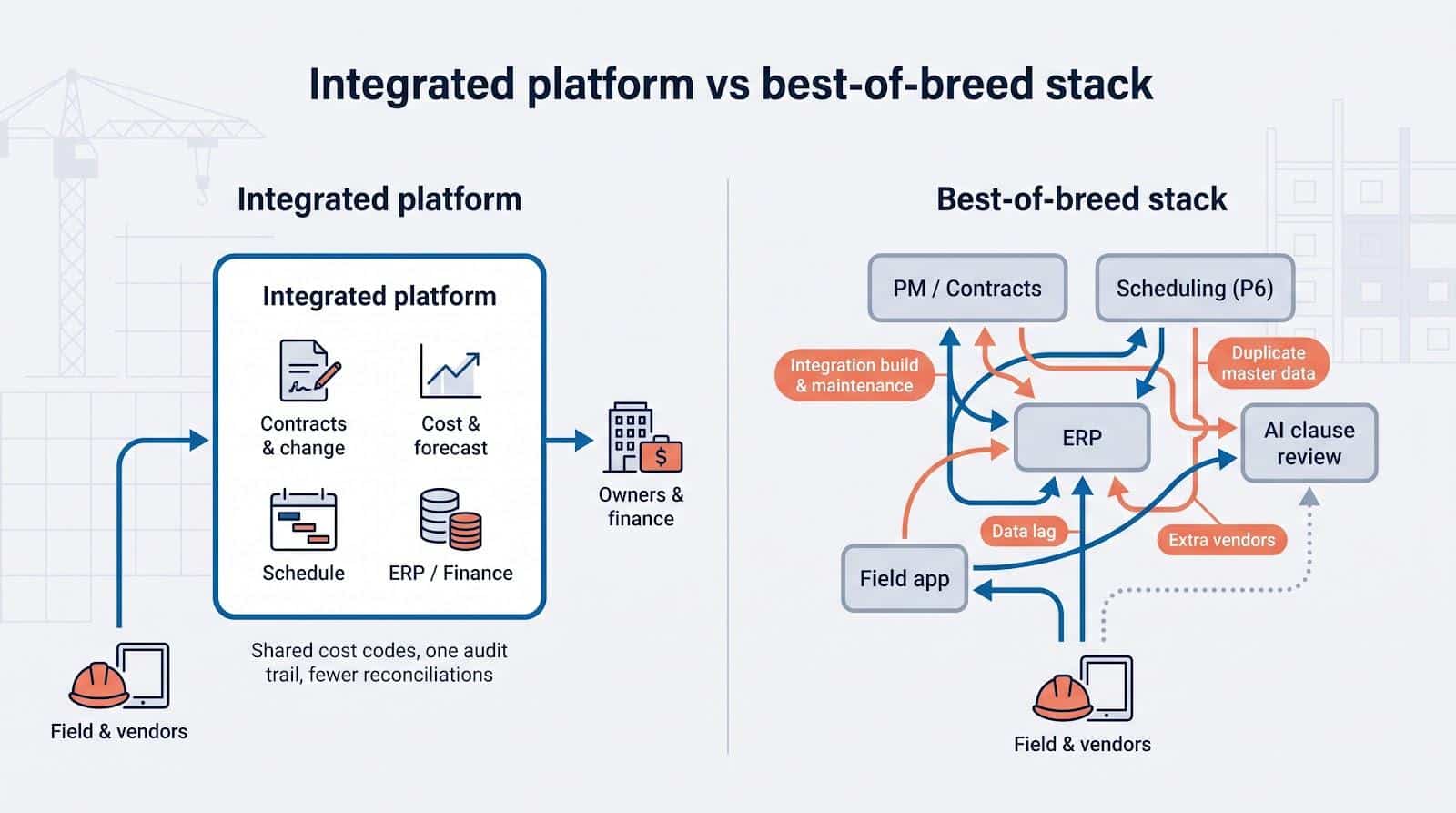
- One integrated platform. Shared cost codes, one vendor contract and a single audit trail. When you close a change order, the budget, forecast and schedule all shift together, so you avoid midnight reconciliations.
- A best-of-breed stack. Pick world-class point tools such as P6 for scheduling or a niche AI clause reviewer, then glue them together.
Freedom sounds tempting until you pay what IT teams call the stack tax, the hidden cost of knitting separate apps together.
|
Hidden cost |
Why it matters |
|---|---|
|
Integration build and maintenance budget |
APIs need upkeep every time one vendor patches its system |
|
Duplicate master lists |
Someone has to refresh cost codes, vendors and projects in two places |
|
Data lag |
Approved changes sit in Tool A hours (or days) before Tool B sees them |
|
Extra vendors |
More support desks, contract renewals and security reviews |
One ENR Top-400 CFO told us her team spends about thirty hours a month reconciling cost codes between a PM platform and the ERP, a full workweek that never shows on the project P&L (internal interview, July 2026).
So quantify the tax before you buy. If the stack’s specialist edge outweighs the extra integration, training and reconciliation cost, go best-of-breed. If not, an integrated suite will protect both margin and sanity.
How to Choose the Right Construction Contract Management Tool
Shiny demos can fool anyone. The smartest play is to decide your problem before anyone clicks “Share Screen.” Use this five-step road map.
1. Confirm the Type of Work You Do
|
Contractor profile |
What matters most |
Likely front-runner |
|---|---|---|
|
Heavy-civil self-performer |
Quantity tracking, earned value, NEC/FIDIC forms |
InEight or Oracle |
|
Commercial GC with 50+ subs |
Field adoption, sub collaboration, AI nudges |
Procore |
|
Program manager / public agency |
Low-code workflow flexibility |
Kahua |
|
International NEC / FIDIC shop |
Clause timers, early warnings |
Trimble |
Name your lane first and half the vendor list disappears.
2. Force a Full Change-Order Demo
Hand each vendor your cost codes, a real subcontract and last year’s messy RFI. Ask them to:
- Capture the issue on mobile (photos + quantities).
- Convert it to a potential change tied to the right cost code.
- Route approvals at your dollar thresholds.
- Create upstream and downstream change orders.
- Update budget, forecast and schedule automatically.
- Include it in the next pay app.
- Post to the ERP and watch the error handling.
- Export one PDF audit trail.
Time every click. If they can’t repeat the flow in a sandbox that mirrors your stack, move on.
3. Make Field Crews Prove It
Give an experienced foreman a tablet in offline mode. Can they log a T&M extra, tag quantities, snap photos and send it for approval in under three minutes? If not, adoption will crater.
4. Stress-Test the Erp Pipe
Load a sandbox with your chart of accounts and retainage rules. Push a pay app, then inject a bad record (closed cost code or duplicate vendor). The connector should flag the problem, let you fix it once and retry without re-keying.
5. Calculate Three-Year Tco
Add every line item: modules, AI credits, implementation hours, integration upkeep and renewal uplifts. A simple spreadsheet often shows the “cheapest” headline turns into the priciest commitment by year three.
Implementation Readiness Checklist
- Clean cost-code library
- Standard contract templates and approval matrix
- Executive sponsor and field champion
- Clear integration ownership
- Roll-out KPIs (for example, percent of pay apps processed in system, average days from field ticket to approved change)
Construction Contract Management Trends to Watch in 2027
1. Ai Contract Review Moves from Chatbot to Workflow Muscle
You’ll see fewer “search a clause” demos and more agents inside approval paths. Procore’s Contract Review agent, launched July 23, 2026, scans drawings, RFIs, specs and change history, then flags cost-and-schedule risk before you click Approve. Oracle counters with AI summaries that surface stalled Unifier workflows at a glance.
Use it: Ask each vendor which tier their AI reaches (search, summarize, recommend or act) and demand source-linked explanations before you trust an automated decision.
2. Vendor Portals Become Commercial Engines
InEight’s 25.7 release on August 25, 2025 let vendors submit pay claims and support docs directly. Expect that standard everywhere: one portal to capture quantities, route approvals and push status back to subs, with no more “Where’s my invoice?” calls.
Test it: Log in as a vendor, upload a claim and time how long it takes to reach Accounts Payable with all attachments.
3. Audit-Ready Common Data Environments Replace Loose Document Control
Oracle Aconex links ITP evidence straight to the contract record, and IIJA-funded projects now demand that level of lineage.
Check it: Start a demo with a field observation, attach photos, route an NCR and end with a signed change order, all visible in one report. If exports break the chain, it is not CDE-grade.
4. Multilingual, Multi-Currency and Form-Specific Support Become Table Stakes
Unifier now ships with 12 languages and 183 currencies (Product doc v26), Procore’s AI agents answer in Spanish and Polish, and Trimble includes NEC, FIDIC and JCT in core workflows.
Quick demo: Flip the UI to Spanish, set the project to euros and raise a FIDIC Red Book variation. Any crack in the interface is a future reconciliation headache.
5. Sustainability and Public-Funding Data Weave Into Contract Records
Green-steel certificates, BABA affidavits and funding-source tags now arrive at bid stage. The leading platforms treat them as structured fields tied to line items.
Try it: Add a mandatory “BABA compliant” toggle, lock it and run a spend report. If the system cannot total compliant versus non-compliant spend, it is not ready for tomorrow’s audits.
Frequently Asked Questions
What Is Construction Contract Management Software?
It’s your project’s commercial nerve center: software that tracks every agreement you sign (prime, sub or PO) and every modification that follows. A true construction-specific system doesn’t just store PDFs; it pushes each approved change into cost codes, budgets, forecasts, schedules and pay apps so you can bill against updated lines without re-keying. If the tool can’t connect that chain, it is only a document repository, not contract management.
How do Oracle Aconex and Primavera Unifier differ?
Think of them as siblings:
- Primavera Unifier manages money. Contracts, budgets, change orders, funding sources and cash-flow curves live here. Approve a variation and Unifier updates the cost sheet, forecast and, if linked, the P6 schedule.
- Oracle Aconex manages information. Drawings, correspondence, review cycles and inspection/test plans sit in an immutable audit trail.
On a live job you approve the change in Unifier, while the RFIs, drawings and ITPs that justify that change live in Aconex. The two sync so cost and evidence stay in step. Use both for full governance; run Unifier alone only if you already have robust document control elsewhere.
Conclusion
The right contract platform depends on how your jobs already run. If one suite covers estimating, scheduling and cost, keeping contracts in it lets change orders and pay requests flow without re-keying. If a specialist tool solves a problem the suite cannot, price the extra integration, training and reconciliation work before you commit. Then pilot the shortlist on a live project, test the change-order and pay-application path end to end, and choose the platform your field and commercial teams will actually use.






One Response
test