People use software daily for work, communication, entertainment, and creativity on phones, computers, and browsers, without thinking much about how everything works together behind the screens.
Different types of software quietly support digital experiences in unique ways. Some manage systems automatically, while others directly help users complete everyday activities and tasks efficiently.
Here you’ll find see how it works, major categories, delivery methods, and differences between applications and system software across devices.
What is Application Software?
Application software is any program designed to help you, the end user, complete a specific task, like writing a document, sending a message, or editing a photo.
It runs on top of your operating system. It doesn’t manage your hardware or keep your device running. It just does the thing you opened it to do.
“App” technically means the same thing, though most people use it to refer specifically to mobile apps. Either way, the term covers any software built around a user’s task, on any device.
Not everything you touch on a computer qualifies. Firmware and middleware interact with hardware or other software, not directly with you. They sit outside this category.
How is Application Software Different from System Software?
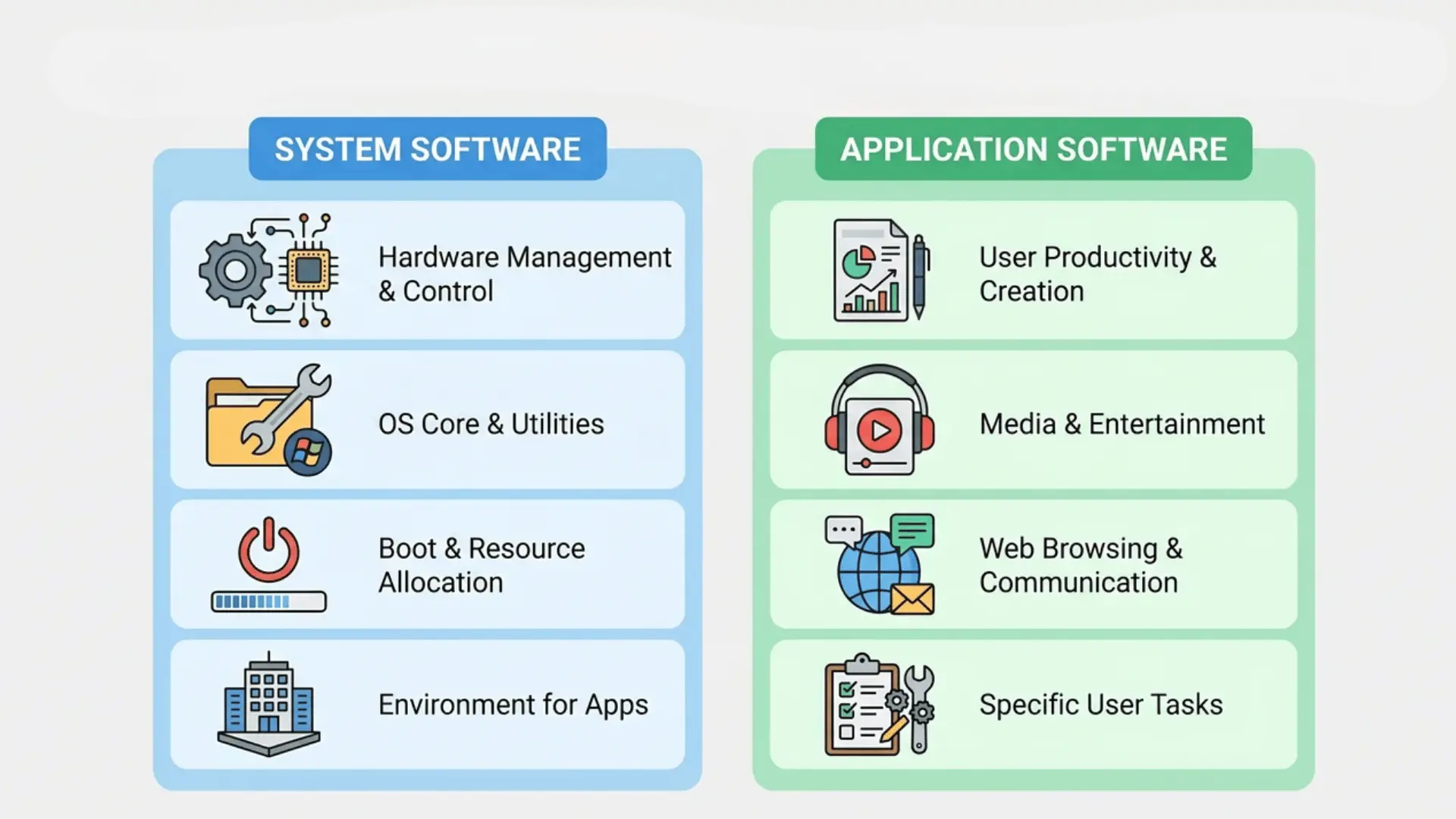
System software keeps your device running. Application software puts that device to work for you. They operate at different levels, with different jobs, and one depends entirely on the other.
| Feature | System Software | Application Software |
|---|---|---|
| Purpose | Creates the environment for other software to run and manages hardware resources such as CPU, memory, and storage. | Performs specific or related tasks for the user; it depends on system software to function. |
| Execution | Runs continuously in the background; starts automatically when the device powers on. | Runs only when the user opens it; stops when the task is complete, or the user closes it. |
| Examples | Operating systems like Windows, macOS, Android, and device drivers. | Word processors, spreadsheets, media players, web browsers. |
| User Interaction | Typically not directly interacted with by the user; it works behind the scenes. | Directly interacted with by the user; requires active engagement. |
| Dependency | Independent; provides support for other programs to run. | Dependent; requires system software to operate correctly. |
| Special Case | N/A | Web browsers act as both application software and a platform for web apps. |
Without system software, application software has nowhere to run. Without application software, system software has nothing useful to show you. They complement each other at every level.
How is Application Software Delivered?
Delivery method defines how software reaches you, not its purpose or design. The same tool can appear in multiple forms across devices and platforms.
Desktop apps install directly on your computer and run locally without an internet connection. They require manual updates but give you full offline functionality and control over your machine.
Web apps run in a browser with no installation required. You access them via URL, and the system runs primarily on a server. Offline functionality is limited or unavailable.
Mobile apps are downloaded through app stores onto phones or tablets. They’re built for touchscreens and often rely on connectivity, though many offer limited offline use.
That distinction also helps with troubleshooting.
If it stops working without internet, it’s likely web-based. If updates feel slow or manual, it’s almost certainly a desktop install.
Browsers blur the line more than any other software type. They host web apps, act as a platform, and serve as the interface, all at once.
Most of what you do online runs through one.
How is Application Software Licensed?
Licensing determines how you can access, use, and modify software. It affects cost, flexibility, and how much control you actually have over the tools you rely on.
- Proprietary software is owned by a company. You pay for a license to use it, but you can’t access or modify the underlying code. Microsoft Office and Adobe Photoshop are proprietary.
- Open-source software makes the source code publicly available. Anyone can use, modify, or distribute it. LibreOffice and Firefox are open-source alternatives to paid tools.
- Freeware is proprietary software available at no cost. You can’t modify it, but there’s no purchase required. VLC Media Player and Google Chrome fall into this category.
- SaaS (Software as a Service) delivers software through a browser on a subscription basis. There’s nothing to install. Google Workspace and Zoom are SaaS products; you pay monthly or annually for access hosted on the provider’s servers.
The model you choose affects more than price. Open-source tools offer customization. SaaS removes installation and update overhead. Proprietary desktop software gives you offline access and one-time ownership.
What are the Main Types of Application Software?
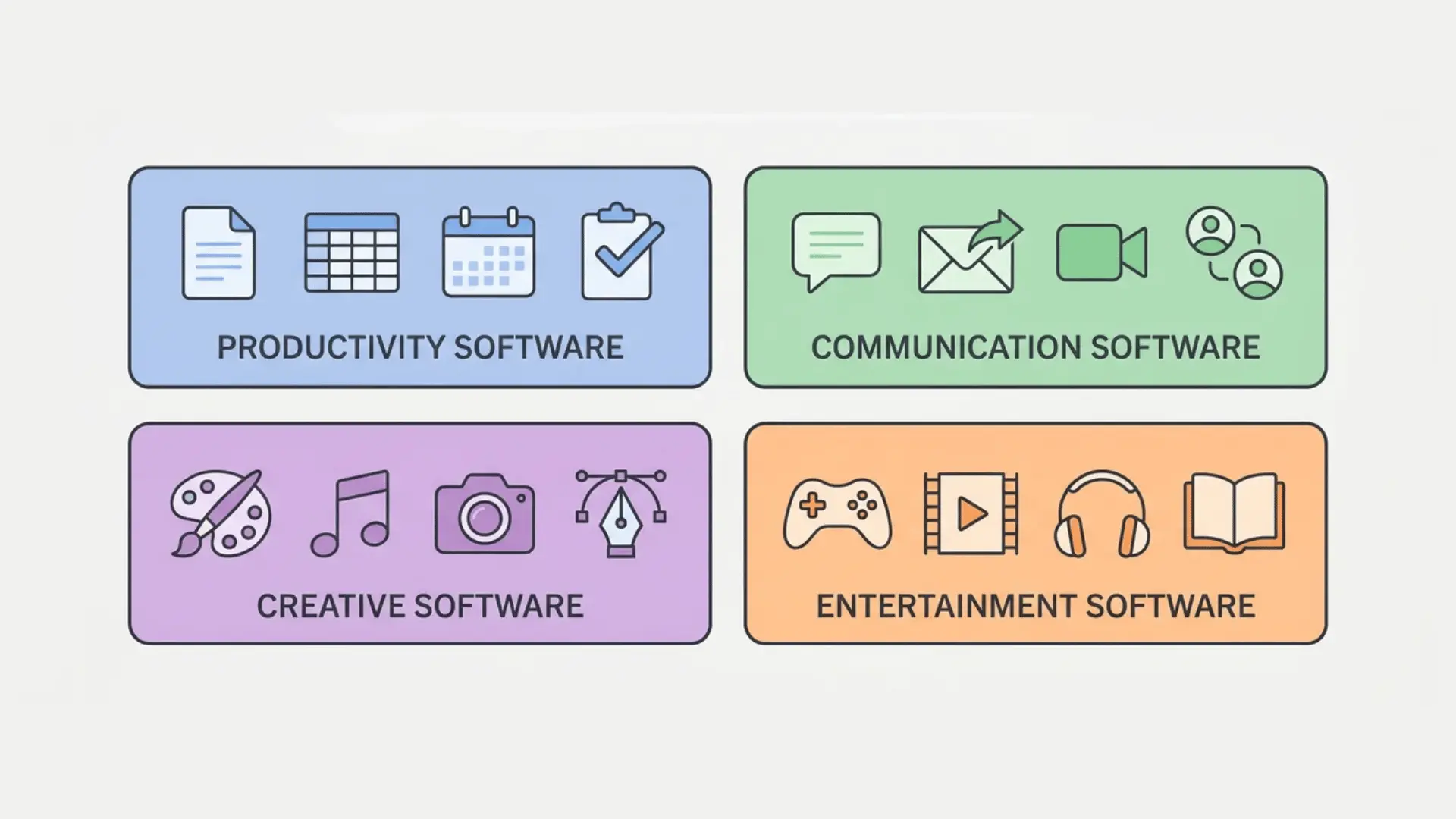
The four groups below cover most of what you use daily. Each is defined by the task it’s built around, not by where it runs or how it’s installed.
1. Productivity and Business Software
This software helps you produce tangible outputs like documents, spreadsheets, and presentations. Tools like Microsoft Word, Excel, and Google Workspace drive most office and school work.
You start from nothing and finish with something completed. That’s the design goal. Efficiency, accuracy, and structured workflow define this category for professional and academic use.
2. Communication and Collaboration Software
Software in this category enables the exchange of information with others. Email clients, video calls, and messaging platforms like Zoom, Gmail, and Slack fall squarely into this group.
Overlap is normal. Many tools combine productivity features with communication. The focus is teamwork, coordination, and real-time information sharing, making group tasks faster and more organized.
3. Creative and Design Software
These tools are built for creating visual or audio content. Adobe Photoshop, Canva, and Premiere Pro let you work with images, video, and designed layouts with a creative goal in mind.
In Photoshop you’re compositing layers for a final image. In Premiere Pro you’re cutting footage into a finished video. The tool exists to serve the output, not the workflow.
4. Entertainment and Media Software
This software is built for consumption, not creation. Spotify, Netflix, and Steam deliver music, movies, and games with no output required from you.
The entire experience is designed around engagement. Nothing to produce, nothing to submit. You show up, and the software does the rest.
Wrapping Up
Application software handles your daily tasks like writing, streaming, browsing, or communicating while system software keeps everything running quietly beneath the surface.
Productivity, communication, creativity, and entertainment each have tools built specifically around what you’re trying to do.
Every tool you open fits somewhere in this picture by category, delivery method, and license type.
Frequently Asked Questions
What is the difference between application software and an app?
“App” is just an informal shortening of “application software.” Both refer to any program that helps you complete a specific task.
Is a web browser application software or system software?
A browser is application software. You open it to complete tasks. It sits on top of the operating system, not beneath it.
What are examples of application software?
Microsoft Word, Google Chrome, Zoom, Adobe Photoshop, Spotify, and Steam are all examples, each built to help you complete a specific task.
Can one program be both system software and application software?
Rarely. Some built-in device utilities blur the line, but the two categories are treated as distinct in standard classification.