

People often hear “IT” and think of someone fixing a laptop, resetting a password, or working in a server room. That is part of it, but it is not the full picture.
A lot of pages stop at the acronym and move on, which leaves a basic question hanging in the air. If IT stands for Information Technology, what does that really mean in plain life?
In this guide, I’ll break it down in a simple way. You’ll see what IT is, what it does, how it works behind the scenes, and why it matters more than most people think. Let’s start with the meaning itself.
What is Information Technology (IT)?
Information Technology means using digital systems to handle information. That includes collecting it, storing it, changing it, moving it, and protecting it. So yes, IT starts with computers, but it does not stop there.
The word “information” means data that has meaning or use. That could be a photo, a message, a file, a customer record, a payment, or even your login details.
The word “technology” means the tools and systems used to work with that information. This can include computers, phones, software, servers, internet connections, and cloud platforms.
When you put those two words together, Information Technology means the whole system used to manage digital information.
That is why IT is a field, not just a label. It is about how information moves through devices and systems so people can use it.
What Counts as “Information” in IT
In IT, information is not just text on a screen. It can be almost anything in digital form.
A song file is information. A video call is information. A saved password is information. A spreadsheet full of sales numbers is information.
The form may change, but the idea stays the same. IT deals with data that needs to be handled in a useful way.
This is where many short definitions fall flat. They say IT works with information, but they do not explain how broad that word really is. Information can be personal, business-related, public, private, simple, or highly sensitive. That changes how it must be stored, moved, and protected.
Why IT is More Than Just Using a Computer
Using a computer is not the same as IT.
When you type a note, open a browser, or watch a video, you are using technology. IT is the system that makes those actions possible, stable, and secure.
I think this is where a lot of confusion starts. People see the screen and the app, but they do not see the network, storage, permissions, updates, backups, and security checks working in the background.
So IT is not just “doing stuff on a computer.” It is the structure that helps digital information work the way it should.
What Does IT Actually Do?
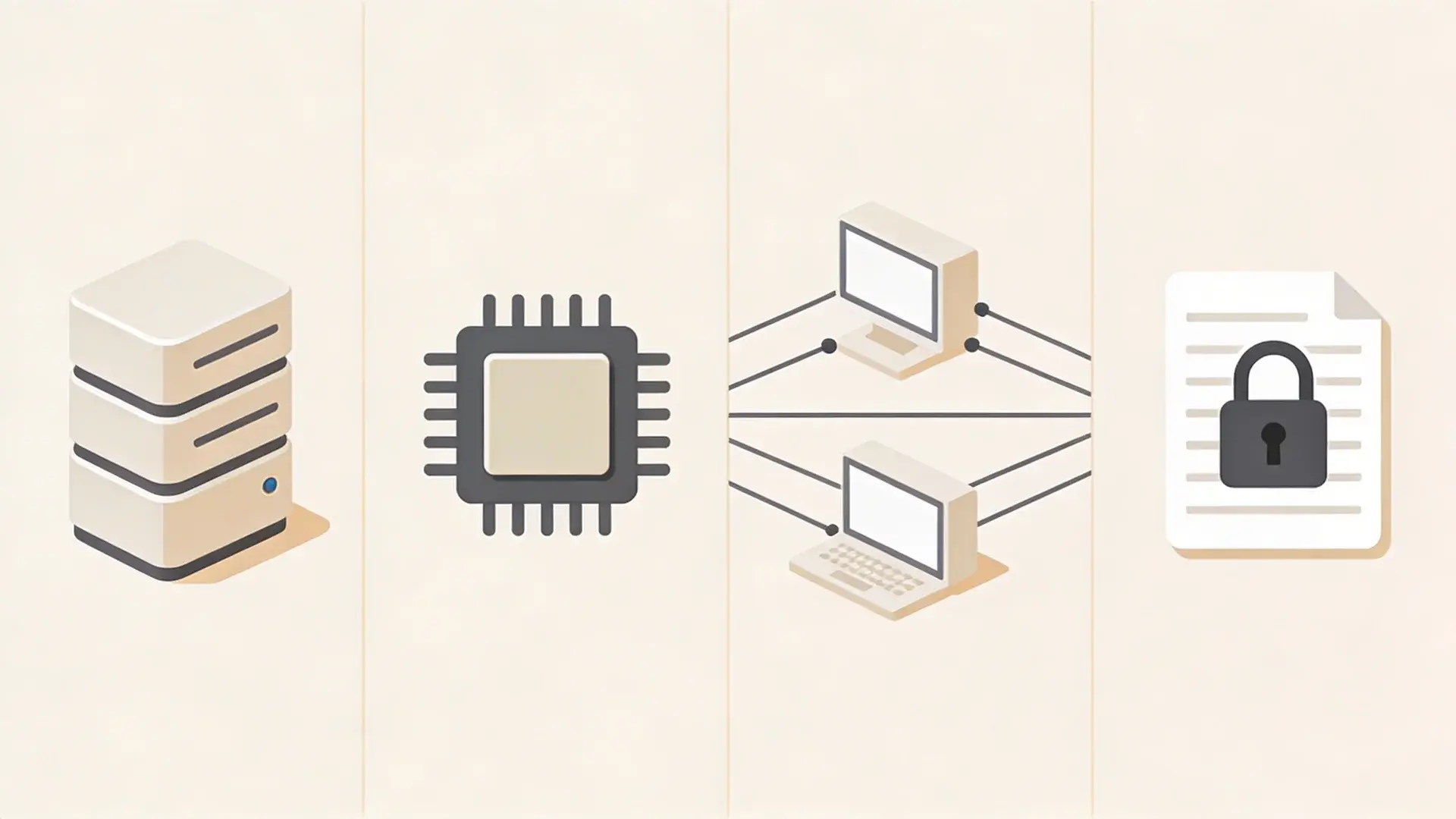
Once you know what IT is, the next question is simple. What does it actually do day to day?
At the core, IT handles four main jobs. It stores information, processes it, transmits it, and secures it. These jobs are connected, but they are not the same.
1. Storing Information
Storing information means keeping data so it can be used later.
This could happen on a phone, a laptop, a company server, or a cloud system. When you save a photo, store a contact, or keep a document in an online drive, IT is making that possible.
Storage is not just about putting data somewhere and leaving it there. It also has to stay organized, available, and intact. A file that cannot be found or opens in a broken state is not very useful.
Storage can also change based on the situation. A temporary app setting may only need short-term storage. A medical record or company file may need to stay safe and reachable for years.
2. Processing Information
Processing means taking data in one form and turning it into something useful.
For example, when you search for a file, your system processes that request and shows a result. When an app checks your login, it processes your details and decides whether to let you in.
This part often feels instant, but it is not random. The system follows rules. It reads input, applies instructions, and produces an outcome.
Processing can be light or heavy. A calculator app does simple processing. A video platform handling millions of users does much more. The idea stays the same, even though the scale changes.
3. Transmitting Information
Transmitting information means moving data from one place to another.
That happens when you send an email, join a video call, upload a file, or stream a movie. The data does not just appear on another device. It travels through systems and networks to get there.
Some transmissions are tiny and fast, like a short message. Others are large and ongoing, like a live video stream. That is why performance can vary. A weak connection, a crowded network, or a slow system can affect how smoothly that data moves.
4. Securing Information
Securing information means protecting data from loss, damage, misuse, or unwanted access.
This includes things like passwords, access controls, backups, encryption, and system monitoring. The goal is not just to lock data away. It is to make sure the right people can use it while the wrong people cannot.
Security also shifts based on context. A public web page does not need the same level of protection as payroll records or banking data. So IT security is not one fixed wall. It changes with the value and sensitivity of the information.
How Information Technology Works Behind the Scenes
IT systems follow a simple flow: input, processing, storage, output, and transmission. Data first enters the system, gets processed based on rules, is stored if needed, then shown as output or sent to another system.
Step 1: Input. Information enters through actions like typing, clicking, or automatic data collection.
Step 2: Processing. The system reads the input, applies rules, and makes decisions.
Step 3: Storage. Data is saved so it can be used later when needed.
Step 4: Output: The system shows results to the user in a clear form.
Step 5: Transmission. Data moves between devices or systems, depending on the task.
These steps often happen quickly and repeatedly, working together as one continuous system rather than separate actions.
What Makes Up an IT System?
To understand IT clearly, it helps to see it as a system made of parts that work together. No single part carries the whole job.
| Component | What It Is | What It Does | Why It Matters |
|---|---|---|---|
| Hardware | Physical devices like computers, phones, servers, and routers | Provides the space and power to run systems | Without it, nothing can operate or exist digitally |
| Software | Programs, apps, and operating systems | Tells hardware what to do and how to perform tasks | Gives purpose and functionality to devices |
| Networks | Connections between devices and systems | Moves data between systems and enables communication | Allows systems to work together instead of staying isolated |
| Data | Information in digital form (files, messages, records) | The core content being stored, processed, and shared | Everything in IT exists to manage and use this data |
Each part depends on the others. Hardware runs software, software uses data, networks move that data, and together they form a complete working system.
Examples of Information Technology in Everyday Life
It gets easier to understand IT when you connect it to things you already do.
- IT in Personal Devices and Apps: When you use your phone, open apps, or save files, IT is working in the background. Your device stores data, processes your actions, and shows results instantly.
- IT in Internet and Online Services: Streaming, messaging, or shopping online all rely on IT systems. Data is constantly moving, being processed, and delivered across networks in real time.
- IT in Businesses and Organizations: Companies use IT to manage data, run systems, and support daily work. From payments to communication, IT keeps operations smooth and secure.
Common Misconceptions of Information Technology
A clear explanation also needs boundaries. Without them, the meaning of IT gets blurry.
- It is Not the Same as Programming: Programming focuses on writing code to build software. IT is broader and includes managing systems, networks, storage, and overall digital operations.
- IT is Not Just Tech Support: Tech support is only one part of IT. The field also covers system setup, data handling, networking, security, and keeping systems running smoothly.
- IT is Not the Same as Computer Science: Computer science deals more with theory and how systems are designed. IT focuses on using and managing those systems in real-world situations.
- IT is Not Limited to Workplaces: IT is not just for offices or companies. It is part of daily life through phones, internet services, cloud storage, and home networks.
Understanding these differences helps you see IT as a complete system, not just one role or task.
Wrapping Up
A lot of people stop at the acronym and never get a full answer. But once you slow down, the idea becomes pretty clear.
What IT stands for in technology is not just a vocabulary question. It is really a question about how digital life works.
IT is the system that handles information through storage, processing, transmission, and security. It depends on hardware, software, networks, and data working together.
When you see it that way, the term feels much less vague. The next useful step is simple. Start noticing the IT systems behind the devices and services you already use every day.
Frequently Asked Questions
What does IT include?
IT includes hardware, software, networks, data storage, data processing, security, and the systems that help people create, move, use, and protect digital information.
Is IT the same as using technology?
No. Using technology means interacting with devices or apps. IT is the system behind that use, including setup, management, storage, movement, and protection of information.
Why is IT important in daily life?
IT makes digital life work. It helps you save files, send messages, use apps, access services, protect accounts, and keep information available when needed.
Is IT only about computers?
No. Computers are part of IT, but so are phones, networks, cloud systems, software, servers, and the data those systems handle every day.