A good tablet does not need to win every speed test to earn a place in your bag.
The Samsung Galaxy Tab S9 FE focuses on the things many people use every day: a sharp 90Hz display, a useful S Pen, strong battery life, and Samsung’s helpful software.
I found it especially suited to note-taking, streaming, browsing, and light work, while heavier games and demanding multitasking show where the Exynos 1380 falls short.
With newer tablets now available, price matters more than ever. So, is the Samsung Galaxy Tab S9 FE still worth buying? I’ll cover its real-world strengths, limits, and value before you spend your money.
Samsung Galaxy Tab S9 FE Review
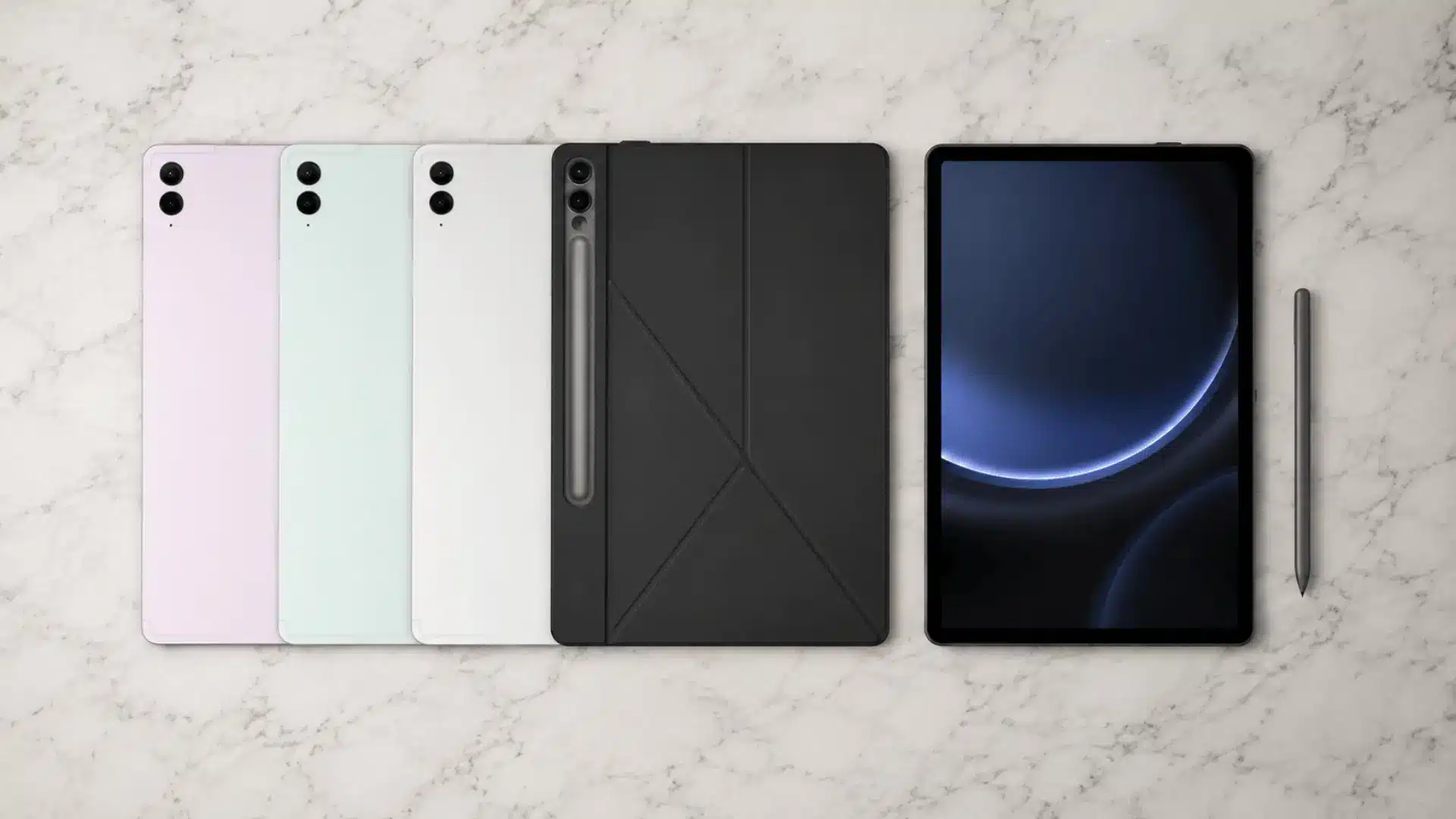
The Samsung Galaxy Tab S9 FE is a mid-range Android tablet built around a big 10.9-inch screen, a bundled S Pen, and Samsung’s usual attention to build quality.
It targets students, note-takers, and casual users who want a large, durable tablet without paying flagship prices.
| Spec | Details |
|---|---|
| Display | 10.9-inch LCD, 2304 x 1440, 90Hz |
| Chipset | Exynos 1380 (octa-core) |
| RAM / Storage | 6GB/128GB, 8GB/128GB, 8GB/256GB (expandable via microSD) |
| Battery | 8,000mAh, 45W wired charging |
| Rear Camera | 8MP |
| Front Camera | 12MP ultra-wide |
| S Pen | Included, 4,096 pressure levels, no Bluetooth |
| Build | Aluminum frame, IP68 rated, ~523g |
| Speakers | Dual AKG speakers with Dolby Atmos |
| Launch Price | $449.99 (128GB, Wi-Fi) |
Hands-on, it holds up well for everyday tasks, note-taking, and streaming, though gaming and heavy multitasking expose the limits of its mid-range chip.
For the price it usually sells at today, it remains a reasonable pick, according to GSMArena’s full spec listing.
Samsung Galaxy Tab S9 FE Display and S Pen
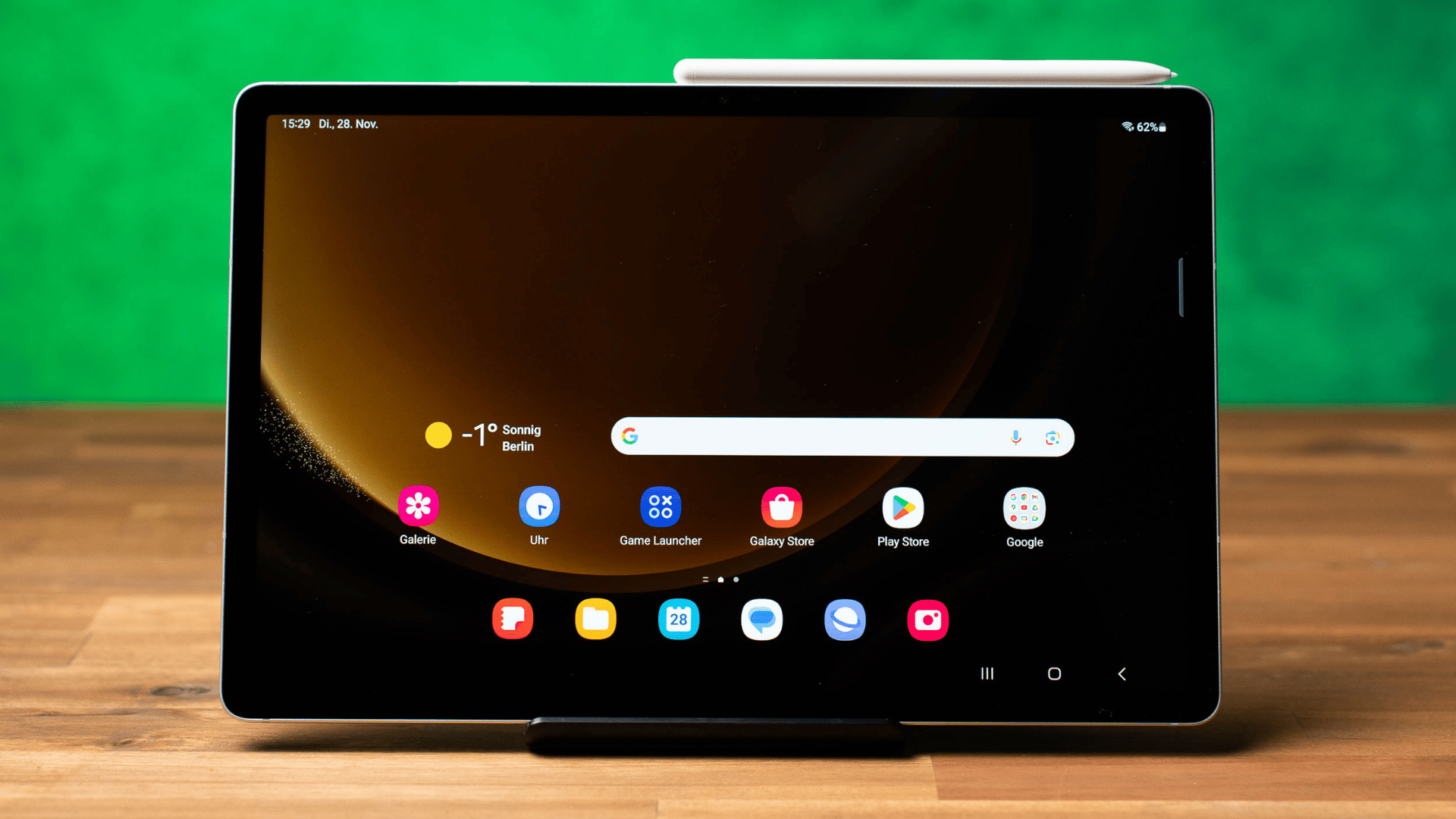
Display quality and the included S Pen are two of the biggest reasons buyers pick this tablet over cheaper Android options, so each one gets its own breakdown below.
Galaxy Tab S9 FE Display Quality
The Galaxy Tab S9 FE uses a 10.9-inch LCD panel instead of AMOLED, with 2304 x 1440 resolution and a 90Hz refresh rate. Colors look accurate for an LCD screen, though blacks read gray rather than deep, and side angles hold up well for this tablet size.
Brightness stays moderate, fine indoors but weaker under direct sun outdoors.
For reading, streaming, and everyday browsing, the screen holds its own, though dedicated e-readers still handle long reading sessions differently, and AMOLED rivals still win on contrast.
Galaxy Tab S9 FE S Pen Experience
An S Pen ships in the box at no extra cost, and it handles handwriting, note-taking, and sketching with 4,096 pressure levels for natural pressure response.
Palm rejection works reliably in Samsung Notes and most third-party apps, and marking up PDFs feels smooth.
It attaches to the tablet’s back via magnets for storage. Unlike the S Pen Pro on pricier Samsung tablets, this one skips Bluetooth, so it lacks Air Actions gesture support, as Samsung confirms.
Samsung Galaxy Tab S9 FE Performance and Gaming
The Exynos 1380 chip inside the Galaxy Tab S9 FE handles daily tasks without much trouble.
Browsing, switching between apps, and light multitasking feel smooth, especially on the 8GB RAM configuration. The base 6GB model works fine for one or two apps but can feel tight once Samsung DeX and several windows run together.
DeX performs well here, giving a usable desktop-style layout for typing and file management.
Casual games like puzzle titles or Genshin Impact on lower settings run acceptably, though demanding, graphics-heavy games show frame drops and heat during longer sessions.
Compared to the standard Tab S9 and its Snapdragon 8 Gen 2 chip, the FE trades real graphics power for a lower price, which suits buyers who rarely game seriously.
Samsung Galaxy Tab S9 FE Battery Life and Charging
The 8,000mAh battery is one of the strongest reasons to consider this tablet.
Real-world testing shows it lasting 14 to 18 hours of video streaming, and a full day of mixed browsing and note-taking is easy to reach on a single charge.
Gaming sessions drain the battery faster, with heavier titles pulling it down in roughly 6 hours of continuous play.
Charging supports up to 45W, which brings a full charge in around 90 minutes with the right adapter, though a slower charger stretches that closer to two hours.
One thing worth knowing before buying: Samsung does not include a charging brick in the box, only a USB-C cable, so budget for that separately if needed.
Samsung Galaxy Tab S9 FE Design, Cameras, and Speakers
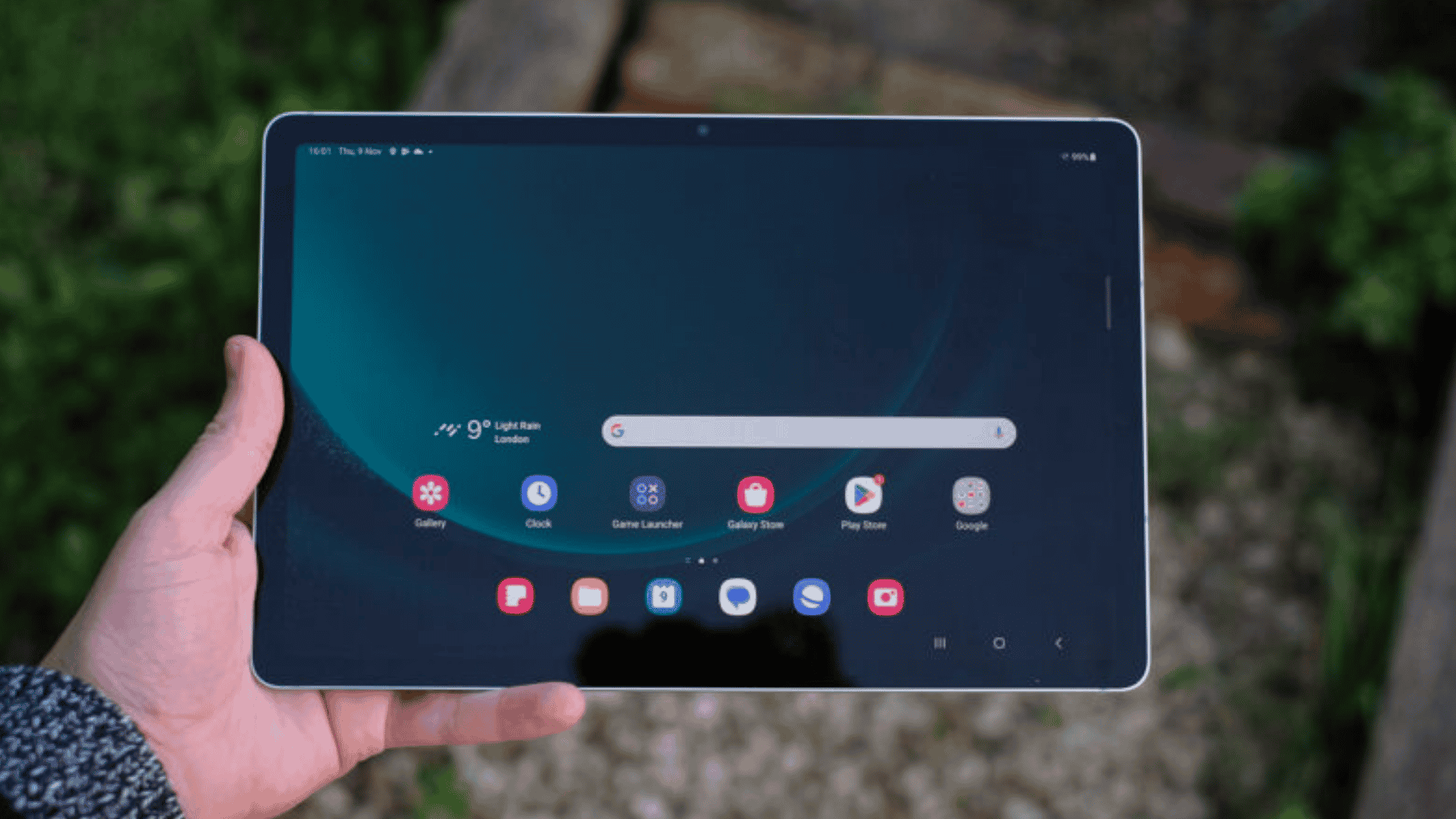
Samsung built the Tab S9 FE with an aluminum frame that feels solid without adding much weight, coming in at around 523 grams and easy to hold during long reading or streaming sessions.
It carries an IP68 rating, so dust and accidental water contact will not cause damage, which is rare at this price. A side-mounted fingerprint sensor lets you unlock the tablet quickly.
The camera hardware is modest but practical: an 8MP rear sensor works for document scanning and quick shots, while the 12MP ultra-wide front camera keeps faces framed during video calls, with auto-framing that adjusts as people move.
Dual AKG speakers with Dolby Atmos round out the package, delivering clear, loud audio for shows and calls, though bass stays fairly light.
Samsung Galaxy Tab S9 FE Software and DeX
Software is where the Tab S9 FE separates itself from most budget Android tablets.
One UI adds real tablet-focused features on top of Android, and Samsung DeX turns the screen into a desktop-style workspace with resizable windows, a taskbar, and mouse and keyboard support.
Split-screen and Multi Window let two or three apps run side by side, which suits research, email, and document work. Samsung Notes pairs closely with the S Pen for handwritten notes that sync across devices.
Quick Share and Multi Control make moving files and sharing a keyboard and mouse across a phone and this tablet simple within Samsung’s ecosystem.
Samsung has committed to several years of software updates, so the tablet should stay current for a while after purchase.
Who Is the Samsung Galaxy Tab S9 FE Best For?
Not every buyer needs the same things from a tablet, but a few groups will get the most value from the Galaxy Tab S9 FE.
- Students and Note-Takers: The included S Pen and Samsung Notes make lecture notes, annotations, and study outlines fast to organize.
- Digital Artists and Casual Creators: Pressure sensitivity and palm rejection support sketching and light illustration work without buying extra accessories.
- Samsung Galaxy Users: Quick Share, Multi Control, and other ecosystem features connect smoothly with a Galaxy phone or laptop.
- Remote Workers: Samsung DeX and split-screen multitasking give a usable, portable setup for email, documents, and video calls.
Casual users who mainly stream shows, browse, and read will also find plenty to like here, thanks to the battery life and display size.
Samsung Galaxy Tab S9 FE Price and Value
The Galaxy Tab S9 FE launched at $449.99 for the 128GB Wi-Fi model back in 2023, but pricing has dropped a lot since then. New units now regularly sell in the $280 to $350 range during sales, and refurbished or open-box units can be found closer to $220.
Since the S Pen adds real value on its own, and other tablets charge extra for a stylus, this pricing makes the S9 FE a solid deal. It only makes sense to buy, though, when it costs noticeably less than the newer Tab S10 FE.
If the price gap narrows to $50 or less, the S10 FE becomes the smarter purchase.
Samsung Galaxy Tab S9 FE Pros and Cons
The Galaxy Tab S9 FE has clear strengths and a few real trade-offs worth knowing before checkout. Looking at both sides together makes it easier to decide if this tablet fits your budget and daily needs.
Galaxy Tab S9 FE Strengths
The Galaxy Tab S9 FE earns its price with a genuinely useful feature set.
The included S Pen removes the need for a separate purchase, and IP68 water and dust resistance is uncommon at this price point. A 90Hz display keeps scrolling smooth, and the 8,000mAh battery easily covers a full day of mixed use.
Samsung’s software adds real productivity value through DeX, split-screen multitasking, and reliable everyday performance for browsing, note-taking, and streaming.
Galaxy Tab S9 FE Drawbacks
A few trade-offs keep this from being a flawless pick. The LCD panel cannot match AMOLED contrast and black levels, and the Exynos 1380 chip limits performance for demanding workloads like heavy gaming or video editing.
It lacks wired external-display support, and the USB-C port runs at USB 2.0 speeds, which slows file transfers. The base configuration has only 6GB RAM, which may feel limiting with DeX and multitasking.
Samsung Galaxy Tab S9 FE vs Tab S10 FE
The Galaxy Tab S10 FE launched in 2025 as the direct successor, and the differences between the two models matter more for the buying decision than most spec sheets suggest.
| Category | Tab S9 FE | Tab S10 FE |
|---|---|---|
| Processor | Exynos 1380 | Exynos 1580 |
| Display | 10.9″ LCD, 90Hz | 10.9″ LCD, 120Hz |
| RAM | 6GB / 8GB | 8GB / 12GB |
| S Pen | Included, no Bluetooth | Included, no Bluetooth |
| Battery | 8,000mAh | 8,000mAh |
| Software Generation | One UI (2023 baseline) | One UI (2025 baseline, longer update runway) |
| Launch Price | $449.99 | $499.99 |
The S10 FE brings a faster chip, a smoother 120Hz display, and more RAM headroom, along with a later software starting point that stretches its update support further, per Samsung’s official product page.
Neither tablet is a bad choice on its own. The right pick comes down to price: grab the S9 FE when it costs significantly less, and lean toward the S10 FE when the price gap narrows.
Should You Buy the Galaxy Tab S9 FE New or Refurbished?
Price is the biggest difference between buying new or refurbished, with refurbished units often costing $50 to $100 less.
New units come with a full Samsung warranty and a fresh, unworn S Pen, while refurbished listings vary in battery health and screen condition, so it helps to check seller-provided details before buying.
Confirm the USB-C port works properly, since it is a common wear point, and verify the S Pen is included, since some refurbished listings sell it separately.
Check the model number to confirm you are getting the correct storage size and region variant. A solid return policy from the seller matters too, since it gives room to inspect the tablet before committing.
Final Thoughts
Based on its features and capabilities, I see the Samsung Galaxy Tab S9 FE as a practical tablet rather than a performance-focused one.
The S Pen, long battery life, 90Hz screen, IP68 rating, and Samsung software give it plenty to offer for students, note-takers, streaming, and light work.
The Exynos 1380 is the main limitation, especially for demanding games and heavy multitasking. In 2026, price matters because the newer Tab S10 FE is available. I would choose the S9 FE when it is cheaper and your needs are simple.
Have you used the Galaxy Tab S9 FE? Share your experience in the comments and let me know what you think.
Frequently Asked Questions
Does the Samsung Galaxy Tab S9 FE Have a Headphone Jack?
No, the Galaxy Tab S9 FE does not have a 3.5mm headphone jack. You can use Bluetooth headphones or wired USB-C headphones with an adapter.
Can You Add More Storage to the Galaxy Tab S9 FE?
Yes, the Galaxy Tab S9 FE includes a microSD card slot and supports cards up to 1TB, giving you more space for media and files.
Can the Galaxy Tab S9 FE Replace a Laptop?
It can handle browsing, documents, email, and light productivity with DeX, but desktop-only software and complex workflows still make a laptop the better choice.
Does the Galaxy Tab S9 FE Support a Keyboard?
Yes, the tablet supports compatible keyboard accessories, including Samsung’s keyboard options and Bluetooth keyboards. However, the keyboard is sold separately, not included.