
Every terminal editor debate eventually lands on vim vs neovim. A feature list won’t tell you why one feels faster, or why your config might break next month.
The real differences sit underneath the surface. They live in how each editor talks to your code, and what happens when you type on a remote server versus your own machine.
This isn’t a scorecard. It’s what changes in your hands once you actually sit down and use each one.
I’ll walk you through what each editor is, what separates them structurally, how that plays out day to day, and how to decide which one fits how you work.
Let’s start with what they actually are.
What Are Vim and Neovim?
Vim and Neovim share the same editing foundation. Neovim is a fork of Vim, but their core keyboard experience remains almost completely identical for users.
If you know Vim’s modal editing, Neovim feels familiar immediately. Normal mode, insert mode, hjkl movement, and :w saving all behave exactly the same there.
The real difference appears in configuration. Vim traditionally relies on VimScript, while Neovim uses Lua as its main scripting language for modern setups and plugins.
That configuration split causes most confusion. You are not learning another editor with Neovim; you are mainly learning a newer way to customize Vim more efficiently.
What Structurally Separates Neovim from Vim?
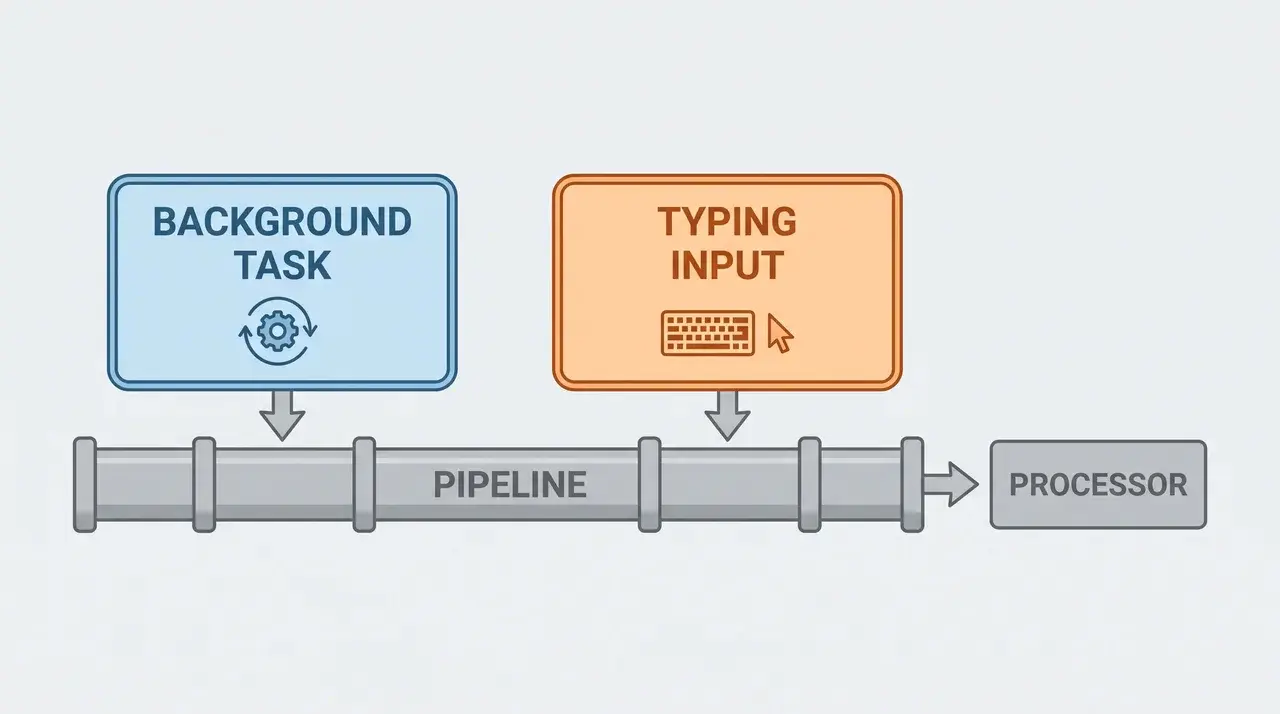
The “snappier” feeling people describe isn’t a vibe. It comes from how each editor talks to your code.
Why Neovim Doesn’t Block While It Works
Vim runs plugins one at a time, in sequence. When a plugin checks your code for errors, the editor waits for it to finish. Neovim built in a Language Server Protocol client from the start. It can run background tasks without freezing your typing.
That’s the real reason Neovim feels faster during heavy coding sessions. It’s not doing less work, it’s doing that work without blocking you.
Tree-sitter: Syntax Highlighting That Understands Your Code
Neovim also ships with Tree-sitter built in. Where Vim highlights syntax by matching patterns line by line, Tree-sitter builds a full parse tree of your file in real time.
That gives Neovim faster, more accurate highlighting that holds up when code spans multiple lines or mixes languages, and it gives plugins a structural map of the file they can work from without needing to query a language server first.
Vim Can Match These Features, with Extra Setup
Vim isn’t stuck here, though. Plugins like coc.nvim and ALE bring the same language server support into Vim. You get similar speed and similar features, you just install and configure them yourself first.
Where Vim’s Slower Release Pace Pays Off
Neovim’s downside sits on the other end. It ships new releases faster than Vim does. That pace brings new features quickly, but it also means plugins can stop working between major releases.
A plugin written against Neovim’s 0.9 API, for example, may throw errors after an update to 0.11 — not because something broke, but because the interface changed underneath it.
Vim moves slower on purpose. Once you set up a Vim config, it tends to keep working for years without changes.
Key Differences at a Glance
You’ve seen why Neovim feels faster and where Vim still holds ground. Here’s the short version, side by side.
| Category | Vim | Neovim |
|---|---|---|
| Configuration language | VimScript | Lua |
| Code intelligence | Needs plugins (coc.nvim, ALE) | Built-in LSP client |
| Plugin management | Vundle, Pathogen | lazy.nvim, Lua-based managers |
| Release stability | Slow, backward-compatible | Faster, occasional config breakage |
| Server availability | Preinstalled almost everywhere | Rarely preinstalled |
Nothing here should surprise you at this point. It’s just the fastest way to hold all five differences in your head at once before you decide what matters for your setup.
How Do Vim and Neovim Differ in Daily Use?
Day to day, the difference comes down to two things. How you set up your config, and where you’re editing.
Vim keeps things simple. One file, .vimrc, holds your settings. Older plugin managers like Vundle or Pathogen handle the rest. Neovim spreads configuration across Lua files. Package managers like lazy.nvim install and manage plugins for you.
This gives you more control, but it also means more moving parts to learn. If that sounds like too much setup work, prebuilt distributions solve it. LazyVim and NvChad come configured out of the box.
You get Neovim’s features without touching a single Lua file yourself. But that only covers what happens on your own machine. On a remote server, you rarely get to choose your editor.
Vim is already installed on almost every Linux and macOS machine you’ll connect to. Neovim usually isn’t. So even a committed Neovim user ends up in Vim the moment they SSH into a server.
When Should You Use Vim vs Neovim?
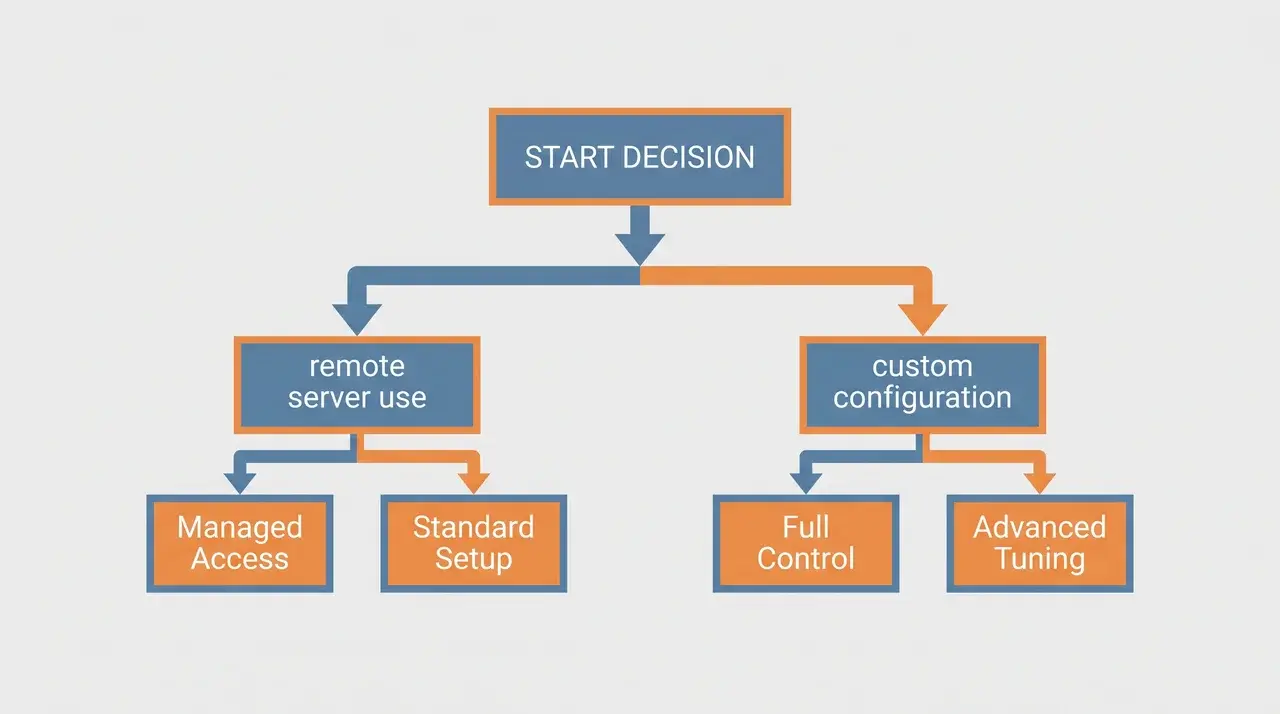
The better choice comes down to where you work and how much configuration you want to maintain. Vim favors simplicity, while Neovim rewards customization.
| Choose Vim If | Choose Neovim If |
|---|---|
| You regularly edit files on remote servers. | You mostly work on your own configured machines. |
| You want an editor that needs little maintenance. | You do not mind maintaining your configuration. |
| You prefer using tools already installed on most systems. | You want modern plugins and development features. |
| You do not want to learn or manage Lua configuration. | You are comfortable configuring your editor with Lua. |
| You want the same editing environment almost everywhere. | You want a highly customized daily workflow. |
| You prefer stability over constantly adding new features. | You are willing to trade occasional upkeep for more flexibility. |
Neither editor is automatically better. Choose Vim when you want something dependable and portable. Choose Neovim when customization and modern tooling are worth the extra maintenance.
Conclusion
Vim and neovim aren’t rivals so much as two answers to the same question. One favors stability you never have to think about. The other favors speed you have to maintain.
Neither choice is wrong. The mistake is picking based on hype instead of your own setup.
If you spend your days hopping between servers you don’t control, Vim will keep showing up whether you plan for it or not. If you own your machine and don’t mind a config that evolves, Neovim pays you back with speed.
Try both for a week before deciding anything permanent. Your daily habits will tell you more than any comparison ever could.
Frequently Asked Questions
Is Neovim actually faster than Vim?
Neovim isn’t faster at basic text editing; both handle that instantly. The speed difference people notice comes from Neovim’s built-in async LSP client and Tree-sitter parsing, which handle code intelligence without blocking the editor, unlike Vim’s synchronous plugin-based approach to the same features.
Do people still use Vim over Neovim in 2026?
Yes. Vim remains the default choice for remote servers and restricted environments since it’s preinstalled almost everywhere, while Neovim requires manual installation. Many developers also prefer Vim’s slower, backward-compatible release model over managing Neovim’s faster-changing Lua configuration ecosystem.
Can I use my Vim config in Neovim?
Mostly, yes. Neovim is backward-compatible with VimScript, so an existing .vimrc will largely work. However, Neovim’s ecosystem is shifting toward Lua-based configuration, so plugins built specifically for Neovim’s Lua API and native LSP won’t function the same way inside Vim.
Why do developers choose Neovim over VS Code?
Developers favor Neovim over VS Code mainly for terminal-based, keyboard-driven editing without leaving the command line, combined with native LSP support and highly customizable Lua-based plugins, giving IDE-like features while keeping the lightweight, modal editing workflow VS Code doesn’t offer.