You’ve probably seen big claims around Motion. It plans your day, fixes your schedule, and helps you get more done without thinking too hard. That sounds great on paper, but there’s usually more going on beneath the surface.
Tools like this don’t just help you. They change how you work. And if you don’t understand how they operate, it can feel amazing one day and frustrating the next.
In this motion AI review, I’ll break it down in a simple way. Not just what it does, but how it behaves in real use, because that’s what really decides if it’s worth your money.
Motion AI at a Glance: Pricing, Pros, Cons, and Verdict
A quick overview of Motion’s pricing, strengths, limitations, and whether it actually delivers in daily use.
Monthly and Annual Cost Breakdown
Motion sits in the premium category, usually around $19 to $34 per month, and most plans push you toward annual billing.
That means you’re committing upfront, often over $200 a year.
This matters because Motion isn’t a casual tool you open once in a while. It works best when you use it daily and consistently. If you stop using it, the value drops quickly.
So the real cost isn’t just money; it’s also the level of consistency you’re willing to bring.
Biggest Strengths
Motion’s biggest strength is simple. It removes the need to decide when to do your work.
Instead of staring at a list and wondering what comes next, the system places tasks directly into your calendar.
This works especially well when:
- Your schedule changes often
- You juggle many small tasks
- You feel overwhelmed planning your day
When it clicks, it feels like your day is already mapped out for you.
Biggest Limitations
The same system that makes Motion powerful also creates friction.
Because everything depends on time estimates and priorities, small errors can stack up.
If your tasks take longer than expected, your entire schedule shifts. If that keeps happening, your calendar starts to feel packed and slightly chaotic.
The system also struggles with step-by-step projects. It isn’t built to handle long chains of tasks that must happen in a strict order.
Who Should Probably Skip It
Motion isn’t for everyone.
You’ll likely struggle with it if:
- Your work is slow, deep, and unpredictable
- You don’t like strict schedules
- You prefer flexible task lists
- You don’t want to estimate task durations
If your workflow is simple and steady, this tool can feel like more structure than you need.
What Motion AI Actually Does (and What It Doesn’t)
A simple breakdown of what Motion actually handles for you, and where its limits start to show.
How the AI Scheduler Builds Your Calendar
At its core, Motion takes your tasks and turns them into calendar blocks.
You enter your tasks, deadlines, priority levels, and estimated time, and the system places each one into available time slots across your day.
It works from your calendar first, not your task list, which changes how you approach your work. Instead of asking what to do next, it focuses on when each task will get done.
How Tasks, Deadlines, and Priorities Interact
The system works like a balancing act.
- Deadlines create urgency.
- Priorities signal importance.
- Time estimates define space.
Motion combines all three and tries to fit everything into your available hours.
If something doesn’t fit, it gets pushed later. If too many things pile up, the schedule starts tightening and compressing. That’s usually where strain begins to show.
Why It is Not Just a To-Do List
A normal to-do list gives you options, but Motion removes most of them.
Once tasks are scheduled, your day becomes structured and you’re expected to follow that plan
This can be helpful if decision-making drains your energy, but it can feel restrictive if you prefer choosing tasks based on your focus or mood.
How Motion’s Auto-Rescheduling System Really Works
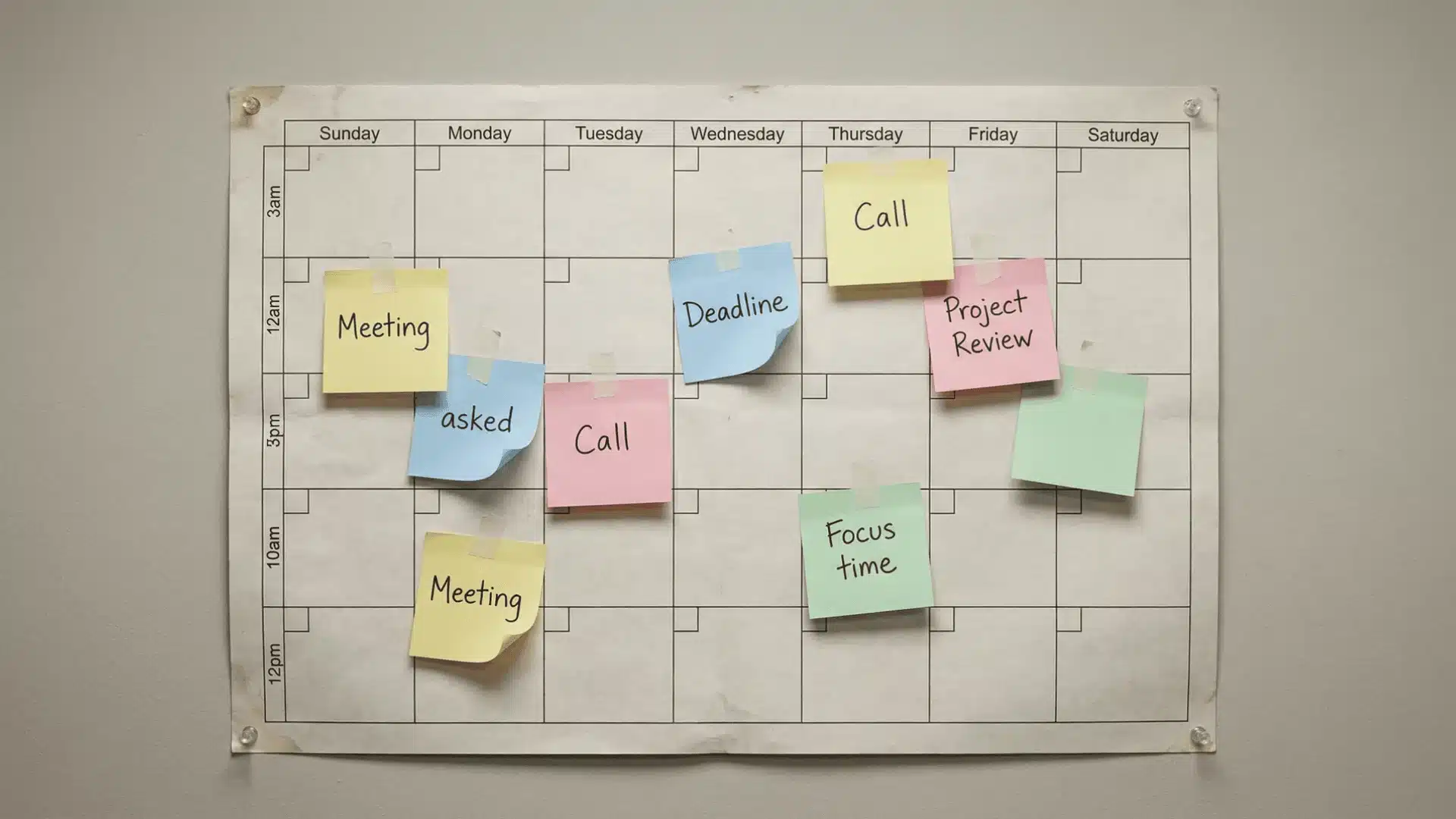
When your plans change, Motion doesn’t just adjust one task; it reorganizes everything around it.
Let’s say a new meeting appears on your calendar. Motion immediately detects a conflict.
A task that was supposed to happen at that time no longer fits, so instead of asking you what to move, it shifts that task to another available slot. But it doesn’t stop there. One small change can trigger a chain reaction, quietly reshuffling multiple parts of your day.
The system doesn’t just move one task; it rebalances everything around it. It looks at what’s urgent, what can be delayed, and how much free time exists later.
Then it starts placing tasks again using those rules. But there’s an important limitation here. It doesn’t create new time. It only redistributes what already exists. If your workload is too heavy, something will get squeezed.
That’s where things start to feel tight.
When tasks don’t fit cleanly, Motion begins splitting them across your day.
A single task might get broken into smaller chunks spread between morning, afternoon, and later hours. This creates a fragmented schedule. Some people adjust to this easily, but for others, it becomes mentally draining.
This happens more often when your calendar is already busy, tasks are longer, or deadlines are close together.
The biggest risk comes from inaccurate time estimates.
If you say a task takes one hour, but it actually takes two, the system has no way to correct that. It trusts your input completely. When reality doesn’t match, everything starts shifting. Tasks move, deadlines tighten, and future days begin to overload.
Over time, your schedule can stop feeling realistic.
That’s why Motion depends heavily on discipline. Not just in doing the work, but in estimating how long things actually take.
Who Motion Works Best For (and Who It Doesn’t)
Motion works really well for some people and feels frustrating for others, and it usually comes down to how you work day to day.
Works well if:
- Your schedule changes often
- Meetings move and plans shift frequently
- You juggle many small tasks
- You struggle with planning or deciding what to do next
- You’re comfortable following a structured schedule
- You can estimate task time reasonably well
Doesn’t work well if:
- Your work is slow, deep, and unpredictable
- You prefer flexible task lists over fixed schedules
- You don’t like your day being pre-planned
- You often misjudge how long tasks take
- Your workflow is simple and doesn’t change much
Where Motion Struggles in Real Use

This is where Motion’s limitations start to show when your workflow doesn’t match how the system is designed.
Limits with Complex or Sequential Projects
Motion struggles when tasks must happen in a strict order.
For example, Step 2 cannot start until Step 1 is fully complete.
The system doesn’t naturally handle that flow well because it treats tasks as separate time blocks rather than linked phases. That can quietly break project logic.
Why the Learning Curve Feels Steep
At first, Motion can feel confusing. Not because the interface is impossible, but because it forces a different way of thinking about work.
You have to estimate time, trust the system, and follow a structured day more closely than you might be used to. That shift takes adjustment.
When Automation Creates Friction
Automation sounds helpful, but it can feel rigid in practice. If your energy changes during the day, you may not want to follow the task placed on your calendar.
Motion, however, expects you to stick to the plan. That mismatch creates friction, especially for people who work based on natural focus cycles.
Motion vs. Other Productivity Tools: Which Fits Better
The gap isn’t just in features; it’s in how much control you give up versus how much planning gets handled for you.
| Category | Simpler AI Schedulers | Traditional Task Managers | Motion |
|---|---|---|---|
| Core Approach | Light calendar adjustments | Task lists | Full calendar control |
| Planning Style | Suggestive | Manual | Automated |
| Flexibility | High | Very high | Low to moderate |
| Structure | Light | Minimal | Strong |
| What It Decides | Minor scheduling tweaks | Nothing (you decide) | When tasks get done |
| Best For | Gentle guidance | Flexible workflows | Fully managed planning |
The difference comes down to control versus automation. Simpler tools guide you, task managers leave everything to you, and Motion takes over most of the planning. The right choice depends on how much structure you actually want in your day.
Is Motion AI Worth It for You?
At this point, the decision comes down to how well your workflow matches how Motion operates.
Worth it if:
- Your schedule changes often
- You struggle with planning your day
- You can estimate task time reasonably well
- You’re comfortable following a structured schedule
Not worth it if:
- Your work requires long, uninterrupted focus
- You prefer flexible task lists
- You often misjudge how long tasks take
- You don’t want your day tightly planned
Before subscribing, ask yourself one simple question: “Can I realistically estimate how long my tasks take?”
If the answer is no, Motion will struggle to work properly for you. Everything it does depends on that input.
Wrapping Up
Motion looks powerful at first glance, and in many ways it is. But the real value depends on how well it matches your working style.
It doesn’t magically make you productive. It organizes your time based on the inputs you provide.
That’s the idea to keep in mind.
In this Motion AI review, the biggest takeaway is simple. The tool works best when your workload is messy but your inputs are clear. If that balance exists, it can feel like a serious upgrade. If not, it quickly becomes frustrating.
Start by testing how accurately you estimate your time. That alone will tell you whether Motion is likely to be a good fit.
Frequently Asked Questions
Is Motion AI worth the price?
It can be worth it if you rely on scheduling help every day. If you only need light planning, the cost usually feels too high.
How much does Motion AI cost per month?
Most plans range from $19 to $34 per month and are often billed annually, placing it in the higher-end productivity category.
Does motion actually improve productivity?
It can improve productivity by removing planning decisions, but it depends heavily on accurate time estimates and consistent use.
Is motion good for ADHD?
It can reduce decision fatigue and help with structure, but it’s not a standalone solution. You still need to follow the schedule for it to work.