Your browser is doing more than loading pages; it’s quietly deciding how much of your data gets handed to advertisers, trackers, and data brokers every time you click.
That’s why the question of whether Brave Browser is safe has moved well beyond tech circles and into everyday conversation.
I’ve used Brave as my daily driver for years, tested it across devices, pushed its limits, and found a few surprises along the way.
Here’s exactly how its protections work under the hood, where they hold up, and where they quietly fall short. If you’ve been sitting on the fence about making the move, here’s what you actually need to know.
What is Brave Browser?
Brave is a free web browser built for privacy. It was launched in 2016 by Brendan Eich, co-founder of Mozilla Firefox, with one goal: give people a faster, cleaner browsing experience without the surveillance that comes standard with most browsers.
It’s built on Chromium, the same engine that powers Google Chrome; but unlike Chrome, Brave strips out Google’s tracking layer entirely. You get the familiarity and speed of a Chromium browser without the data collection baked into it.
Brave is available on Windows, macOS, Linux, Android, and iOS. Since launch, it has grown to over 100 million users worldwide, making it one of the most widely adopted privacy-focused browsers available today.
How Does Brave Protect You?
Brave comes loaded with built-in privacy tools; no extensions required. Everything is active from the moment you open the browser.
Here’s what Brave does automatically to keep you safe:
- Tracker and ad blocking: sites load without the scripts and pixels that follow you from page to page
- Cross-site cookie blocking: cuts off third-party cookies before they can build a profile on you
- HTTPS upgrades: every connection is automatically switched to an encrypted version; no action required
- Fingerprinting protection: Brave randomizes the device signals your browser leaks, so sites can’t quietly identify you by your screen size, fonts, or time zone
On that last one; every browser quietly leaks small details about your device like your screen size, installed fonts, time zone, and graphics settings. Sites combine these signals to build a unique profile called a fingerprint, which tracks you even after you clear your cookies.
Brave disrupts this by slightly randomizing the data it sends, so your device looks generic rather than unique.
These features are part of a system called Brave Shields. It runs in the background on every site you visit.
Most browsers make you turn these on manually. Brave does it for you by default; a significant advantage for everyday users who don’t want to dig through settings.
Is Brave Browser Safe for Daily Use?
Yes, Brave is widely considered one of the safest mainstream browsers available today. It’s especially strong for:
- Every day browsing: trackers and ads are blocked before they load
- Online banking: HTTPS upgrades add a layer of encryption
- Public Wi-Fi: built-in protections reduce your exposure on open networks
Because it’s Chromium-based, Brave also receives fast security patches. When vulnerabilities are found in the Chromium engine, Brave typically releases patches within days of the upstream fix; keeping pace with Chrome’s own security timeline.
For most users, Brave offers a solid level of daily protection without any extra setup.
Brave vs. Chrome: Which is Safer?
Both browsers are built on Chromium. But they handle privacy very differently.
| Feature | Brave | Chrome |
|---|---|---|
| Ad blocking | Built-in | Requires extension |
| Tracker blocking | On by default | Off by default |
| HTTPS upgrades | Automatic | Partial |
| Anti-fingerprinting | Yes | No |
| Google tracking removed | Yes | No |
Chrome is fast and familiar. But it’s deeply connected to Google’s data ecosystem. Brave cuts that connection by default. If privacy matters to you, Brave is the safer choice between the two.
Brave’s Extra Privacy Features

Beyond the basics, Brave offers a few standout tools for users who want stronger protection.
Private Browsing with Tor
Brave includes a private window with Tor integration. Tor routes your traffic through multiple servers, hiding your IP address. This makes it much harder for anyone to trace your browsing activity.
This is not available in Chrome or most other mainstream browsers. It’s a major advantage for users who need extra anonymity.
It’s worth knowing that Tor mode is noticeably slower than regular browsing.
Use it for sessions where privacy matters most researching medical conditions, legal questions, or anything you’d rather not tie to your IP address, and stick to standard mode for everyday tasks.
Built-in VPN
Brave offers a built-in VPN that encrypts your internet traffic and masks your location.
Most browsers don’t come anywhere near this; if you want a VPN, you typically pay for a separate app. With Brave, it’s built directly into the browser and available without switching tools.
Brave Search
Brave also has its own private search engine. Unlike Google, it doesn’t track your queries or build an advertising profile around your searches. You can set it as your default directly in the browser, which means your privacy coverage extends from the search bar all the way through to the page you land on.
What are the Downsides of Brave Browser?
Brave is strong, but it’s not perfect. There are a few things worth knowing before you switch.
1. It’s Still Built on Chromium
Brave uses Google’s Chromium engine. That means it could still be exposed to vulnerabilities found in Chromium-based browsers. It’s more private than Chrome, but it’s not a completely independent platform.
3. Websites Can Still See You When You’re Logged In
Brave blocks third-party trackers. But if you log into a website, that site can still track what you do on their platform. Brave can’t block first-party tracking when you’ve given a site your information.
4. Some Sites Break with Shields On
Brave Shields can occasionally cause issues on certain websites. Videos may not load. Forms might not work. You may need to lower the shield settings on specific sites to get them working properly.
5. Crypto and Rewards Features
Brave comes with a built-in crypto wallet and a rewards program called Brave Rewards. Users can opt in to see privacy-respecting ads and earn tokens called BAT (Basic Attention Token).
Not everyone wants this. Some users find it distracting. The good news, you can turn it off completely in settings.
Brave Browser Controversies: Should You Be Worried?
Brave has had a few controversies over the years, and it’s worth knowing about them before you commit to switching.
2020 Affiliate Link Controversy
In 2020, Brave was caught auto-completing URLs with affiliate links. Typing a crypto exchange address into the browser would silently append Brave’s referral code; meaning Brave earned commission from visits users had no idea they were generating.
Brave acknowledged the issue and pushed a fix quickly. But for a browser built on a promise of transparency, getting caught monetizing user behavior without disclosure was a significant trust problem.
Recurring Minor Privacy Issues
Beyond the affiliate incident, privacy communities have flagged a handful of smaller issues over the years. None have been severe, and most were patched promptly. Still, some users find the pattern worth watching.
The honest takeaway: these controversies don’t make Brave unsafe. Every major browser has had its share of missteps. What matters is whether issues get fixed and disclosed, and in Brave’s case, they generally have been. Keeping the browser updated ensures you’re always running the most patched version available.
Is Brave Browser Safe on Android and iPhone?
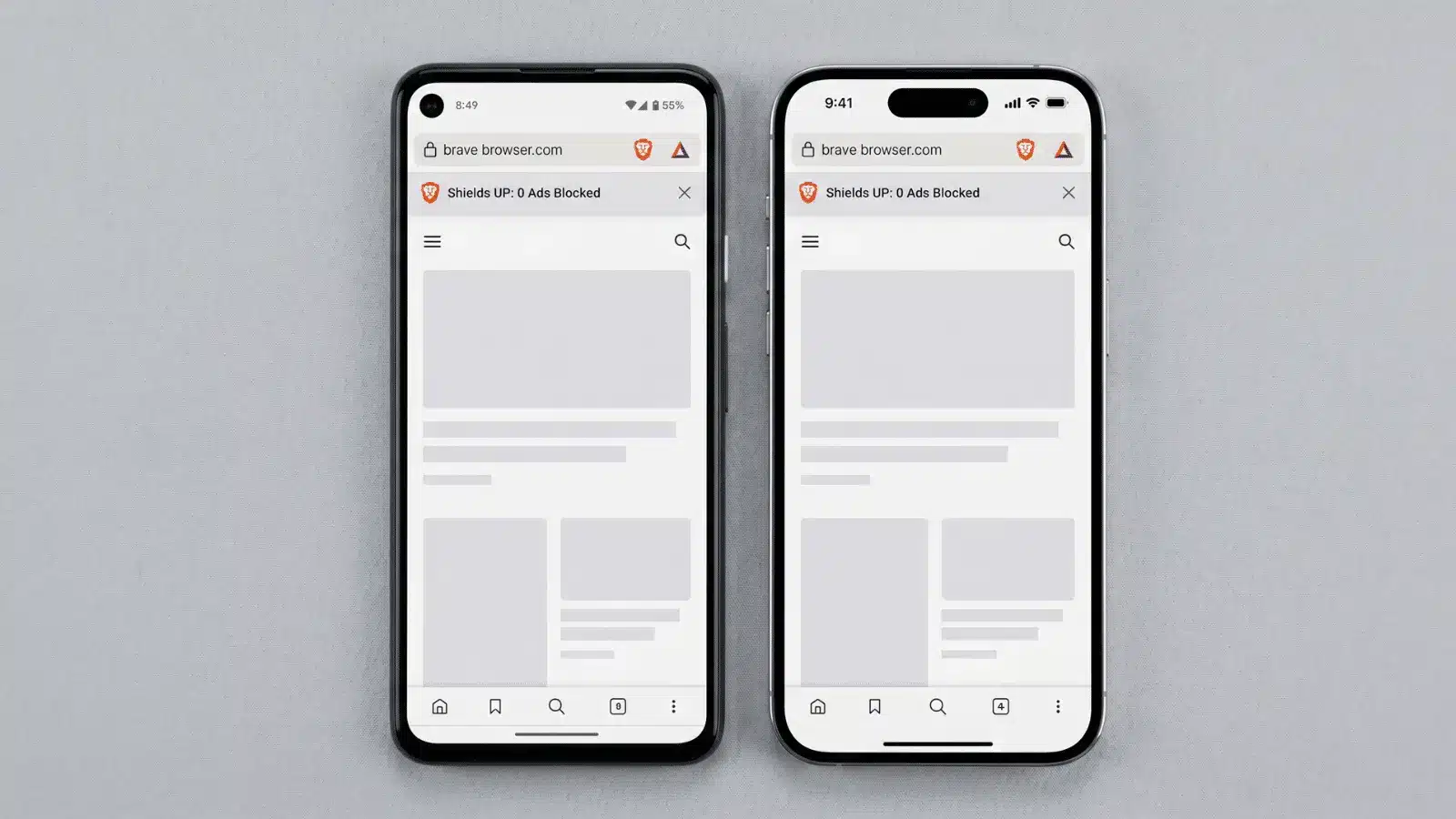
Yes. Brave is available on both Android and iPhone, and the mobile version carries the same core protections as desktop; Shields, HTTPS upgrades, tracker blocking, and fingerprinting protection all active by default.
On Android, it holds a 4.7 rating on Google Play across over 3 million reviews, with users consistently highlighting its speed and ad blocking as the standout features.
On iPhone, Brave runs on WebKit, the engine Apple requires for all iOS browsers while still delivering its full privacy toolkit on top. The experience is nearly identical to Android, with all protections on from the first launch.
For mobile users who spend a lot of time in the browser, Brave is one of the stronger options available without needing to install anything extra.
Who Should Use Brave Browser?
Brave is a strong fit for most everyday users, but it’s not the right call for everyone.
| Brave is a good fit if you… | You might look elsewhere if you… |
|---|---|
| Care about privacy but don’t want to configure settings | Need complete anonymity (Tor Browser is better for that) |
| Want faster browsing without ad and tracker clutter | Dislike Chromium-based browsers entirely |
| Already use Chrome and want a familiar feel with better defaults | Want a browser with zero crypto or rewards features built in |
| Do online banking or regularly handle sensitive information |
The crypto and rewards features can be turned off entirely in settings, so they’re rarely a dealbreaker, but if the list on the left sounds like you, Brave is worth the switch.
Tips to Get the Most Out of Brave
Using Brave well takes just a few small tweaks. Here are the most important ones to start with:
- Keep Shields on: only lower them if a site breaks and genuinely requires it
- Turn off Brave Rewards: skip this if you don’t want crypto features living inside your browser
- Set Brave Search as your default: it’s the only way to keep your searches private end to end
- Use Tor mode for sensitive sessions: medical, legal, or anything you’d rather not tie to your IP address
- Keep the browser updated: security patches are what keep your protection current
Conclusion
Brave is one of the strongest browsers for everyday privacy. It blocks trackers, upgrades your connections, and protects your data, all without extra setup.
Now that you know how it works, it’s time to decide if it fits your browsing habits. The right browser can make a real difference in how safe you are online.
Remember, privacy isn’t just for tech experts, everyone deserves it.
Want to learn more about staying safe online? Check out other blogs on browser security, VPNs, and digital privacy tools to keep your information protected every step of the way.
Frequently Asked Questions
Can the Brave browser be trusted?
Yes. Brave is open-source, regularly audited, and built with privacy as a core priority. Its code is publicly available for anyone to inspect.
Does Brave browser protect against malware?
Partly. Brave warns you about malicious sites, but can’t remove malware from your device. A dedicated antivirus is still recommended for full protection.
Does Brave collect any data at all?
Very little. It collects anonymous data like crash reports. This can’t be traced back to you, and Brave never sells your data to advertisers.
Can you be tracked while using Brave?
Not easily, but not impossible. Brave blocks most trackers by default. However, logging into websites or enabling certain features can still allow some tracking.