Picking the wrong project management tool costs more than money. It costs adoption, momentum, and the weeks you spend fixing a broken setup.
ClickUp and Monday.com are both genuinely good. But they’re built for different teams, different workflows, and different levels of technical patience.
Here you’ll find a straight comparison: no feature padding, no sponsored verdict. Just a clear look at where each tool wins and where it doesn’t. By the end, you’ll know exactly which one fits your team.
What’s the Difference Between ClickUp and Monday.Com?
ClickUp is built for customization. Monday.com is built for speed. That single difference drives every choice you’ll make between them.
The trade-off isn’t features versus no features. It’s a trade-off between power and immediate usability, and the right answer depends on your team’s bandwidth.
Monday.com works on day one. ClickUp works better in the long term, but only if someone actively builds and maintains the workspace.
That last part is what most teams miss. ClickUp’s flexibility becomes clutter fast when no one owns the system.
How Do They Compare on The Features that Actually Matter?
Feature counts don’t tell the real story. What matters is how each tool behaves when your team is actually using it under pressure.
Views and Workflow Flexibility
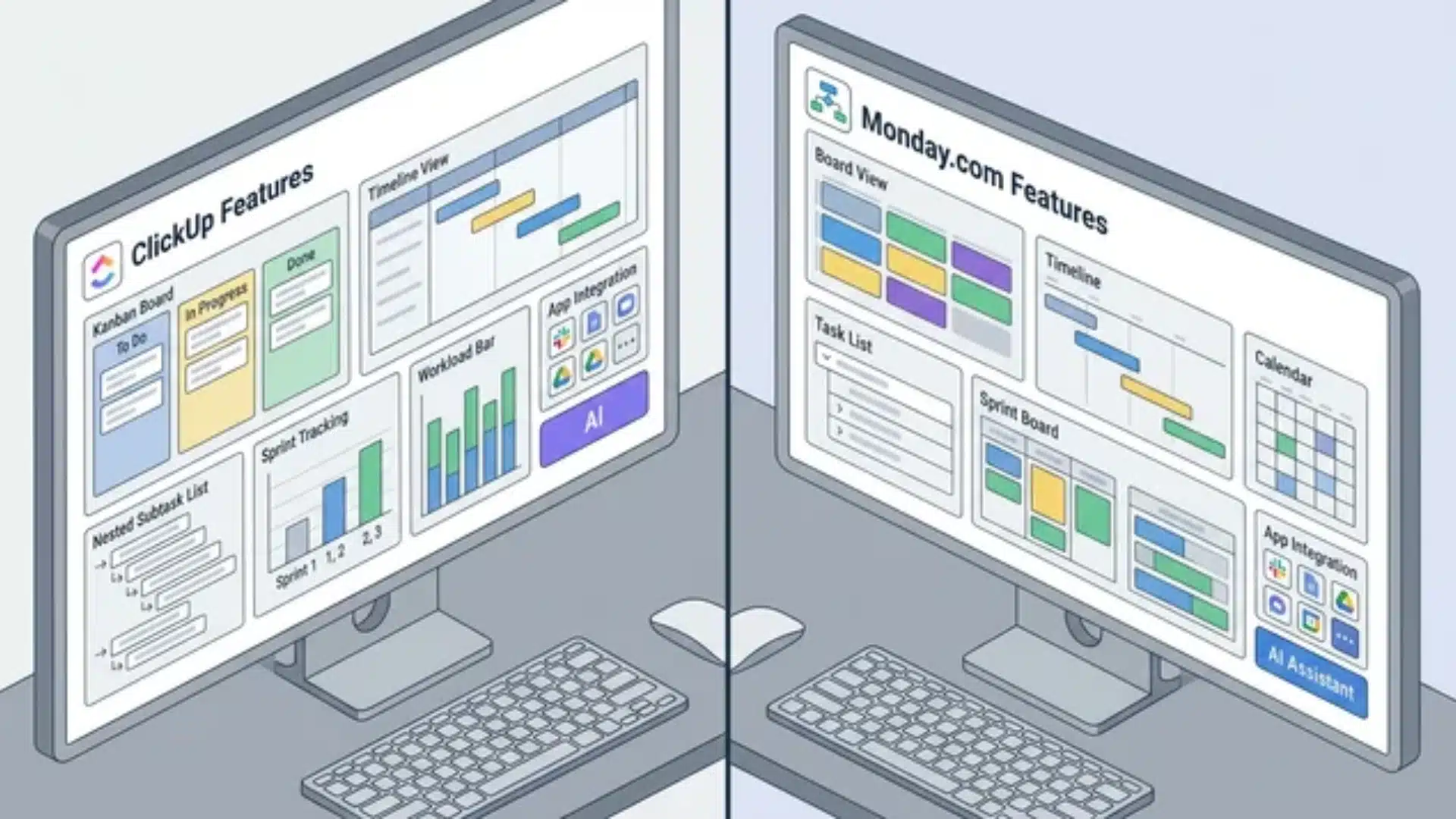
Monday.com’s boards, timelines, and calendars work immediately; no setup needed. ClickUp has more view types, but each one requires deliberate configuration before it’s useful.
Where ClickUp pulls ahead is in depth. Nested subtasks, sprint tracking, and workload views serve technical teams in ways monday.com can’t match.
Integrations and Automation
ClickUp connects with 1,000+ apps. Monday.com connects with around 200. But monday.com’s automation builder is faster to set up; no technical knowledge required.
ClickUp’s integrations are powerful but need configuration. If no one on your team manages tools, monday.com’s simpler setup can save significant time and reduce frustration.
AI Features and What They Actually Include
Monday.com bundles AI into Standard plans, and above, you pay for it regardless. ClickUp offers AI as an optional add-on you purchase separately.
- Use monday.com if your team actively uses AI for writing or summarizing
- Use ClickUp if you want to avoid paying for features you won’t use
Note: Verify current plan inclusions on both platforms before deciding; AI pricing shifts frequently.
How Does Pricing Compare Between ClickUp and Monday.com?
ClickUp is cheaper at the lower end, but that’s not the whole story. Free and entry-level tiers include time tracking, docs, and mind maps that monday.com locks behind higher plans.
That gap closes as your team grows.
Monday.com’s per-seat pricing becomes more competitive at scale, and the difference shrinks faster than most expect.
ClickUp’s flexibility can also quietly raise your real cost. If someone needs to build or maintain the workspace, that time comes at a cost, even when the subscription looks cheaper.
Neither platform is universally cheaper. Check both pricing pages directly before deciding; plan structures shift often enough that any figure here would go stale fast.
Which Teams Should Use ClickUp, and Which Should Use Monday.Com?
The best tool isn’t the one with more features. It’s the one your team will actually use consistently six months from now.
Choose Monday.com If
These three situations are where monday.com consistently outperforms ClickUp.
- Your team is non-technical. Monday.com works before anyone has to configure or learn anything.
- Leadership needs clean reporting. Dashboards look polished out of the box, with no setup required.
- You’re running marketing or sales workflows. Fast-moving teams need visibility, not complexity. Monday.com fits that.
If your priority is getting everyone on the same page quickly, monday.com is the lower-risk choice.
Choose ClickUp If
ClickUp earns its place in specific conditions, and it earns it well when those conditions are met.
- Someone will own the system. ClickUp rewards teams by giving one person responsibility for building and maintaining the workspace. Without that, customization becomes a liability.
- You’re managing complex, layered projects. Nested subtasks, sprint tracking, and workload views make ClickUp the stronger fit for technical teams and agencies.
- You want to consolidate tools. Docs, chat, and time tracking are built in. If reducing tool sprawl is a real goal, ClickUp delivers.
The tool that gets used well beats the tool that looks better on a comparison chart. Be honest about who on your team will actually manage it: that answer matters more than any feature list.
Conclusion
The choice comes down to one honest question: does your team actually have someone who will own, configure, and maintain the workspace over time?
If the answer is yes, ClickUp’s depth and flexibility will pay off quickly. If the answer is no, Monday.com’s simplicity will serve your team far better.
Neither tool fails the teams that use them correctly. They succeed in different hands, for different teams, under different conditions, and project demands.
Now you know the real difference between these two platforms. Pick the one that fits how your team actually works, not how you hope it will.
Frequently Asked Questions
Is ClickUp harder to learn than Monday.com?
Yes. Monday.com works immediately and most teams are running projects within a day. ClickUp requires deliberate setup. Without it, workspaces get cluttered fast.
Can ClickUp replace Monday.com entirely?
For most teams, yes. But feature overlap doesn’t equal adoption. Monday.com’s narrower scope often drives higher consistent usage across the whole team.
Which is better for agencies, ClickUp or Monday.com?
ClickUp. It supports deeper project hierarchies, client-level workspaces, and granular workload management that most agencies genuinely need.
Does Monday.com have a free plan?
Yes, but it’s capped at two seats. ClickUp’s free plan covers unlimited tasks, multiple views, and time tracking, which is far more generous.