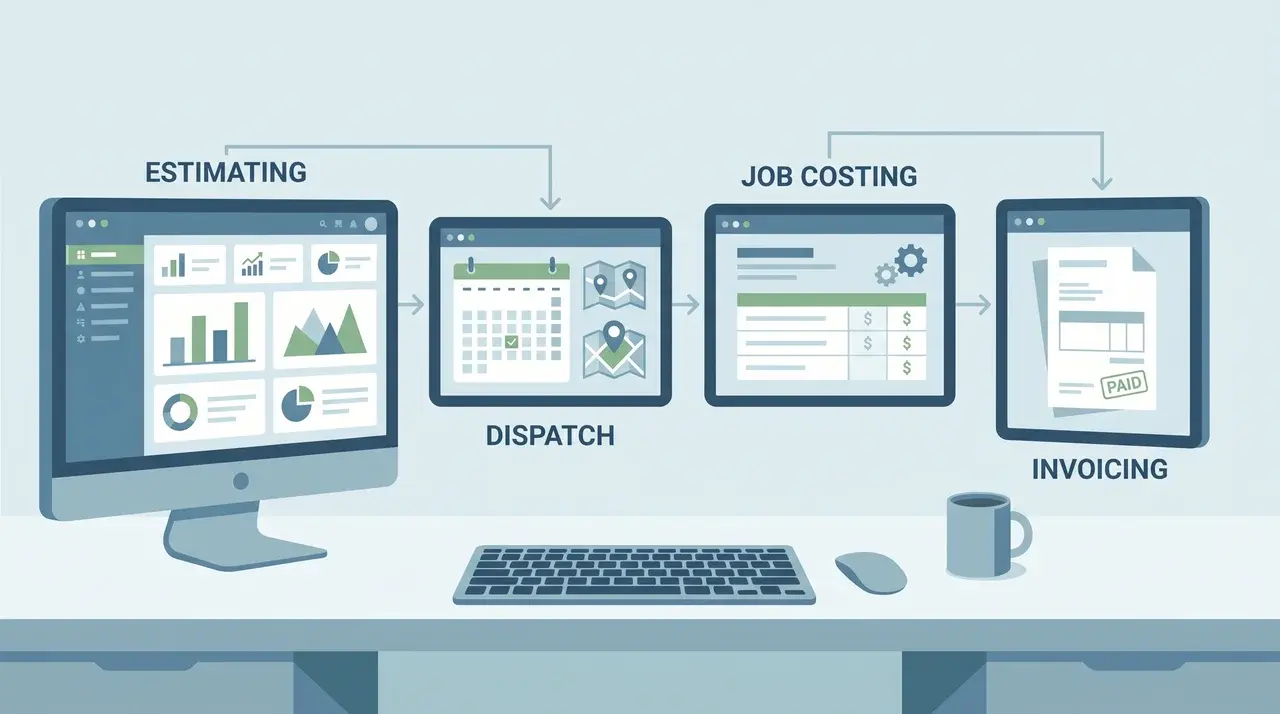
Managing HVAC projects isn’t just about showing up on time. You need software that keeps estimating, dispatch, job costing, and invoicing connected in one smooth workflow.
When your tools aren’t integrated, data moves manually between apps. That creates errors, slows decision-making, and hides margin issues until it’s too late to act.
The real advantage shows mid-job. Field activity, hours, materials, and change orders feed directly into cost tracking, letting managers fix problems before they affect budgets or deadlines.
What Does HVAC Project Management Software Actually Do?
HVAC project management software combines estimating, dispatch, job costing, and invoicing into a single platform. All operations run from a single record, avoiding errors caused by disconnected tools.
Without a unified system, a job estimate lives in one spreadsheet, time logs in another, and material costs in a third. By the time a manager reconciles all three, the job may already be over budget.
The software eliminates those handoffs by keeping every record, estimate, work order, purchase order, and invoice tied to a single job file
The advantage becomes clear during jobs. Hours logged, materials used, and approved change orders feed directly into cost tracking, letting managers monitor budgets and act before issues escalate.
What Business Type and Size Should Drive Your Choice?
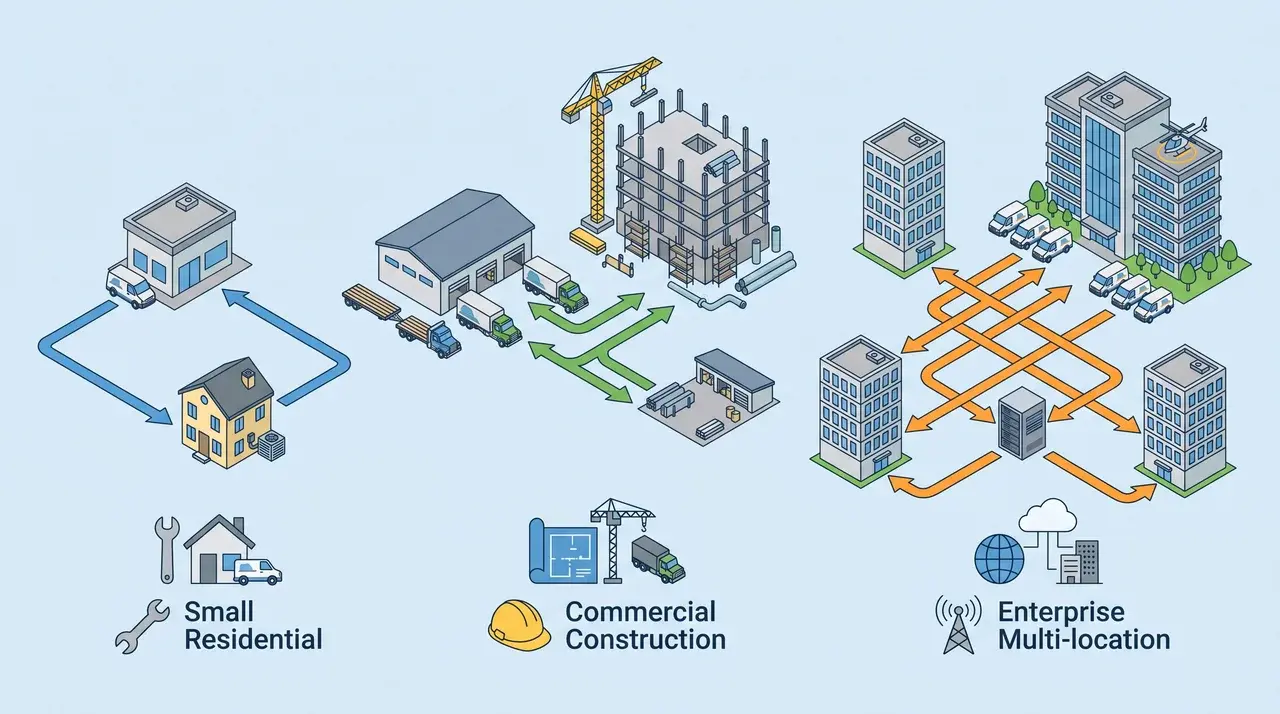
Choosing the right HVAC software starts with understanding your business type, size, and operational needs to match functionality with real-world workflows.
Small and Residential Service Businesses
Speed and efficiency drive small service contractors handling recurring calls and same-day jobs. Technicians need instant dispatch updates, complete work orders, and to collect payments directly in the field.
Mobile usability is critical. A clunky field app slows job closings, frustrates staff, and hurts customer satisfaction. Smooth, intuitive tools keep operations flowing and margins visible.
Commercial and Construction-Focused Contractors
Multi-phase projects require software that manages plans, subcontractors, and progress billing across extended timelines, ensuring crews work from current documents without delays or miscommunication.
Billing tied to project milestones means payments happen as work is completed, not all at once. For example, a three-phase mechanical install can be invoiced after rough-in, after equipment start-up, and after final commissioning.
Enterprise and Multi-Location Operations
Large HVAC firms need software that connects field operations to accounting, compliance, and maintenance management across multiple locations to ensure operational cohesion and accurate reporting.
Integration with enterprise systems is essential. Platforms must support complex workflows, handle high volumes, maintain visibility, standardize processes, and support long-term strategic planning across the enterprise.
The Best HVAC Project Management Software by Use Case
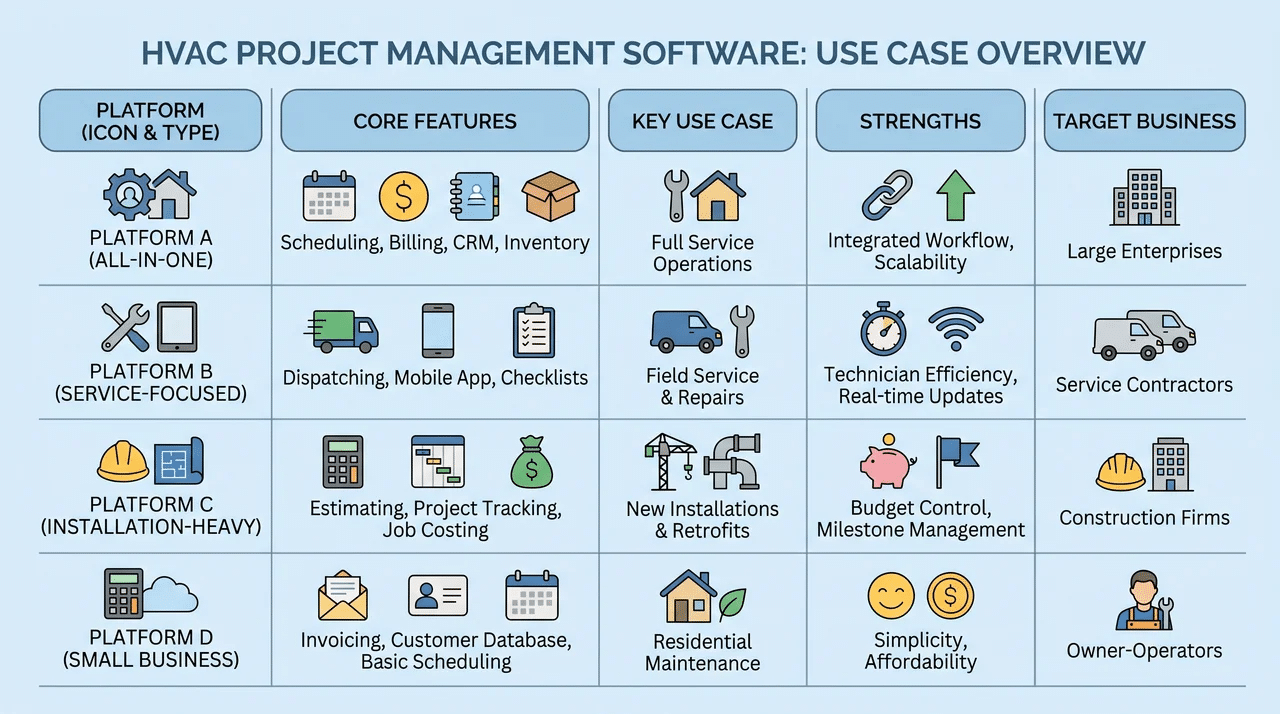
The best HVAC software depends on your specific operational challenges, not marketing claims, and each platform is built to solve distinct business needs effectively.
1. ServiceTitan
ServiceTitan is a complete, all-in-one solution for mid- to large-sized HVAC operations. CRM, estimating, and dispatch are native, sharing a single data layer instead of relying on disconnected syncs.
That architecture enables live margin tracking. When technicians log materials or time, it updates job cost records immediately, so managers act on real-time insights rather than waiting for QuickBooks exports.
Best for real-time margin visibility across multiple crews and long-term jobs.
2. Housecall Pro
Housecall Pro excels for small residential teams handling recurring calls, maintenance agreements, and same-day jobs. Its mobile app is clean, intuitive, and easy for technicians to adopt quickly.
Payment collection happens directly in the field, streamlining workflows. It works well for short job cycles, but detailed cost tracking across complex or multi-day projects may be limited.
Perfect for solo techs or small teams that close jobs fast.
3. Jobber
Jobber covers scheduling, quoting, invoicing, and payment collection in one clean interface. Its Client Hub lets customers approve quotes and pay invoices online, with no back-and-forth.
For smaller operations, the pricing model is a practical advantage. Flat-rate monthly costs don’t increase as you add users, so growth doesn’t trigger a surprise bill. Setup is fast enough that teams moving off spreadsheets can be operational within days.
Ideal for small HVAC teams that need simple, all-in-one scheduling, invoicing, and client management without complicated setup.
4. Buildertrend
Buildertrend focuses on construction-style project management for large HVAC installations with multi-phase projects, subcontractors, and milestone-based billing.
It ensures crews have access to current plans and can collaborate effectively.
Scheduling depth, progress billing, and document control are core strengths. It isn’t suited for service-and-dispatch operations, but it shines when managing complex, long-term projects with multiple moving parts.
Best suited for long-term installations requiring detailed scheduling and document control.
5. Fieldwire by Hilti
Fieldwire is built for what happens on the job site. Crews can access the latest plans, track tasks, and submit inspection reports directly from mobile devices without calling the office.
It’s focused on field execution, so estimating, invoicing, and customer management aren’t included. Most commercial teams pair it with a full-service platform rather than using it alone.
Ideal for commercial teams needing precise field coordination without full business management features.
6. FIELDBOSS
FIELDBOSS runs natively on Microsoft Dynamics 365, making it a true enterprise solution. It handles complex scheduling, maintenance agreement tracking, and integration across large commercial HVAC operations.
The trade-off is high onboarding complexity and cost, putting it out of reach for most smaller businesses. It’s designed for companies with enterprise-scale needs and multiple locations.
Best for large HVAC enterprises needing deep integration and advanced maintenance management.
6. STACK and LiveCosts
STACK provides cloud-based takeoff and estimating for teams collaborating across locations, while LiveCosts focuses on real-time job costing to track spend in real time rather than reconciling it later.
These tools complement existing field operations platforms. They don’t replace dispatch or CRM functions, but they address margin leakage and financial visibility in ways many all-in-one platforms cannot.
Use STACK and LiveCosts when financial control and accurate job costing are your top priorities.
Key Features that Separate Useful Software from Expensive Overhead
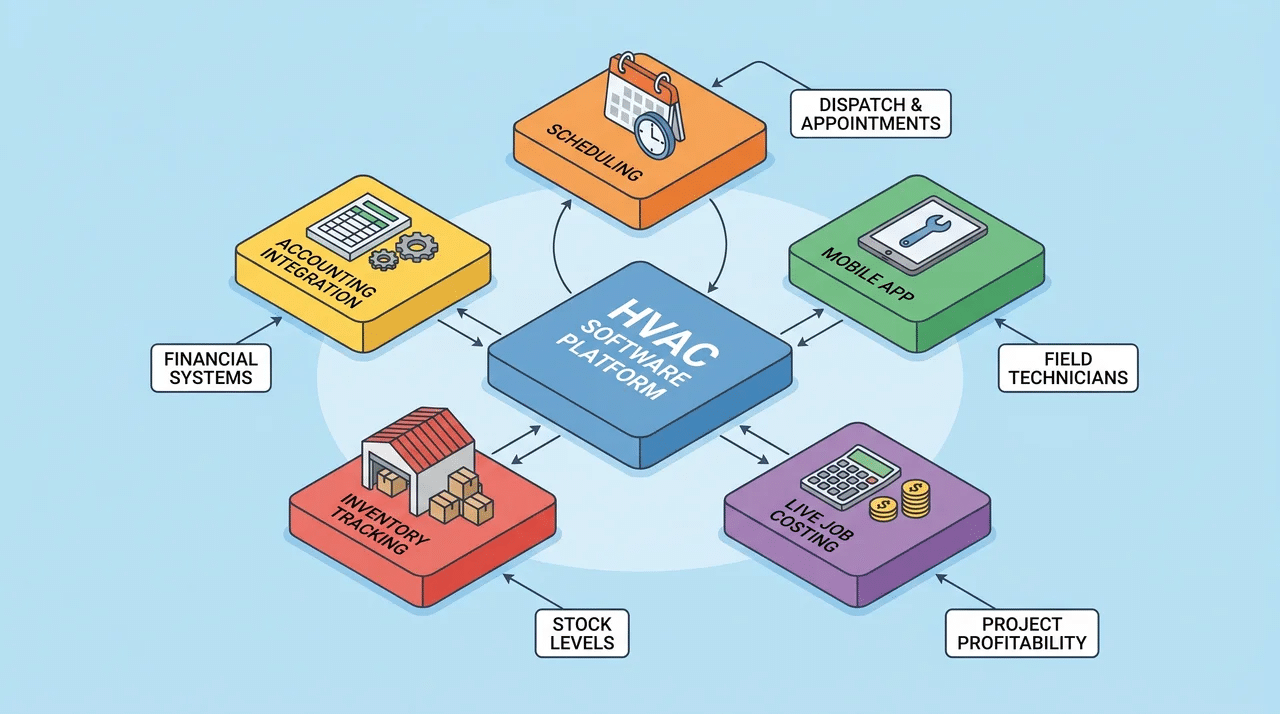
Every platform will claim it handles dispatch, job costing, and invoicing. The real question is whether these features work the same way on the job at 7 a.m. as they do in a demo. The three capabilities below are where this difference is most evident.
Mobile Field App
A mobile app only adds value if technicians can complete tasks without calling the office.
The best apps let techs view dispatch notes, manage purchase orders, capture signatures, and collect payments entirely in the field; anything requiring back-office input creates workarounds rather than solving problems.
Live Job Costing
Live job costing updates your cost tracker in real time as hours are logged and materials are used, protecting margins.
A nightly QuickBooks sync isn’t sufficient, since budgets may already be exceeded before data arrives. True value comes from a single system connecting field activity directly to financials.
Accounting Integration
Integration quality varies even if a platform connects to QuickBooks. Full two-way sync moves data automatically in both directions, eliminating manual entry, whereas one-way exports still require reconciliation, shifting the double-entry problem downstream.
What to Look for Before You Buy HVAC Software
These five features separate HVAC software that actually improves operations from tools that just add cost and complexity.
| Feature | Why It Matters | Check Before You Buy |
|---|---|---|
| Mobile Field App | Let techs handle dispatch, POs, signatures, and payments entirely in the field, cutting office calls and delays. | Can techs complete all tasks offline and end-to-end in the app? |
| Live Job Costing | Updates costs in real time as hours and materials are logged, protecting margins before jobs go over budget. | Is costing updated instantly from the field with budget alerts? |
| Accounting Integration | Two-way sync keeps field and financial data aligned, reducing errors and reconciliation work. | Does it support full two-way sync with your accounting system? |
| Inventory & Parts Tracking | Tracks stock across trucks and warehouse, preventing shortages and ensuring accurate job billing. | Does the app show live stock, alerts, and usage tied to jobs? |
| Scheduling & Dispatch | Smart assignments based on skills, location, and traffic improve efficiency and first-time fix rates. | Can dispatch adjust in real time and reassign instantly from the field? |
What Does HVAC Project Management Software Cost?
Pricing varies significantly by platform type and business size. Knowing your tier before you talk to a vendor puts you in a better position to evaluate what you’re actually getting.
- Entry-level tools like Housecall Pro and Jobber typically run $50–$250 per month depending on the plan.
- Mid-market platforms built for growing operations generally fall in the $200–$500 range.
- Enterprise solutions, full ServiceTitan deployments, and FIELDBOSS. Often start at $500–$1,000 per month or more, with final pricing negotiated based on team size, modules, and onboarding scope.
Most vendors don’t publish pricing publicly. Before you book a demo, know three things: your technician count, your primary use case (service, project, or enterprise), and which integrations you need.
Final Take
There’s no universal best HVAC software, only the right fit for how your business operates. The platforms that improve operations share one trait: they keep estimating, dispatch, costing, and invoicing connected, so margin problems surface while you can still act on them.
Match the tool to your reality, not the marketing. A growing residential team and a multi-location enterprise are solving different problems, and the software should reflect that.
Get the fit right, and the software fades into the background, doing its job so your team can do theirs.
Frequently Asked Questions
What is HVAC project management software?
HVAC project management software is a digital platform that helps contractors manage scheduling, dispatch, job costing, invoicing, and team workflows all in one system.
Which HVAC software is best for small residential businesses?
Housecall Pro is ideal for small teams, offering an intuitive mobile app, fast work order updates, and on-site payment collection for quick-turn service calls.
Which HVAC software works best for large commercial projects?
Buildertrend, Fieldwire by Hilti, and FIELDBOSS are suited for large-scale or multi-phase projects, supporting subcontractor coordination, progress billing, and complex enterprise integrations.
What features should I look for in HVAC software?
Key features include a mobile field app, live job costing, accounting integration, inventory tracking, and smart scheduling to boost efficiency and protect margins.