Directors now face a different AI problem: too many tools, but no clear idea where each belongs. This list narrows the field to six tools for story planning, continuity, production, voice, color, and footage finishing. That creates a second problem: directors can lose time moving between systems that do not share project context. A better approach is to choose tools by production stage, not by hype.
Table of Contents
Tool comparison, six reviews, choosing a tool, FAQs.
The best AI tools for directors in 2026
As AI filmmaking evolves, directors are also exploring agent-based workflows where different AI systems handle planning, creative decisions, and production tasks together. The latest Agentic AI updates can help creators understand how these workflows are shaping the future of video production. The strongest choice depends on the bottleneck.
Invideo Agent fits directors who want one project memory across development, planning, generation, continuity, and editing. Katalist focuses on visual planning and storyboards. Filmustage helps turn scripts into production plans. Colourlab AI supports color work. ElevenLabs covers voice, dubbing, sound effects, and music. Topaz Video improves existing footage.
A director making an AI native short may care most about character and location continuity. A live action team may need scheduling, dialogue, or finishing. Some projects need one broad system, while others need two focused tools. The goal is not to collect every new AI product. Pick the tool that removes the most repeated work, then add another only when a clear production gap appears. This keeps the toolset practical and gives each purchase a clear reason to exist in the workflow. Each tool should solve a real production need.
How we evaluated these tools
We compared filmmaking relevance, creative control, continuity, workflow depth, collaboration, learning curve, and current pricing.
Comparison table
|
Tool |
Best for |
Pricing |
|---|---|---|
|
Invideo Agent |
End-to-end AI filmmaking |
From $17 monthly when billed yearly |
|
Katalist |
Storyboards |
From $19 monthly |
|
Filmustage |
Production planning |
Free; AI plan from $55 monthly, billed yearly |
|
Colourlab AI |
Color work |
From $14 monthly |
|
ElevenLabs |
Voice and sound |
Free; paid from $6 monthly |
|
Topaz Video |
Footage enhancement |
$299 yearly |
1. Invideo Agent
Invideo Agent works like a creative crew you direct. Give it a script, treatment, or idea, and it can break down the story, cast characters, board setups, generate the film shot by shot, and help shape the edit. In AI Filmmaking, project memory keeps characters, locations, costumes, and creative rules connected while specialist agents work in parallel. Use it for an end-to-end film, live-action extensions, or pre-vis costly scenes.
- Best for: Multi-scene films and series.
- Features and use case: Agent crews, continuity, storyboards, AI VFX, and editing.
- Limits and pricing: Broad for one narrow task. Paid plans start at $17 monthly when billed yearly.
Invideo Agent 2
Invideo Agent 2 adds expert agents that share context, multi-input understanding, Playbooks, Notebooks, and Slate editing. It is four times faster and half the price of the earlier version.
2. Katalist
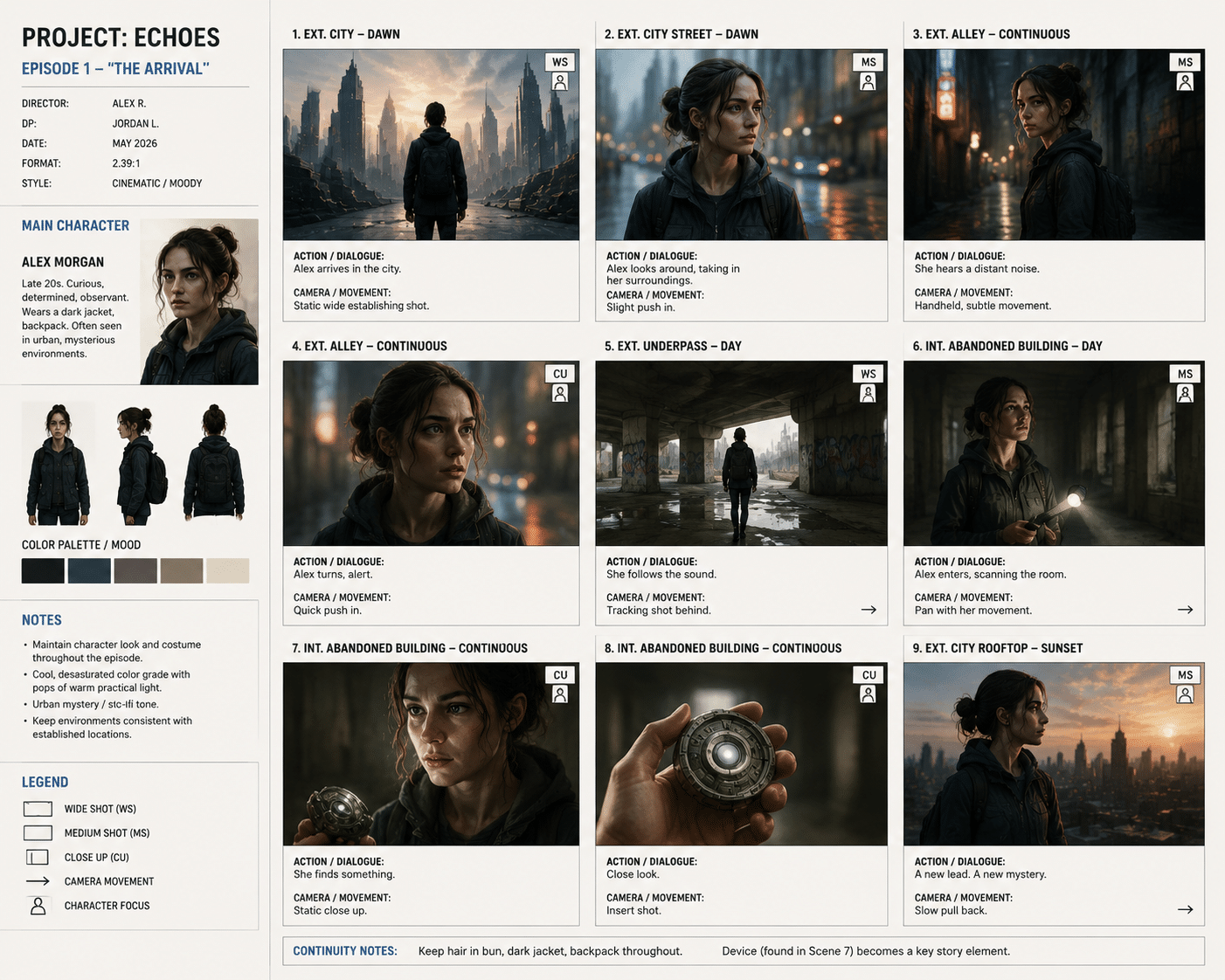
Katalist turns scripts into storyboards and scene plans, with character consistency, script help, voiceover, and video generation.
- Best for: Storyboards and scene visualization.
- Use case: Test framing and flow before a shoot or pitch.
- Limit and pricing: Less focused on budgeting or finishing. Essential starts at $19 monthly; Pro is $39.
3. Filmustage
Filmustage identifies cast, props, locations, wardrobe, and VFX needs, then connects them with schedules, budgets, storyboards, and call sheets.
- Best for: Directors, producers, and assistant directors.
- Use case: Turn a screenplay into a production plan.
- Limit and pricing: Not a full film creation suite. Free plan available; Director’s Cut starts at $55 monthly when billed yearly.
4. Colourlab AI
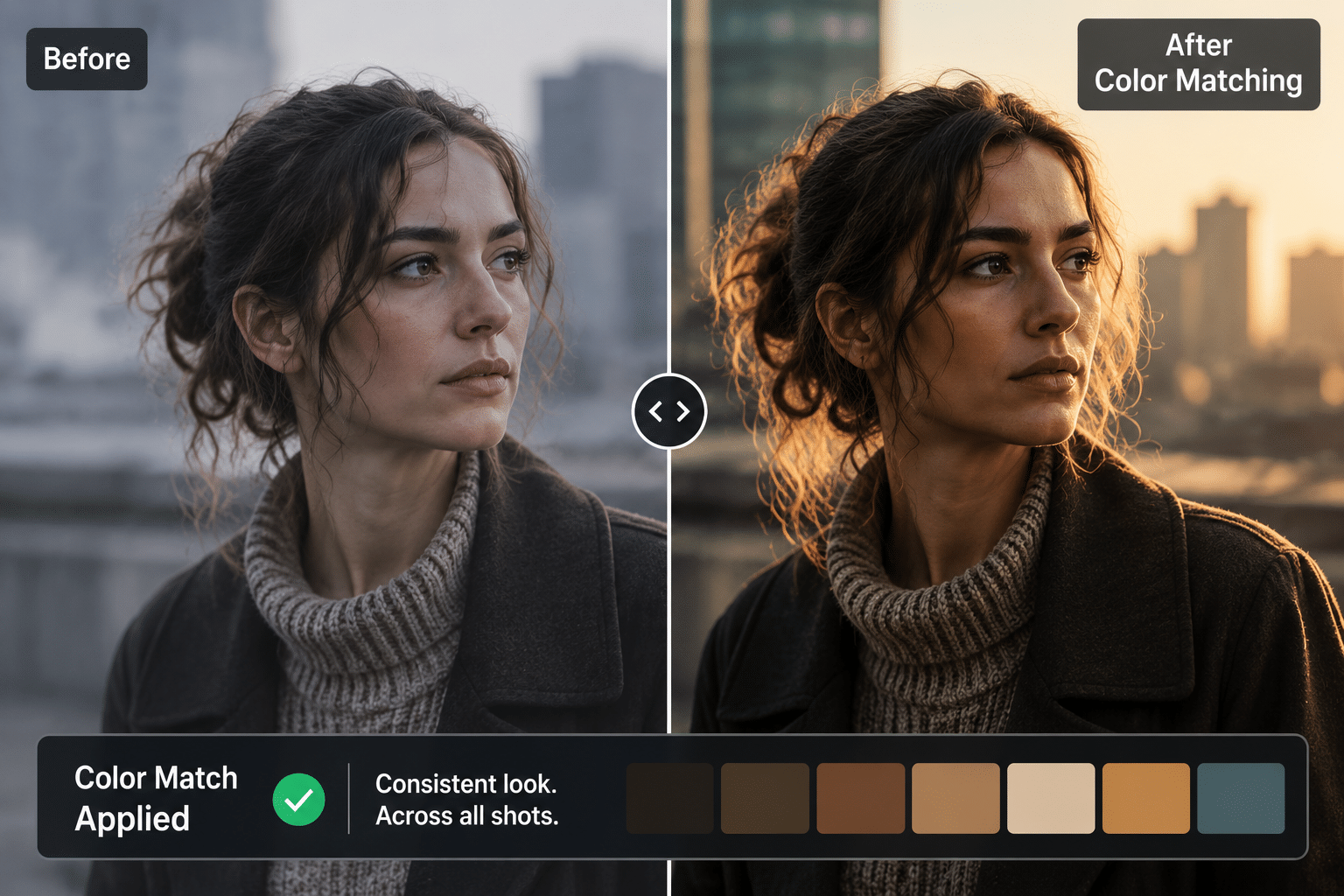
Colourlab AI supports consistent color work with AI color matching, reference matching, and timeline intelligence.
- Best for: Directors, editors, and colorists.
- Use case: Match shots from different cameras or lighting.
- Limit and pricing: Does not handle story planning. Creator starts at $14 monthly.
5. ElevenLabs
ElevenLabs covers speech, sound effects, voice design, music, dubbing, and voice cloning on paid tiers.
- Best for: Voiceovers, dialogue tests, dubbing, and sound.
- Use case: Build temporary voices or multilingual versions.
- Limit and pricing: Does not solve visual continuity. Free plan available; Starter costs $6 monthly.
6. Topaz Video
Topaz Video improves existing footage with upscaling, frame interpolation, stabilization, denoising, motion deblur, and SDR to HDR conversion.
- Best for: Technical finishing and cleanup.
- Use case: Improve soft, noisy, unstable, or lower resolution shots.
- Limitations and pricing: Does not develop stories or direct scenes. The individual annual plan costs $299.
How to choose the right AI filmmaking tool
Choose by the problem costing the most time. Pick invideo Agent for continuity and broad production support, Katalist for visualization, Filmustage for planning, Colourlab AI for color, ElevenLabs for audio, and Topaz Video for finishing. Test one real scene before buying a longer plan.
Common mistakes to avoid
Do not choose from a polished demo alone. Check revisions, continuity, exports, collaboration, and the cost of several attempts. Avoid overlapping tools unless each solves a clear gap.
Frequently Asked Questions
What is the best AI tool for film directors in 2026?
There is no single best choice for every director. Invideo Agent suits filmmakers who want one project context across planning, generation, continuity, and editing. Filmustage is stronger for production planning, while Colourlab AI, ElevenLabs, and Topaz Video solve focused finishing needs. Choose around the stage that slows your project down most.
Can AI tools make a complete film?
Some AI systems can support work from development through generated shots and editing, while others handle only one stage. For a complete film, look beyond single clip quality. Memory, continuity, revision handling, shot organization, sound, and finishing matter more as a project grows from a test scene into a full production.
Which AI tool is best for previsualization?
Katalist works well for fast storyboard-based visualization. Invideo Agent connects previsualization with a wider project context that can also hold characters, locations, and shot decisions. Filmustage can link storyboards with production planning. Choose based on whether you need visual exploration alone or want those decisions connected to later production work.
Are AI filmmaking tools useful for live action directors?
Yes. Directors can apply AI to script breakdowns, storyboards, concept frames, temporary voices, VFX planning, missing shot extension, color work, and enhancement. The strongest use is often reducing repeated preparation and revision while keeping story, performance, and final creative judgment with the director and production team rather than handing control over.
What should directors test before paying for an AI tool?
Use a real scene from your project instead of a simple demo prompt. Test continuity, references, revisions, file imports, collaboration, exports, and final quality. Then estimate what several versions will cost. This shows whether the tool can survive a real production workflow or only works well for isolated experiments at scale.
Final thoughts
AI tools for directors solve different problems. Start with your biggest bottleneck, test real material, and keep what saves time.
Which part of filmmaking would you most want AI to make easier?