Paying every month just to view security footage can make a camera feel more expensive than expected.
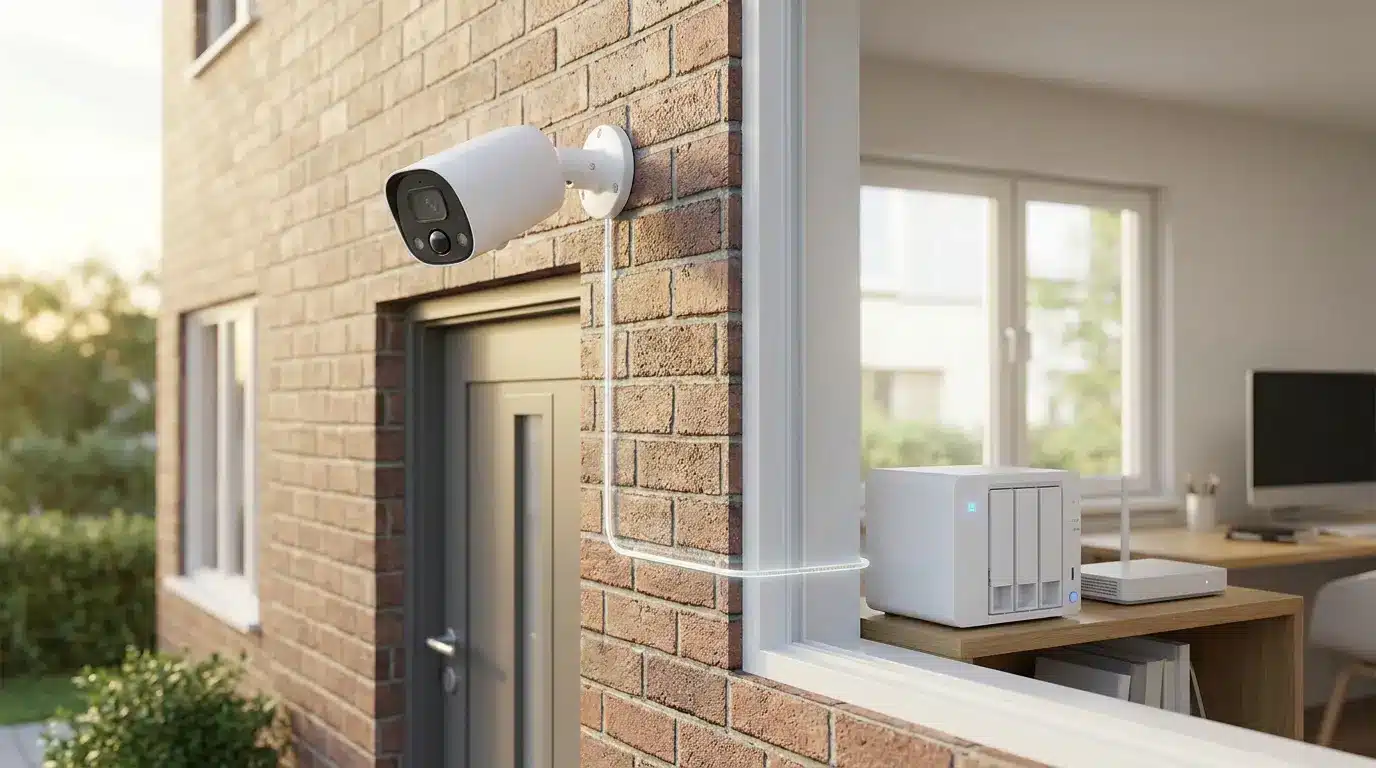
The best home security camera without subscription should let you save recordings locally, review important clips, and use core security features without an ongoing cloud fee. Many current models use microSD cards, a local home base, or an NVR for storage instead.
I prefer cameras that make their free features clear before purchase, because optional cloud plans are very different from required subscriptions. My picks below include wireless, solar, plug-in, and wired choices for different budgets and home setups.
If you’re still mapping out your broader setup, it’s worth reading about how to set up a smart home before locking in individual devices, since your ecosystem choice can affect which cameras play nicely with the rest of your gear.
What Makes a Security Camera Truly Subscription-Free?
A security camera without a subscription should keep its main recording and playback functions available after the initial purchase. Some brands advertise cameras as subscription-free while still reserving certain cloud features, longer video history, or advanced alerts for paid plans.
Local storage is the main feature to check. A camera may save footage to a microSD card inside the device, a central home base, or an NVR hard drive. Google’s results also highlight on-device AI as an important feature because person, pet, and vehicle detection can sometimes work without sending footage to a paid cloud service.
For more complex setups involving multiple cameras and wiring, some homeowners lean on smart home installer services rather than mounting and configuring everything themselves.
An optional cloud plan is not necessarily a problem. The key question is whether the camera remains useful without it.
Best Home Security Cameras Without Subscription at a Glance
These cameras cover different needs, from inexpensive indoor monitoring to large outdoor systems with continuous local recording.
| Camera | Best For | Resolution | Power | Local Storage | Use |
|---|---|---|---|---|---|
| Eufy SoloCam S340 | Solar outdoor coverage | 3K | Solar | Local/HomeBase | Outdoor |
| Reolink Argus 4 Pro | Wide outdoor coverage | 4K | Battery | Local | Outdoor |
| Wyze Cam v4 | Budget buyers | 2.5K QHD | Plug-in | microSD | Indoor/Outdoor |
| Lorex 4K PoE System | 24/7 recording | 4K | PoE | NVR | Mostly Outdoor |
| EufyCam S3 Pro | Night recording | 4K class | Battery/Solar | HomeBase | Outdoor |
| TP-Link Tapo Cameras | Flexible setups | Varies | Varies | microSD | Indoor/Outdoor |
Eufy, Reolink, Wyze, Lorex, and Tapo appear repeatedly across the search results for buyers looking for cameras with local storage and fewer recurring charges.
The strongest choice depends less on brand name and more on where the camera goes, how it receives power, and how much footage you want to keep.
1. Reolink Argus 3 Pro
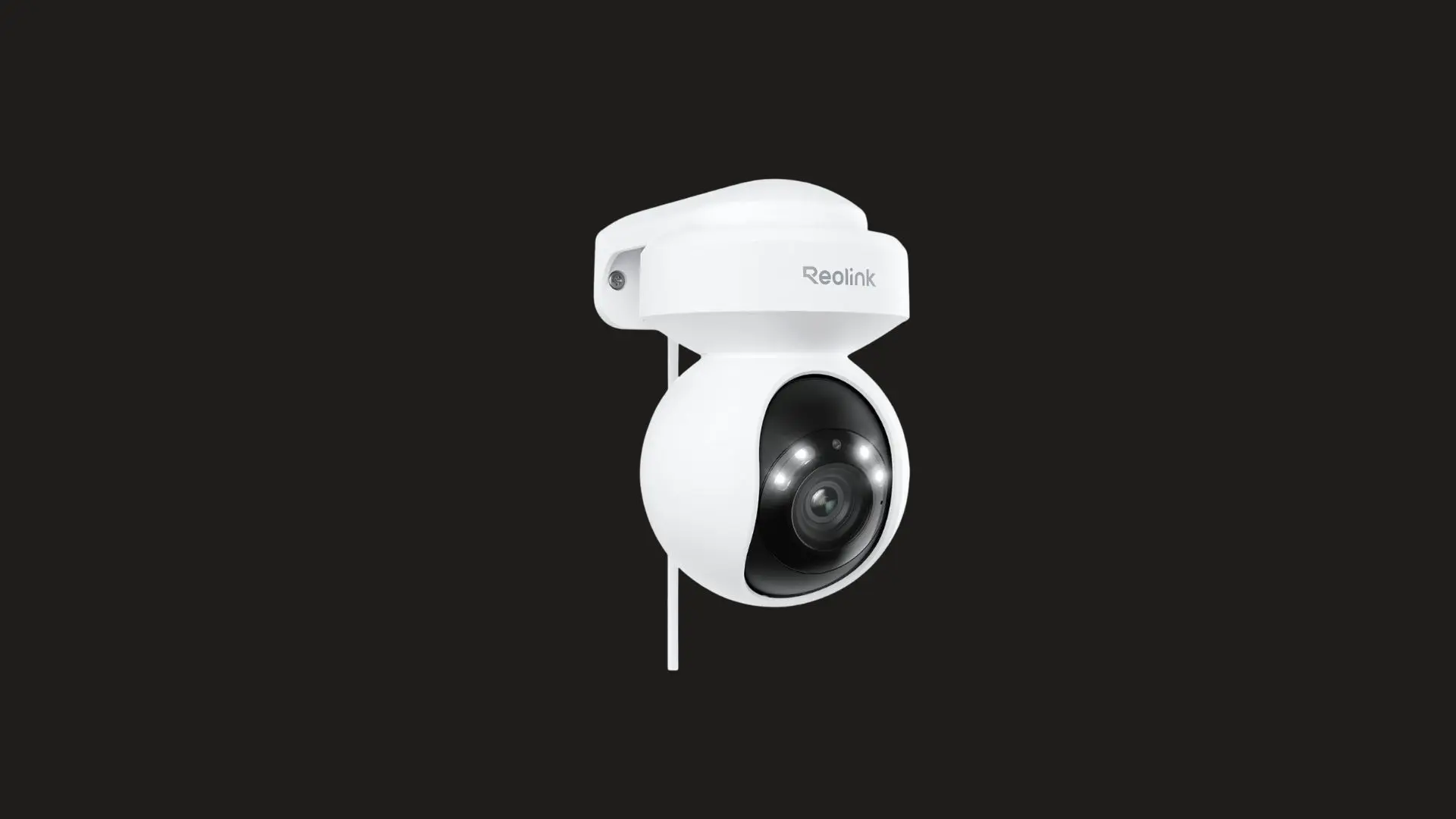
The Reolink Argus 3 Pro is a flexible wireless camera for outdoor areas without nearby outlets. Its rechargeable battery supports optional solar charging, while 2K video provides clear everyday footage. Local microSD storage keeps motion recordings accessible without making a monthly cloud plan necessary for basic monitoring.
| Feature | Details |
|---|---|
| Price | ~$50 |
| Storage | MicroSD card up to 128GB |
| Power | Battery / optional solar |
| Resolution | 2K |
| Weatherproof | Yes (IP66) |
2. Wyze Cam v3
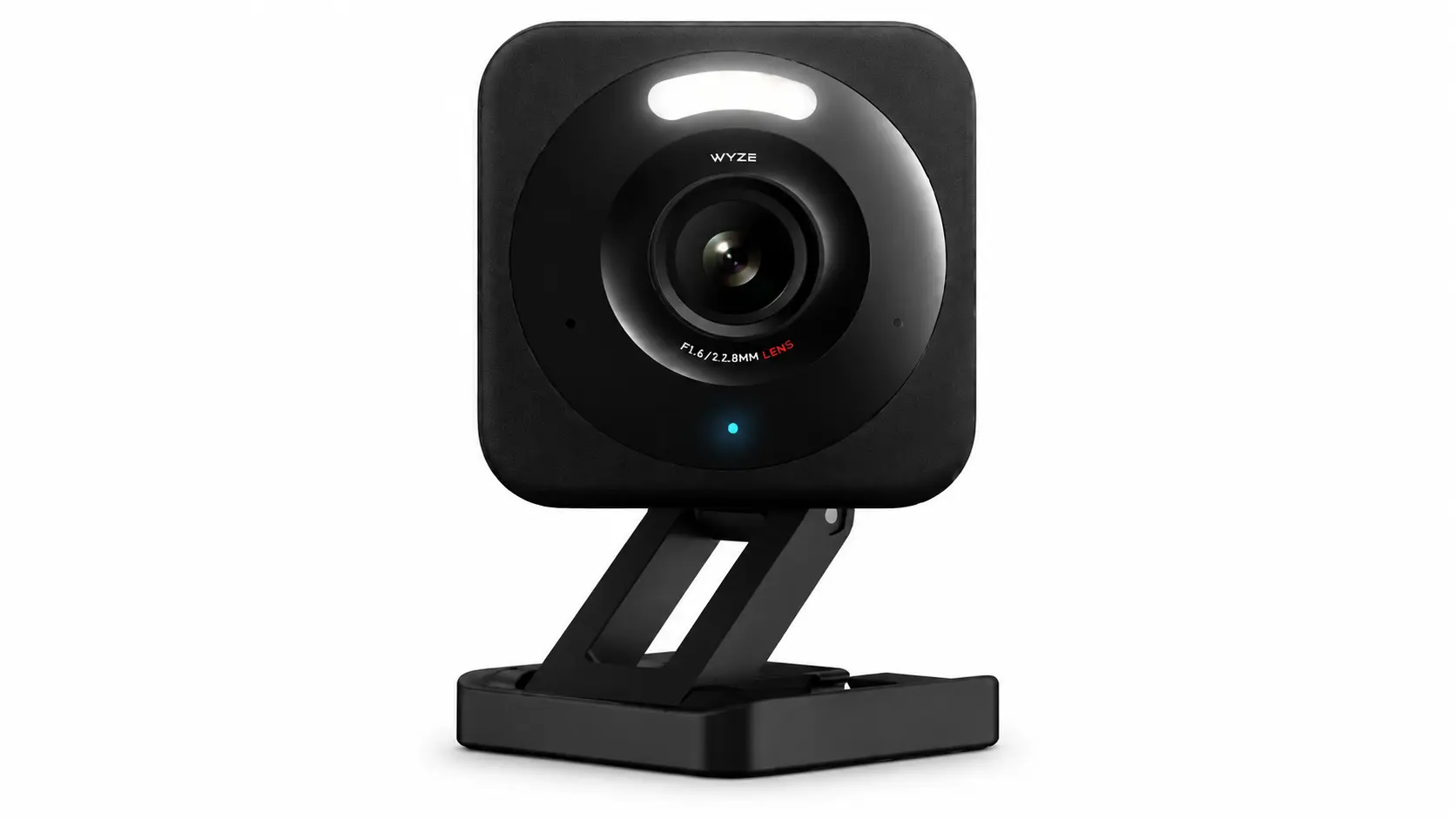
The Wyze Cam v3 is a simple, budget-friendly choice for indoor or outdoor monitoring. Plug-in power removes battery charging, while 1080p video handles basic security needs well. A microSD card provides local recording, making it suitable for buyers who want dependable coverage without ongoing storage fees.
| Feature | Details |
|---|---|
| Price | ~$35 |
| Storage | MicroSD card up to 32GB |
| Power | Plug-in |
| Resolution | 1080p |
| Weatherproof | Yes (IP65) |
3. TP-Link Tapo C320WS
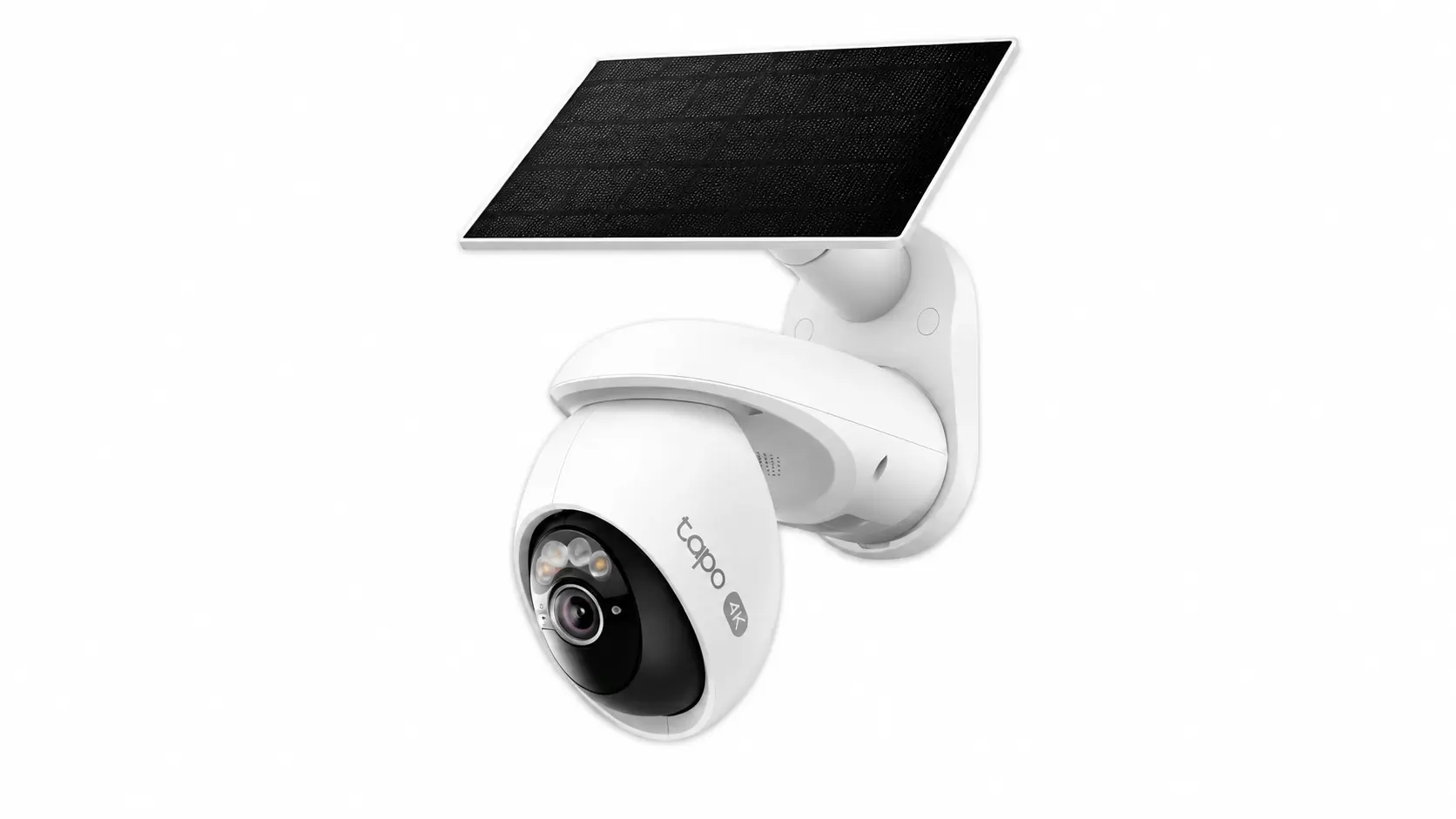
The TP-Link Tapo C320WS suits driveways, gates, and other wider outdoor areas. Its 2K resolution captures useful detail, while color night vision improves visibility after dark. Support for large microSD cards also provides plenty of local recording space without depending entirely on paid cloud storage.
| Feature | Details |
|---|---|
| Price | ~$50 |
| Storage | MicroSD card up to 512GB |
| Power | Plug-in |
| Resolution | 2K |
| Weatherproof | Yes (IP67) |
4. Eufy SoloCam S340
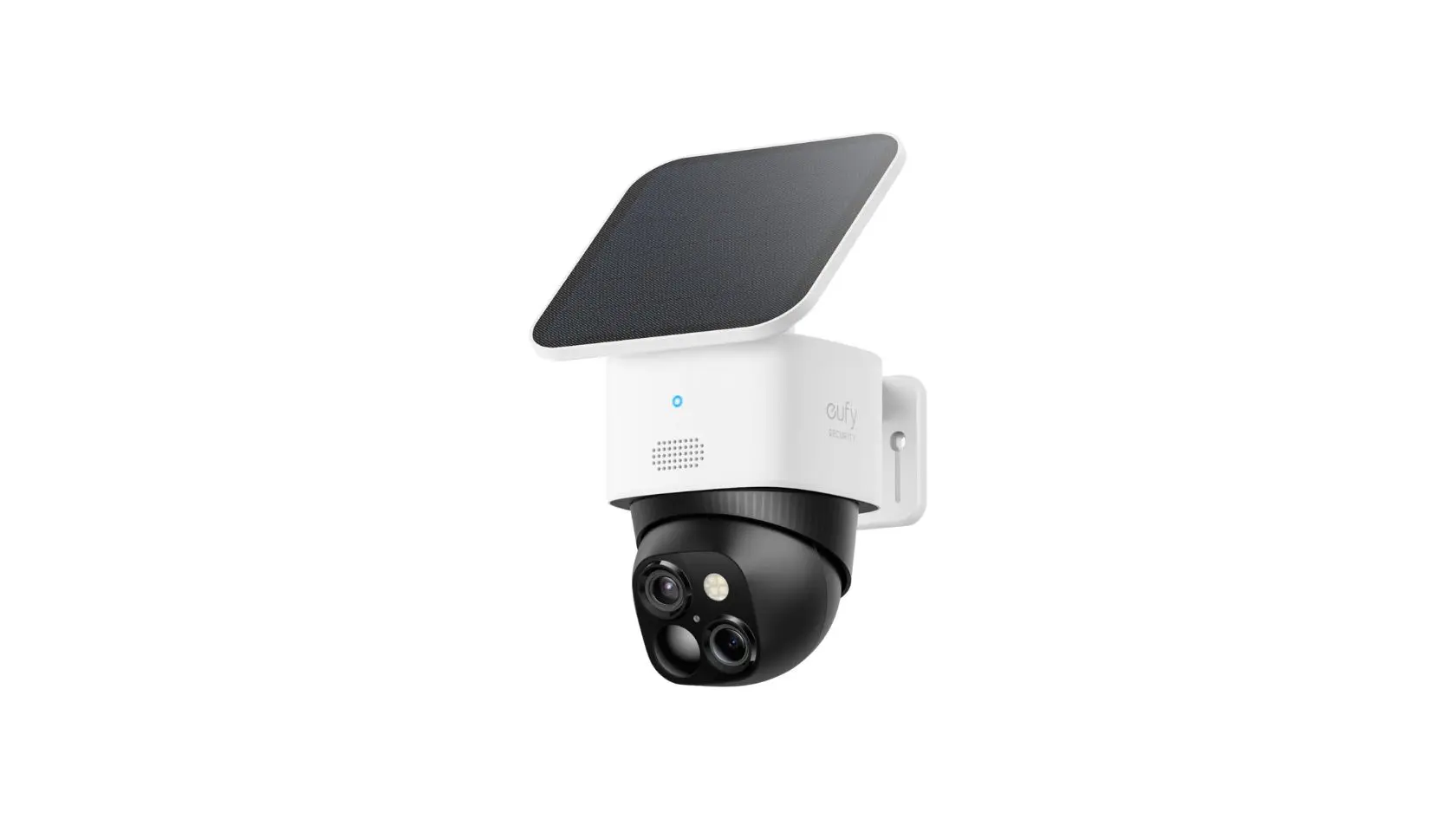
The Eufy SoloCam S340 combines a wide-view lens with a separate zoom lens, giving one camera both broad coverage and closer detail. Solar power reduces charging work, while built-in 8GB storage keeps recordings local. It works particularly well where running new power cables would be inconvenient.
| Feature | Details |
|---|---|
| Price | ~$100 |
| Storage | Built-in 8GB flash storage |
| Power | Solar |
| Resolution | 3K + 2K zoom lens |
| Weatherproof | Yes (IP67) |
5. Eufy HomeBase 3 Kit
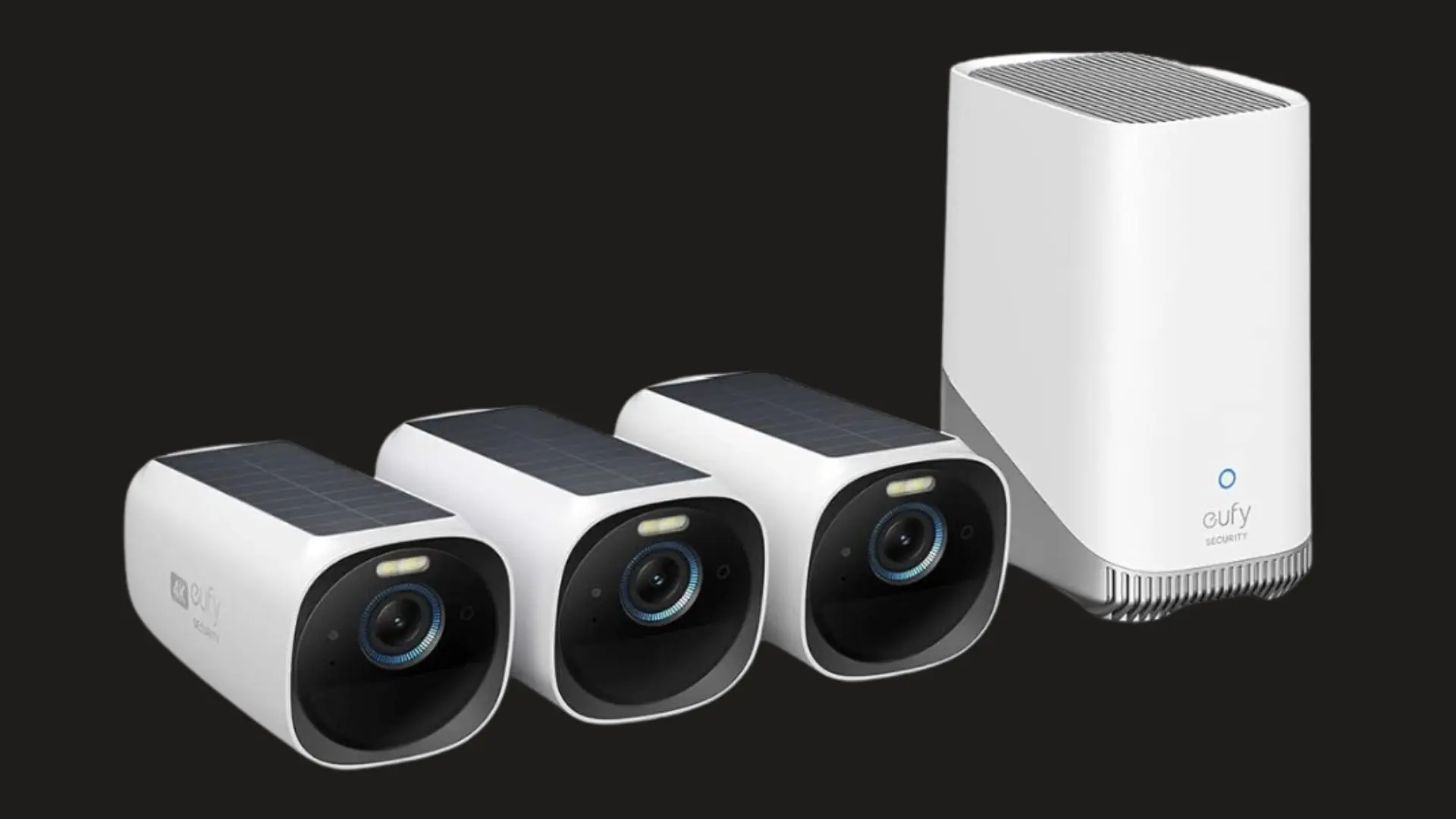
The Eufy HomeBase 3 Kit stores footage on an indoor hub instead of leaving recordings on cameras mounted outside. That arrangement can protect stored footage if a camera is removed. Expandable storage also makes the system practical for households running several compatible cameras across different areas.
| Feature | Details |
|---|---|
| Price | ~$200+ (kit) |
| Storage | Hub HDD expandable up to 16TB |
| Power | Wired hub / wireless cameras |
| Resolution | Varies by camera |
6. Reolink Duo 3 PoE
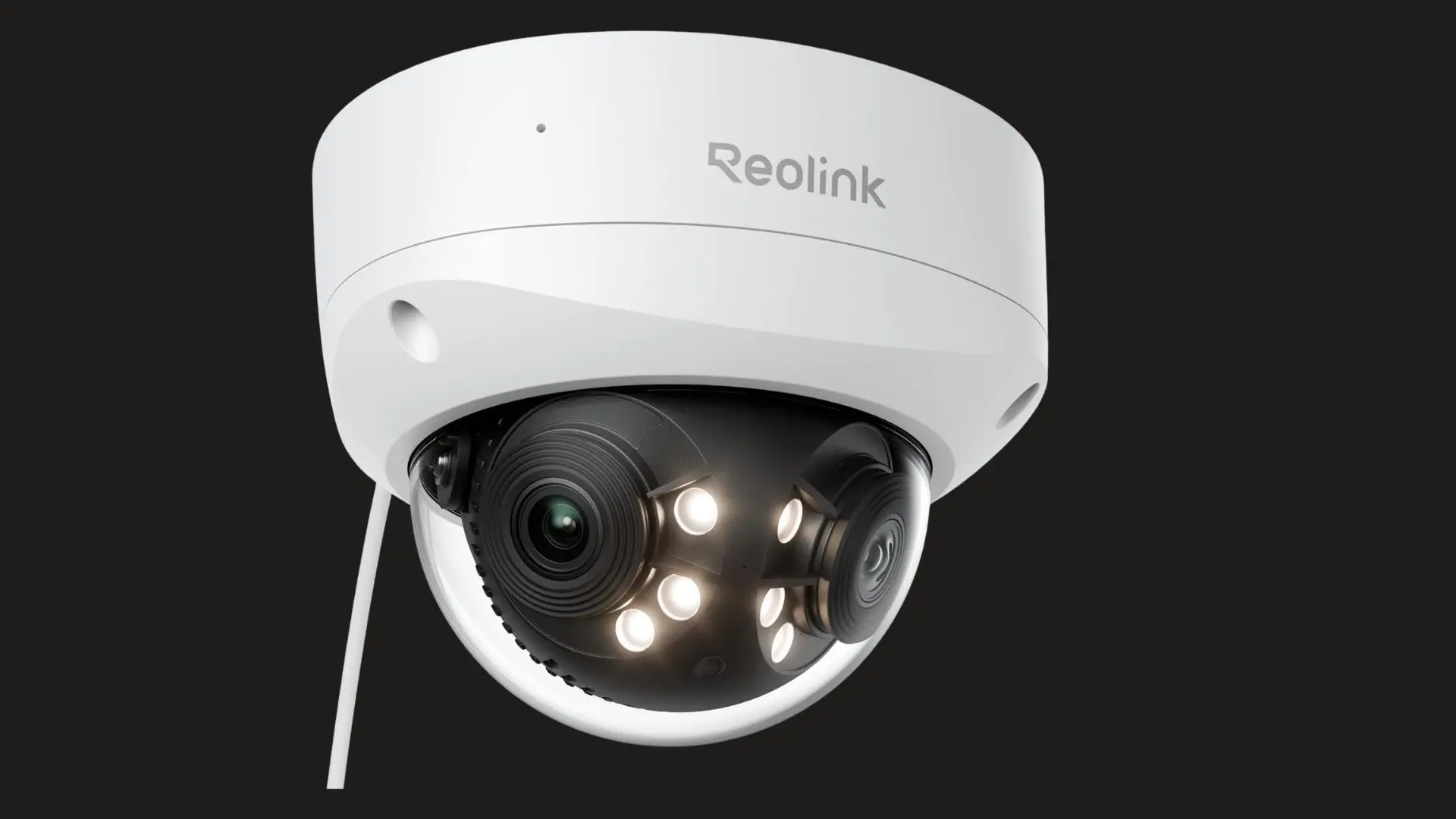
The Reolink Duo 3 PoE uses two lenses to cover a 180-degree area from one mounting point. That wide view works well across driveways and garage fronts. Its wired PoE connection supports stable continuous recording, while NVR and microSD options provide flexible local storage without recurring cloud costs.
| Feature | Details |
|---|---|
| Price | ~$80 |
| Storage | NVR or microSD card |
| Power | PoE wired |
| Resolution | 4K dual lens |
| Weatherproof | Yes (IP66) |
7. Reolink RLK8-800B4
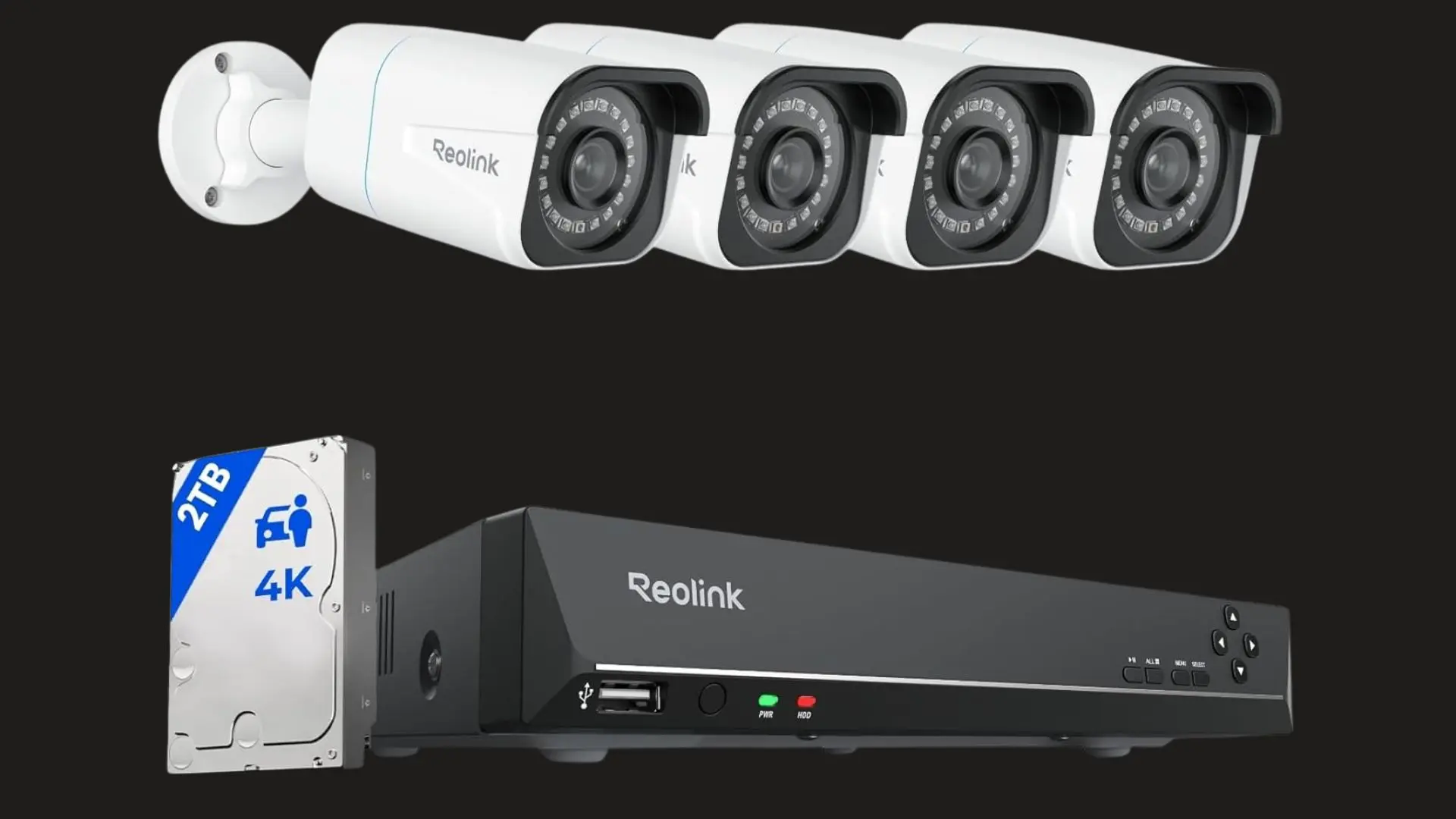
The Reolink RLK8-800B4 is built for buyers who need reliable coverage across an entire property. Four wired 4K cameras connect to a dedicated recorder for continuous local footage. PoE connections also reduce dependence on Wi-Fi, making the system suitable for long-term installations covering several outdoor areas.
| Feature | Details |
|---|---|
| Price | ~$350–420 |
| Storage | Included expandable HDD |
| Power | PoE wired |
| Resolution | 4K on all cameras |
| Weatherproof | Yes (IP66) |
8. Eufy Floodlight Cam 2 Pro
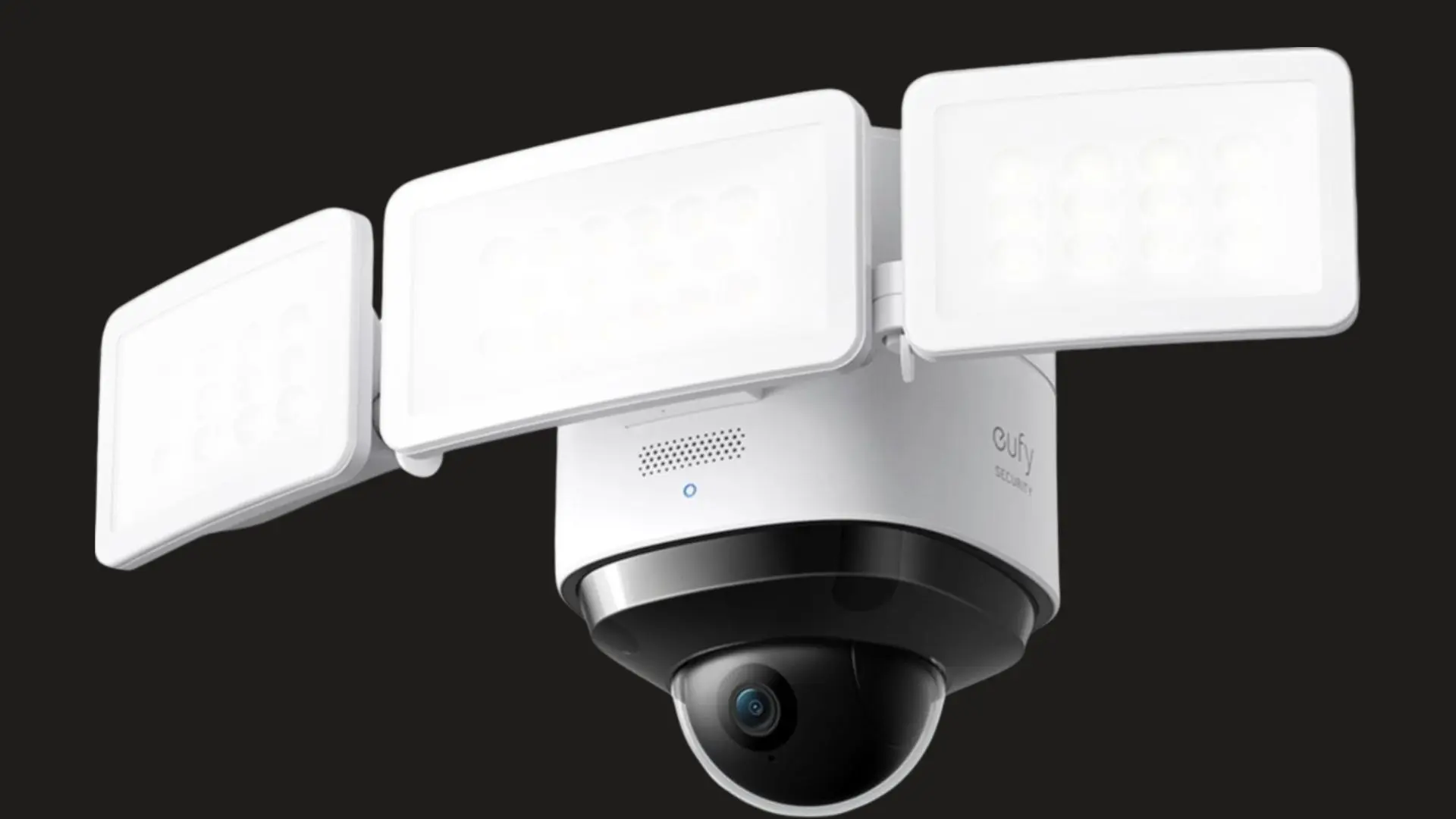
The Eufy Floodlight Cam 2 Pro combines outdoor video monitoring with motion-activated lighting. The floodlight can illuminate entrances, driveways, or side areas when it detects activity. Hardwired power removes battery maintenance, while local microSD storage keeps recorded footage available without requiring a recurring cloud-storage subscription.
| Feature | Details |
|---|---|
| Price | ~$180 |
| Storage | MicroSD card up to 128GB |
| Power | Hardwired |
| Resolution | 2K |
| Weatherproof | Yes (IP67) |
9. Amcrest IP8M-2496EW
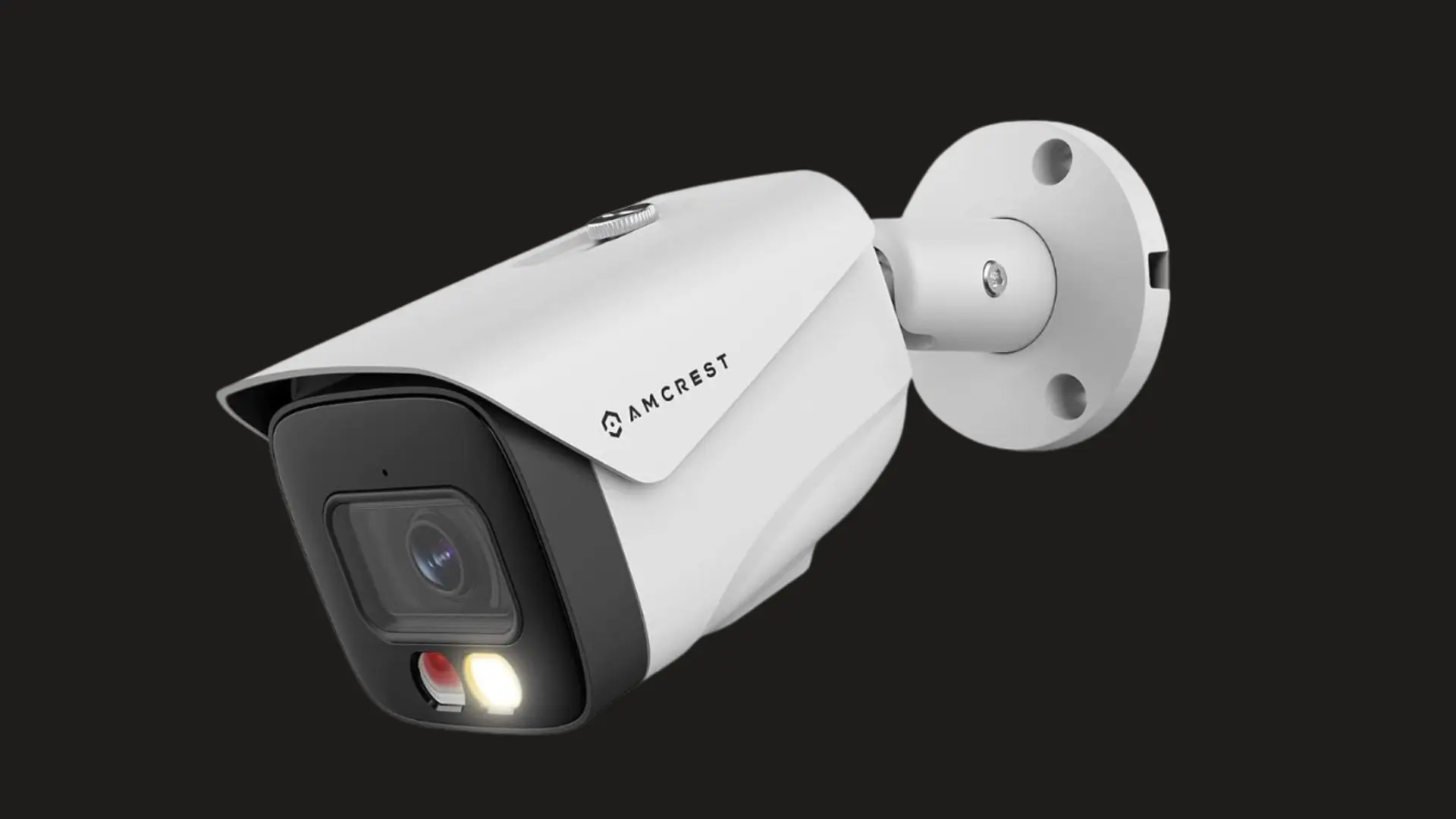
The Amcrest IP8M-2496EW fits more permanent wired security setups where continuous recording matters. Its 4K resolution provides detailed footage, while PoE handles power and data through one cable. NVR compatibility gives users greater control over local recording, though installation requires more work than typical consumer cameras.
| Feature | Details |
|---|---|
| Price | ~$90 |
| Storage | NVR required (~$100+) |
| Power | PoE wired |
| Resolution | 4K |
| Weatherproof | Yes (IP67) |
10. Annke C800
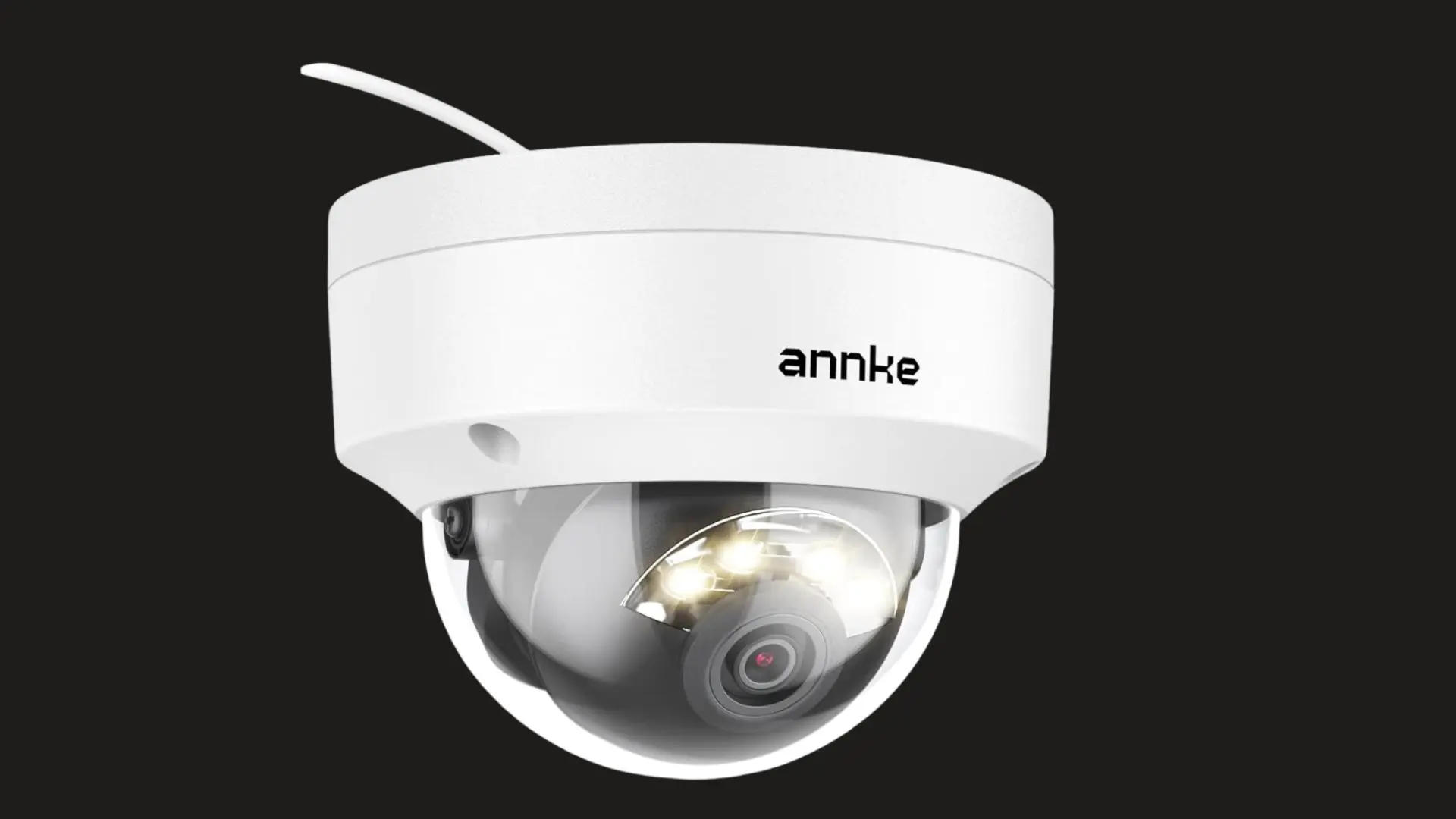
The Annke C800 is a practical 4K PoE camera for buyers who already use an NVR or plan to build a wired system. It focuses on continuous outdoor recording rather than app-heavy extras. Its lower price also makes adding several cameras to a larger local-storage setup more manageable.
| Feature | Details |
|---|---|
| Price | ~$70 |
| Storage | NVR required (~$100+) |
| Power | PoE wired |
| Resolution | 4K |
| Weatherproof | Yes (IP67) |
Which Subscription-Free Camera Is Best for Your Setup?
The location and recording style should narrow the choice before specifications such as resolution.
- Apartment or Indoor Use: A compact plug-in camera with microSD recording is usually simpler and cheaper than a large battery system.
- Outdoor Entry Points: Weather resistance, clear night footage, motion alerts, and reliable power matter more around doors, gates, and garages.
- Large Backyard: A wide-angle or pan-and-tilt camera can cover more space without adding several separate devices.
- 24/7 Recording: Wired PoE cameras connected to an NVR are better suited to continuous video storage.
- Hard-to-Reach Areas: Battery and solar cameras reduce the need to run power cables across exterior walls.
- Several Cameras: Check the storage limit of the home base or NVR before buying additional units.
The search results also frame power type, indoor or outdoor placement, and continuous versus motion-triggered recording as important buying questions.
Choosing around those needs makes comparing individual models much easier.
Local Storage Options Compared
“Local storage” can describe several very different systems. Understanding the difference helps estimate cost, recording time, and installation difficulty.
| Storage Type | Good For | Main Benefit | Main Drawback |
|---|---|---|---|
| microSD Card | Small setups | Low cost and simple setup | Storage remains inside camera |
| Home Base | Wireless multi-camera setups | Central storage | Adds upfront hardware cost |
| NVR | Wired camera systems | Long recording capacity | Requires more installation |
| NAS/Self-Hosted Storage | Technical users | Greater control | More complex setup |
A microSD card is usually enough for one or two cameras recording motion events. Continuous 24/7 footage produces far more data, so an NVR or other larger storage system is generally more practical.
Wired and Wireless Security Cameras Without Subscription
Power and connectivity affect how a camera works every day, not just how it is installed.
Wireless and Battery Cameras
Battery cameras are easier to mount in places without nearby outlets. Solar charging can reduce how often the battery needs attention, making these cameras useful around driveways, detached garages, fences, and garden areas.
Many battery cameras focus on event recording rather than uninterrupted footage because continuous recording consumes much more power and storage.
Wi-Fi quality also matters. A camera installed far from the router may struggle even if its battery and storage are excellent.
Wired and PoE Cameras
Wired cameras are better suited to permanent installations. Plug-in cameras avoid battery charging, while PoE systems can receive both power and network data through Ethernet.
They are particularly useful when 24/7 recording is important.
A wired setup takes more work at the beginning, but maintenance may be simpler later because there are fewer batteries to charge. For several exterior cameras, an NVR-based system can also keep recordings together in one location.
What to Check Before Buying
Product pages often emphasize resolution first, but storage and free functionality can matter more over several years of ownership.
- Local Storage: Confirm that footage can actually be recorded and played back without joining a paid plan.
- Storage Capacity: Check the supported microSD size or the available capacity of the HomeBase or NVR.
- Video Resolution: Higher resolution can help identify smaller details but also consumes more storage.
- Night Recording: Compare infrared night vision with full-color low-light recording based on where the camera is installed.
- Motion Detection: Check whether person, vehicle, pet, or package alerts remain available without payment.
- Power Source: Decide between battery, solar, plug-in, and PoE before choosing the mounting location.
- Continuous Recording: Verify 24/7 recording support if occasional motion clips are not enough.
- App Access: Confirm which live-view, playback, download, and notification tools stay available on the free plan.
Check these features on the exact model. Two cameras from the same manufacturer can have very different free storage and recording options.
Are Subscription-Free Security Cameras Really Free to Use?
“Subscription-free” does not mean the entire system costs nothing after purchase.
You may still need to buy a microSD card, NVR, home base, Ethernet cable, mounting accessories, or additional batteries. Electricity and internet access are also normal operating costs.
Some manufacturers also sell optional cloud storage or premium AI functions.
The useful distinction is whether those paid services are optional. A proper no-subscription camera should still handle its core security job without them.
For example, local recording should remain available, and you should be able to review saved footage using the hardware you already own. Always check exactly which alerts, storage features, and playback tools move behind a paid tier.
Final Thoughts
A subscription-free camera works best when its storage, power source, and recording style match the space you need to protect.
Wireless and solar models suit flexible placement, while PoE systems make more sense for continuous recording and larger properties. Local microSD cards, HomeBase storage, and NVRs each come with different costs and setup needs.
The best home security camera without subscription is the one that keeps the features you need available without turning cloud storage into a requirement.
I’d compare storage limits, playback access, night recording, and power needs before buying. Once you narrow those points down, your choice becomes simpler. Share which setup works for you, or check related security camera posts for ideas.
Frequently Asked Questions
Is there a security camera without a monthly fee?
Yes. Many cameras store video locally on an SD card or a home hub instead of the cloud, so no monthly fee is required. Brands like Wyze, Reolink, TPLink Tapo, and Eufy build models this way, though some optional cloud features may still carry a paid tier.
Does Blink work without a subscription?
Yes, Blink cameras can run without a subscription. Live view and basic motion clips work free, but continuous recording and cloud video history need a paid plan. Without one, footage is limited to short motion-triggered clips, suiting basic monitoring rather than full-time recording.
What are the pros and cons of cameras without a subscription?
The upside is no recurring cost and full control over your footage. The downside is that video typically lives only on a local SD card or hub, so it can be lost if the device is stolen, and some advanced detection features may still require a paid add-on.
Which surveillance camera is best for home use overall?
For most households, a wireless camera with local SD card storage gives the best balance of cost and reliability without a subscription. Renters often do better with a plug-and-play model, while larger properties benefit more from a wired system with a dedicated local recorder.