Not every smart home project is the same job. A single doorbell camera is a one-hour task. Ten devices that need to talk to each other across a home network is something else entirely.
A smart home installer sits right in the middle of that range, and knowing exactly what the role covers stops you from hiring the wrong person, paying twice, or ending up with a system that works on day one and falls apart by month two.
Here is what the job actually involves, and how to make sure you get the right professional for what you need.
What Is a Smart Home Installer?
A smart home installer is a professional who sets up, configures, and connects smart devices like cameras, locks, thermostats, and lights so they work together as one system on your home network.
The job isn’t just mounting hardware. It’s making sure everything talks to everything else, stays connected, and can actually be controlled through your apps.
There’s a ceiling to the role, though.
Once a job needs hardwired infrastructure such as motorized shades tied to a central controller, whole-home audio, or multiple systems running under one automation protocol, you’ve crossed into home automation technician territory.
A smart home installer works below that line, with consumer-grade devices that come in a retail box.
Where Most People Underestimate the Job
Here’s what I see get missed more than anything else in this space: the network layer.
Getting a doorbell to sit flush on your doorframe is a carpentry problem. Getting that doorbell, a thermostat, six cameras, and a smart lock to all run reliably on the same Wi-Fi without dropout, interference, or lag, that’s a networking problem.
Those are two different skill sets. A person who’s great at one isn’t automatically great at the other.
That difference is what separates an install that works on day one from one that still works six months later. If you’re interviewing installers, ask about both.
Smart Home Installer vs. Home Automation Technician
Smart home installers work with consumer devices. Home automation technicians work with integrated, often hardwired systems. Mixing them up is how you end up paying for the same job twice.
The line isn’t about brand or price. It’s about how the system is built.
Consumer Devices vs. Integrated Systems
Consumer devices are things you can pick up at Best Buy and have running the same afternoon.
A Ring doorbell. A Nest thermostat. A set of Kasa smart plugs. A Wyze camera. They pair with an app, connect to Wi-Fi, and run through platforms like Google Home or Amazon Alexa. An installer handles this category.
Integrated systems are different. A Lutron whole-home lighting setup controlled through a Savant or Control4 hub needs programming, structured cabling, and configuration that goes way beyond app pairing. That job needs a technician, not an installer.
Why the Distinction Actually Matters
CEDIA certification is the signal that tells you which professional you’re dealing with. CEDIA stands for the Custom Electronic Design and Installation Association.
A CEDIA-certified technician has been trained and tested on system design, low-voltage wiring, integration protocols, and project management for complex builds. They’re also accountable to a professional standard that a generalist installer isn’t.
I’ve seen this go wrong in a very specific way. A homeowner books a standard installer for what sounds like a smart home project. The installer connects the devices. Everything seems fine.
Three weeks later: the whole-home audio drops when the thermostat polls for temperature data. Two cameras lose their feed intermittently. The motorized shades ignore the automation schedule because they’re running on a proprietary protocol nobody configured.
The devices are connected. They just never interoperated. Now, a CEDIA technician has to come in and rebuild the integration layer from scratch, at full cost, second time around.
If your job has any complexity to it, get the right professional the first time.
What Services Does a Smart Home Installer Provide?
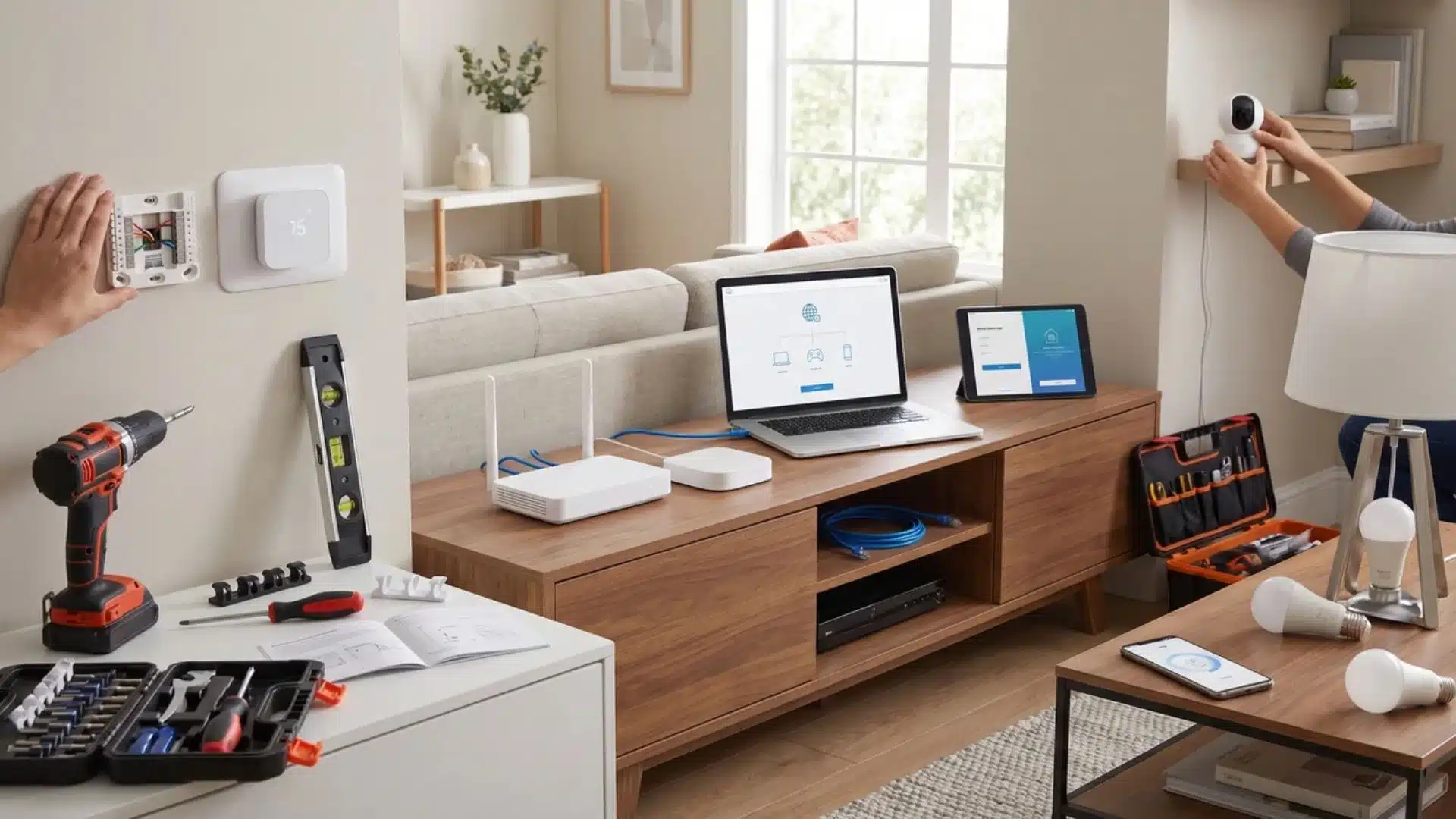
A professional install covers four things: physical setup, network configuration, app and software walkthrough, and post-install troubleshooting. Knowing what each one involves stops you from booking something that only does half the job.
1. Physical Setup
This is the visible part: mounting, brackets, wire termination, and positioning. But placement matters more than most installers let on.
A camera mounted where it fits isn’t the same as a camera mounted where it covers the right zone with the right field of view.
I’ve seen plenty of installs where the hardware was technically correct and practically useless. A good installer thinks about placement before they pick up a drill.
2. Network Configuration
This is where the job either holds or falls apart quietly.
Every smart device you add is a new node on your network. It pulls bandwidth, competes for signal, and it needs an IP address. If you’re adding a lot of them, your router may not handle the load.
Two devices on overlapping channels create interference. Security cameras and IoT devices often need to be segmented from your main network for both performance and security reasons.
You won’t find “check for channel interference” on most service checklists. But this step is exactly what separates an install that stays stable from one that degrades over the first few months.
3. App Setup and Walkthrough
The job isn’t done until you can actually use the system. That means app configuration, pairing to voice assistants, setting up automation schedules, and a real walkthrough, not a five-minute handoff on the way out the door.
This step gets cut short on high-volume service calls. It’s worth asking upfront how much time is built in for it.
4. What’s Not Included by Default
Here’s what falls outside a standard install:
- Ongoing system monitoring
- Scheduled maintenance visits
- Expanding the system after the initial job
- Repairs to your existing network infrastructure
Some national providers like OnTech include 24/7 troubleshooting as part of their service. That’s a differentiator for that tier; not something you should assume from a local independent or a TaskRabbit pro.
Ask what’s included before you book. Don’t assume.
Types of Smart Home Installation Services
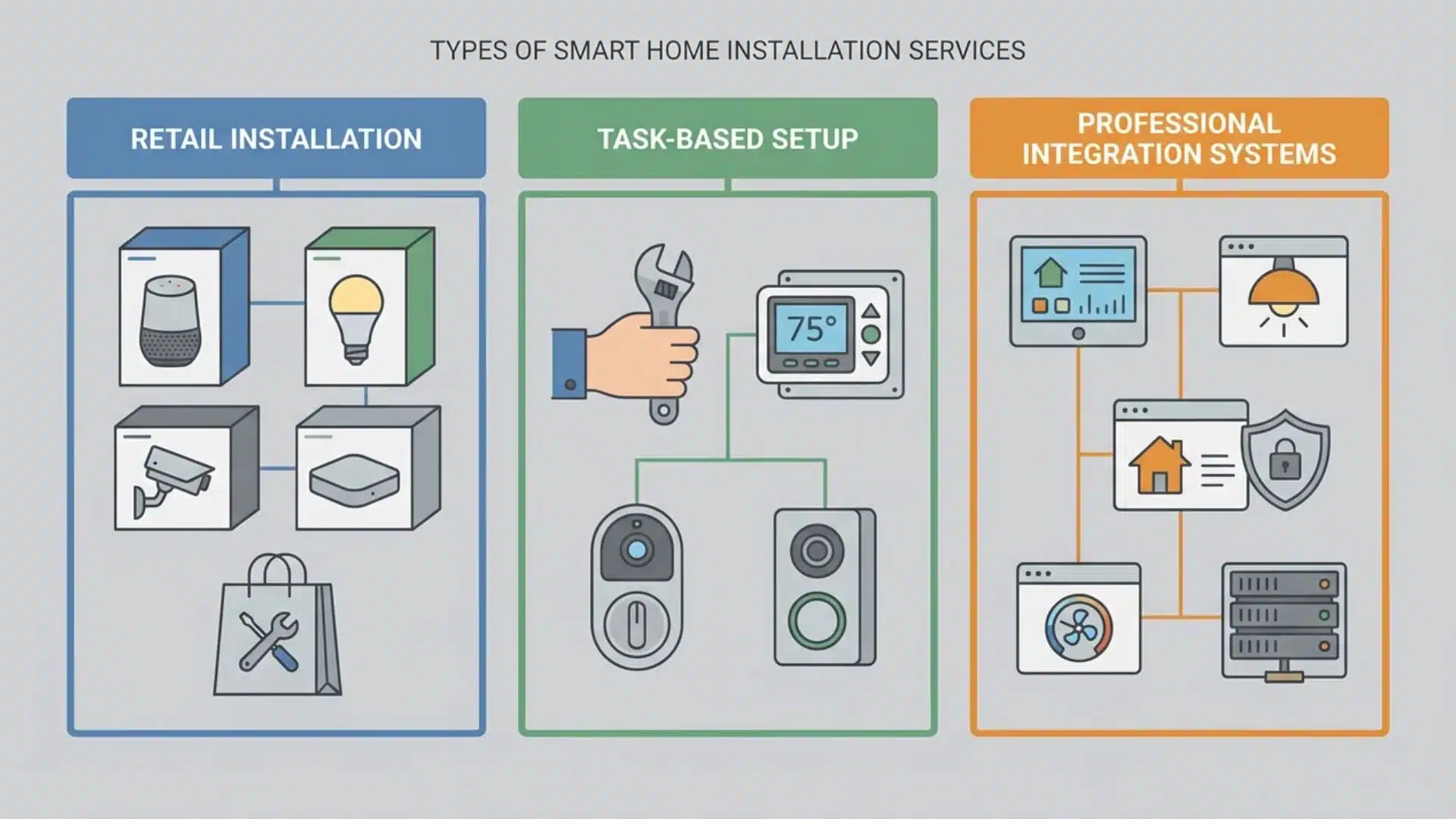
There are three ways to hire smart home installation help: national retail services, local task platforms, and CEDIA-certified integrators. Job complexity is what determines which one you should call.
I want to be direct about something here. Most people treat these as three price tiers for the same service. They’re not. They serve different kinds of jobs. Using the wrong one for the wrong job doesn’t save money. It creates rework costs.
When National Retail Services Are the Right Fit
Services like Best Buy’s Geek Squad and OnTech are built for consumer device installs at scale. They have certified technicians, standardized processes, and nationwide availability.
If your job involves off-the-shelf products like a Nest thermostat, a Ring camera system, and a smart lock, and you want consistency and a booking you can make this week, a national retail service is a solid fit.
These devices are designed for this kind of install, and these services are designed for these devices.
When to Hire a CEDIA-Certified Specialist
New construction, renovation projects, hardwired devices, dedicated low-voltage wiring, or any system that needs to work across a central controller; these jobs need a CEDIA-certified technician.
CEDIA certification verifies training in system design, integration protocols, structured wiring, and project management for complex builds. It’s the only channel where the person doing the work is held to an independently verified professional standard.
That accountability matters when you’re investing in infrastructure that’s expensive to redo.
For simple, single-device jobs in an existing home, local task platforms like TaskRabbit work fine. Background-checked, lower cost, appropriate for low-stakes work. Just know what you’re getting.
How to Prepare Before Hiring a Smart Home Installer
Before you call anyone, answer three questions:
- What specific devices do you want installed?
- What’s the construction context: new build, renovation, or existing home?
- And is this a single device or a system that needs to work together?
Your answers to those three questions will route you to the right professional before you make a single call.
Match the Job to the Right Professional
If you’re installing consumer devices like a doorbell camera, a thermostat, some smart plugs, a national retail service, or a vetted task platform is the right fit. If the answer involves hardwired devices, integrated subsystems, or a central controller, you need a CEDIA-certified integrator.
Getting this wrong at the booking stage is how people end up paying for the job twice. I’m not exaggerating; it’s one of the most common and avoidable mistakes in this space.
Factor in Your Home’s Construction Context
An existing home with working network infrastructure is the simplest scenario. A new construction project is the most consequential. Pre-wiring decisions have to be made before walls close, and conduit routing, structured wiring runs, and hub placement can’t be easily undone after the fact.
Renovation falls between the two. Some infrastructure can be added, but access is limited and costs climb once walls are finished. Whichever context applies to you, tell the professional upfront. It changes the whole scoping conversation.
Ask About Network Readiness Before You Book
This is the question almost nobody asks. And it’s the one that bites people the hardest.
A single smart device barely affects your home network. But ten devices can expose congestion, dead zones, and router limits that were invisible before.
Before you book any install beyond one device, ask whether a network assessment is part of the job.
If it isn’t, and your setup is more than a few years old or running on a basic ISP router, you may need a network upgrade alongside the install.
Finding that out before the job starts costs you nothing. Finding it out after costs real money.
You can hire someone to make your home smart; services exist at every scale, from a single device to a full whole-home build. The prep work above just makes sure you hire the right person for what you actually need.
How Much Does a Smart Home Installation Cost?
Smart home installation cost depends on four things: the type of device, the complexity of the job, the tier of installer you hire, and whether network work is part of the scope. The range across those combinations is wide enough that a single number would tell you almost nothing.
Why the Range Is So Wide
A single smart lock install through a task platform is a flat per-job rate for a simple, bounded task.
A CEDIA-certified integrator handling a new construction project with structured wiring, a central controller, and multiple integrated subsystems is a completely different engagement. Those aren’t two points on the same scale. They’re different services with different cost structures.
Installer labor in the market generally runs somewhere in the range of $18 to $52 per hour, but most consumer installs aren’t quoted hourly. They’re priced per job. That per-job rate might include travel, materials, and a service guarantee, or it might cover labor only.
What Drives Cost Up
Network optimization, when it’s included, adds to the price beyond device setup. So does any ongoing support tier.
Providers like OnTech include 24/7 troubleshooting in their service structure, but that’s not a standard feature across the industry.
Before you compare quotes, get a scope breakdown from each one. Two quotes at different prices are only comparable when they cover the same work. If you skip that step, you’re comparing the wrong things.
Wrapping Up
The biggest mistake people make with smart home installation is not the devices they pick. It is hiring someone whose skills stop short of what the job actually needs.
Match the complexity of your project to the right professional tier. Ask about network readiness before anyone shows up. Know what is included in the price and what is not.
Do that groundwork upfront and the install goes smoothly. Skip it and you will likely be paying for the same job a second time with someone better qualified.
The technology is the easy part. The preparation is what makes it last.
Frequently Asked Questions
What does a smart home installer do?
A smart home installer sets up and connects smart devices like cameras, locks, thermostats, and doorbells so they work together on a home network. They configure apps, test device communication, and walk you through using the system. The job includes network troubleshooting, not just mounting hardware.
What is the difference between a smart home installer and a home automation technician?
An installer handles consumer smart devices designed for simple setup. A home automation technician handles complex, often hardwired systems, including whole-home audio, motorized shades, and integrated security, typically with CEDIA certification. The complexity of your job determines which one you need. These roles are not interchangeable.
Can you hire someone to make your home smart?
Yes. National retail services like Best Buy and OnTech handle standard consumer device installs. Local task platforms like TaskRabbit work for single-device jobs. CEDIA-certified integrators handle fully automated or hardwired systems. The right choice depends on what you’re installing and how much it needs to interoperate.
How much does a smart home installer make?
Smart home installer hourly rates generally fall between $18 and $52, depending on skill level, location, and whether network configuration is part of the role. Certified home automation technicians working on integrated systems typically earn at the higher end of that range and beyond.