


Software automation is changing how digital work gets done by replacing repetitive manual actions with rule-based systems that execute tasks consistently and reliably without human input.
Instead of repeating the same steps over and over, automated workflows follow structured logic across tools and systems, improving efficiency while keeping processes stable and predictable.
A closer look at what software automation is makes it easier to see how everyday digital tasks can run with less effort, fewer errors, and far more consistency across systems.
What is Software Automation?
Software automation is the use of technology to execute rule-based, repeatable digital tasks without human intervention.
Instead of a person clicking through the same steps every time, a script or tool follows the logic and does it automatically. The task gets done, and the human doesn’t have to touch it.
That definition holds whether the task lives within a single app, connects multiple systems, or runs against a user interface.
The scope changes depending on what you’re automating, but the core idea stays the same: logic replaces manual action.
One thing worth being clear about, software automation doesn’t require AI. AI can extend what automation does, but a basic automated workflow runs on rules alone.
What are the Main Types of Software Automation?
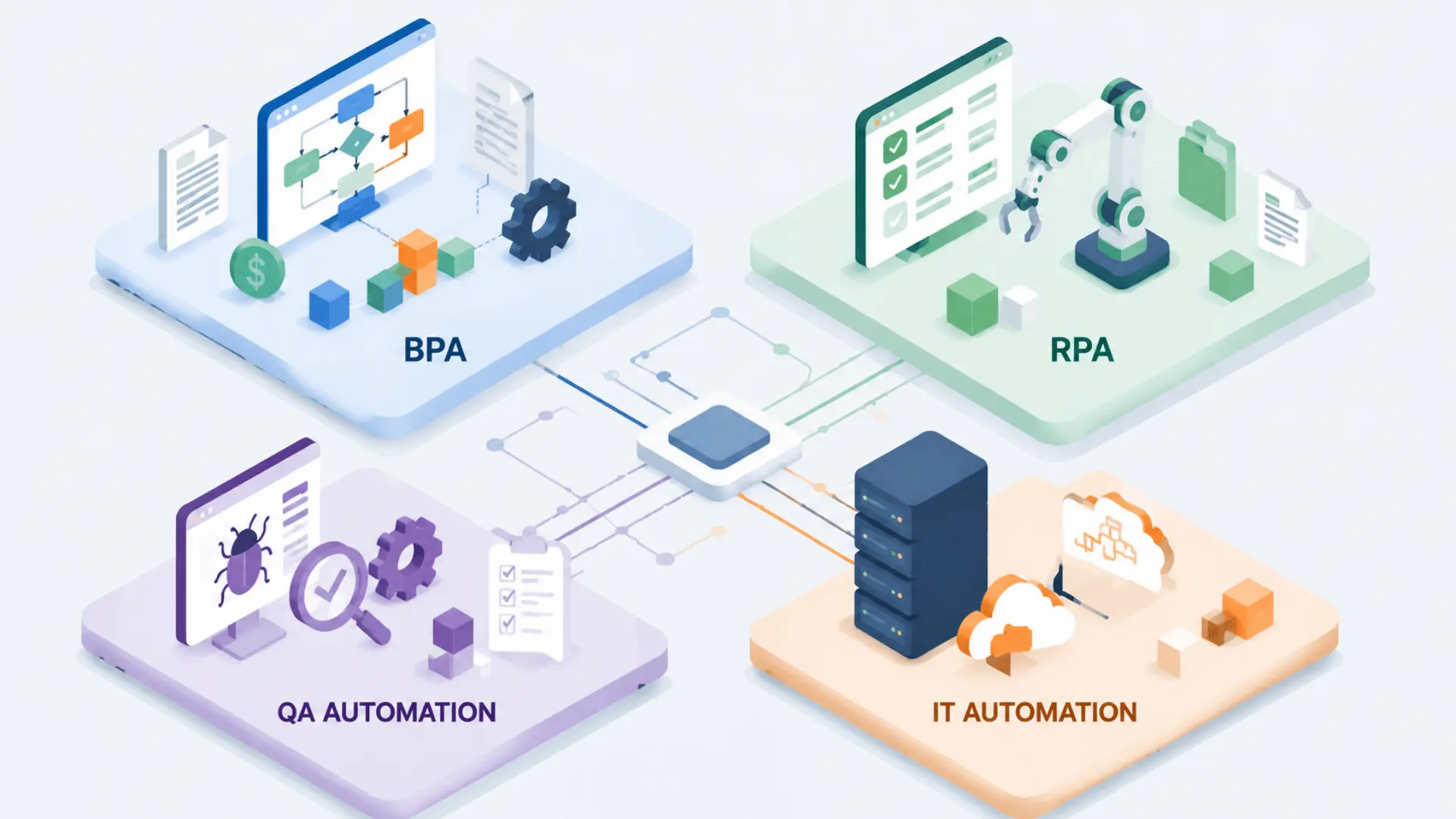
BPA, RPA, QA automation, and IT automation aren’t competing categories. They’re all applications of the same principle, each just targeting a different domain.
The differences come down to what is being automated, not what automation itself means.
Business Process Automation (BPA)
BPA automates end-to-end workflows that span multiple systems, such as employee onboarding and invoice processing.
It connects different platforms at the data layer, passing information between them based on predefined rules. Think of it as automating the handoffs between systems, not the systems themselves.
Robotic Process Automation (RPA)
RPA works a bit differently. Instead of connecting systems at the data layer, it operates at the UI layer, mimicking what a human would actually do on screen.
That means clicking buttons, copying data, and switching between applications. RPA doesn’t need system integration or API access. It works with whatever the screen shows, which makes it useful when deeper integration isn’t possible.
QA and Test Automation
QA automation uses scripts to test software, checking that features work correctly across browsers, devices, and updates.
Rather than having a tester run the same checks manually after every release, automated test scripts do so more quickly and consistently. It’s software automation applied to the software development process itself.
IT Operations and Cloud Automation
This type handles infrastructure, server provisioning, network health monitoring, and incident response.
When a server needs to scale or a security alert fires, IT automation can act on it immediately without waiting for a person to log in and respond. It targets the infrastructure layer, not applications or processes.
Most organizations don’t pick one type and stop there. A team might use BPA for workflows, RPA for legacy systems, and IT automation for cloud infrastructure, all running at the same time.
Why Do Organizations Use Software Automation?
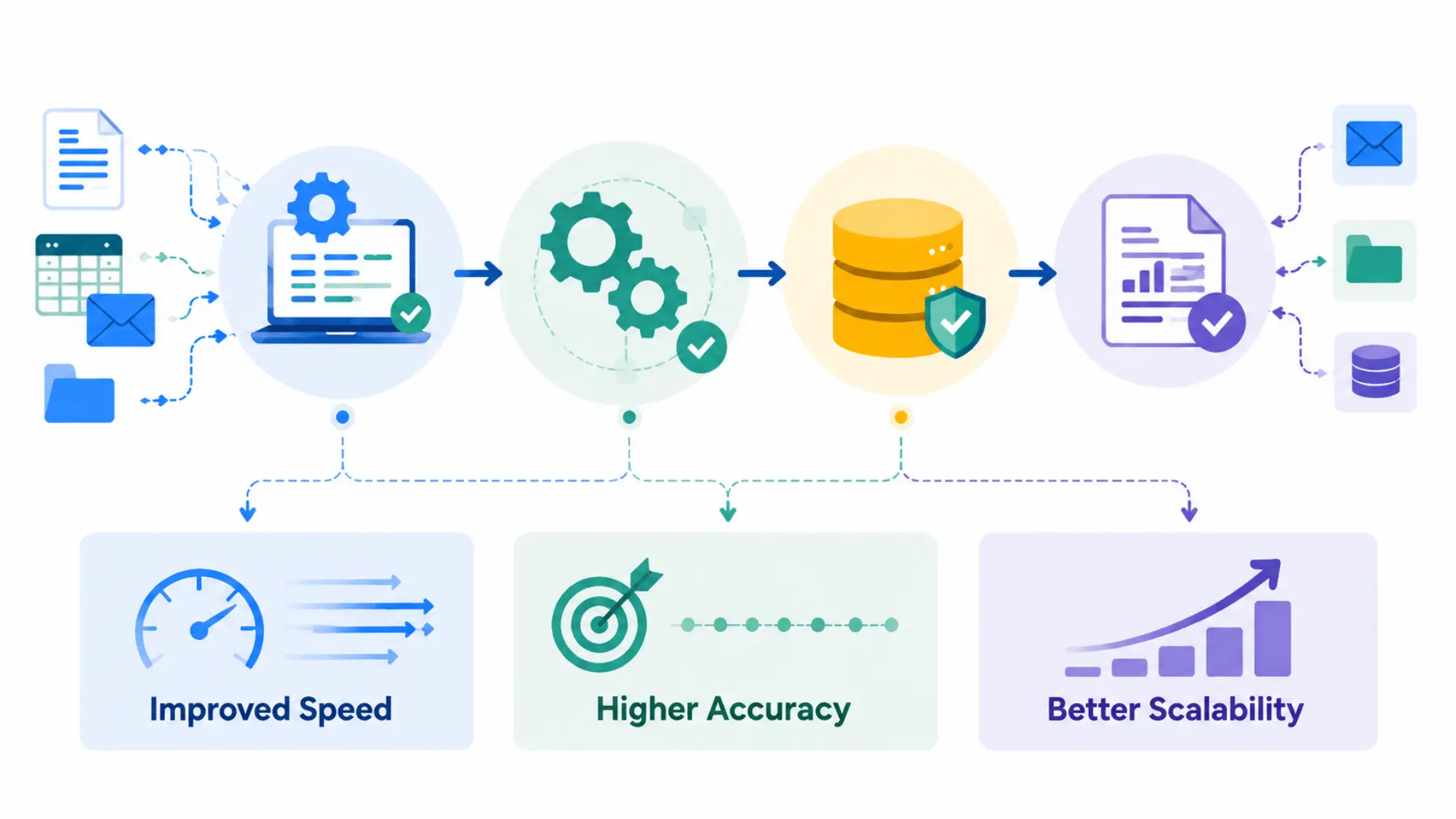
Automation’s real value isn’t what it adds to a process; it’s what it removes: delays, variability, and the coordination overhead between steps.
Here’s how each of those plays out:
- Speed: Humans introduce lag at every handoff, review, decision, and re-entry. Automated tasks execute sequentially at machine speed, with no wait time between steps.
- Accuracy: Scripts execute identical instructions every time, removing drift, fatigue, and interpretation gaps. Errors reduce because variability disappears, not because intelligence improves.
- Scalability: Manual scaling requires hiring and training more people. Automated scaling increases the number of instances, making each additional task nearly cost-free compared to human labor.
These outcomes are central to understanding what is software automation in practice. They all come from the same idea: logic executing without human involvement in the loop.
When Does Software Automation Not Work Well?
Automation isn’t a universal fix. It works well within a defined range, but outside that range, it creates more problems than it solves.
| Condition | Why It Breaks Down | What to Do Instead |
|---|---|---|
| Unstable or unpredictable inputs | Rules can’t handle judgment calls or frequent logic changes | Keep a human in the loop for exception-heavy tasks |
| Low-frequency tasks with high setup costs | Setup time outweighs the manual effort saved | Weigh the build cost against the actual time saved before automating |
| No human oversight in place | Failures compound silently before anyone catches them | Build monitoring and exception alerts into every automated workflow |
The goal isn’t to automate everything. It’s to automate what fits and keep humans close to what doesn’t. Understanding software automation also means recognizing where it should not be used.
Conclusion
Software automation improves digital workflows by replacing manual effort with rule-based execution, thereby increasing consistency, speed, and operational reliability across systems and applications.
It reduces delays caused by human involvement while allowing processes to run continuously, helping organizations achieve better output with less overall operational effort.
Start reviewing your workflows today and apply automation to improve efficiency and reduce effort.
Frequently Asked Questions
What is the difference between software automation and RPA?
Software automation is the broad category that encompasses the technology-driven execution of digital tasks without human intervention. RPA is a specific type, defined by its method: it operates at the user interface layer, mimicking clicks and keystrokes rather than connecting to underlying systems. All RPA is software automation, but not all software automation is RPA.
What are the four main types of software automation?
The four most commonly recognized types are business process automation (BPA), which connects enterprise systems end-to-end; robotic process automation (RPA), which mimics UI interactions; QA and test automation, which validates software behavior; and IT operations automation, which manages infrastructure provisioning and monitoring. Organizations typically use more than one type simultaneously.
Is software automation the same as artificial intelligence?
No. Software automation executes predefined, rule-based logic; it follows instructions exactly as written. AI introduces the capacity to learn, infer, and handle variation. The two are increasingly combined: AI can interpret unstructured inputs that automation then acts on, but automation operates without AI by default.
What tasks are best suited for software automation?
Tasks well-suited for automation are high-frequency, rule-based, and have stable, predictable inputs; data entry, report generation, system provisioning, and regression testing are common examples. Tasks requiring contextual judgment, creative interpretation, or irregular exception-handling are poor candidates, regardless of how repetitive they appear on the surface.






One Response