


By the time a missed deadline surfaces a resourcing problem, the damage is already done.
Resource management software exists to surface that problem before it happens. It gives you visibility into capacity, utilization, and future demand in one place.
But the category is messier than it looks. Tools with the same label solve fundamentally different problems, and picking the wrong one is easy.
Today, I’ll show you what RMS actually does, how it differs from tools you already use, and how to find the right fit for your team. Let’s start with the basics.
What Is Resource Management Software?
Resource management software solves one specific problem: your team has more work than capacity, and you can’t see it until it’s too late. It gives you a live view of who has capacity, who is overloaded, and whether you can take on what’s coming next.
In practice, that looks like a visual timeline showing every person on your team. You see their assigned hours per day and how that tracks against what’s available. Green means capacity. Red means overload.
You can see it across your whole team at once, filter by project, and move bookings around without leaving the screen.
That sounds very close to what project management software does, but it’s really not.
A PM tool tracks tasks: what needs to happen, by when, and who is assigned. Resource management software tracks whether the assigned person actually has the capacity to do it. Most PM tools don’t answer that question well.
The difference shows up in utilization. It isn’t just “who is booked”; it’s the ratio of productive hours to available hours.
For Example: Someone at 110% looks fine in a task list. They have assignments, they’re busy, and no tasks are unassigned. In a resource management tool, that 10% overcommit shows up as a direct conflict: which project loses those hours, and when.
RMS brings allocation, utilization tracking, and capacity forecasting together so each informs the others. Most PM tools treat these as add-ons. Here, they’re the whole point.
What Does Resource Management Software Actually Do?
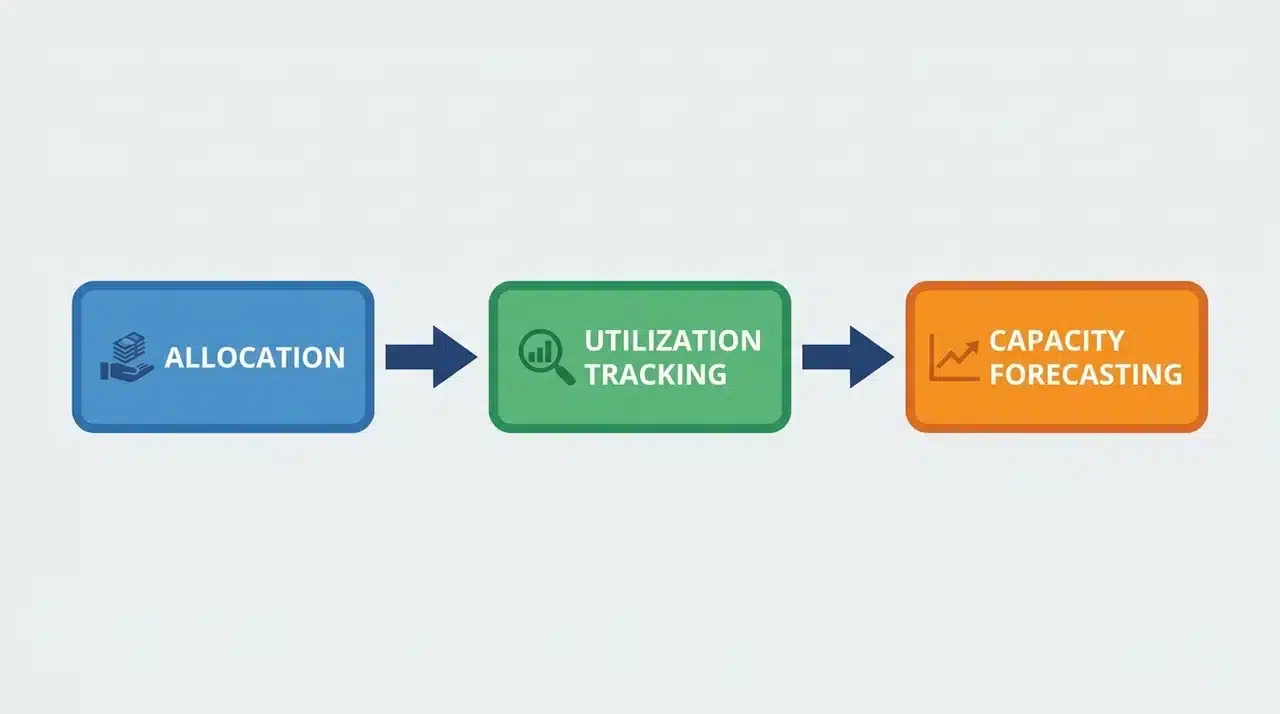
Resource management software is built around three functions. None of them works properly in isolation; that’s exactly why they live in the same tool.
Allocation and Scheduling
These two terms get used interchangeably. They shouldn’t be.
Allocation is the decision: this person works on this project. Scheduling is the execution: when, and for how many hours. You can allocate correctly and still create chaos if scheduling doesn’t account for what else is on that person’s plate.
Resource management software handles both in a single view. That’s what makes overcommitment visible before it becomes a crisis.
There’s a third factor most teams discover too late: availability doesn’t equal the right fit.
A person with twelve free hours who doesn’t have the skills the project needs isn’t actually available for it. Better resource management tools let you search your team by skill set, seniority, or role. So when you’re filling a gap, you’re finding the right person, and not just the nearest open slot.
Skill-matching at the allocation stage prevents a quieter problem: the project that runs over not because someone was overloaded, but because the wrong person was assigned.
Utilization Tracking and Capacity Forecasting
Utilization tracking measures hours assigned against hours available. An 85% utilization rate means 85% of available hours are booked; that 15% gap is your real working buffer.
Capacity forecasting takes that number forward. It pulls in confirmed bookings, planned leave, part-time schedules, and cross-project commitments. Then it maps that against your pipeline: confirmed projects or tentative demand.
The output is a forward-looking view of your team’s available hours by week or month. Where that line dips below incoming demand, the tool flags it.
A project manager can see four weeks out that two developers are fully committed through a sprint and that a new project starting in week three has no one to staff it, before that conflict becomes a fire.
One thing worth knowing: the tool surfaces what it’s given. If time isn’t logged accurately or scopes shift without updating bookings, the numbers may look confident but be misleading. That’s not a software problem; it’s the operational reality of using any of these tools well.
The Four Categories of Resource Management Software (and What Separates Them)
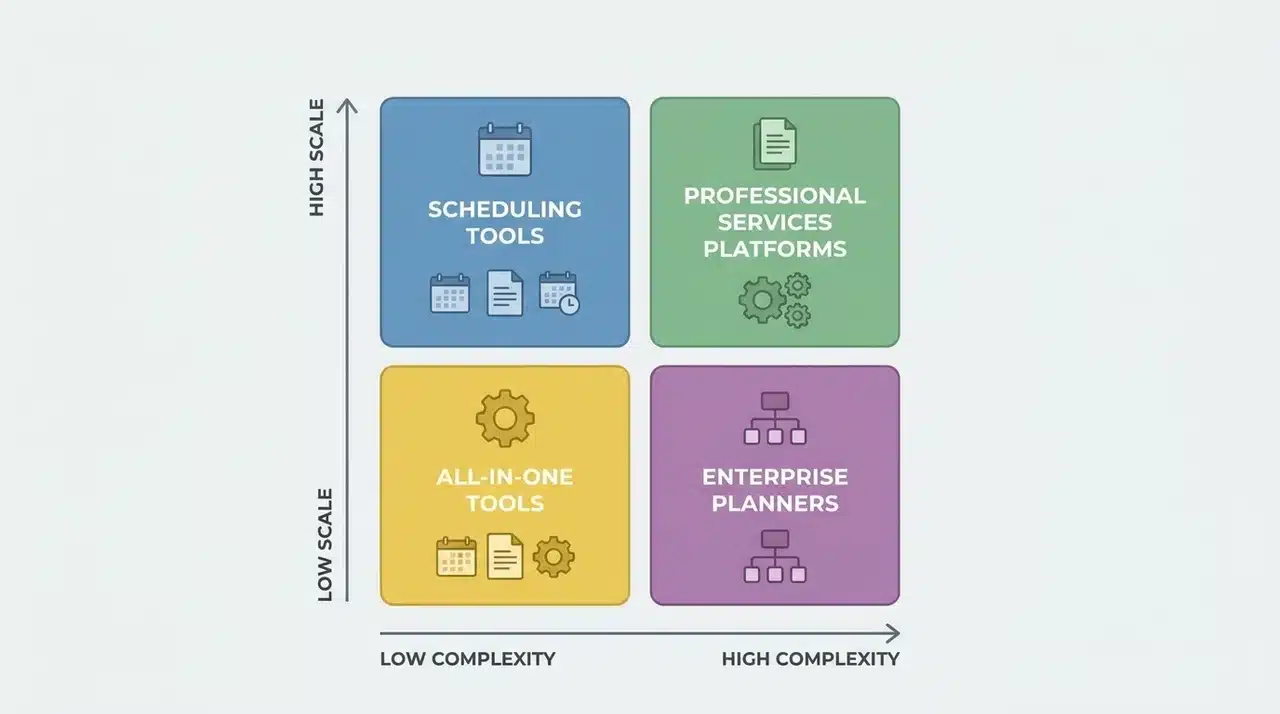
Knowing what RMS does is step one. The harder question is which kind to buy because the same label covers tools built around fundamentally different constraints.
The difference isn’t in features. It’s the resource constraint that each tool treats as the most important.
1. Capacity Planning and Scheduling Tools
Float and Resource Guru are built around one question: who has availability, and when?
The interface reflects that. You get a visual, drag-and-drop calendar showing bookings across your team. Gaps and overlaps are immediately visible. You can move work around in seconds.
That’s powerful when your main problem is visibility. If you manage designers, writers, or developers and need to know who can take on work next week, this category answers that cleanly.
What it doesn’t do is connect those hours to money. There’s no layer telling you whether the work you’re scheduling is profitable, or whether a project margin is eroding because a senior person is carrying too much of it.
2. Professional Services and Agency Platforms
Kantata and Productive are built around a different constraint: billable hours and project margins.
These platforms still show who is booked and when. But underneath that scheduling layer is a financial data model. Every hour assigned carries a cost rate and, where relevant, a bill rate. Utilization becomes a revenue signal, not just an operational one.
When a project runs over on hours, you see it in margin terms, not just task completion. A scheduling tool can’t replicate that by adding a reporting tab.
The problem isn’t features; it’s the data model.
Scheduling tools store hours as time blocks. They don’t carry cost rates or bill rates attached to each person, so any financial layer added on top is a calculation built on incomplete data. You end up exporting to a spreadsheet to do the math that the tool should be doing.
This category makes sense when resource decisions are tied directly to client revenue. If the gap between delivery cost and what you’re billing affects how you staff projects, you need this layer built in, not bolted on.
3. All-In-One Project and Resource Tools
ClickUp and Smartsheet are project management platforms that include resource management features, not the other way around.
That distinction matters. Resource management is one dashboard among many. You can see workload, flag overallocation, and adjust assignments. But the data model is built around tasks and projects first.
For teams where project execution is the primary workflow and resource planning is a supporting concern, that’s often enough. The tradeoff shows when resourcing gets complex — multiple projects competing for the same people, margins under pressure, capacity planning across quarters.
4. Enterprise and Portfolio Planners
Microsoft Project and Planview operate at a scale that the other three categories don’t touch.
The constraint here isn’t a single team or project. It’s demand across an entire portfolio: multiple departments, dozens of projects, resource requests from different business units, all weighed against available headcount.
At this level, resource management connects to HRIS systems, financial planning cycles, and workforce forecasting. You need a system that models demand six months out and tells you whether you have the people to meet it.
This is overkill for most teams. The signal you need for this category isn’t team size. It’s whether resource decisions happen at the portfolio level, involve formal approval workflows, or need to feed into headcount planning across the business.
How to Identify Which Category Fits Your Team
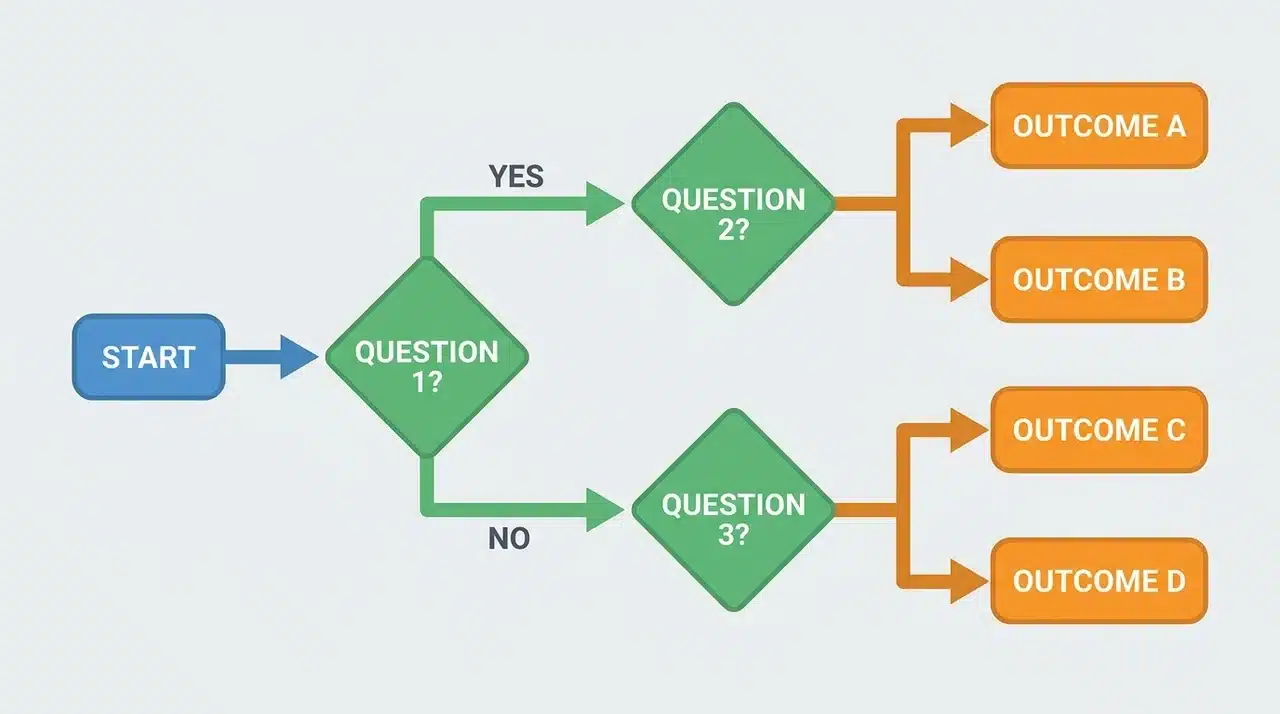
The four categories look similar, but they don’t solve the same problem. The fastest way to find your category isn’t to compare feature lists; it’s to answer three questions about your actual situation.
What Is Your Primary Resource Constraint?
If your main problem is visibility, you don’t know who has capacity or when, a scheduling tool solves that.
If your problem is margin, and you’re losing money because the wrong people are carrying too much of the work, you need financial integration built in.
If resource planning is one of ten things your team manages, an all-in-one tool is probably enough. If you’re forecasting headcount across departments six months out, you’re in enterprise territory.
Do Resource Hours Need to Connect to Revenue?
This is the single most discriminating question. If the answer is yes, knowing a senior person is at 90% utilization matters because of what that costs relative to what you’re billing; a scheduling tool will leave you with a gap you’ll try to fill with spreadsheets.
A professional services platform has that layer built into the data model from the start.
Is Resource Planning Your Primary Workflow or A Supporting One?
All-in-one tools subordinate resource management to project execution. That’s a deliberate design choice, not a flaw. If your team lives in tasks, timelines, and project boards, and resource visibility is something you check occasionally, that tradeoff works.
If your day starts with capacity questions, an all-in-one tool will feel like a workaround from the first week.
Where this gets genuinely difficult is mixed-model organizations; agencies running internal projects alongside client work, or consultancies with both fixed-fee and time-and-materials engagements. No single category fits cleanly.
In those situations, the practical answer is usually a scheduling tool integrated with a financial platform, rather than one tool asked to do both jobs poorly.
Wrapping Up
Choosing the right resource management software comes down to one thing: knowing which problem you’re actually trying to solve.
Visibility, margins, workflow integration, and portfolio forecasting each point to a different category. No single tool does all of them well. The teams that get this right don’t start with features.
They start with their constraint. If this guide helped you get clearer on yours, the next step is straightforward: pick the category that fits, shortlist two or three tools within it, and test them against your real workflows.
That’s a faster path to the right decision than any feature comparison will ever be.
Frequently Asked Questions
What is the best resource management software?
The right tool depends entirely on which problem you’re solving. Float and Resource Guru are the strongest options if visibility is your constraint. If margins matter and you’re tracking billable hours against client revenue, Kantata and Productive are built for that. ClickUp and Smartsheet work well when resource planning is one of many workflows, not the primary one. Microsoft Project and Planview operate at portfolio scale.
What is the difference between resource management software and project management software?
PM tools track tasks and deadlines. Resource management software tracks whether the people assigned to those tasks have the capacity to do them. That difference becomes critical the moment your team hits overallocation.
What are the four types of resource management software?
Four categories: capacity planning and scheduling tools (Float, Resource Guru), professional services platforms (Kantata, Productive), all-in-one project and resource tools (ClickUp, Smartsheet), and enterprise portfolio planners (Microsoft Project, Planview). They’re separated not by features but by the constraint each one treats as the most important problem to solve.
Can you use Jira for resource management?
Jira handles task tracking well. It has no native utilization tracking or capacity forecasting. Teams extend it with plugins, but if resource planning is a core need, a dedicated tool will serve you better.





