


Most teams don’t have a productivity problem. They have a coordination problem. The right productivity tools for teams don’t just help people work faster; they change how work moves between people.
When that movement breaks down, deadlines slip, and no one can quite explain why.
What you’ll find here is a clear breakdown of the tool categories that matter, how to identify where your team actually has gaps, and what makes a tool stack function as a system rather than a collection of apps.
What Are Productivity Tools?
Team productivity tools are software platforms that pull together task management, communication, and file sharing so your team spends less time coordinating and more time actually doing the work.
It sounds simple, but having watched multiple teams adopt these tools, I can tell you the real reason they exist goes beyond convenience. Every time someone switches apps to find a file, chase a status, or track a decision, that’s hidden work eating the day.
Studies confirm that refocusing after a context switch can take over 20 minutes. Across a team, fragmented tools don’t just slow work; they drain energy, focus, and morale.
Productivity only happens when tools talk to each other. Without it, software either saves hours or creates new bottlenecks.
What Categories Do Team Productivity Tools Cover?
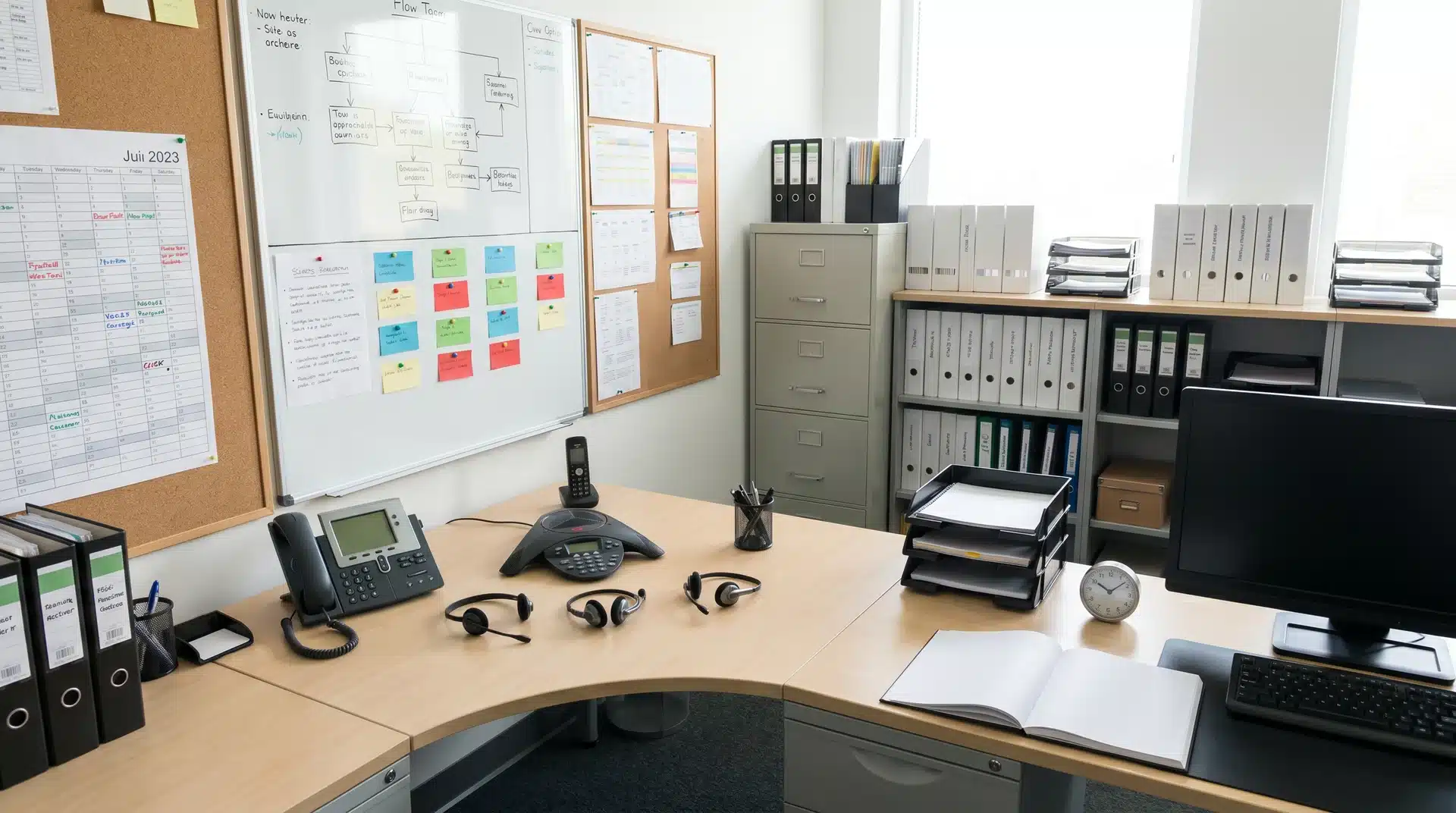
These categories cover the full operational surface of team collaboration, and understanding them helps you see where your gaps really are.
1. Project and Task Management
This is the foundation. Without it, work often ends up scattered across email threads, spreadsheets, and individual conversations. I’ve walked into teams where the “master plan” existed across sticky notes and Slack messages, creating confusion before the work even began.
Project and task management tools give everyone a single place to see what needs to be done, who owns it, and when it’s due.
That visibility helps teams stay aligned. People spend less time chasing updates, deadlines become easier to manage, and accountability becomes clearer.
Popular options include:
- Asana: Asana covers what Asana is built to do better than most: structured workflows and project tracking designed to give cross-functional teams a single source of truth.
- Monday.com: Uses a visual layout and offers strong resource planning and workload management features.
- Trello: Keeps task management simple with Kanban boards that are easy to set up and use.
- Notion: Combines task tracking, documentation, and team knowledge management in a single workspace.
The difference between effective task management and a simple to-do list comes down to structure. Without those basics, the tool becomes another place to store information rather than a system that helps work move forward.
2. Communication and Collaboration
Communication tools in modern team productivity software don’t replace meetings. Their real benefit is reducing unnecessary ones. They let teams share context, ask questions, and keep work moving without everyone being in the same room.
- Slack: Organizes conversations into channels so important messages don’t get lost in a flood of notifications.
- Microsoft Teams combines messaging, video calls, and deep Microsoft 365 integration to keep files, chats, and meetings connected.
- Zoom: Handles video calls when real-time discussion is essential.
AI productivity tools updates now let platforms like Teams or Slack summarize messages or meetings automatically, keeping teams aligned without extra effort.
The right balance focused async updates plus occasional real-time check-ins keeps collaboration smooth.
3. Document Management and Creation
Teams generate documents constantly. The challenge isn’t creating them it’s finding the right one when it’s needed.
A good document management system should let people find what they need in under two minutes. Adding more tools won’t solve the problem if files are scattered across locations or organized inconsistently
- Google Workspace: Real-time co-editing across Docs, Sheets, and Slides, with Drive keeping everything stored and accessible.
- Dropbox focuses on secure file sync and sharing.
- Canva: Supports visual content with team templates and AI-assisted design tools.
Even the best software fails without consistent structure. Proper organization ensures teams spend time working, not searching.
4. Time Management and Scheduling
Back-and-forth scheduling is one of the biggest hidden drains on a team’s time. Scheduling and time-tracking tools don’t make people more productive on their own..
When meetings are easier to schedule, shifts are clearly assigned, and time is tracked accurately, teams spend less time coordinating and more time doing actual work.
- Calendly: Lets people book directly into available calendar windows, eliminating back-and-forth.
- Clockify: Tracks time across projects, giving leaders a clear view of where hours go and whether timelines are realistic.
By smoothing scheduling and tracking, teams gain time and clarity without adding extra work.
5. Workflow Automation
This is one of the most underused features in team productivity software.
Automation tools like Zapier connect the platforms a team already uses and trigger actions between them, including updates from AI productivity tools that can create tasks, send notifications, or set reminders automatically.
The real gain isn’t doing things faster; it’s removing manual handoffs that often fall through the cracks when people are busy. That’s where work gets lost, and deadlines slip.
How Productivity Tools Work Together
Choosing good tools is only part of the equation. The bigger impact comes from how those tools connect and share information.
The Importance of Tool Interactions
One way this works in practice is when a client submits a form. Zapier captures the submission and creates a task in Asana with the relevant details already filled in. That task then sends a notification to the right Slack channel.
The team can act immediately without copying information between systems. The entire process takes seconds. Without automation, each handoff happens manually, increasing the risk of delays and missed updates.
The same idea applies to AI productivity tools features. They create value when they fit naturally into existing workflows.
For example, an AI tool that summarizes a meeting and creates follow-up tasks in your project management system can save time and reduce administrative work.
When tools and workflows are connected, information moves automatically, teams spend less time on repetitive tasks, and work progresses with fewer interruptions.
How Do You Choose the Right Tools for Your Team?
The right tool isn’t always the one with the most features. In most cases, success comes from choosing software that fits your team’s size, workflow, and existing systems.
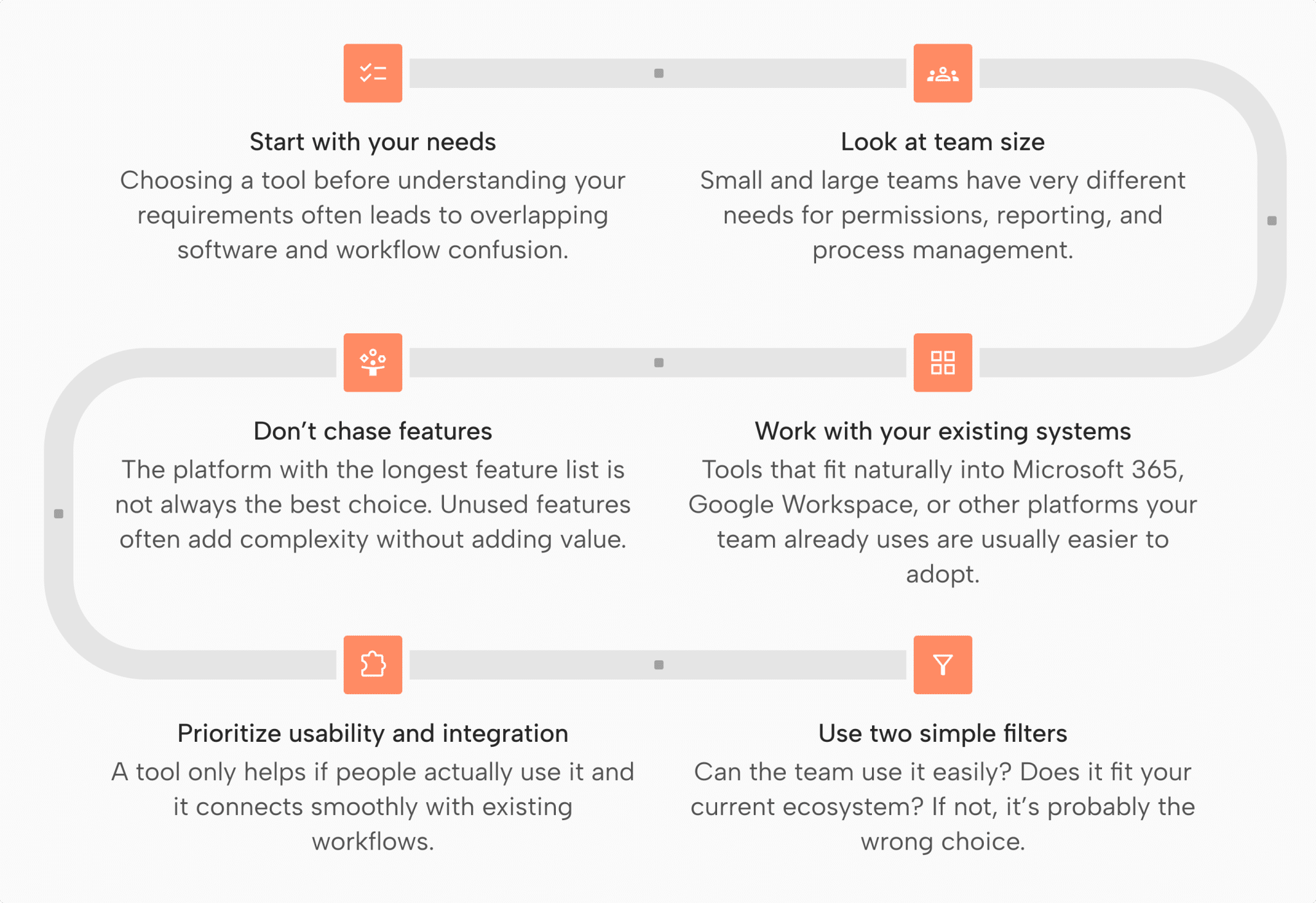
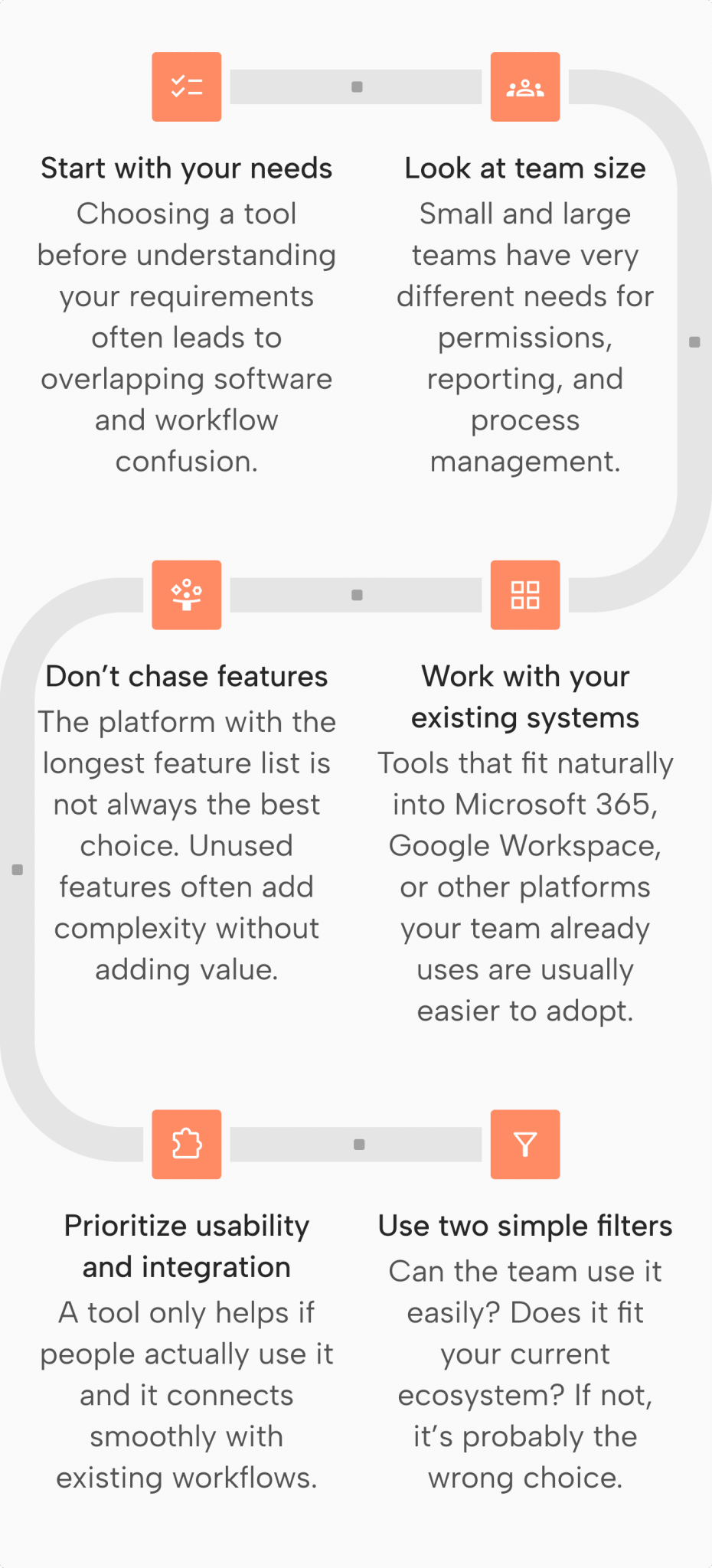
By focusing on fit, usability, and integration rather than feature count alone, teams can avoid unnecessary complexity and choose tools that support productivity from day one.
Conclusion
The tools themselves are rarely the hard part. Most platforms on any shortlist are capable enough.
What separates teams that see real results from those that don’t is how deliberately they’ve built their stack. Coverage matters. Integration matters more. And adoption matters most of all.
A tool no one uses consistently is just noise. The right productivity tools for teams reduce coordination overhead, close category gaps, and connect to each other in ways that keep work moving without constant manual effort. Audit what you have, identify what’s missing, and build from there
Frequently Asked Questions
What’s the difference between team productivity tools and project management software?
Project management software tracks tasks and deadlines, while productivity tools also cover communication, scheduling, document collaboration, and automation. Teams often use both together.
Do small teams need productivity tools?
Even teams of two or three benefit from shared task visibility and a central communication hub. Free tiers make adoption easy and cost-effective for small teams.
Can productivity tools replace in-person collaboration?
These tools support task visibility and asynchronous updates but cannot replicate real-time problem-solving or relationship-building. They function best as collaboration infrastructure, not a replacement.





