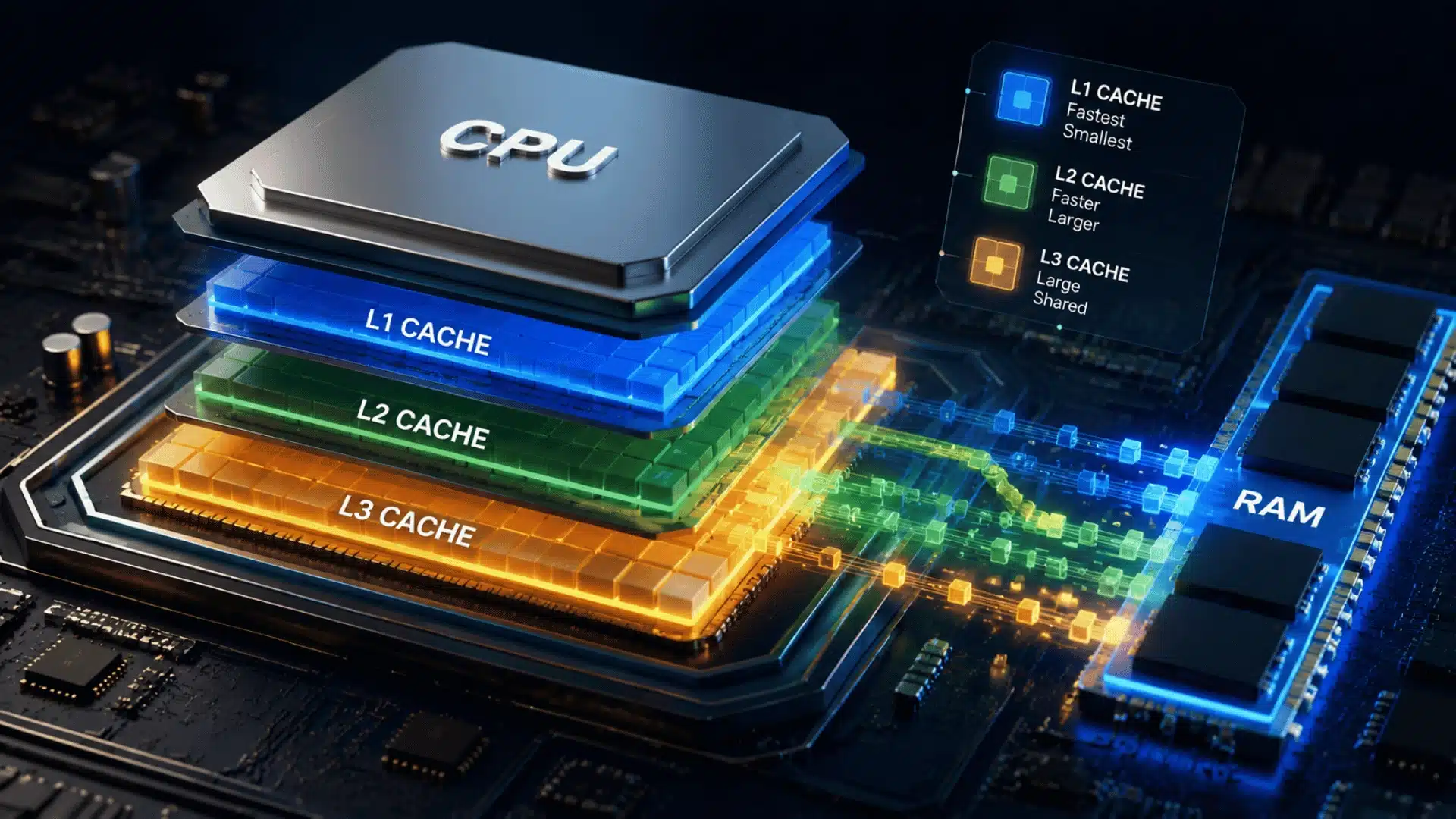
Your computer can process millions of instructions, but it still needs to get the right data at the right time. That is where CPU cache comes in.
If you have searched for what a CPU cache is, you may have seen terms like L1, L2, and L3 and wondered what they actually mean.
I used to think cache was just another type of memory, but it has a much more specific job. CPU cache gives the processor quick access to data and instructions it may need again.
Understanding how it works can also help you make better sense of CPU specifications and performance.
What Is a CPU Cache?
A CPU cache is a small amount of high-speed memory built into the processor that stores copies of data and instructions the CPU is likely to need soon.
Because cache is much faster than system RAM, it can help the processor access information with less delay.
CPU cache sits within the processor’s memory hierarchy, between the CPU’s processing units and main memory. Modern processors typically use several cache levels, such as L1, L2, and L3, with different sizes and access speeds.
The exact design varies by processor, but the basic purpose is the same: keep useful data closer to the CPU so it spends less time waiting for information from RAM.
How Does CPU Cache Work?
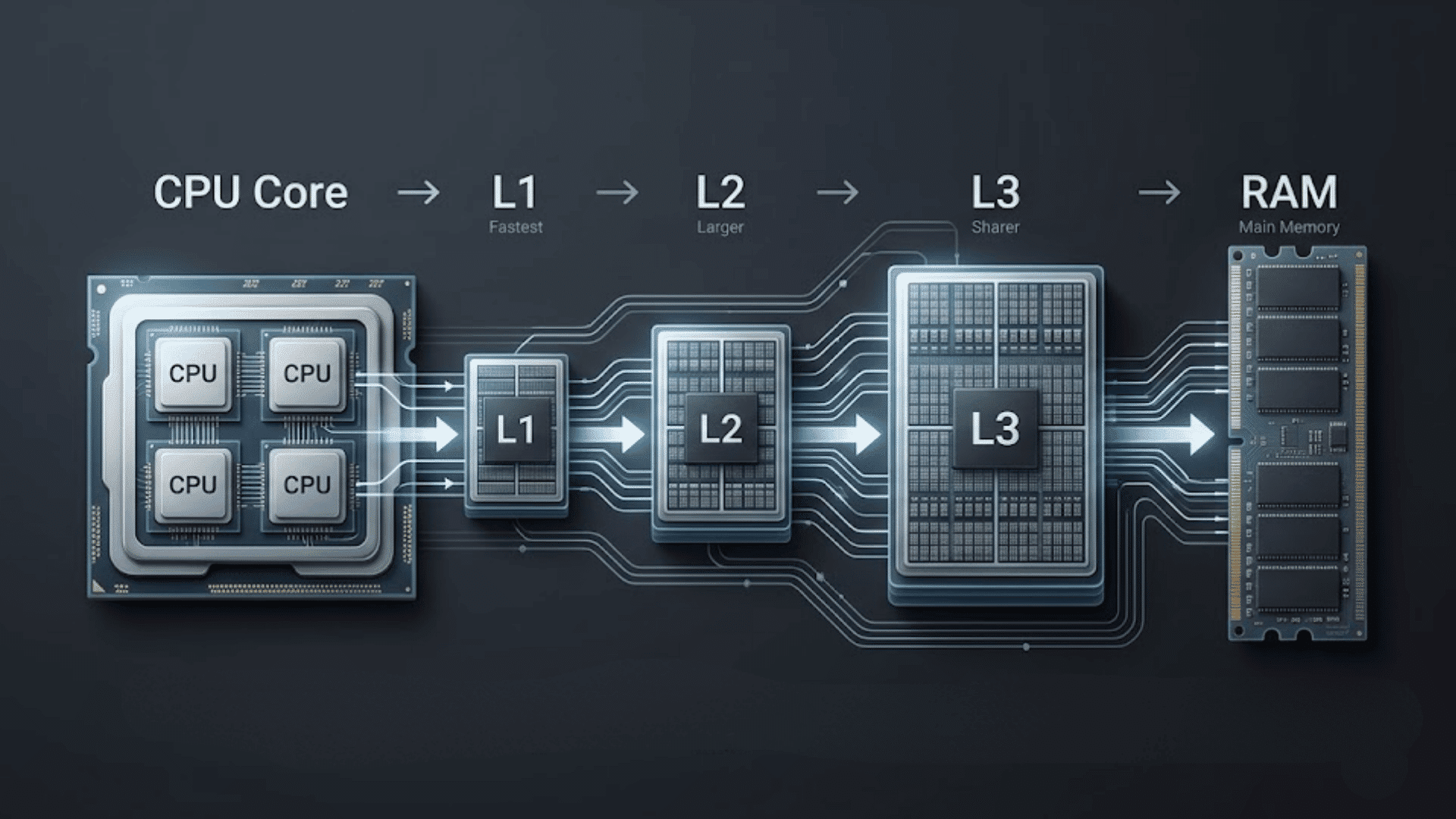
CPU cache helps the processor access data and instructions faster, which plays a direct role in how software runs day to day.
It checks the cache before slower main memory, with cache hits providing quick access and misses requiring data from another cache level or main memory.
Cache Hits vs. Cache Misses
A cache hit happens when the CPU finds the data or instruction it needs in the cache level being checked, so it can access it with relatively low latency.
A cache miss occurs when the requested information is not found at that level. The processor can then check another cache level, such as L2 or L3, before going to main memory if needed.
L1, L2, and L3 Cache Explained
Cache levels are designed to balance speed and capacity. While many modern processors use L1, L2, and L3, their exact cache designs can vary between processor architectures.
- L1 Cache: L1 is generally the smallest and fastest cache level, located closest to each CPU core. It commonly includes separate instruction and data caches, allowing the processor to access frequently needed information with very low latency.
- L2 Cache: L2 is generally larger than L1 but has higher latency. Its organization varies by processor; it may be dedicated to an individual core or arranged differently depending on the architecture.
- L3 Cache: L3 is generally larger and slower than L1 and L2. On many processors, it acts as a shared last-level cache, but the exact arrangement and capacity depend on the processor design.
These levels work together to keep frequently needed data closer to the processor.
The exact sizes, sharing arrangements, and cache hierarchy can differ significantly between CPU designs, so L1, L2, and L3 should be treated as general cache levels rather than identical features across every processor.
How Does a CPU Decide What to Cache?
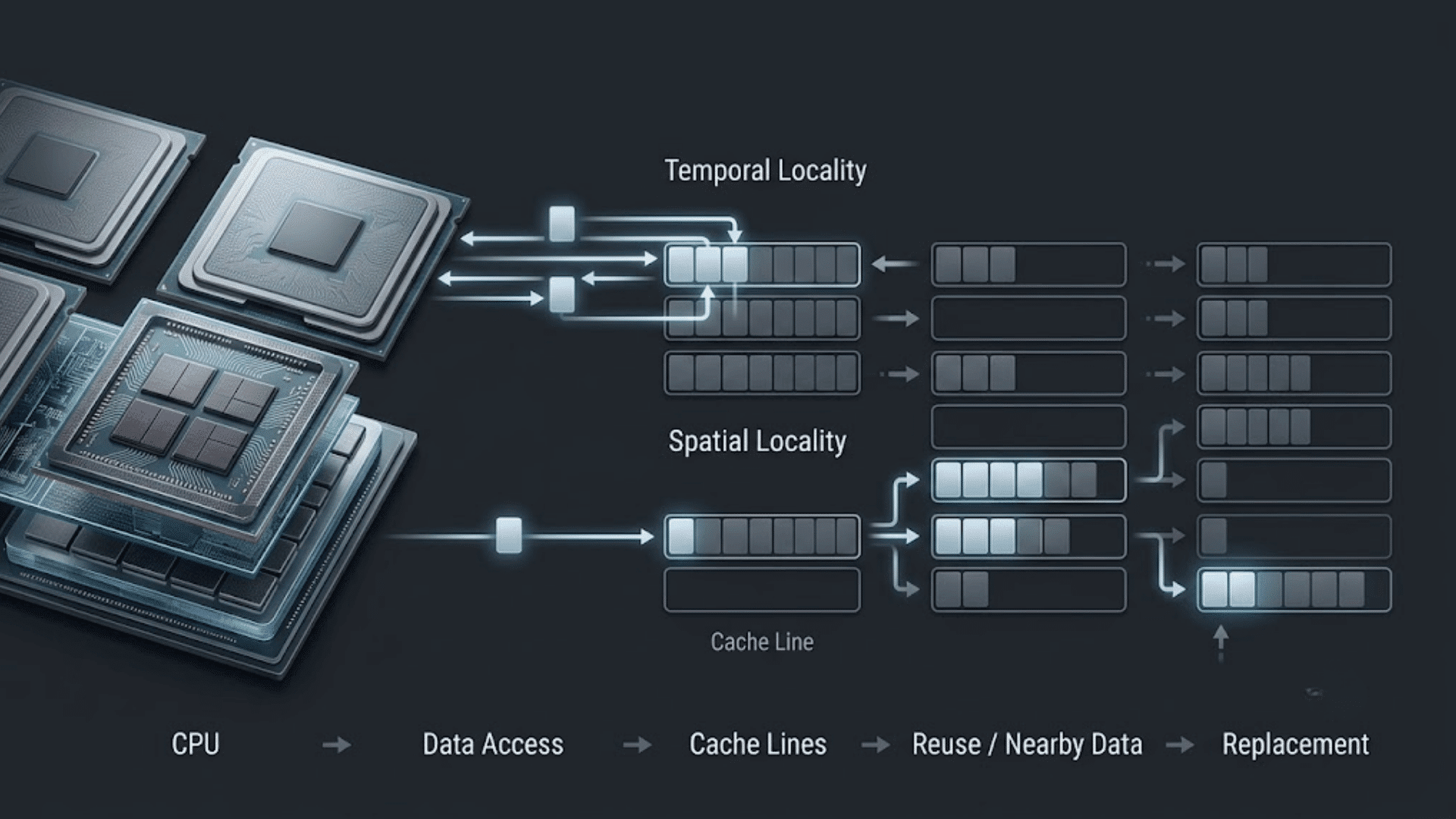
A CPU cache uses patterns in how programs access data to keep useful information close to the processor.
It benefits from temporal locality, where recently used data may be needed again, and spatial locality, where nearby data may also be used soon, though unpredictable program behavior can sometimes limit these gains.
Data is brought into the cache in fixed-size blocks called cache lines. When space is needed, the processor uses replacement policies to decide which cache lines to remove.
This process helps make better use of the limited cache space and can reduce the need to access slower levels of the memory hierarchy.
CPU Cache vs. RAM: What’s the Difference?
CPU cache and RAM both hold data that the processor may need, but they serve different roles. Cache is much smaller and designed for lower-latency access, while RAM provides much more working memory for running programs.
| FEATURE | CPU CACHE | RAM |
|---|---|---|
| Location | On or integrated into the processor | Separate memory modules |
| Size | Much smaller | Much larger |
| Speed | Faster, with lower latency | Slower than CPU cache |
| Purpose | Keeps frequently or recently needed data close to the CPU | Holds the broader working data and instructions used by programs |
| Access | Part of the processor’s cache hierarchy | Main system memory |
The two work together: cache reduces the need for the CPU to access slower main memory. CPU cache is also different from browser or app caches.
Those are software features, while CPU cache is hardware memory managed by the processor.
Why Does CPU Cache Matter?
CPU cache matters because it gives the processor faster access to data than main memory. When programs repeatedly use the same or nearby data, cache can reduce memory-access delays and help improve performance.
- Reduces Memory Delays: Cache provides data with lower latency than main memory, reducing the time the CPU spends waiting, though background programs can still offset some of that benefit.
- Helps Repeated Access: Frequently used data may stay in cache, allowing faster access when needed again.
- Uses Nearby Data: Cache lines store blocks of nearby data, which can benefit programs with predictable access patterns.
- Improves Performance: Fewer accesses to slower memory can improve performance in workloads that make good use of cache.
- Works With Other Hardware: Cache is only one performance factor. CPU architecture, clock speed, core count, memory speed, and workload also matter.
Overall, CPU cache helps reduce delays when the processor needs data. Its impact varies by workload, but efficient cache use can make a noticeable difference in CPU performance.
Conclusion
Now that you know what a CPU cache is, the role of this small but important part of a processor should be much clearer.
Cache keeps useful data and instructions closer to the CPU, helping reduce the time it needs to access information from slower memory. L1, L2, and L3 caches work at different levels, with differences in size, speed, and design.
I hope these basics make CPU specifications easier to understand the next time you compare processors. Do you have a question about CPU cache, L1, L2, or L3?
Share it in the comments below, and I’ll be happy to hear what you think.
Frequently Asked Questions
What Is a Cache Hit vs. a Cache Miss?
A cache hit occurs when requested data is found in a cache level, enabling fast access. A cache miss happens when the data isn’t there, requiring the CPU to check a slower cache level or main memory, which introduces a delay.
How Does Cache Coherency Work in Multi-Core CPUs?
Cache coherency is the protocol ensuring all CPU cores have a consistent view of memory. When one core updates a cached value, it communicates this to others, preventing stale data reads. Protocols like MESI manage this process.
What Does It Mean for a Cache to Be Inclusive or Exclusive?
An inclusive cache policy means data in a higher-level cache (like L1) is also present in lower-level caches (like L2). Exclusive caches allow a data block to exist in only one cache level at a time, which can improve overall capacity.