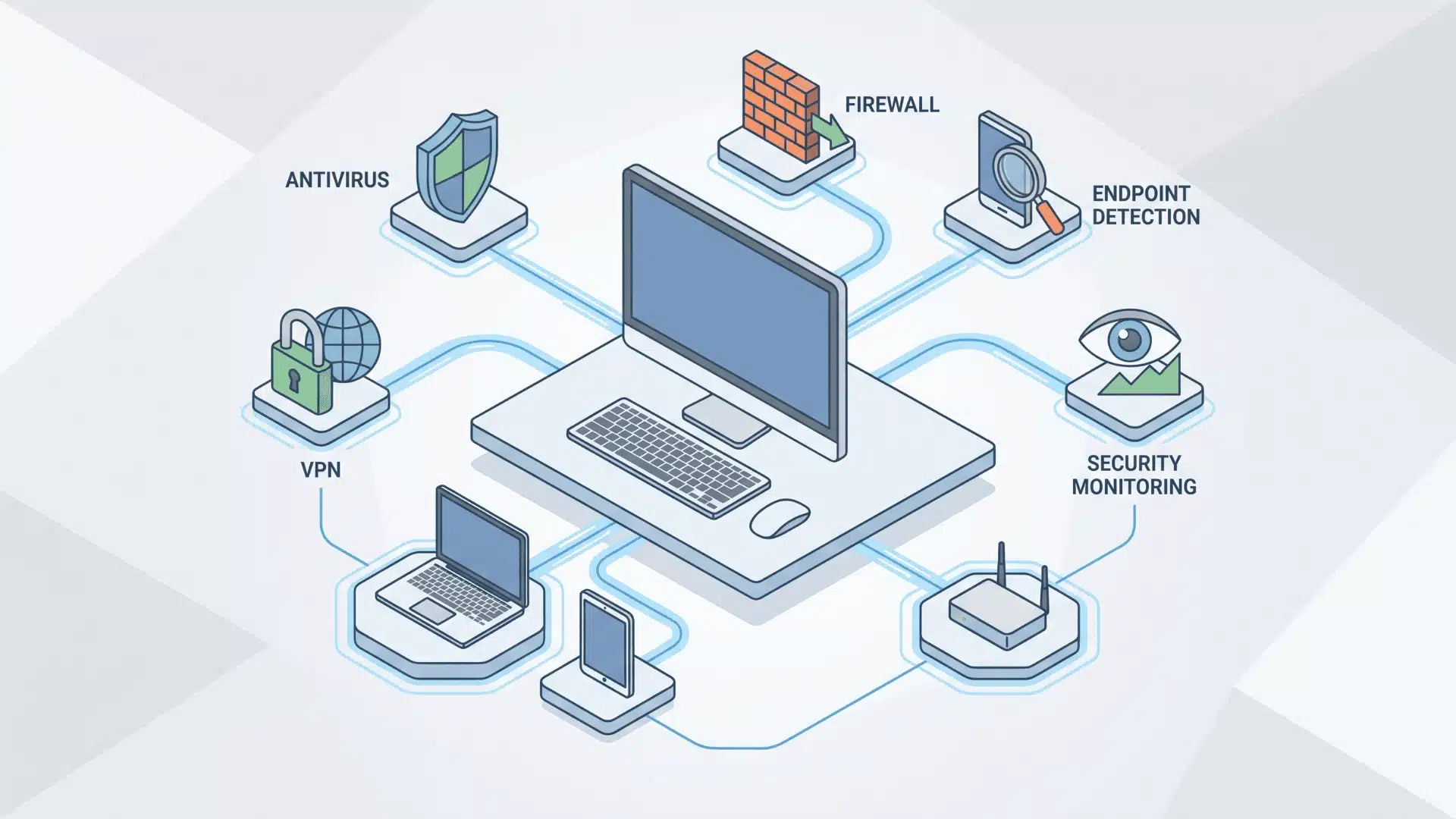
Antivirus, VPN, EDR, firewall, SIEM: the names pile up fast, and half of them sound like they do the same thing.
They don’t. Each one guards a different part of your setup, and I’ve watched people mix up which is which more times than I can count.
That confusion is exactly how someone ends up paying for overlap instead of real protection. It happens quietly, and most people don’t notice until something slips through.
The scale you’re protecting changes the answer too. What works for a single laptop falls apart fast for a growing business, and I’ve seen that gap catch people off guard.
Here’s where the confusion actually starts, and how the pieces fit together once you see what each layer is really doing.
What Counts as Cybersecurity Software?
Cybersecurity software is any program built to stop, catch, or respond to digital attacks. That covers a huge range of tools.
On one end, you’ve got antivirus and VPN apps running on a single laptop. On the other, you’ve got platforms that watch an entire company’s network at once.
What ties them together is the job, not the size. Each one exists to block unauthorized access or catch it fast when it happens.
It’s worth drawing a line here too. A password manager or a VPN counts. Your IT helpdesk software doesn’t, even though it lives in the same tech stack.
If a tool isn’t actively defending against a digital threat, it’s not cybersecurity software. It’s just software.
How Do the Main Categories Differ?
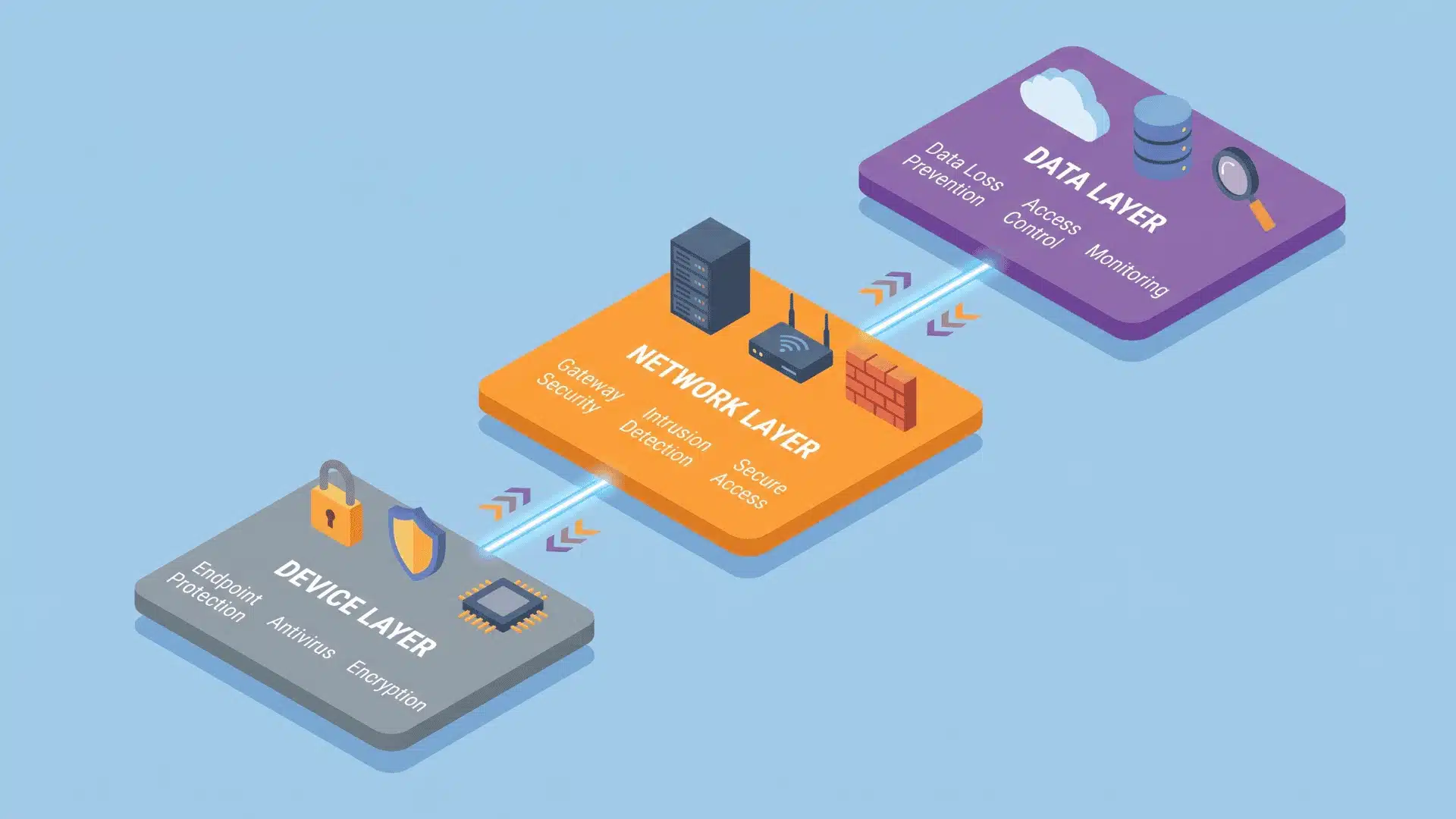
Every category protects a different layer of your system; that’s the real split between them. They also detect threats in different ways. One difference explains most of the confusion around these tools.
Device-Level Tools
Both tools sit on your device, but they catch threats in completely different ways. That gap is where most of the confusion starts.
1. Antivirus
Checks files against known malware signatures and blocks anything that matches. That’s fast and reliable, but only for threats it has already seen before.
Nothing gets flagged when the threat is new. A brand-new piece of malware, or a hacker working by hand, won’t match any signature on file, which is exactly the gap EDR closes.
2. EDR
Watches behavior instead of matching files. If a process starts acting like an attack, EDR flags it in the moment it happens.
That’s the whole reason EDR “catches more.” It’s not a stronger version of antivirus running extra scans. It’s watching for a completely different kind of signal, one built into behavior rather than file code.
Network and data-level tools
These tools protect data and traffic rather than a single device. Each one covers a different point along that path.
3. VPN
Encrypts your traffic as it travels, so nobody snooping on the connection can read it. That protects data in transit while it moves between your device and the internet.
It does nothing for the device itself. A VPN won’t stop malware from running on your laptop, which is why it pairs with antivirus or EDR instead of replacing them.
4. Firewall
One of the core network security tools, working at the network level instead of the device level. It filters traffic before it ever reaches a device.
That filtering happens as a checkpoint, not a scan. Firewalls block based on rules and traffic patterns, not by watching individual files the way antivirus or EDR do.
5. SIEM/XDR
Pulls logs from every device and system into one place, going a step beyond what a firewall handles on its own.
It then looks for patterns no single device would show alone, connecting signals across an entire environment to catch coordinated attacks spread across multiple systems.
Which Categories Matter for Your Situation?
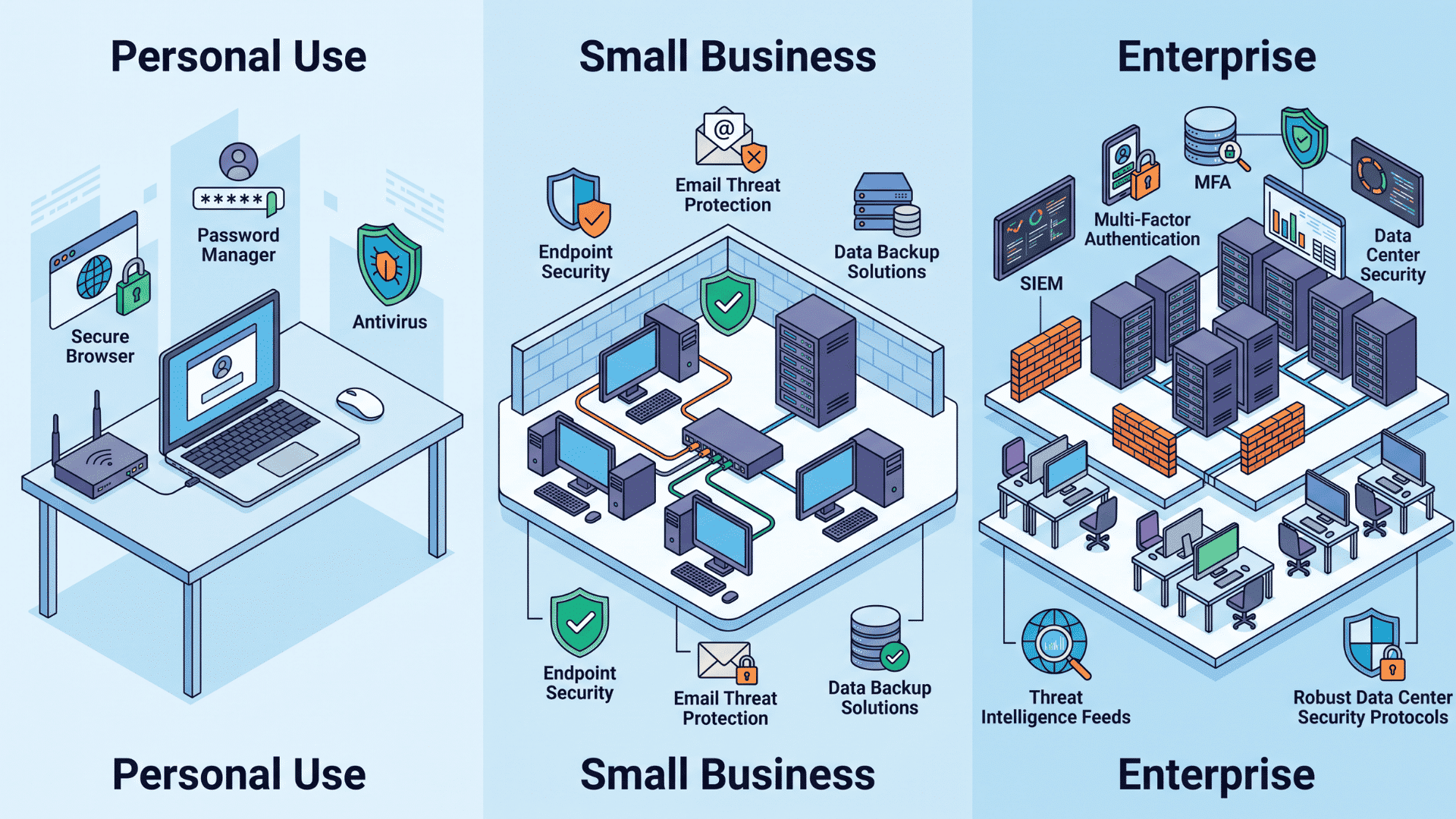
The right security tools depend on your setup, risks, and the size of your environment. A personal device and a large business need very different levels of protection.
| Scale | Must-Have Tools | Why It Matters |
|---|---|---|
| Personal | Antivirus, VPN | Antivirus protects the device itself. A VPN protects your traffic while it travels. Identity monitoring is optional, worth adding only after a past breach. |
| Small to medium business | Managed EDR, Network security | Without EDR, new or manual attacks can slip past basic antivirus unnoticed. Network security filters traffic before it reaches any device. |
| Enterprise | SIEM/XDR, full-layer coverage | Devices, cloud, and networks need coverage working together. SIEM or XDR catches patterns no single device would show alone. |
The pattern holds at every scale. Cover each layer once, and skip tools that just repeat coverage you already have.
When Should You Combine Multiple Categories?
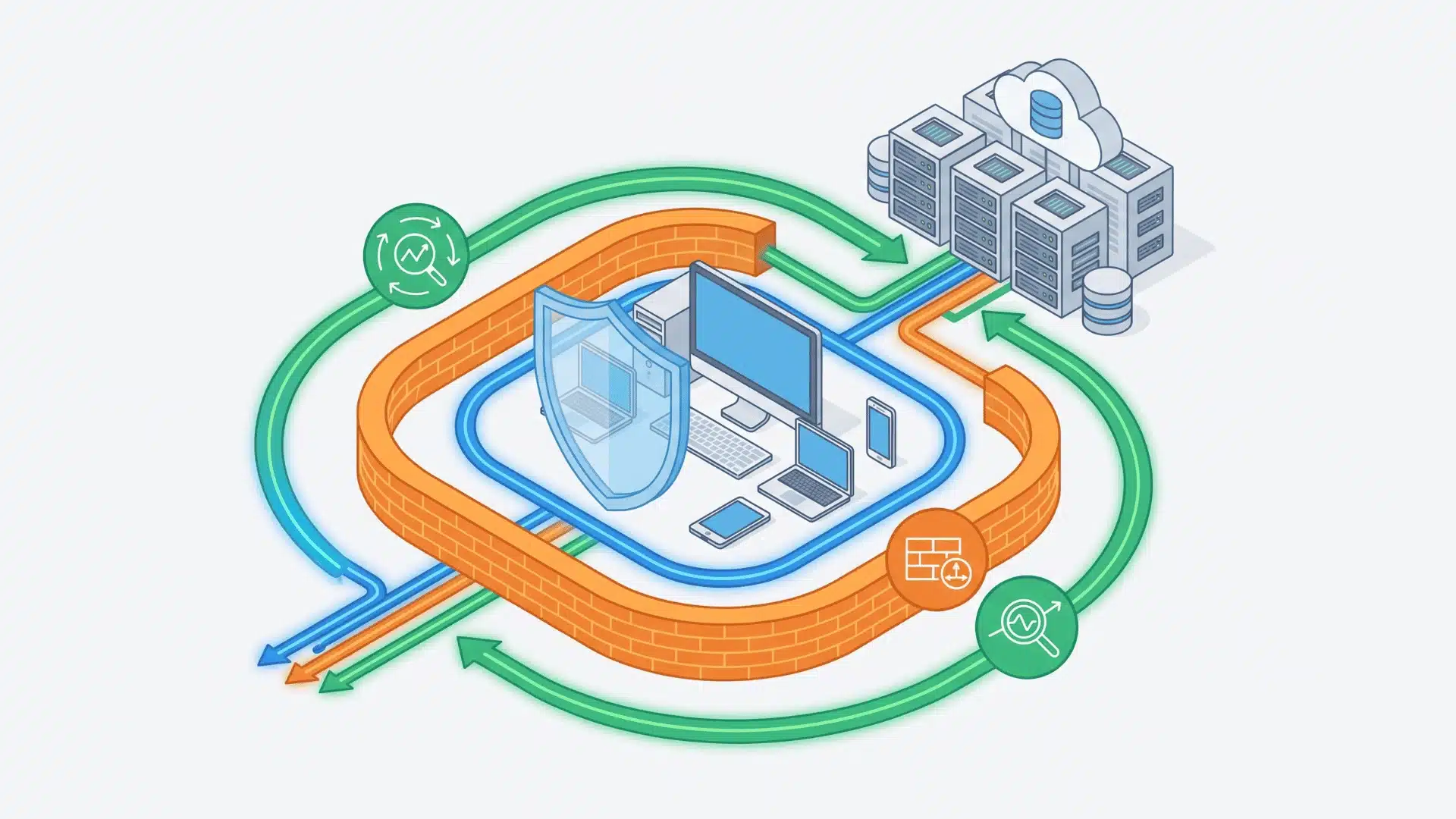
Layer by function, not by how many categories you can add; that’s the rule that actually matters. Here’s what decides whether combining tools makes sense, or just adds cost without closing anything:
- Distinct layers: EDR on devices plus a firewall on the network covers different ground, so both earn their place.
- Duplicate coverage: Consumer antivirus and managed EDR on one device mostly overlap, which rarely closes a new gap.
- Compliance needs: Handling sensitive data usually means SIEM or cloud security belongs on top of endpoint protection.
- Checklist thinking: Adding tools one by one feels productive, but only works if each one closes a real gap.
Before adding another tool, check what specific gap it closes. If nothing new gets covered, it’s not worth the cost.
Wrapping Up
Choosing the right cybersecurity software isn’t about collecting every tool on the market. In my experience, it’s about knowing which layer needs covering and picking one tool per layer.
A personal setup needs far less than a growing business, and a growing business needs far less than an enterprise juggling cloud systems and compliance rules. The mistake that costs people the most isn’t having too little protection.
I’ve watched it happen from the other direction: paying twice for the same layer while a real gap sits open somewhere else. Start with what you’re actually protecting, match the tool to that layer, and build from there.
Frequently Asked Questions
Is antivirus software still necessary if I have an EDR tool?
For most individuals, no, modern EDR tools already include antivirus-level protection. For businesses, EDR is generally sufficient on its own, since it covers both known and unknown threats that traditional antivirus alone would miss on its own.
Do small businesses need enterprise-level tools like SIEM?
Not usually. SIEM becomes necessary when a business handles regulated data or needs centralized log monitoring across many systems. Most small businesses are better served by managed EDR and a firewall, which cover the most common attack paths without the added complexity SIEM requires.
Can a VPN replace antivirus software?
No. A VPN encrypts internet traffic to protect data in transit, but it does not scan devices for malware or block malicious files. Antivirus and VPNs solve different problems, so most users need both rather than choosing one over the other.
How do I know if my cybersecurity software setup has gaps?
Check whether each layer, device, network, and data has active coverage. If any layer relies on outdated signature-based tools alone, or if no tool monitors behavior in real time, that layer is the most likely gap to address first.