Most explanations of the difference between a process and a thread stop at definitions. That’s fine for a quiz. It’s not enough to build something real.
What actually matters is the trade-off underneath: between isolation and speed, between safety and efficiency. Get that wrong, and you’ll make architectural decisions that are hard to undo.
This article covers what each one is, how they’re structured at the memory level, what that means when things go wrong, and how to decide which one belongs in your code.
Let’s start with the basics.
What Are Processes and Threads?
A process is a running program. A thread is what actually executes inside it. You can’t have one without the other.
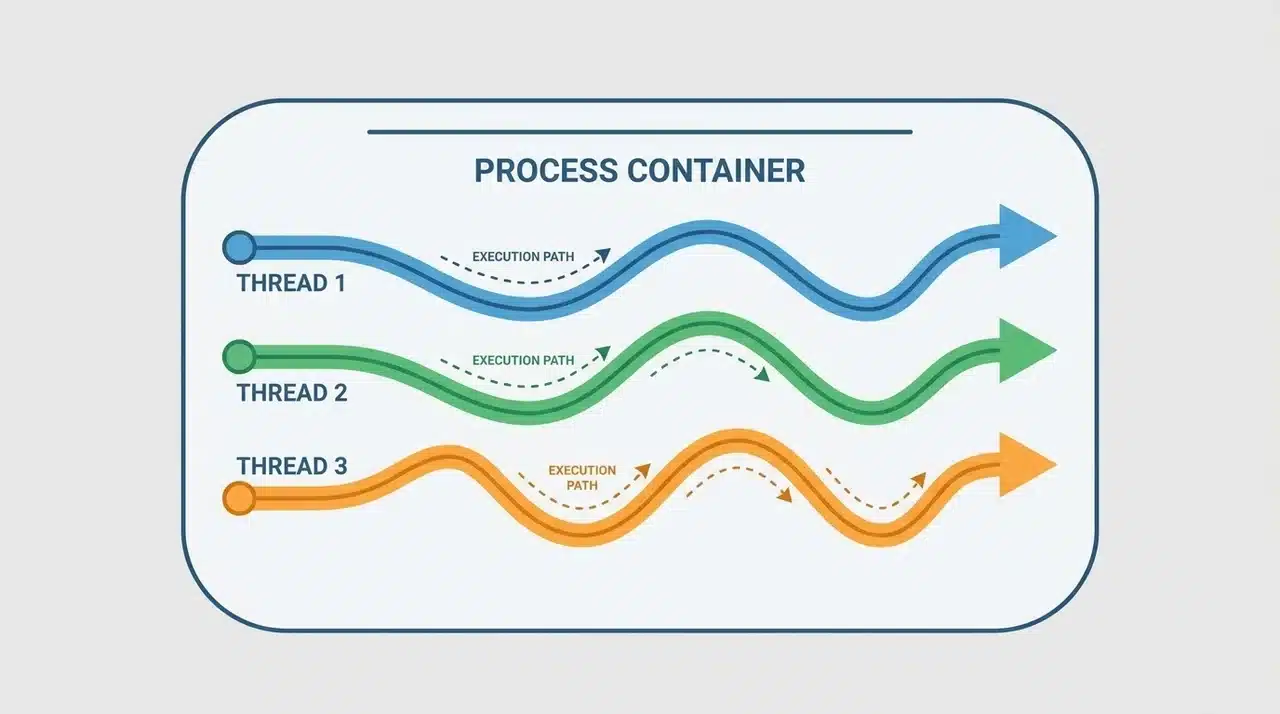
When you launch an application, the OS loads it into memory and sets up a container for it: its own address space, file handles, and system resources. That container is the process. Nothing outside it can directly touch its memory.
But a process doesn’t run code on its own. For that, it needs at least one thread. The thread is the unit of execution; the thing moving through instructions, line by line.
Every process starts with one thread. Many spin up more.
Threads inside the same process share the same memory and resources. They’re not isolated from each other the way processes are isolated from one another. That single fact is what makes them both powerful and tricky, and it’s what the rest of this article is about.
If you’ve heard someone say “a thread is a lightweight process,” set that aside. It’s not quite right, and it’ll make the real difference harder to see.
How Processes and Threads Are Structured Differently
The definitions are simple enough. The structure underneath them is where it gets interesting.
What a Process Owns
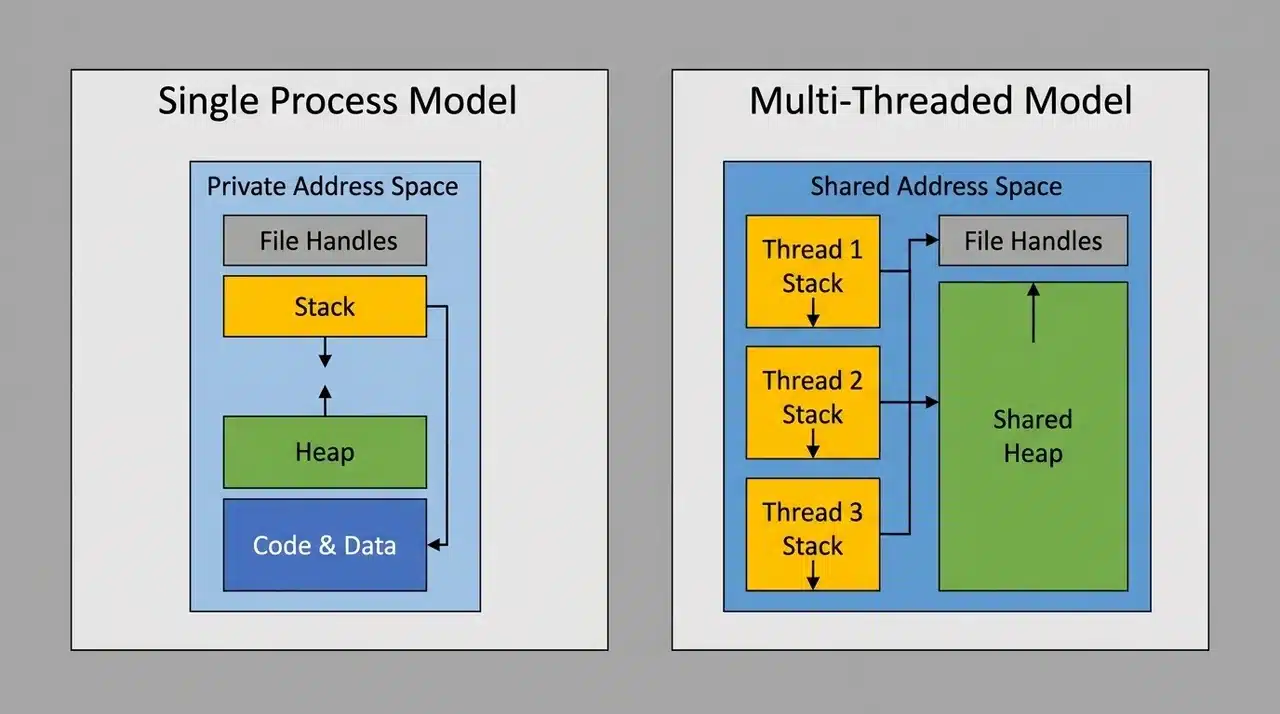
When the OS creates a process, it hands it a private slice of memory. No other process can read or write to it.
That slice includes everything the program needs to run:
- Its own virtual address space
- Its own stack and heap
- File handles and OS resources
- A record of its current execution state
Nothing in that list is shared with other processes. That’s the point. Isolation is the design, and it’s what lets two programs crash independently without dragging each other down.
What Threads Share, and What They Don’t
Threads inside the same process don’t get their own private world. They work inside the one the process already owns. That boundary shapes everything about how they behave.
Here’s how the memory splits in practice:
- Shared: the heap, global variables, open file handles, code
- Private: each thread’s own stack and program counter
The stack separation is what lets threads run independently. Each one tracks its own position in the code and its own local variables. But the heap, where most of the interesting data lives is open to all of them.
That shared heap is what makes threads fast. Direct memory access means no waiting for the OS to broker a message. Two threads can read and write the same data without ceremony.
It’s also what makes threads dangerous. Two threads writing to the same location at the same moment don’t automatically take turns. Without coordination, one can silently overwrite what the other just wrote — and nothing in the structure prevents it.
That’s not a bug you introduced. That’s the architecture working exactly as designed.
Process vs. Threads: What Actually Differs in Practice
Communication
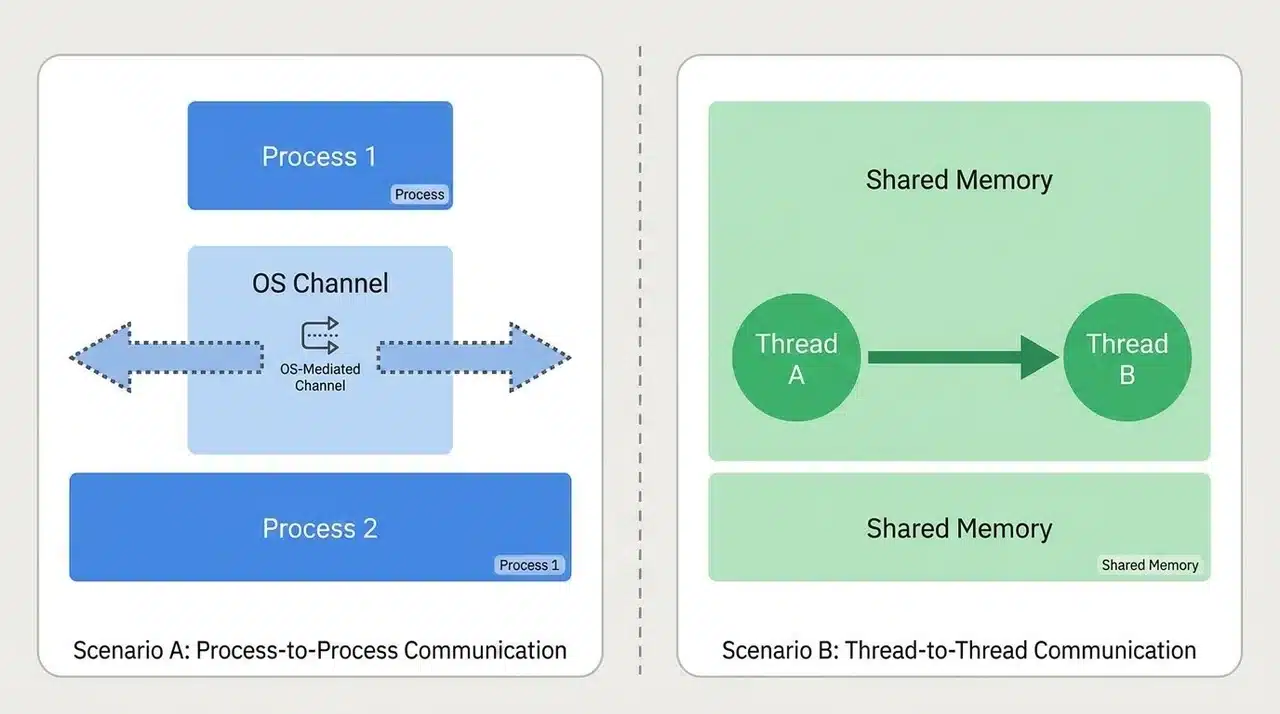
Threads talk to each other for free. Shared memory means one thread can write a value and another reads it immediately. No OS involvement, no serialization, no round-trip cost.
Processes can’t do that. Their memory is isolated by design, so they need the OS to broker any exchange — pipes, sockets, or shared memory segments. Each option comes with setup cost, latency, and complexity that threads simply don’t carry.
For tasks that constantly pass data back and forth, that difference compounds fast.
Failure
A crashed thread is a process-wide problem. Because all threads share the same memory, one thread corrupting shared state can bring down every other thread that depends on it. The whole process typically goes with it.
A crashed process is contained. Other processes keep running because their memory was never exposed to begin with.
This is the trade-off that “threads are faster” tends to gloss over. Speed and isolation move in opposite directions. Threads buy performance by giving up the boundary that would otherwise protect them.
Overhead
Spawning a new process is expensive. The OS has to allocate a fresh address space, copy resources, and build a full execution environment from scratch.
Creating a thread is cheap by comparison. The process environment already exists. The thread just needs a stack and a starting point.
That cost difference matters at scale — but it doesn’t make threads the default right answer. A faster tool that fails less safely isn’t always the better one. Which trade-off matters more depends entirely on what the code does and what breaks if something goes wrong.
When to Use a Process or a Thread
Neither is universally better. The right choice follows from what your code needs to protect and what it needs to share. This table maps common situations to the option that fits each one.
| Situation | Use a Process | Use a Thread |
|---|---|---|
| Failure containment | A crash must stay isolated | A crash affecting the whole program is acceptable |
| Data sharing | Tasks are independent | Tasks share data constantly |
| Code trust | Running untrusted code | Running your own controlled code |
| Performance priority | Stability matters more than speed | Low-latency data access matters most |
| Architecture | Independent services | Tightly coupled work within one application |
| Language constraints | CPU-bound work in Python (GIL limits thread parallelism) | I/O-bound work where threads genuinely run concurrently |
If you’re unsure, start with processes. The isolation is easier to reason about. You can move work onto threads once you understand the data flow, but the reverse is much harder to untangle.
Wrapping Up
Understanding the process vs. thread distinction is less about memorizing definitions and more about recognizing trade-offs.
Processes give you isolation. Threads give you speed. Neither is free; processes carry overhead, threads carry risk. The right choice depends on what your code needs to share and what it can’t afford to lose.
The memory model is what ties it together. Once you see why shared memory makes threads fast and fragile at the same time, the rest of the decision gets clearer.
If you found this useful, explore our other deep dives on concurrency, OS fundamentals, and systems design.
Frequently Asked Questions
Can a process exist without a thread?
No. Every process gets a main thread automatically on startup. The process holds the resources. The thread executes the code. Without at least one thread, nothing runs.
Why do threads share memory but processes do not?
Threads are born inside an existing process and inherit its address space by design. Processes get their own protected memory from the OS, so programs can’t read or corrupt each other.
What happens when a thread crashes?
A bad memory write in one thread can corrupt the shared state and bring the whole process down. A crashed process stays contained; other processes were never exposed to its memory.
Is multi-threading always faster than using multiple processes?
Not always. Threads skip address-space overhead but introduce synchronization costs such as locks, contention, and race conditions. Whether that trade pays off depends on how much your tasks actually share.