


People usually think they’re automating when they’re just using software more. There’s a real difference, and it changes what you build, what you skip, and where things quietly break.
Project management automation removes human decision points from repetitive work.
When done right, it runs in the background while your team focuses on work that requires real judgment. Done wrong, it creates noise and failures nobody catches until the damage is done.
Understanding the structure behind it before touching any tool is what separates teams that save hours from teams that spend them troubleshooting. Here’s where to start.
What Is Project Management Automation?
Project management automation is a condition-action system. When a defined condition is met, the system takes a defined action, no human prompt needed. That’s the actual definition.
It’s not about using software with more features. It’s about removing a human decision point from a repetitive task.
There are two types, and they work differently.
Rules-based automation runs on fixed logic: if this happens, do that. You define every condition in advance.
AI-assisted automation relies on inference; it reads variable inputs like meeting notes or status patterns and generates output without a preset rule.
Rules-based handles what’s predictable. AI handles what varies. Both are forms of automation, but they serve different purposes and fail in different ways.
How Rules-Based Automation Works in Project Workflows
Rules-based automation is the foundation of most project management systems. Before you build any workflow, you need to understand the three-part structure every automation runs on.
Every rule has a trigger, a condition filter, and an action. The trigger is the event that starts the process. The condition filter checks whether the trigger meets specific criteria. The action is what the system does, if anything.
Most people set up triggers and actions, skipping the condition filter. That’s where things go wrong.
Task Triggers and Status Changes
A trigger fires when something changes, a task moves to “In Progress,” a due date passes, or a field gets updated.
The condition filter is what stops it from firing on everything. Without one, a single status change can notify every stakeholder, spin up new subtasks, and reassign workload across every project at once.
Set the filter to match the exact condition you care about. You want it to fire on the right thing, not just anything.
Notification and Escalation Workflows
Notification automations are easy to build and easy to overbuild. A trigger fires, an email goes out. It feels productive.
The failure isn’t technical; it’s calibration. Too many notifications create noise, and people stop reading them. When a genuinely urgent alert arrives, it looks identical to the 40 that didn’t matter.
Filter by priority tier before you notify. Build escalation logic separately from general updates. Not everything warrants the same response.
Approval Routing and Form Intake
Approval routing is triggered when a deliverable reaches review-ready status. It routes the item to the appropriate reviewer, waits for a response, then either pushes it forward or flags it based on the response.
Form intake works at the front end. A client submits a request, the system reads the fields, creates a task, assigns a priority, and drops it into the correct project without anyone processing it manually.
Both break down when input data is inconsistent. Vague form fields or unstandardized status labels mean the automation fires, but on bad data. The output looks fine. The data isn’t.
Where AI-Assisted Automation Differs
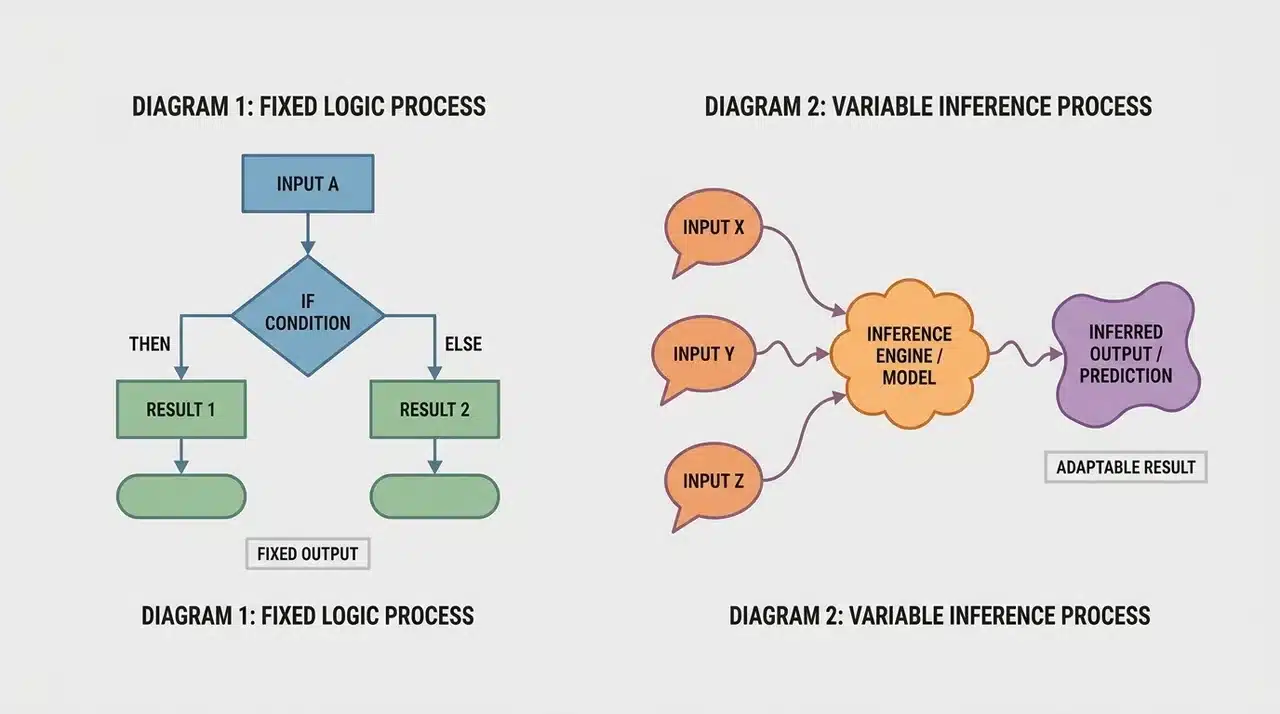
Rules-based automation does exactly what you tell it to. AI-assisted automation reads variable inputs and generates an output without a pre-set rule directing it.
That distinction matters when you’re deciding what to automate and how.
Rules-based handles what’s predictable, fixed conditions, and fixed actions. AI handles what varies: meeting content, stakeholder tone, report structure. You can’t write a fixed rule for inputs that are never the same twice.
The tradeoff is oversight. Rules-based automations run cleanly once configured. AI outputs need a human review step before they feed into anything downstream. The output is inferred, not calculated, and inference can be wrong.
Meeting Transcription and Action Item Extraction
This is where most teams start with AI automation, and for good reason. An AI assistant joins a call, transcribes it in real time, and pulls out decisions, action items, and owners- no manual notes needed.
What used to take 20 minutes after every meeting happens automatically. The part of the process teams underestimate is the review step. AI extracts what it thinks was decided, and it sometimes misses context that was obvious in the room.
Someone needs to read the output before it becomes a task. Skip that, and you’re assigning action items no one agreed to.
Status Reports and Intelligent Summaries
AI can generate a formatted status report from your project data in seconds, including completion rates, overdue items, and summaries in your organization’s format.
What it can’t do is know what actually matters this week. A task marked complete might have been closed incorrectly. A risk that isn’t in the data might be the most important thing happening right now.
The report looks polished. It can still miss the point. Use AI summaries as a starting draft and apply your own judgment before anything goes out.
How to Choose the Right Automation Tools
Start with one question: where does your automation need to work? The answer determines the tool category, and the category determines everything else.
Here’s how the three main categories break down and when each one applies:
- Single-platform teams: use a PM tool with a built-in no-code automation builder. If your work already lives in one place, you don’t need anything external.
- Cross-platform teams: use a connector tool like Zapier or Make. These bridge apps that don’t communicate natively. They’re not PM platforms; don’t use them as one.
- Enterprise teams: use a dedicated solution built for audit trails, resource loading, and compliance workflows. The added structure is the requirement, not the overhead.
If your team relies on meeting summaries or stakeholder reporting, you’ll need a separate AI tool. No built-in automation builder covers this well.
How to Implement Project Management Automation Without Breaking Workflows
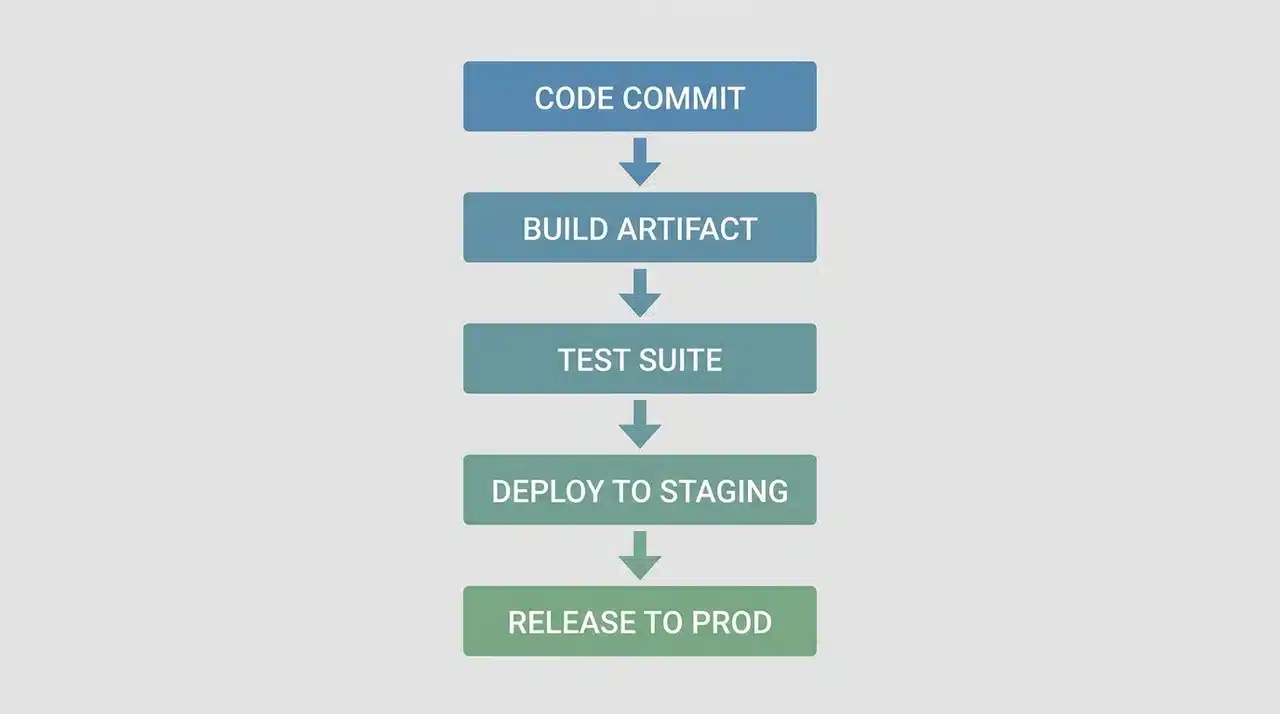
Most implementation problems don’t come from choosing the wrong tool. They come from building too much too fast and creating dependencies before the foundation is stable.
The right approach is incremental. Start with one automation, let it run, then build the next one on top of a system that’s already working.
Starting with Low-Risk Automations
The lowest-risk starting point is form intake, turning a client submission into a tracked task. It has no downstream dependencies. If it fails, nothing else breaks with it.
From there, move to status-based notifications. These are slightly more connected but still isolated enough to fail safely.
Save approval routing and cross-platform triggers for later. They touch multiple systems and multiple people. They need a stable base beneath them before they’re worth building on.
Common Failure Points and How to Prevent Them
Most automations don’t fail at the trigger. They fail at the input.
If status labels aren’t standardized, the trigger fires on the wrong condition. If form fields are vague, the task gets created with bad data. The automation looks like it’s working, but the output isn’t.
Fix this before you build anything. Lock your naming conventions, standardize every field, and manually audit the first week of any new automation. Silent failures are the hardest kind to catch.
Wrapping Up
The teams that get the most out of project management automation aren’t the ones using the most tools. They’re the ones who understand what automation does, and what it doesn’t.
Rules-based systems handle the predictable. AI handles the variable. Neither replaces judgment. Both break down when inputs are inconsistent or the build sequence is wrong.
Start small, stabilize before you scale, and review AI outputs before they feed into anything downstream.
The goal isn’t a fully automated project; it’s a system that handles repeatable work so you can focus on everything else. If you’re ready, start with one workflow today.
Frequently Asked Questions
What tasks should you automate first in project management?
Start with form intake and status-based notifications; they have no downstream dependencies. Once stable, add approval routing and escalation workflows. Save AI-assisted tasks for last.
What is the difference between workflow automation and project management automation?
Workflow automation covers any business process. Project management automation is a subset focused on task assignment, status tracking, resource allocation, and reporting, specifically scoped to project execution.
Do you need to know how to code to automate project management tasks?
No. Most PM platforms include no-code builders where you select triggers and actions from menus. Connector tools like Zapier and Make work the same way.
How does AI automation differ from standard project management automation?
Standard automation executes a fixed action on a defined condition. AI processes variable inputs and infers outputs. That inference requires a human review step that rules-based automation doesn’t.





