


AI tools in education are growing fast, but not all of them work the way people assume.
Understanding what Class Companion AI does becomes important when you look beyond the promise of instant grading and feedback.
The real question is how it actually evaluates student work, where it performs well, and where it starts to fall short. Some parts feel efficient and helpful, while others depend heavily on how assignments are structured.
In this blog, I break down how the system operates, how it generates scores and feedback, and what that means for both teachers and students in practice.
What Class Companion AI Does
Class Companion AI is built to help teachers handle feedback and grading faster, while giving students quicker insights into their work.
At its core, it takes a student’s response and compares it against a teacher-defined rubric, then generates a score along with written feedback. This makes the process feel immediate, especially in classrooms with many submissions.
- For teachers, the main value is saving time without completely losing control over evaluation.
- For students, it shortens the feedback cycle, so they can revise sooner instead of waiting days.
However, the results depend heavily on how clear the assignment and rubric are. It’s important to understand that this tool supports teaching, not replaces it.
It works on patterns, not true understanding, which means human judgment is still essential when context or nuance matters.
Core Features and Capabilities of Class Companion

Class Companion AI focuses on feedback, grading, tutoring, and revision support, but each feature works within clear limits based on input quality.
1. AI Feedback on Assignments
The system reviews student responses and generates comments by identifying patterns in the writing. These comments usually include corrections for grammar and structure, suggestions for improving clarity or organization, and short explanations of what works or needs change.
The quality depends on how clear and direct the response is. Simple answers often receive precise feedback, while complex or creative writing can lead to more general comments because the system struggles to interpret deeper intent.
2. Rubric-Based Grading
Instead of assigning scores randomly, the AI uses a teacher-provided rubric as its guide. Each part of the rubric acts like a checkpoint that the system tries to match with the student’s response.
This matching process relies on pattern recognition rather than strict rules, which creates variability. A broad rubric may lead to loose interpretation, while a very strict one may overlook valid answers that don’t follow expected wording or structure.
3. AI Tutoring and Student Interaction
Students can interact with the system in a way that feels like tutoring, but it works differently from a human teacher. The AI responds to questions, explains mistakes, and suggests improvements based on the input it receives.
However, it does not track long-term progress or adapt deeply over time. Its responses are tied to the current submission, so the guidance remains reactive rather than proactive or personalized across multiple learning sessions.
4. Revision and Retake Support
One of the strongest aspects of the system is the feedback loop it creates for students. They can submit work, receive feedback, revise their response, and submit again. This encourages multiple attempts instead of a single final grade.
However, improvement is not guaranteed. If the feedback is unclear or too general, students may repeat the same mistakes. Progress depends on how well they understand and apply the suggestions provided.
How Class Companion Works Step-by-Step
Class Companion follows a structured workflow that connects teacher input, student responses, and AI evaluation into a continuous feedback cycle.
Step 1: Teachers create or upload assignments, add rubrics, and set expectations. Clear instructions shape stronger feedback, while vague rubrics reduce accuracy.
Step 2: Students submit their responses through the platform. Submission quality, length, and clarity directly affect how well the AI interprets work.
Step 3: The AI compares student responses against rubric criteria, using pattern recognition and language cues instead of strict rule-based checking.
Step 4: The system delivers rubric-based scores and written feedback. These usually align, though tone and scoring may sometimes feel slightly uneven.
Step 5: Students review feedback, revise their work, and resubmit. Improvement depends on understanding the comments and applying them correctly.
This process shows how input quality, evaluation logic, and revision cycles all work together to shape the final learning outcome.
How AI Grades and Generates Feedback
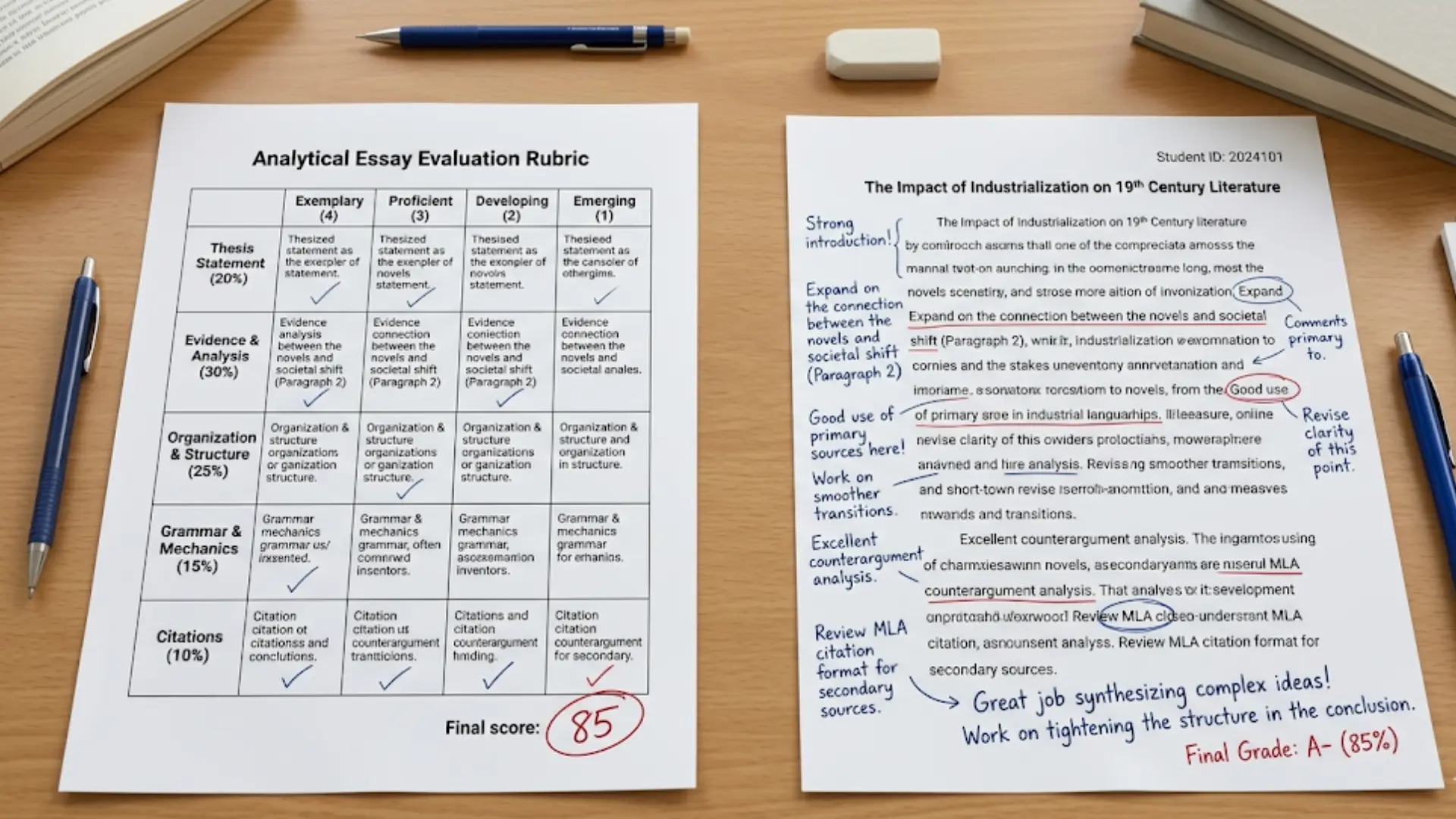
To understand how this system works, you need to separate what it appears to do from what it actually does internally. The AI does not read and judge work like a teacher.
1. How Rubric Criteria Are Interpreted
The rubric acts as a guide, but the AI translates it into patterns rather than meaning.
When a rubric mentions things like clarity, reasoning, or structure, the system looks for signals in the text that typically represent those qualities.
For example, it may associate “clear argument” with organized sentences, linking words, and direct statements. If a student expresses a strong idea but uses an unusual structure, the system may not recognize it fully.
So interpretation depends on how closely the response matches expected language patterns, not just the quality of the idea itself.
2. How Scores Are Assigned from Patterns
Once patterns are detected, the system assigns a score based on how strongly those patterns appear across the response.
This is not a strict checklist. It is more flexible, which allows it to handle variation but also introduces inconsistency. A response that clearly matches expected phrasing may score higher than one that is equally valid but expressed differently.
This is why two similar answers can receive slightly different scores, especially when one aligns more closely with common patterns the system recognizes.
3. How Feedback is Generated from The Same Evaluation
The feedback is produced using the same pattern analysis that drives scoring. If the system detects missing elements, it generates suggestions to improve them. If it detects strong alignment, it reinforces those parts.
However, feedback is generated in natural language, not strict logic. This means it can sound confident and detailed even when the underlying evaluation is uncertain or partial.
As a result, feedback may sometimes feel convincing but not fully accurate in capturing the student’s intent.
4. Where AI Misinterprets or Oversimplifies
This is where most limitations appear in practice.
The AI can:
- Miss subtle or indirect arguments
- Overvalue surface-level structure over deeper reasoning
- Struggle with creative or unconventional responses
It performs best when answers follow clear and familiar formats. When responses become complex, layered, or highly original, the system may simplify them or misinterpret key ideas.
What Kind of Feedback Students Actually Receive
Students often expect detailed, human-like feedback, but what they receive depends on how clearly their response matches expected patterns.
The system generates feedback based on detected strengths and gaps, not true understanding.
That means the quality can shift from very helpful to somewhat generic depending on the situation. In my experience, structured answers tend to get clearer guidance, while more complex responses can feel less precise.
- Types of Feedback Provided: Students receive corrections for errors, suggestions for improvement, and short explanations tied to rubric criteria and detected patterns.
- When Feedback Feels Personalized: Feedback feels specific when responses are clear, structured, and closely aligned with rubric expectations and common language patterns.
- When Feedback Becomes Generic: Feedback becomes broad when responses are unclear, highly creative, or do not match expected structures within the rubric.
- How Students Use Feedback To Improve: Students improve when they understand and apply suggestions carefully, not just follow feedback blindly or make surface-level edits.
Overall, the feedback is useful as a guide, but its impact depends on how well students interpret it. It works best when combined with active thinking rather than passive acceptance.
How Class Companion Supports Teachers without Replacing Them
Class Companion works best as a support system, not a substitute for teaching. It takes over repetitive tasks like initial grading and basic feedback, which helps teachers save time.
But the core responsibilities still stay with the teacher. They design assignments, create rubrics, and make final decisions when nuance or context matters. This balance is important because the system depends heavily on the quality of teacher input.
It also expands feedback capacity, allowing more students to receive timely responses. However, more feedback does not always lead to better learning if it is not carefully reviewed.
Over-reliance can reduce critical thinking and attention to detail. Used correctly, it enhances teaching rather than replacing it.
Wrapping Up
Class companion AI is best understood as a feedback accelerator rather than a replacement for teaching. It works by matching student responses to rubric-based patterns, then generating scores and comments from that analysis.
That system can be fast and useful, especially in structured tasks, but it also has limits. It can miss nuance, simplify complex ideas, and sometimes give feedback that sounds right without being fully accurate.
The real value comes from how it’s used. When paired with strong rubrics and active teacher oversight, it can improve feedback cycles.
If you’re exploring it, try using it alongside your own judgment and observe where it helps most and where it still needs support.





