Choosing the right ChatGPT alternative isn’t always easy, especially with so many tools out there. But it’s all about picking the right one for your specific task.
Whether you need help with research, writing, or coding, each AI excels in different areas.
In this blog, I’ll walk you through how to identify the best alternatives for your needs, explore the differences between free and paid plans, and explain why no tool can fully replace ChatGPT.
Let’s create a customized AI setup that works for you, starting with research-focused tools.
How to Choose the Right ChatGPT Alternative
The biggest mistake people make is choosing a tool based on hype. Popularity doesn’t mean it’s the right fit for you.
Before picking any tool, ask yourself:
- What’s my main task? Writing, coding, research, or productivity?
- Do I need real-time data, or is static knowledge enough?
- How much does speed matter compared to output quality?
- Do I need integration with tools like Google or Microsoft?
Your answers will point you to the right option. No single AI tool does everything well, and that’s the key insight most people miss.
Best ChatGPT Alternatives by Use Case
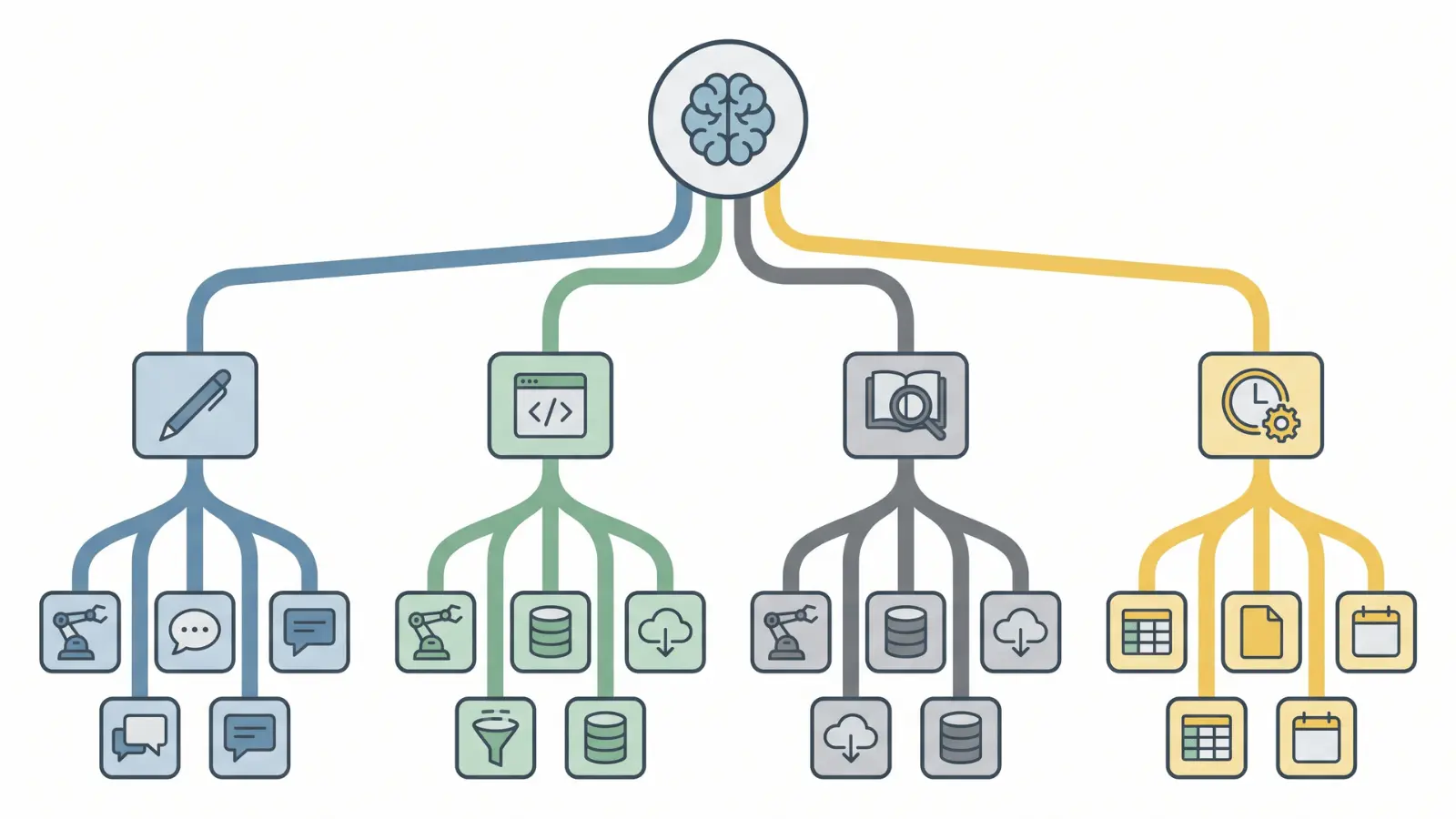
Different tools are built with different strengths. Here’s how to match your need to the right one.
1. For Research and Accurate Information: Perplexity AI
Perplexity uses live web indexing and attaches citations to every answer. This makes it far less likely to hallucinate facts.
It works well for:
- Fact-checking specific claims
- Academic-style queries
- Getting sourced, up-to-date answers
Where it falls short: it’s not built for creative writing or controlling tone. Don’t expect polished prose from it.
2. For Writing and Long-Form Content: Claude
Claude holds context extremely well across long conversations and outputs. The writing feels natural, not robotic.
It works well for:
- Blog posts and articles
- Emails and professional communication
- Structured writing tasks
Where it falls short: Claude has limited access to real-time data. If your writing task requires live information, you’ll need to combine it with another tool.
3. For Google Ecosystem Users: Google Gemini
Gemini is deeply integrated with Gmail, Google Docs, and YouTube. It can tap into your personal data streams and live information.
It works well for:
- Drafting emails directly in Gmail
- Summarizing documents in Google Docs
- Productivity tasks within Google’s suite
Where it falls short: its reasoning consistency isn’t as strong as Claude’s, especially for complex or nuanced tasks.
4. For Microsoft and Office Workflows: Microsoft Copilot
Copilot lives inside Word, Excel, and Teams. It automates tasks directly within the tools you’re already using.
It works well for:
- Drafting and editing in Word
- Analyzing data in Excel
- Managing communication in Teams
Where it falls short: it offers very little value if you’re working outside the Microsoft ecosystem.
5. For Coding and Technical Tasks: DeepSeek
DeepSeek is optimized for code generation and logical reasoning. It handles complex programming challenges efficiently.
It works well for:
- Writing and debugging code
- Solving technical problems
- Developer and engineering workflows
Where it falls short: it’s not a conversational AI. Don’t expect it to help with creative writing or general chat.
If you’re looking for more AI tools designed specifically for coding tasks, check out Best AI for Coding to discover more top options.
6. For Real-Time Search and Large Context: Grok
Grok is xAI’s AI assistant. It comes with a massive context window and live access to information from X (formerly Twitter) and the web.
It works well for:
- Real-time news and trending topics
- Tasks that need a huge amount of context loaded at once
- Users who want an unfiltered, less restricted AI tone
Where it falls short: Grok’s personality and data sourcing from X can introduce bias. It’s not the right choice for neutral, structured research.
7. For Creative and Marketing Content: Jasper AI
Jasper is built around templates and brand voice control. It keeps your messaging consistent across campaigns.
It works well for:
- Ad copy and SEO content
- Marketing campaigns
- Brand-specific tone and messaging
Where it falls short: it’s rigid outside of marketing use cases. It’s not a flexible general-purpose tool.
8. For Social Media and Messaging Platforms: Meta AI
Meta AI is built directly into WhatsApp, Instagram, and Facebook. You don’t need a separate app or account; it’s already where you’re working.
It works well for:
- Quick social media captions and replies
- Brainstorming post ideas inside Instagram DMs or Facebook chats
- Lightweight assistance without switching apps
Where it falls short: it’s a convenience tool, not a powerhouse. Don’t expect it to match Claude or Perplexity for nuanced or long-form tasks.
9. For Privacy and Offline Use: Jan.ai
Jan.ai runs entirely on your local device. Nothing goes to the cloud, which means full data control.
It works well for:
- Privacy-sensitive tasks
- Offline use without an internet connection
- Users who can’t share data with third-party servers
Where it falls short: local execution means lower performance compared to cloud-based models.
Free vs. Paid Alternatives: What Actually Changes
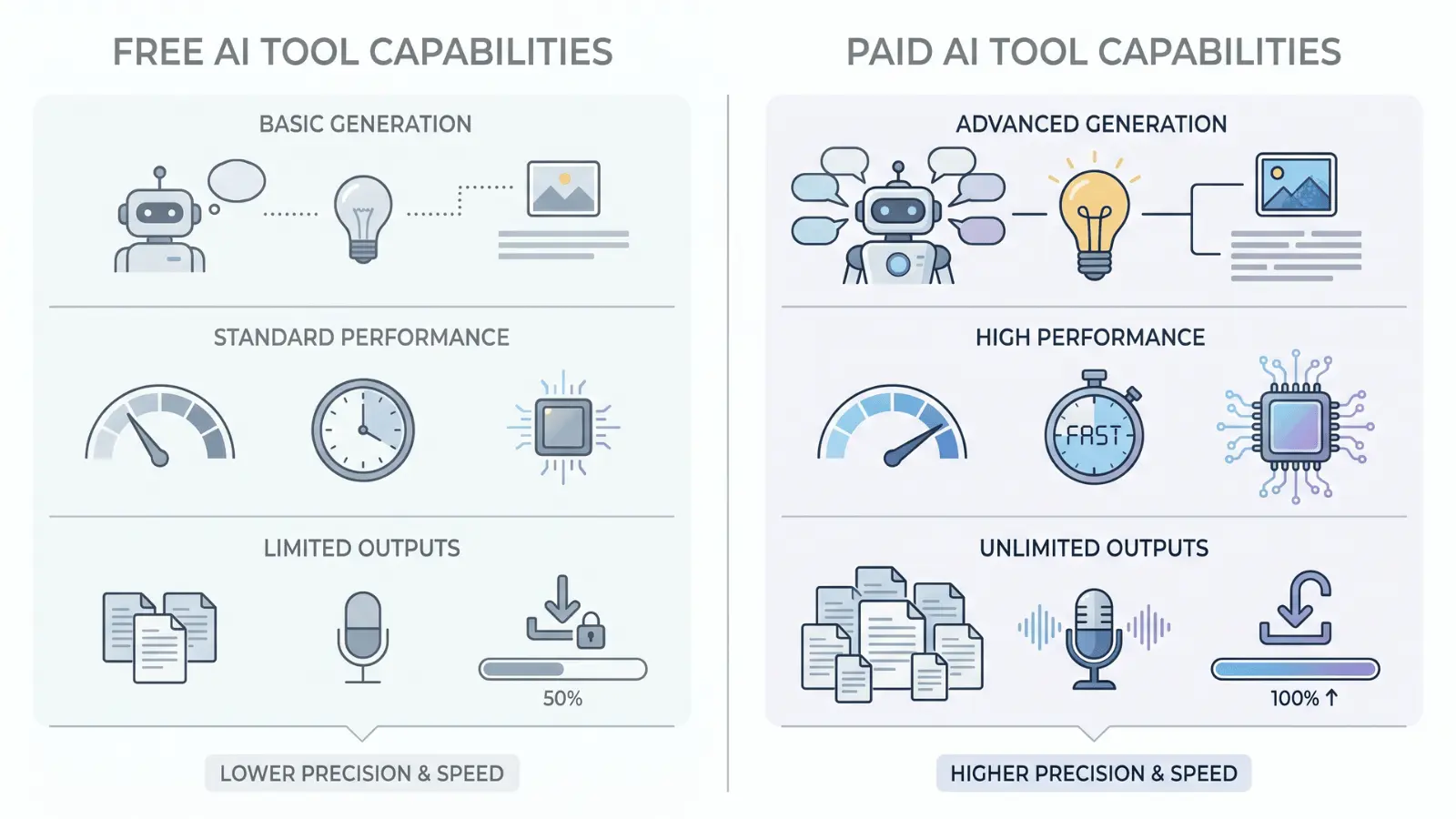
Many people search for free ChatGPT alternatives. Free tiers exist, but there are real trade-offs you should know about before choosing one.
Free tiers exist across most of these tools, but what you get varies a lot. Here’s a quick breakdown:
- Perplexity — Free plan available. Paid (Pro) starts at around $20/month and unlocks more daily searches and advanced models.
- Claude — Free plan available. Claude Pro is $20/month and gives you more usage and access to stronger models.
- Google Gemini — Free plan available. Google AI Plus is around $8/month and connects deeper with your Google Workspace.
- Microsoft Copilot — Free in your browser. Deeper features come with Microsoft 365, starting around $10/month.
- DeepSeek — Largely free to use, with generous limits that make it one of the best no-cost options for coding.
- Grok — Available free on X. Full access comes with X Premium.
- Jasper AI — No meaningful free tier. Plans start around $49/month, aimed at teams and marketers.
Free plans work for casual use and quick tasks. For professional work or high-volume output, the paid tiers are worth it; especially Claude, Perplexity, and Gemini.
Why No Single Tool Replaces ChatGPT Completely
Here’s something worth understanding before you decide. Every AI model is trained with specific objectives.
That means each one is optimized for certain outputs and weaker in others. No tool is a clean, complete replacement for ChatGPT; they’re alternatives for specific roles.
When you rely on just one tool for everything, you’ll hit gaps. Mixed tasks, like researching a topic, writing about it, and building something from it, need different tools at different stages.
The most effective approach is a small, task-specific stack:
- Research with Perplexity
- Write with Claude
- Code with DeepSeek
Switching entirely from ChatGPT often leads to the same frustration you started with. Using the right tool for the right job is what actually works.
Quick Comparison Summary
Here’s a quick look at the best tools for specific tasks:
| Task | Best Tool |
|---|---|
| Research & fact-checking | Perplexity AI |
| Writing & long-form content | Claude |
| Google Workspace tasks | Google Gemini |
| Microsoft Office workflows | Microsoft Copilot |
| Coding & technical work | DeepSeek |
| Marketing & ad copy | Jasper AI |
| Privacy & offline use | Jan.ai |
| Social media & messaging | Meta AI |
Pick based on your primary task, not what’s trending. If your work spans multiple categories, using multiple tools is your best bet.
Wrapping Up
In the end, finding the right ChatGPT alternative comes down to understanding your needs. Whether it’s for research, writing, or coding, tools like Perplexity, Claude, and DeepSeek each have their strengths.
Remember, no single tool does it all, but using the right one for each task will save you time and improve results.
Start experimenting with the alternatives that fit your work best and see how they can streamline your process. Want to keep learning? Check out other blogs on the website for more tips and insights!
Frequently Asked Questions
Is DeepSeek better than ChatGPT?
Not overall. DeepSeek outperforms ChatGPT in coding and reasoning tasks, but falls short in conversation, creativity, and general-purpose use.
What is the smartest AI right now?
No single AI holds that title. Different models lead in different areas: Claude for writing, Perplexity for research, and DeepSeek for technical reasoning.
Are ChatGPT alternatives safe to use?
Most major alternatives follow standard data privacy practices. Always avoid sharing sensitive personal information with any AI tool, regardless of the platform.
Can I use a ChatGPT alternative for social media content?
Yes. Meta AI works directly inside WhatsApp, Instagram, and Facebook, making it a convenient option for quick social media assistance.