After comparing both across different devices and everyday situations, I’ve found that the bigger difference is how each pair fits into the phone and ecosystem you already use.
That’s why there’s no universal winner. What feels like the obvious choice for one person can be the wrong one for someone else.
Before getting into sound, battery, and noise cancellation, let’s look at what each earbud actually is and who it’s designed for.
Beats Studio Buds vs. AirPods Pro: Key Differences at a Glance
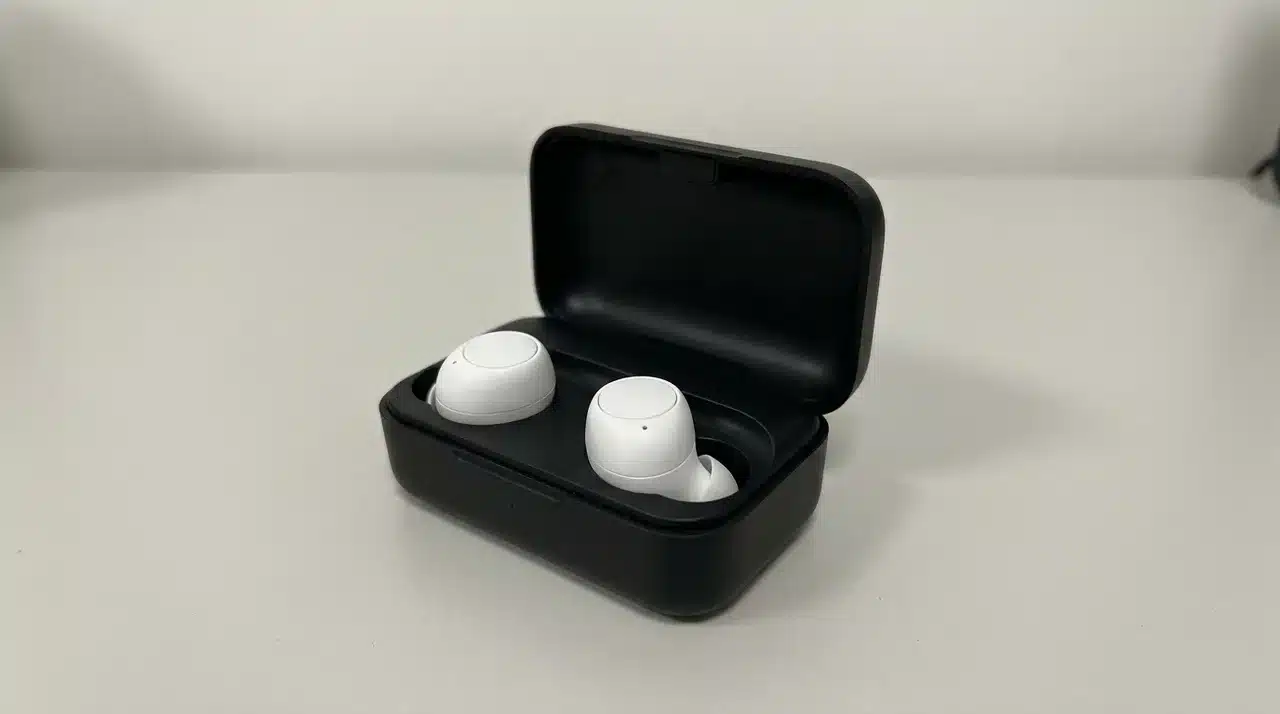
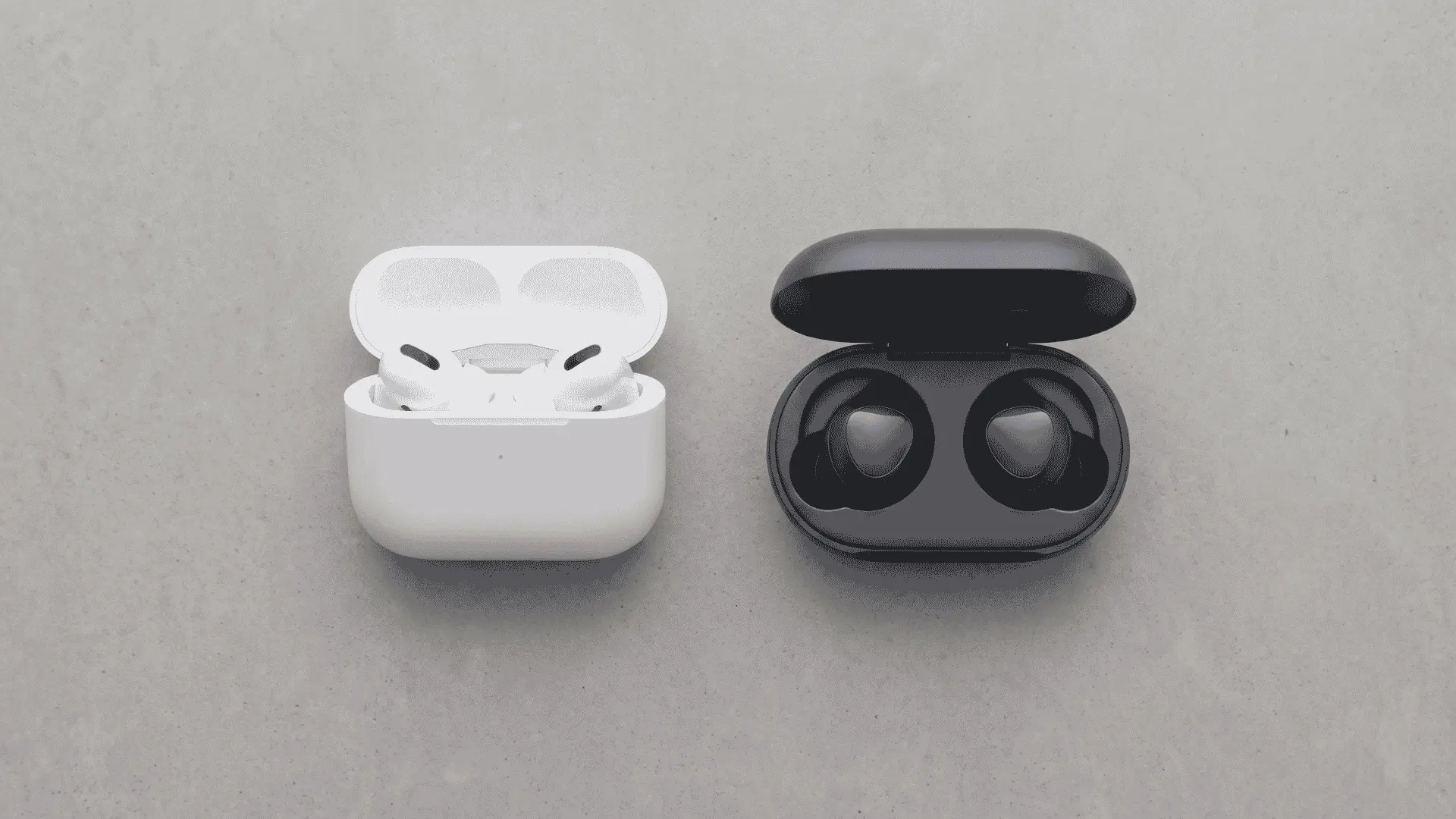
Beats Studio Buds are budget earbuds from Apple’s Beats brand. AirPods Pro are Apple’s premium earbuds, now in their third generation.
There are also different versions of each. Beats has the original Studio Buds and the newer Studio Buds+. AirPods Pro have gone through multiple generations as well, with Gen 3 being the latest.
The price difference makes a lot more sense once you know that. Beats Studio Buds usually sell for around $100, while AirPods Pro are closer to $250.
That $150 gap shapes almost every part of the beats studio buds vs. airpods pro comparison. You’re not just deciding between Beats vs. AirPods for sound. You’re deciding whether Apple’s extra features are worth paying more for.
Which Sounds Better and Does It Matter for You?
AirPods Pro lean toward a fuller, more balanced sound. Beats Studio Buds come out of the box punchier, with bass pushed to the front. Neither is wrong. They’re just built for different ears.
Beats Studio Buds: Bass-Heavy Sound Profile
I’ve listened to both using the same playlists, and the difference shows up quickly on bass-heavy tracks. Beats make hip-hop and EDM feel bigger and more energetic. AirPods Pro keep the bass tighter, so it doesn’t overpower everything else.
If you’re mostly running, lifting, or blasting music at the gym, that extra bass from Beats can feel like the better fit.
AirPods Pro: Balanced Sound for Everyday Listening
AirPods Pro sound balance matters more for certain listening, such as:
- Podcasts
- audiobooks
- acoustic tracks
They usually sound clearer because voices and instruments are easier to pick out.
Adaptive EQ also helps. It adjusts the sound based on how the earbuds fit in your ears, helping vocals stay clear instead of getting lost behind the bass.
Quality of Music
One thing I’ve noticed is that people often give the earbuds too much credit. The quality of the music matters just as much.
A poorly mastered song or a low-bitrate stream will sound flat on both. The difference between AirPods vs. Beats becomes much easier to hear when you’re playing high-quality audio.
Beats Studio Buds vs. AirPods Pro on Android
AirPods Pro’s best features depend on Apple’s own chip talking to an iPhone or Mac. Take that away, and you’re left with a standard pair of Bluetooth earbuds.
| Feature | AirPods Pro on Android | Beats Studio Buds on Android |
|---|---|---|
| Automatic Device Switching | Gone. | No automatic switching, but they aren’t built around Apple’s ecosystem. |
| Spatial Audio with Head Tracking | Gone. | Built without this ecosystem dependency from the start. |
| Conversation Awareness | Gone. | Nothing is missing because that’s the intended design. |
| Companion App | No AirPods app on Android. | Official Beats app is available on Android. |
| EQ Adjustments | Not available. | Works as intended on Android. |
| Fit Test | Not available. | Nothing missing or broken. |
| Firmware Updates | No firmware updates through a proper Android interface. | Supported through the Beats app on Android. |
This hits hardest for anyone splitting time between devices. Say you use an iPhone for personal stuff and an Android phone for work, you’re just pairing a Bluetooth device and hoping for the best.
Fit, Design, and Why That Matters
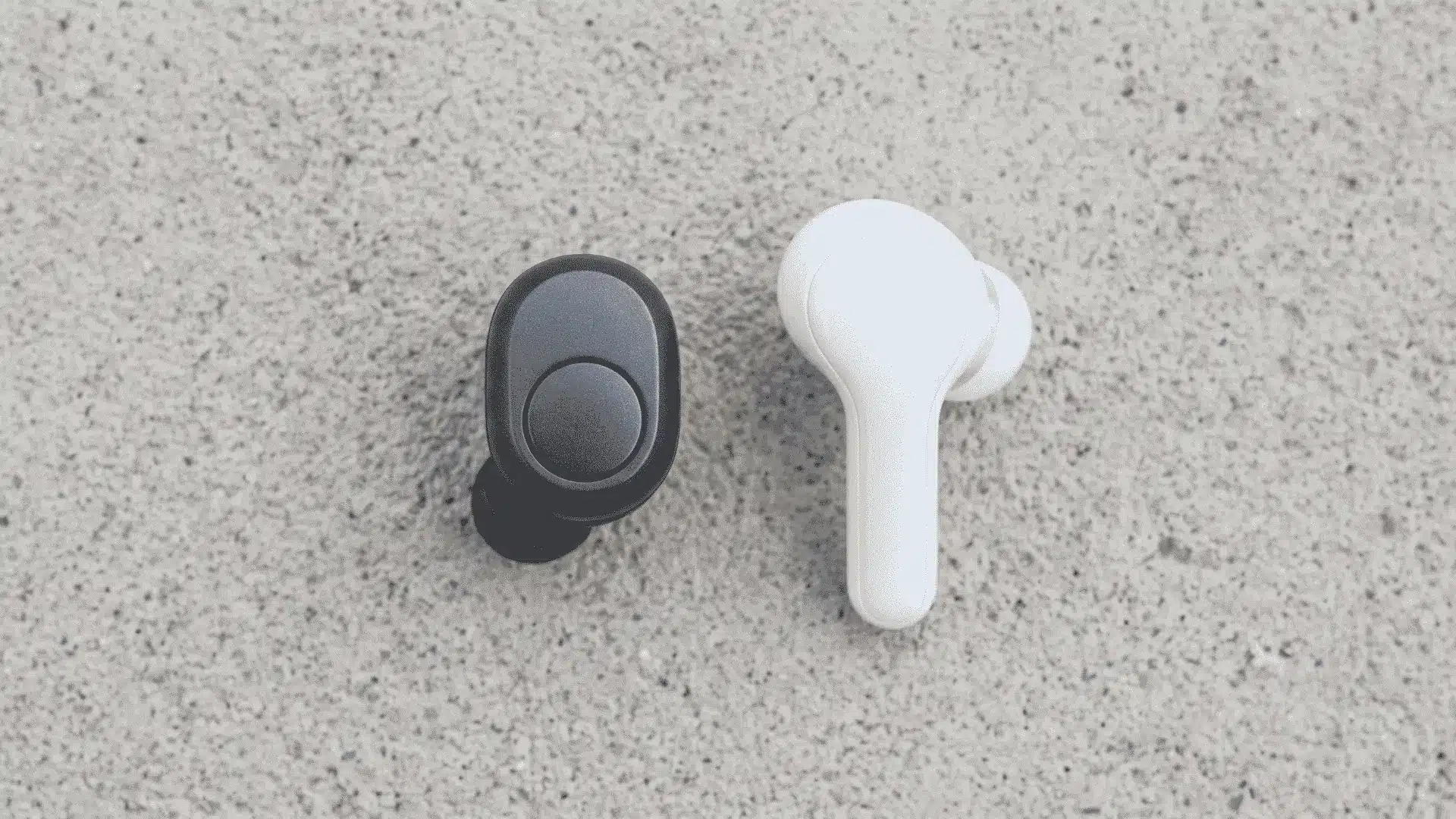
AirPods Pro use a stem design with touch-capacitive controls. Beats Studio Buds skip the stem and sit flush in your ear with a physical button. It’s a small design change, but it’s one of the first things you’ll notice when comparing Beats vs. AirPods.
I’ve had AirPods Pro stems catch on hoodie zippers and headphone wires more than once. It doesn’t happen every day, but the stem can become a snag point when you’re moving around.
Beats’ smaller, stem-free shape has stayed in place better for me during runs and lifting sessions. With less sticking out, there’s simply less to catch or bump.
How Ear Shape Changes Experience
Ear shape plays a much bigger role than most people expect, and that’s where the Beats vs. AirPods comparison becomes personal.
Someone with smaller ear canals might find Beats more secure. Someone else might get a better seal from the shape of AirPods Pro’s ear tips instead.
In my experience, the tip size matters more than the logo on the earbuds. Both come with multiple tip sizes for a reason, and changing them can completely change the fit.
Noise Cancellation, Battery Life, and Charging Compared
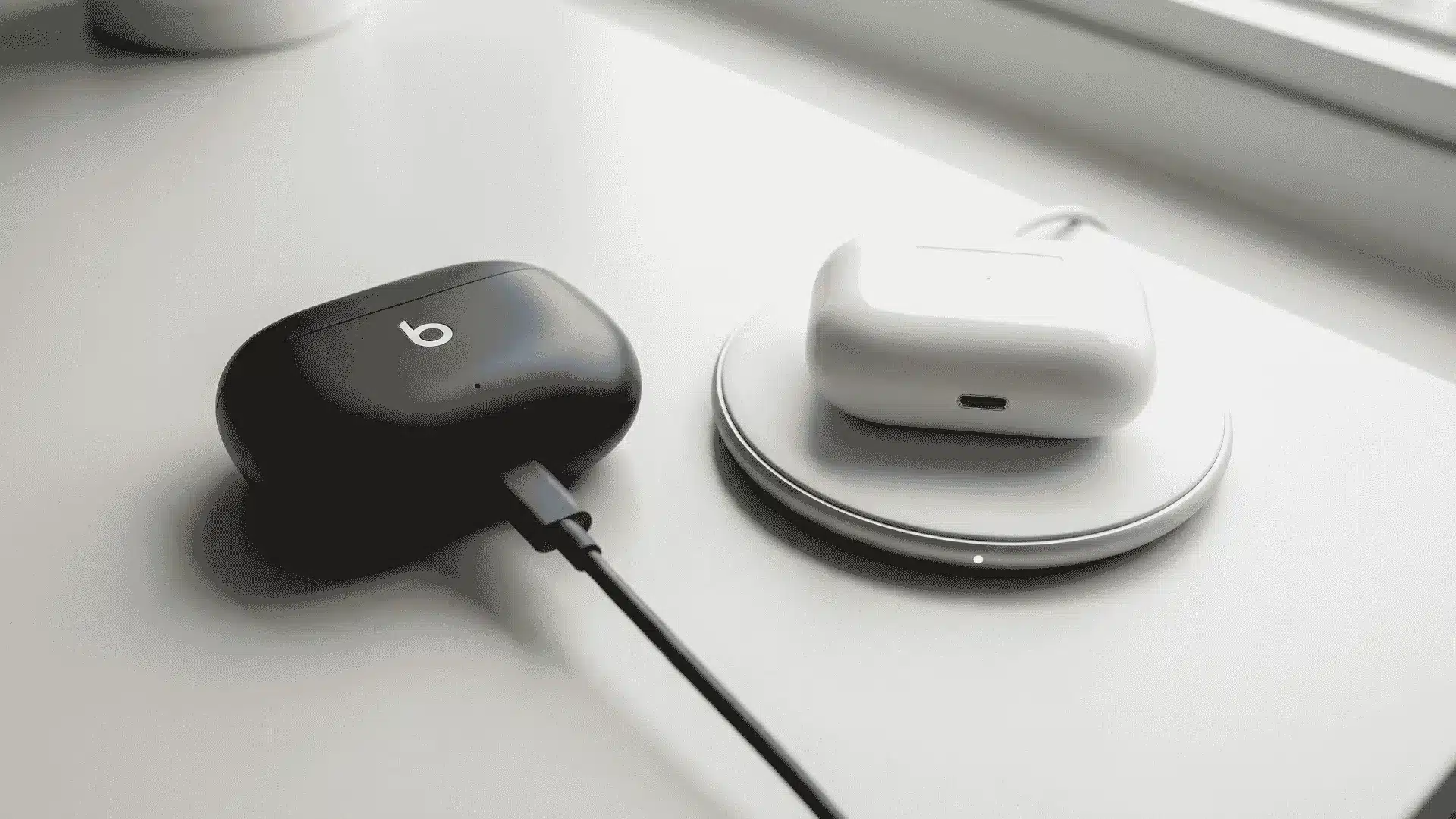
These are the features you’ll notice every day. Whether you’re commuting, working in a busy office, or trying to get through a workout without distractions, the differences become pretty obvious.
Noise Cancellation in Real Use
AirPods Pro block out more of the world around you. Engine hum, chatter, and other background noise all drop noticeably once ANC is turned on.
I’ve compared both in busy places, and AirPods Pro consistently do a better job of keeping outside noise in the background. Independent testing from SoundGuys and RTINGS shows the same result.
They also last longer with ANC switched on, typically running 5 to 6 hours per charge. That’s a real advantage if you rely on noise cancellation during your daily commute or while working in a noisy office.
Beats Studio Buds still offer active noise cancellation, just not as aggressively. You’ll hear more of what’s happening around you, especially in louder environments.
Battery and Charging Case
Earbud runtime only tells half the story. Total battery life depends on both the earbuds and the charging case, and that varies depending on which generation you’re comparing.
- Total Battery Life: Some Beats models actually edge out AirPods Pro on total battery life once you include the charging case.
- Charging Options: AirPods Pro support both Qi wireless charging and MagSafe, giving you more ways to recharge the case.
- Beats Charging: Beats Studio Buds charge through USB-C only. That isn’t a performance issue. It’s simply a convenience difference that’s worth knowing before you buy.
Bottom line: If battery life matters most, compare the total runtime with the charging case included. For charging, the main difference comes down to convenience rather than performance.
Should You Buy Beats Studio Buds or AirPods Pro?
The right choice depends less on which earbuds are objectively better and more on how you use them. Your phone, budget, and daily routine have a much bigger impact on long-term satisfaction than any single feature.
| Situation | Recommended Choice | Why |
|---|---|---|
| You’re deep in the iPhone ecosystem. | AirPods Pro | Wireless charging, stronger ANC, and full ecosystem switching all work in your favor. |
| You use an Android phone. | Beats Studio Buds | They aren’t tied to Apple’s ecosystem and deliver the experience as intended. |
| You’re on a tighter budget. | Beats Studio Buds | They offer better value without relying on Apple-only features. |
| You need earbuds for workouts. | Beats Studio Buds | A more secure fit makes them a better choice for active use. |
| You use both an iPhone and an Android device. | Beats Studio Buds | AirPods Pro’s standout features won’t work outside Apple’s ecosystem, so you’d be paying a premium for earbuds that behave like a basic Bluetooth pair. |
If you’re still deciding, start with the device you use every day. Once that part is settled, choosing between Beats Studio Buds and AirPods Pro becomes much easier
Wrapping Up
The Beats Studio Buds vs. AirPods comparison really comes down to one question: what phone do you use every day? Apple’s ecosystem features only work at full strength on Apple devices.
Everything else, bass versus balance, stem versus stem-less, ANC strength versus battery trade-offs, matters less once that first answer is settled.
Android users gain nothing by paying extra for features that won’t activate. iPhone users lose real functionality by skipping the chip integration they’re already set up to use.
Match the earbuds to your daily setup, not the brand name. Once you know your platform, the right choice becomes obvious. Ready to decide? Check current prices on both before you commit
Frequently Asked Questions
Are Beats Studio Buds better than AirPods?
Not across the board. It comes down to your phone and what you need most. Beats work the same on Android and iOS, cost less, and fit more securely during workouts. AirPods Pro offer stronger noise cancellation, longer battery life with ANC on, wireless charging, and tighter iPhone integration. For Android users or anyone watching their budget, Beats are usually the smarter pick.
What are the downsides of Beats Studio Buds?
Beats Studio Buds miss out on Apple’s chip-based features like automatic device switching, spatial audio with head tracking, and in-ear detection. Transparency mode sounds less natural compared to AirPods Pro. Noise cancellation is weaker too, and battery life on a single charge falls short. The charging case also skips wireless charging support.
Are AirPods Pro 2 better than Beats Studio Buds Plus?
For sound quality, noise cancellation, and Apple features, yes, AirPods Pro 2 score higher in independent testing. But Beats Studio Buds+ match it almost feature-for-feature across platforms, come with a dedicated Android app, and cost roughly half as much. Whether AirPods Pro 2 is worth it depends on how much you value that ecosystem polish.
Do Beats sound better than AirPods?
Neither wins outright. They’re just tuned differently. Beats Studio Buds push a punchier, bass-heavy sound that works well for workouts or bass-driven music. AirPods Pro lean toward a balanced, detailed sound, often better suited for podcasts or careful listening. Your preference comes down to what you listen to most.