

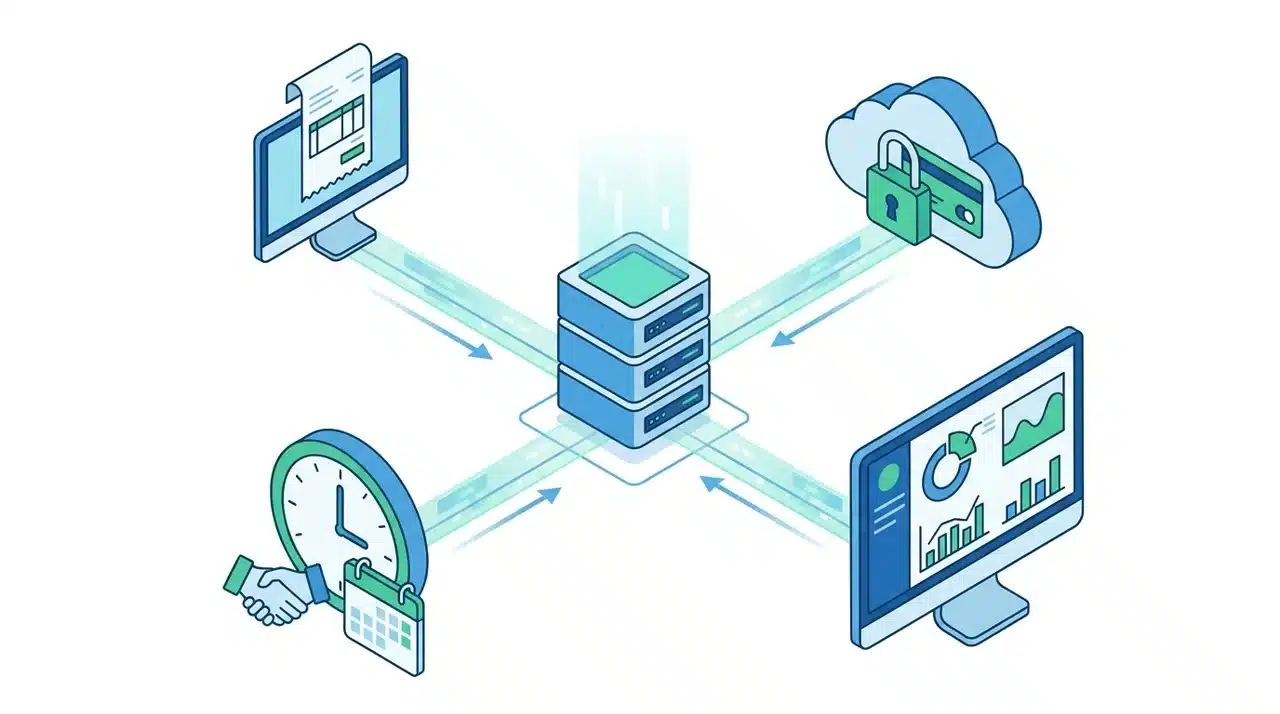
Managing accounts receivable can feel like a constant juggling act, with invoices, payments, and disputes piling up faster than you can keep track of.
AR automation software changes this by handling these tasks in a digital workflow, reducing errors and freeing up time.
Beyond just generating invoices, automation integrates with your systems to trigger follow-ups, track payments, and flag issues before they become problems.
In this blog, I’ll explain how AR automation starts, how each stage functions, and where human oversight matters.
What Triggers AR Automation?
AR automation begins when a business event indicates that a receivable requires attention. The most common triggers are completing a sale, approving an order, or issuing a contract. Once these events occur, the system automatically generates invoices and tracks payments.
Integration with ERP or invoicing software is crucial. When a transaction is recorded in these systems, it can immediately prompt the AR automation to act. This ensures that no invoice is delayed and customer accounts are updated in real time.
Automation may not trigger if the system isn’t linked correctly, if data entry is inconsistent, or if certain transaction types are excluded. Delays can also occur when approvals are missing or when rules are misconfigured.
Understanding these triggers helps you see why automation starts when it does and why human checks are sometimes necessary to keep workflows running smoothly.
How Each Stage of AR Automation Works
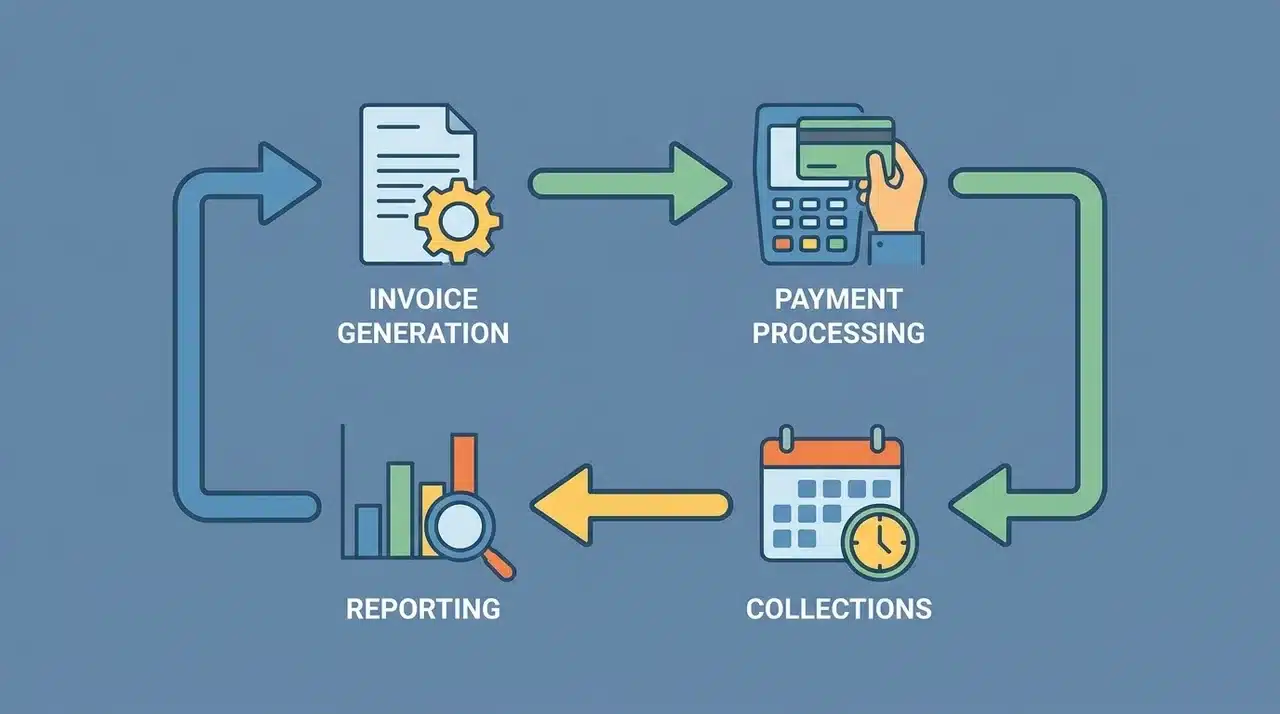
AR automation follows a sequence that handles invoices, payments, collections, and reporting without manual intervention. Each stage has a specific role, but they work together to keep cash flowing and accounts accurate.
1. Invoice Generation & Distribution: The system automatically generates invoices when a sale is completed or an order is approved. It sends them via email or digital portals and ensures the correct amounts, due dates, and customer details are included. This reduces errors and speeds up billing.
2. Payment Processing & Cash Application: When a customer pays, the system records the payment, applies it to the correct invoice, and updates the ledger. Automation handles common payment types but flags unusual ones for review.
3. Collections & Dispute Management: Automated reminders and follow-ups are sent for overdue invoices. Disputes can be tracked in digital portals where customers and staff can resolve issues collaboratively.
4. Reporting & Analytics: The system compiles data from invoices, payments, and collections to show cash flow trends, overdue accounts, and performance metrics. These insights help adjust AR strategies and spot potential issues before they grow.
How AR Automation Stages Connect
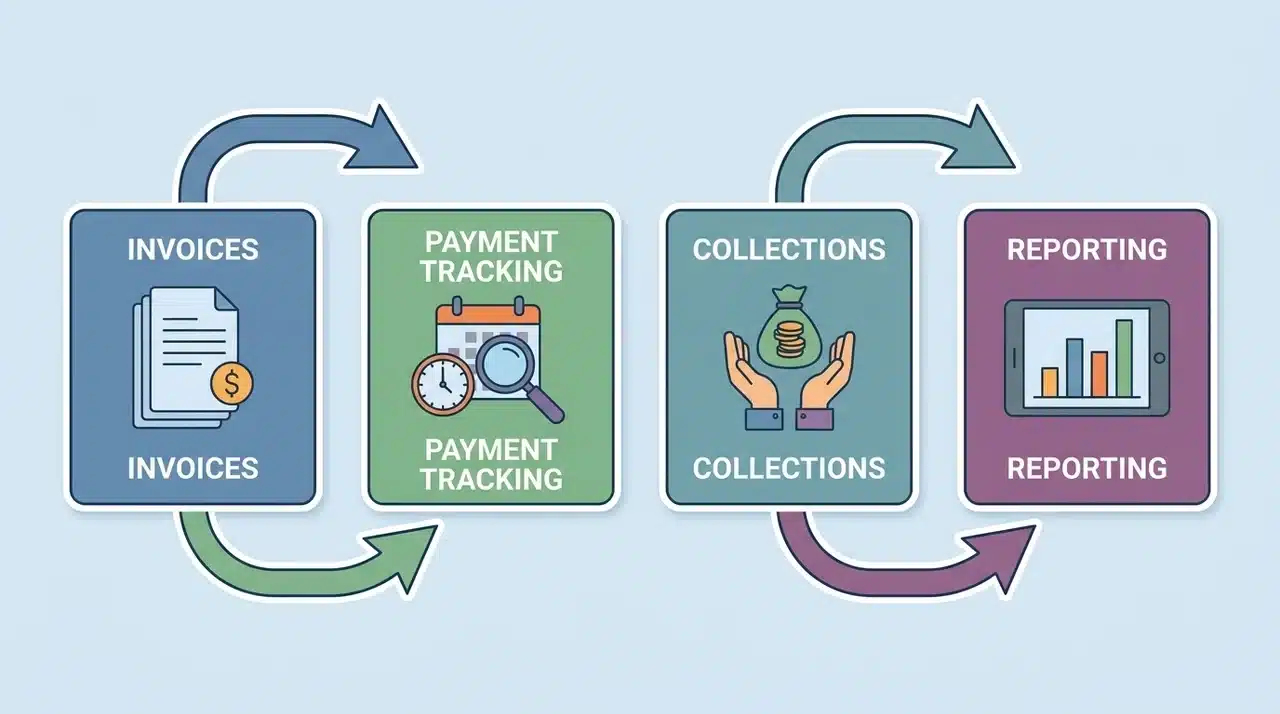
Each stage in AR automation connects to the next one, so the whole process keeps running smoothly and accounts stay correct.
Invoices start the process and lead to payment tracking. If payments are late, the system moves them into collections.
Reporting works across all stages. It shows unpaid invoices, received payments, overdue accounts, and issues that need attention.
Automated alerts connect everything. This makes sure nothing is missed or ignored.
For example, if a payment is missed, the system sends reminder messages and updates the dashboard at the same time. When cash is applied, it updates collections, account balances, and status tracking so everything stays accurate and up to date.
Problems can happen if systems are not properly connected or if unusual payment types are not handled correctly. Understanding how each stage links together helps you figure out where delays may happen and why human review is still needed to keep records accurate and protect cash flow.
Common Points of Failure in AR Automation
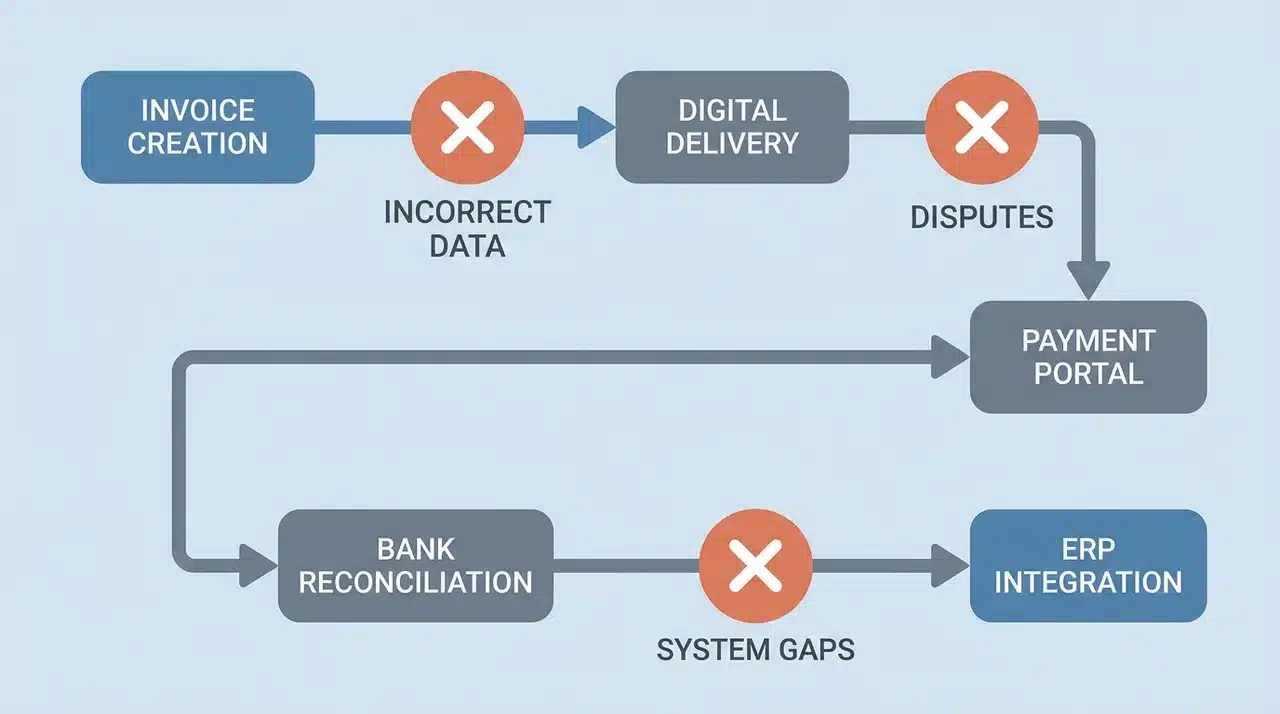
AR automation is powerful, but it can run into problems if certain conditions aren’t met. Here are the most common failure points:
- Incorrect or Incomplete Data Entry: When customer details, invoice amounts, or due dates are entered incorrectly, the system can fail to trigger actions or apply payments properly. Even small inconsistencies can disrupt workflows.
- Integration Gaps Between Systems: If your AR software isn’t fully integrated with ERP, invoicing, or payment systems, automated processes may fail or produce errors, causing delays in collections and reporting.
- Unmanaged Disputes: Customer questions or disputes can confuse the system. If exceptions aren’t configured correctly, reminders or collections may be triggered prematurely, creating confusion and straining customer relationships.
- Overreliance on Automation: Unusual payments, partial payments, or multi-entity accounts often need human review. Without oversight, payments can be misapplied, and reporting errors may occur. Regular checks keep cash flow steady.
- Missing Approvals or Rules Misconfiguration: Automation depends on pre-set rules and approvals. When these are incomplete or misconfigured, the workflow can halt or behave unpredictably.
Understanding these failure points allows you to maintain accuracy and prevent delays while maximizing the benefits of AR automation.
Wrapping Up
AR automation software goes beyond reducing manual work; it reshapes how your business manages cash flow and customer interactions. From triggering automation to handling payments, disputes, and reporting, each stage feeds into the next.
You’ve seen how proper integration, configuration, and attention to exceptions prevent delays and keep workflows efficient. Understanding potential failure points helps you stay proactive and maintain accuracy.
Using AR automation frees your team to focus on strategic tasks instead of repetitive work. Reviewing your current processes and implementing automation can reclaim time, improve cash flow, and strengthen your financial control.
Frequently Asked Questions
What is AR automation software?
AR automation software handles billing and collections digitally. It generates invoices, tracks payments, manages disputes, and automatically updates accounts, helping businesses reduce manual work and improve cash flow efficiently.
Can AR be fully automated?
Most AR processes can be automated, but complex disputes, unusual payments, or integration issues still require human review to ensure accuracy and proper application to accounts.
How does AR automation reduce Days Sales Outstanding?
By sending invoices immediately, automatically following up, and applying payments quickly, AR automation shortens the time sales remain unpaid, lowering Days Sales Outstanding and improving cash flow predictability.
Which AR automation solution is best for SMBs vs enterprises?
SMBs benefit from simple invoicing and self-service portals. Enterprises need comprehensive suites that efficiently handle multi-entity workflows, e-invoicing, complex collections, and advanced credit management.





