


Music remixing no longer requires expensive software, years of production experience, or a full studio setup.
An AI remix maker can handle many of the technical tasks that once took hours, making remix creation accessible to beginners and experienced creators alike. But the quality of the final result depends on more than simply uploading a song.
Understanding how these tools process audio, what features matter most, which platforms perform best, and where copyright rules come into play can help you make smarter decisions before creating and sharing your next remix.
Let’s start by looking at what an AI remix maker actually is.
What is an AI Remix Maker?
An AI remix maker uses artificial intelligence to transform existing songs without requiring advanced music production skills. Tasks that once needed manual editing can now be completed automatically.
Most AI remix tools use stem separation technology. This splits a song into individual elements such as vocals, drums, bass, and melodies, allowing each part to be edited independently.
Once the stems are isolated, the AI can rearrange the track, change its style, replace vocals, or create a new version. This level of control goes far beyond simple speed or pitch adjustments.
What Does an AI Remix Maker Actually Do to a Song?
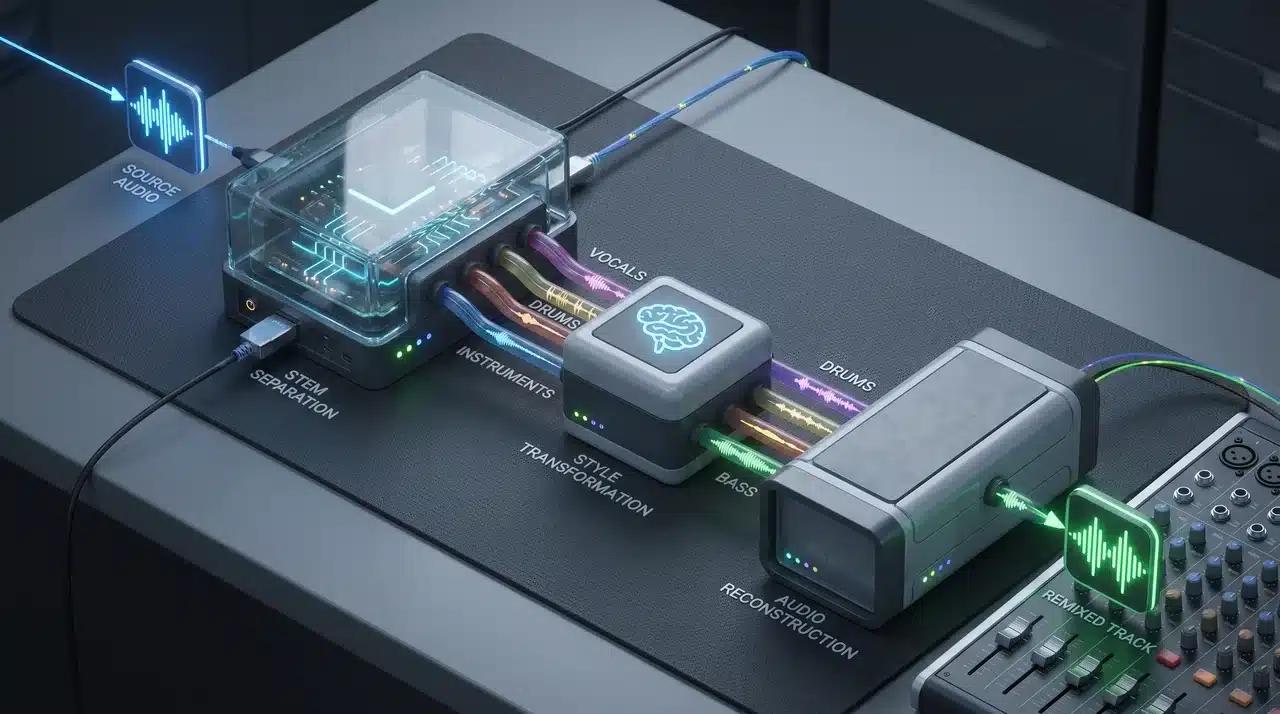
When you upload a track, three things happen in sequence. Understanding each one helps you know what to expect and why results vary.
These aren’t just processing steps. Each stage has a real effect on the final output, and the quality of each one depends on what came before it.
Stem Separation: What the AI is Actually Splitting
The AI breaks your audio into individual layers: vocals, drums, bass, and melody. Think of it like peeling apart a sandwich to work with each ingredient separately.
The catch is that this process isn’t perfect. Heavily produced tracks where instruments overlap and bleed into each other are harder to split cleanly. The muddier the original, the muddier the stems.
Style Transfer and Voice Swap: How the Transformation Works
Once the stems are isolated, the AI applies your chosen transformation to the relevant layer. A genre change might rebuild the instrumental stems around a new sound. A voice swap replaces the vocal stem with a different voice model.
These are two distinct operations. Genre transformation touches the instrumental layers. Voice swapping touches only the vocal stem. Some tools do one. Some do both.
Key and Tempo Matching: Why Mashups Don’t Sound Wrong
If you’ve ever heard a badly made mashup, it’s usually because the two tracks were in different keys or running at different speeds.
AI remix tools detect both automatically and align them before output. That’s what makes a finished remix feel intentional rather than stitched together.
Which AI Remix Makers Are Worth Using?
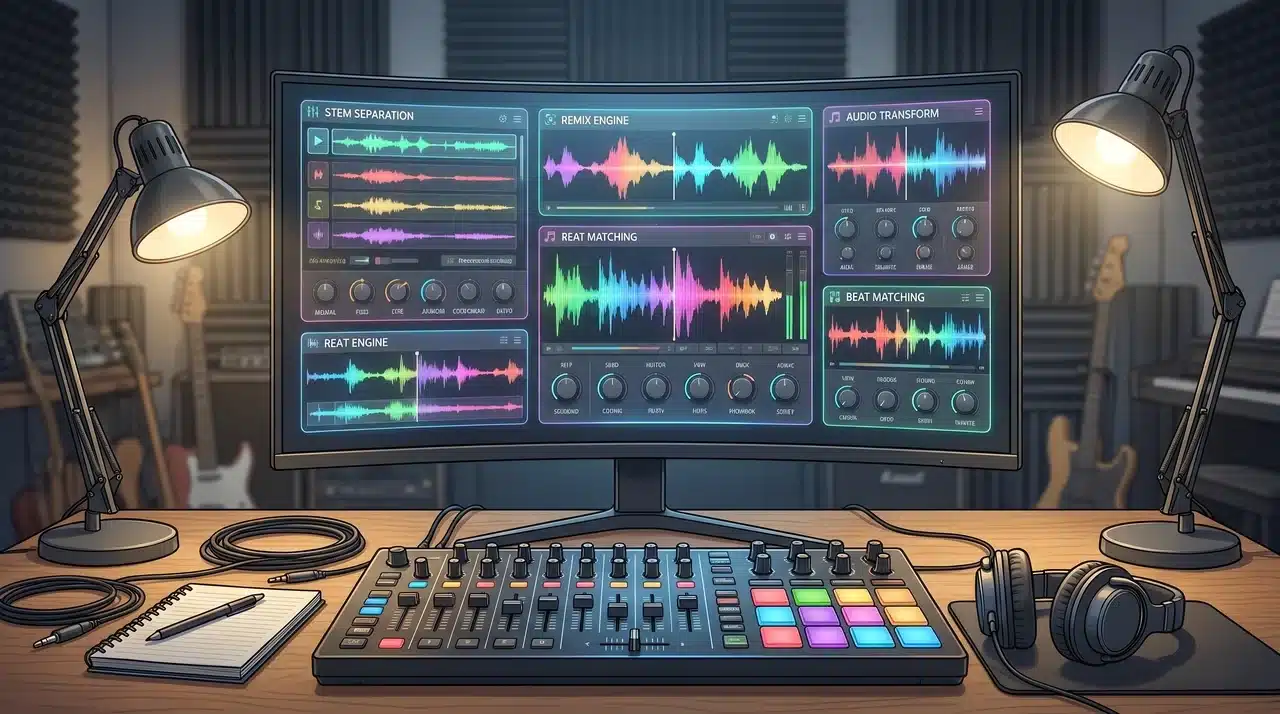
AI remix tools aren’t all designed for the same purpose. Some focus on breaking songs into editable parts, while others transform style or generate entirely new music. Understanding these categories can help you choose the right tool for your workflow.
Tools Built Around Stem Separation
These tools separate a track into vocals, drums, bass, and other stems, giving you more control over the remix.
- Fadr: Great for mashups with automatic key and tempo matching between tracks.
- AirMusic: Combines stem separation with AI-powered remixing based on mood or style prompts.
- Limitation: Both can struggle with complex, heavily layered songs where stem bleed degrades the quality.
Best for creators who want to work directly with the individual elements of an existing track.
Tools Built Around Style and Genre Transformation
Instead of separating audio, these tools change how a song sounds by applying a new style, genre, or voice.
- Loudly: Converts tracks into different genres with minimal effort.
- Covers.ai: Focuses on changing vocals and overall musical style.
- Limitation: Offers less control over specific instruments or sections of a song.
A solid choice when your goal is a dramatic style change rather than detailed editing.
Prompt-Driven Tools That Include Remixing
These platforms treat remixing as part of a broader AI music creation toolkit.
- Tuney: Generates music from text prompts while supporting remix-based workflows.
- MusicGPT: Creates and modifies music based on descriptive prompts.
- Limitation: Better for creating new music than making precise changes to an existing track. Most useful when you’re starting with a creative idea rather than a finished song.
The best AI remix maker depends on your starting point, and how software types map to different workflows explains the broader logic behind matching a tool to the task rather than choosing on features alone.
If you’re editing an existing track, stem separation or style transformation tools are usually the better fit. If you’re building something new from scratch, prompt-driven platforms offer more creative flexibility.
AI Music Generator vs. AI Remix Maker: What’s the Difference?
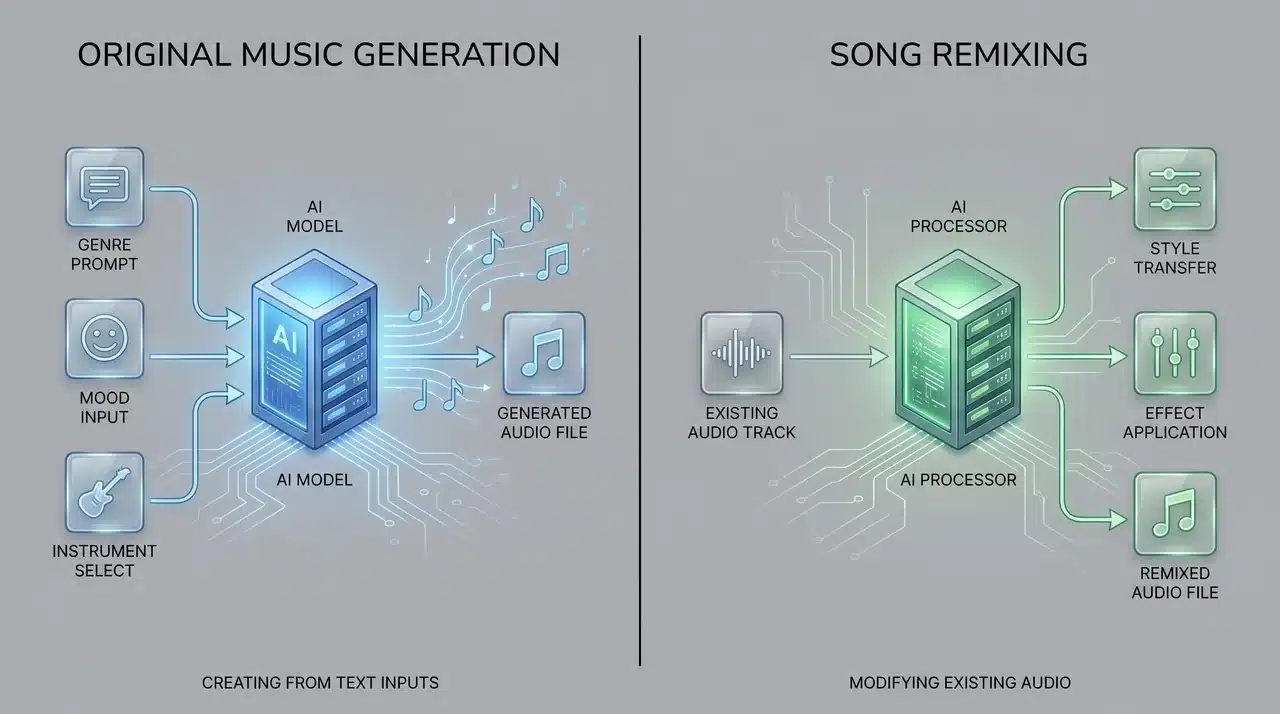
While the terms are often used interchangeably, an AI music generator and an AI remix maker serve different purposes.
An AI music generator creates original music from scratch using text prompts, style selections, or mood descriptions. It doesn’t require an existing song as a starting point.
An AI remix maker works differently. Instead of generating new music, it transforms an existing track by changing elements such as vocals, genre, arrangement, tempo, or instrumentation.
Here’s a quick comparison:
| Feature | AI Music Generator | AI Remix Maker |
|---|---|---|
| Starting Point | Text prompt or idea | Existing song |
| Creates Original Music | Yes | No |
| Modifies Existing Tracks | No | Yes |
| Best For | New compositions | Song transformations |
| Common Tools | MusicGPT, Suno, Udio | Fadr, Loudly, Covers.ai |
If your goal is to create a completely new track, an AI music generator is usually the better choice. If you want to rework an existing song into something different, an AI remix maker is the tool you need.
This distinction matters because many modern platforms now offer both capabilities, allowing creators to remix existing audio and generate entirely new music from scratch.
Is It Legal to Remix a Song with AI?
AI doesn’t change the legal rules around remixing. If a song is copyrighted, you generally need permission to remix and distribute it, whether the remix was made by a producer or an AI tool.
The biggest factor is how you use the remix:
- Private use: Lower risk if you keep it for personal experimentation.
- Public sharing or commercial release: Higher risk without proper authorization.
To stay on safer ground, use:
- Royalty-free music
- Creative Commons tracks that allow remixing
- Music you own or have permission to modify
- Platform-cleared libraries offered by some AI tools
Also, check the AI platform’s terms. Some only allow personal use of AI-generated remixes, while others permit public distribution. Knowing both the source of the music and the tool’s licensing terms is essential before publishing.
Conclusion
An AI remix maker can make remixing faster, easier, and more approachable, but it still works best when you understand what it can and cannot do.
The right tool depends on whether you want to edit stems, change a song’s style, create a mashup, or build something closer to a new track. Before sharing any remix, always check the music rights and platform terms.
Start with a clean audio file, test a few tools, and choose the one that gives you the control your project needs.
Frequently Asked Questions
Can AI remix makers work with any audio file?
Most AI remix makers support common formats such as MP3, WAV, and M4A. However, audio quality plays a major role in the final result, with cleaner recordings producing better remixes.
Do I need music production experience to use an AI remix maker?
No. Most tools are designed for beginners and automate tasks such as stem separation, key detection, tempo matching, and style transformation through simple controls.
Why do some AI remixes sound distorted or unnatural?
Remix quality depends on the original audio. Songs with overlapping instruments, heavy effects, or poor recording quality can make stem separation less accurate, affecting the output.
Can AI remix makers create mashups between two songs?
Yes. Many platforms, including Fadr, can combine multiple tracks by automatically matching key and tempo, helping mashups sound more cohesive and professionally mixed.
Are free AI remix makers good enough for regular use?
Free versions are useful for testing features and creating basic remixes. Paid plans typically offer higher-quality exports, more remix options, faster processing, and fewer usage restrictions.





