Choosing the wrong CRM doesn’t usually happen because someone picked carelessly. It happens because most comparisons skip the one question that actually matters before any list begins.
Examples of CRM software are everywhere. The harder question is why one platform fits certain teams and quietly fails others, even when both teams are technically using it “correctly.”
Here you’ll find out what actually separates these platforms at a structural level. You’ll walk away knowing which type of tool matches how your team already works.
What Is CRM Software and How Does It Work?
Customer Relationship Management (CRM) is a system that helps businesses organize, track, and manage interactions with prospects, customers, and partners.
CRMs centralize contact data, automate repetitive tasks like follow-up reminders and pipeline updates, and give teams a shared view of every customer relationship, so nothing falls through the cracks when a rep leaves, a deal stalls, or a customer contacts support.
CRMs are generally classified into four types, each built around a different business priority. Most platforms blend more than one, but they each lead with something specific, and that’s where the fit decision starts.
Here’s a breakdown of each:
1. Operational CRM: Automates the day-to-day sales tasks, marketing sequences, and service workflows. The goal is removing manual steps so reps spend time on conversations, not data entry. HubSpot and Salesforce both lead here.
2. Analytical CRM: Built for teams that need to understand why their pipeline looks the way it does. Collects and surfaces patterns in customer behavior, forecasting accuracy, and campaign performance. Most enterprise-tier platforms include analytical features as a layer on top of operational ones.
3. Collaborative CRM: Prioritizes information sharing across departments. A sales rep closes a deal; the support team immediately has the full history. It eliminates the handoff gap that causes most post-sale customer frustration.
4. Strategic CRM: Focused on long-term relationship health rather than near-term transactions. Less common as a standalone type; more often a design philosophy built into platforms targeting account management or high-value client retention.
Top CRM Systems Examples For Every Workflow
The list only helps if you know which category to look in. Here are CRM examples from enterprise giants to small-team solutions each described by what it actually does well and who it genuinely suits.
1. Salesforce
Salesforce is an enterprise-grade CRM built around deep customization, workflow automation, and AI-driven forecasting.
It suits large organizations because it’s designed to model complex, multi-stage sales processes with custom objects, role-based permissions, and territory management that smaller platforms don’t support.
Teams with straightforward pipelines typically find it over-engineered and expensive to maintain.
2. HubSpot CRM
HubSpot CRM offers a free core platform with marketing-to-sales pipelines, deal tracking, contact management, and email integration.
It works well for teams that generate leads through content or inbound channels, because contacts are the central object; every deal, task, and email threads back to a contact record.
Teams focused purely on outbound deal progression often find the pipeline view secondary to the contact-centric layout.
3. Zoho CRM
Zoho CRM is sales-centric, with an AI-powered assistant called Zia, workflow automation, pipeline management, and multi-channel communication.
It delivers a competitive feature set at a price point well below enterprise platforms, which makes it a practical fit for sales-driven teams that need real capability without the overhead.
It integrates tightly with the broader Zoho suite, so teams already using Zoho Books or Zoho Desk get the most from it.
4. Microsoft Dynamics 365
Microsoft Dynamics 365 integrates natively with Outlook, Teams, and Excel; emails and calendar events log automatically without a separate sync tool.
That tight integration removes a friction point that costs real time in mixed-stack environments.
It suits organizations already running on Microsoft infrastructure because the setup overhead is substantially lower than it would be on a standalone CRM. For teams not in that ecosystem, the same features are available elsewhere at lower complexity.
5. Pipedrive
Pipedrive is built around deal stages, not contacts. Its interface opens on the pipeline view; every deal is visible by stage, with required next actions surfaced automatically.
That structure suits teams running high-volume outbound sales, where reps need to see what to do next across dozens of open deals without digging through contact records.
Teams with long nurture cycles or complex post-sale workflows tend to outgrow it quickly.
6. Monday.com CRM
Monday.com combines CRM and project management on flexible boards. Deals, tasks, and client deliverables can coexist within a single system, with customizable workflows, automation, and collaboration tools built in.
It’s the right fit when your sales team and delivery team share context on the same accounts, and when managing the work after the sale matters as much as closing it.
I’ve used the software personally for work, and the user-friendliness is the thing that stood out to me the most. It’s easy to navigate, and you get a lot of customization options.
7. Freshsales (Freshworks)
Freshsales combines AI-powered lead scoring, pipeline management, email tracking, and built-in phone and chat in a single interface.
The lead scoring works by analyzing engagement signals like email opens, site visits, response times, and ranking leads automatically.
Reps work the highest-probability contacts first without manual sorting. That’s particularly useful for small teams without a dedicated ops person to build scoring models in a more complex CRM.
8. Insightly
Insightly merges CRM and project management, enabling teams to track contacts, opportunities, and post-sale project workflows in one place.
It provides workflow automation, reporting, and integration with popular apps.
It suits teams where the sale is the beginning, not the end of the work. If your post-sale delivery requires task tracking and client coordination, Insightly handles both without switching tools.
9. Bitrix24
Bitrix24 is an all-in-one platform with CRM, communication, telephony, and collaboration tools built into a single workspace.
Features include lead management, task automation, and social intranet capabilities.
It suits organizations that want to consolidate sales and internal communication into one system rather than paying for separate tools. The tradeoff is complexity — it takes real configuration to set up well.
10. Nutshell
Nutshell is a straightforward CRM focused on ease of use, pipeline management, and reporting.
It includes lead tracking, workflow automation, and email integration — without the feature weight of larger platforms.
It’s a practical choice for small sales teams that want something they can actually learn in a day and use without ongoing admin.
11. Close CRM
Close CRM is built for inside sales teams that live on the phone and in their inbox.
It offers calling, email sequences, and automation all in one place, with the interface designed around communication volume, not account management.
If your reps are doing high-frequency outreach and need to track every touchpoint across dozens of leads daily, Close keeps that motion tight.
12. Copper CRM
Copper CRM integrates seamlessly with Google Workspace, automatically syncing Gmail, Calendar, and Drive without manual data entry.
Contact management, opportunity tracking, and task automation all happen inside the tools your team already uses.
For teams fully embedded in Google’s ecosystem, it removes the friction of switching between a CRM and their inbox. For teams that aren’t, it loses most of its value proposition.
13. Keap (Formerly Infusionsoft)
Keap combines CRM, marketing automation, and e-commerce management in a single platform.
It covers campaign automation, invoicing, and contact tracking, which makes it useful for small businesses that need to manage marketing, sales, and payments without separate tools.
It’s more complex than a basic CRM, so it rewards teams that will actually use the automation features rather than just need a contact list.
14. Agile CRM
Agile CRM brings sales, marketing, and service automation together on one platform. Features include email tracking, web engagement, social monitoring, and workflow automation; all accessible on a free or low-cost tier.
It’s a reasonable starting point for small to mid-sized teams that want unified CRM capabilities without committing to enterprise pricing, though the interface shows its age compared to newer competitors.
15. Zendesk Sell
Zendesk Sell is a CRM built to sit alongside Zendesk’s support platform. It features deal tracking, reporting, pipeline management, and seamless ticketing integration.
The real value appears when your sales and support teams need shared customer context. A rep can see open support tickets on an account before a call.
A support agent can see the deal history before responding to a complaint. That loop is what Zendesk Sell is specifically designed to close.
16. Capsule CRM
Capsule CRM is lightweight and intuitive, built around contact management, sales pipelines, and task organization. It includes notes, history tracking, and integrations without the setup complexity of larger platforms.
It’s a solid fit for small teams that need a clean, organized place to manage relationships and won’t use — or want to pay for — more advanced features.
17. Ontraport
Ontraport combines sales pipelines, marketing automation, and payment management for small businesses that want to run those functions from one platform. Campaigns, transactions, and lead tracking all sit in the same system.
It’s particularly useful when your sales process involves a payment or subscription component — rather than just closing a deal and handing off to another tool.
18. Less Annoying CRM
Less Annoying CRM does exactly what the name suggests. Contact management, task reminders, and basic reporting; nothing more.
It’s built for solo users and very small teams who find standard CRMs overwhelming and just need a reliable place to track who they talked to and what to do next.
If you’ve been running your business out of a spreadsheet and want one step up, this is it.
19. OnePageCRM
OnePageCRM is built around one idea: every contact should have a clear next action.
It provides task-driven pipelines, follow-up reminders, and contact management; all organized so that nothing sits idle without an assigned step.
It suits small sales teams where stalled deals are the main problem, not complex pipeline management.
20. CRM Hub
CRM Hub provides core contact and pipeline tracking, task management, and basic automation.
It’s built for teams that need a centralized platform to organize contacts and manage deals without added complexity or cost.
A practical option when your requirements are straightforward and you don’t want to pay for features you’ll never use.
21. Maximizer CRM
Maximizer CRM emphasizes contact management, sales automation, and reporting with a focus on structured data access.
It supports hierarchical access controls, opportunity tracking, and email integration, which matters for teams where different roles should see different data.
It suits organizations that need defined workflows and data governance baked into the CRM, not added on top.
22. SugarCRM
SugarCRM is a customizable platform focused on sales, marketing, and service process automation.
It provides workflow automation, reporting, and AI-driven insights, and gives technical teams more flexibility to adapt the platform to their processes than most SaaS CRMs allow.
It suits organizations that have outgrown off-the-shelf configurations but aren’t ready for the cost and complexity of Salesforce.
23. Apptivo CRM
Apptivo combines CRM, quotes, invoicing, and basic ERP features in a single platform.
Contact management, opportunity tracking, and project tracking sit alongside billing tools, which makes it useful for small to mid-sized businesses that need sales and operations connected without buying two separate systems.
24. Membrain
Membrain is a sales process CRM with structured playbooks, coaching tools, and performance analytics.
It’s designed for teams that want their CRM to reinforce a specific sales methodology, not just track activity.
Reps follow defined process steps, and managers can see exactly where deals break down, which makes coaching conversations specific rather than general.
25. Salesmate
Salesmate provides a customizable CRM with automation, contact engagement tracking, and pipeline visibility.
Email sequences, workflow rules, and reporting dashboards are all included — with enough flexibility to adapt the platform to different sales processes without heavy configuration.
A solid mid-market option for small to medium teams that need more than basic pipeline tracking but don’t need enterprise complexity.
26. LeadSquared
LeadSquared offers CRM with lead capture, scoring, and funnel analytics built around high-volume lead environments.
It helps sales and marketing teams track prospects, automate follow-up workflows, and measure where leads drop off across campaigns and stages.
It’s particularly strong for businesses running paid campaigns that generate large volumes of inbound leads where scoring and routing matter more than deep account management.
How to Match a CRM to Your Team’s Actual Workflow
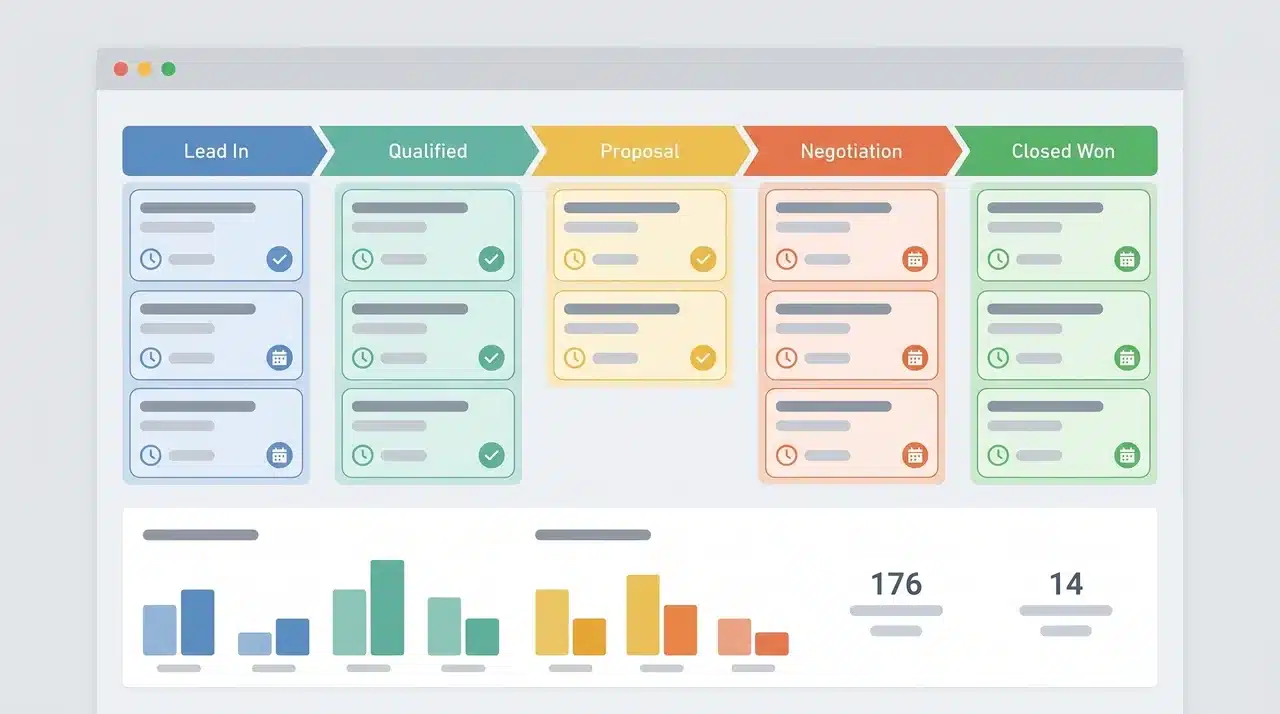
Twenty-six tools. The list only helps if you know which category to look in. The biggest CRM mistake isn’t picking a bad tool , it’s choosing one built for a different workflow.
Before comparing features, answer one question: what does your team track first?
Contacts first.
Your team manages relationships over time. You’re tracking conversation history, follow-up cadences, and engagement across a long or undefined timeline. The deal is downstream of the relationship. If your reps spend more time in contact records than in a pipeline view, you’re contact-first. Use HubSpot or Zoho.
Deals first.
Your team manages active opportunities with defined stages and close dates. Reps know where each deal stands and what the next action is. The pipeline view is where they live. If missing a follow-up on an open deal is the main failure, you’re deal-first. Use Pipedrive or Close CRM.
Projects first.
Your team delivers work after the sale. Client deliverables, tasks, and timelines matter as much as closing the deal itself. If your sales team and delivery team share context on the same account, you’re project-first. Use Monday.com or Insightly.
Team size adds a secondary filter. Teams under 20 people rarely need the configuration overhead of Salesforce or Dynamics 365. The ROI on that complexity only appears at scale when standardizing processes across a large team justifies the setup cost.
Conclusion
The right CRM isn’t the one with the most features. It’s the one built for how your team actually works.
Start with the workflow question: contacts, deals, or projects. That answer points to a category of tool. From there, team size and existing integrations narrow the field.
Most CRM frustrations trace back to misalignment at that first step, not to missing features within the platform itself.
Frequently Asked Questions
What are the best CRM examples for different team workflows?
Salesforce and Dynamics 365 suit large, complex operations. HubSpot and Zoho work well for contact-driven teams. Pipedrive focuses on deal-stage visibility, while Monday.com handles projects alongside sales.
How do I choose the right type of CRM for my business?
Identify your team’s core workflow: contacts, deals, or projects. Match a CRM built around that object first, then filter by team size, complexity, and the tools you already use.
What are the main types of CRM systems, and how do they differ?
Operational CRMs automate day-to-day tasks. Analytical CRMs surface patterns in customer behavior and pipeline performance. Collaborative CRMs share information across departments. Strategic CRMs focus on long-term relationship health. Most platforms blend two or more of these.
Can Excel be used as a CRM for managing customer data?
Excel can track contacts and interactions, but it lacks automation, pipeline visibility, and integrations. It works only for very small teams with minimal follow-up requirements, and it breaks down quickly as volume grows.
Which CRM is easiest for small businesses to start with?
HubSpot’s free tier is the strongest starting point for inbound or marketing-led teams. Pipedrive works best when deal-stage visibility is the priority. Both are quick to set up without technical support.